Automate SaaS Reporting to Google Sheets - 2026 Ops Guide
Jan 8, 2026
AI Automation
SaaS Reporting
Google Sheets
Operations Management
AI Automation
SaaS Reporting
Google Sheets
Operations Management
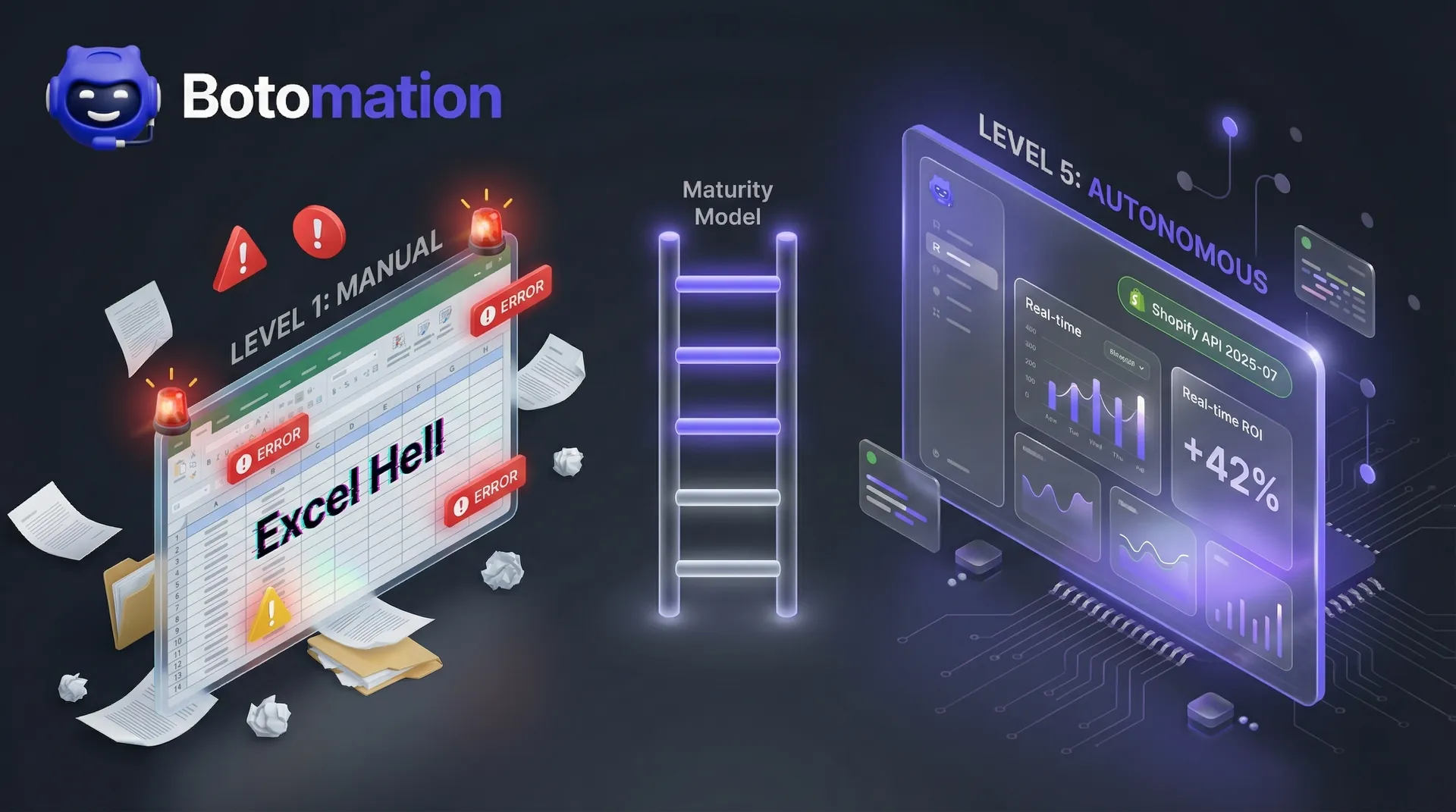
The landscape of operational management has shifted drastically as we move through the final quarter of 2026. For any modern business, the ability to automate reporting from multiple saas tools to google sheets is no longer a luxury—it is a survival requirement. Not long ago, an Operations Manager could get by with a weekly manual export from a CRM and a few hours of pivot table magic. Those days are gone. Today, the sheer volume of data generated by specialized SaaS tools has created a phenomenon often called "Spreadsheet Hell." When your marketing data lives in HubSpot, your sales data in Salesforce, your fulfillment data in Shopify, and your team’s productivity metrics in Jira, the act of manual consolidation becomes a full-time job. Implementing a CRM email integration is often the first step in ensuring these systems communicate effectively without manual intervention.
Manual copy-pasting is no longer just a tedious chore; it represents a significant business risk that companies can now mitigate when they replace manual data entry work with AI agents. In a world where market conditions change by the hour, relying on a report that was manually compiled yesterday is like trying to drive a car by looking in the rearview mirror. You are seeing where you were, not where you are going. This is why the industry has moved toward real-time data aggregation. The goal in 2026 is to transform Google Sheets from a static document into a living, breathing business operations dashboard that updates in real-time without human intervention.
Our team at Botomation has observed that the most successful COOs are no longer hiring data entry clerks. Instead, they are partnering with automation experts to build bridges between these disparate SaaS silos. By creating a unified data environment, these leaders ensure that every decision is backed by the most current information available. This article explores the technical and strategic framework required to automate your reporting ecosystem and reclaim your team’s most valuable asset: time.
How Does Learning to Automate Reporting from Multiple SaaS Tools to Google Sheets Benefit Your Growth?
The hidden costs of manual data management are often buried in your overhead, making them difficult to spot until they cause a major disruption. Modern operations teams are choosing to automate data entry and admin tasks with AI to reclaim lost productivity. When an Operations Manager spends ten hours a week moving data between platforms, the company isn't just losing those ten hours of productivity. It is losing the high-level strategic thinking that the manager was actually hired to provide. This opportunity cost is staggering when compounded over a fiscal year. Beyond the time lost, the threat of human error looms over every manual entry. Even the most diligent employee will eventually make a typo or miss a row when dealing with thousands of data points.
Data audit studies from late 2024 revealed that nearly 88% of large-scale spreadsheets contain significant errors. In an executive setting, these errors lead to "dirty data," which results in flawed projections and poor resource allocation. If your CAC (Customer Acquisition Cost) is reported as $50 when it is actually $75 due to a spreadsheet error, your entire scaling strategy is built on a lie. This leads to what we call Data Decay. In the fast-moving 2026 economy, data loses its utility faster than ever. If your reporting cycle takes three days to complete, the insights you gain are already obsolete by the time they reach the leadership team. Utilizing an automated data consolidation strategy ensures that the information flowing into your systems is verified and instantly available, often through automated lead verification processes that maintain database integrity.
The Financial Impact of Data Entry Errors
The financial consequences of manual reporting are best illustrated by a recent case study involving a mid-sized logistics firm. In early 2024, this company relied on a manual process to sync their shipping costs from a third-party carrier into their primary financial spreadsheet. A single staff member was responsible for this task every Friday. Due to a simple copy-paste error that shifted a column by one cell, the firm under-reported their shipping expenses by 15% over a three-month period.
By the time the error was caught during a quarterly audit, the firm had already committed to a new expansion project based on inflated profit margins. The actual loss was calculated at $56,250 ($45,000 in direct shipping costs plus $11,250 in associated tax and penalty adjustments). This mistake could have been entirely avoided with an automated validation layer. When our experts at Botomation implement automated reporting, we include logic checks that flag anomalies before they ever reach the executive dashboard, ensuring that the data suite remains a source of truth rather than a source of anxiety.
Operational Friction and Team Burnout
There is a psychological toll associated with repetitive admin tasks that companies often ignore. High-level talent, such as Operations Managers and COOs, are driven by problem-solving and growth. Forcing these professionals to perform the digital equivalent of moving piles of sand from one box to another is a recipe for rapid burnout. Recent retention statistics indicate that Operations Managers who utilize advanced automation services are 60% more likely to stay with their current firm for more than three years compared to those stuck in manual workflows.
When a team feels that their time is being wasted on "grunt work" that a machine could do better, morale plummets. This operational friction slows down every other department. If marketing is waiting on a manual report to adjust their ad spend, and sales is waiting on that same report to target new leads, the entire organization is paralyzed. Automation removes this friction, allowing the team to focus on interpreting the data rather than just moving it.
| Reporting Method | Accuracy Rate | Time to Update | Strategic Value |
|---|---|---|---|
| Manual Entry | 82% - 88% | 4 - 24 Hours | Low (Reactive) |
| Basic Export/Import | 90% - 94% | 1 - 2 Hours | Medium (Delayed) |
| Botomation Managed | 99.9% | Real-Time | High (Proactive) |
What is the Best 2026 Tech Stack to Automate Reporting from Multiple SaaS Tools to Google Sheets?
The technology available for data consolidation has evolved significantly in the last twelve months. We are no longer limited to simple "If This, Then That" triggers. The 2026 tech stack is defined by the emergence of AI Data Agents and sophisticated middleware that can interpret data schema changes on the fly. Tools like Coefficient and Coupler.io have introduced deeper integrations that allow for two-way data sync, meaning changes made in Google Sheets can sometimes be pushed back to the source SaaS tool.
Despite the rise of complex Business Intelligence (BI) tools like Tableau or PowerBI, Google Sheets remains the "Executive UI" of choice for most mid-market businesses. Its accessibility, collaborative features, and the familiarity most leaders have with its interface make it the ideal destination for consolidated data. However, the secret to a successful 2026 setup isn't just the destination; it's the sophisticated "glue" used to transport the data. This is where our team provides the most value, by selecting and configuring the right mix of tools to ensure a stable, scalable pipeline.
Leveraging Zapier Central and AI Agents
One of the most significant shifts in 2026 is the widespread adoption of Zapier Central. This isn't the Zapier you remember from five years ago. Zapier Central allows us to create AI-powered agents that act as a bridge between your SaaS tools and your spreadsheets. This technology is a cornerstone for those looking to automate repetitive business tasks with AI agents in 2026. These agents can use natural language to fetch specific data sets. For example, instead of building a complex SQL-like query, you can instruct an agent to "Pull all Shopify orders from the last 24 hours where the discount code 'WINTER25' was used and add them to the Promotions tab."
These agents also function as proactive "Watchers." We can configure them to monitor your data for specific thresholds. If your daily ad spend on LinkedIn exceeds your budget by more than 10%, the agent doesn't just record the data; it can immediately notify your team via Slack or Microsoft Teams. This level of proactive monitoring transforms your reporting from a passive record-keeping exercise into an active management tool. This makes Zapier Central a leading no-code data automation platform for teams that need agility without heavy engineering resources.
Native Connectors vs. Middleware
When building an automated pipeline, you often face a choice: use the native connectors provided by the SaaS tool or use a third-party middleware solution. The Shopify API 2026-01 update, for instance, offers incredibly deep access to store data, but utilizing it directly requires significant technical expertise. Native connectors are often faster and more secure, but they can be rigid. If you need to combine data from Shopify with data from a custom-built internal database, a native connector might not be enough.
This is where a partnership with an agency like Botomation becomes essential. Our experts evaluate your specific needs to decide when to use direct API integrations and when to deploy a middleware platform for custom logic. Middleware allows us to transform the data before it hits the sheet—cleaning up formatting, converting currencies, or merging customer profiles from two different systems. This ensures that when the data arrives in Google Sheets, it is already in a format that is ready for analysis, functioning as a robust KPI aggregation software solution.
"The true power of 2026 automation isn't just moving data; it's the ability to transform raw inputs into actionable intelligence before a human even lays eyes on the spreadsheet." — Senior Automation Consultant at Botomation.
Step by Step Tutorial: Syncing Salesforce and HubSpot to Google Sheets
Syncing data from two major CRMs like Salesforce and HubSpot into a single Google Sheet is a common requirement for operations teams who deal with multiple sales channels. The goal is to create a "Master Aggregator" that provides a bird's-eye view of the entire sales pipeline. This process requires careful planning to ensure that the data from both systems is mapped correctly so that "Leads" in HubSpot align with "Opportunities" in Salesforce.
The first step is defining the primary data source. Usually, one CRM acts as the source for marketing leads while the other handles the closing of deals. You must decide on a sync frequency. While real-time syncing sounds ideal, it can sometimes lead to API rate limits issues if you are dealing with massive datasets. For most service businesses, an hourly sync provides the perfect balance between data freshness and system stability.
Defining Your Data Architecture
Before you connect any tools, you must map out your data architecture. A "Master Aggregator" sheet should be designed with scalability in mind. We recommend using a multi-tab approach: one tab for raw Salesforce data, one for raw HubSpot data, and a third "Executive Dashboard" tab that pulls from both. In 2026, we have moved away from traditional VLOOKUP functions, which can slow down large sheets. Instead, we utilize the improved XLOOKUP or the newer QUERY functions that are optimized for high-performance data handling.
When mapping fields, pay close attention to disparate data types. Salesforce might record a date as "MM/DD/YYYY" while HubSpot uses "YYYY-MM-DD." Our automation workflows include a transformation step that standardizes these formats automatically. This prevents the "formula break" errors that commonly plague manual sheets. By establishing a rigid architecture at the start, you ensure that your reporting remains functional even as your data volume grows from hundreds to hundreds of thousands of rows.
Handling API Rate Limits and Large Datasets
A common challenge for Operations Managers is the "Sheet Crash." When you attempt to sync 100,000+ rows of data into Google Sheets, the platform can become sluggish or fail to load. To solve this, our experts implement "Incremental Sync" strategies. Instead of refreshing the entire dataset every hour, the automation only looks for records that have been created or updated since the last sync. This significantly reduces the load on both the SaaS API and the Google Sheet itself.
Another technical strategy involves using a data warehouse or a staging database if the volume is truly massive. In this scenario, the data moves from your SaaS tools into a warehouse like BigQuery, and then a curated subset of that data is pushed to Google Sheets. This keeps the spreadsheet lean and fast while still providing the executive team with the high-level metrics they need. This "tiered" approach to data is a hallmark of the sophisticated systems we build for our clients.
Real World Case Study: How a Mid-Market Service Provider Saved 40 Hours Weekly
To understand the impact of these systems, we can look at the experience of GreenFlow Solutions, a mid-market service provider that partnered with Botomation in late 2024. GreenFlow was struggling with a fragmented tech stack that included 12 different tools, ranging from Jira for project management to QuickBooks for accounting. Their goal was to eliminate data silos between business applications to achieve a unified operational view. Their Operations Manager was spending nearly 40 hours every month just compiling the "Monthly Growth Report." This process was so labor-intensive that the report was usually delivered ten days after the month had ended.
The problem wasn't just the time spent; it was the 3-day reporting lag that occurred every week. If a project was going over budget on Tuesday, the leadership team wouldn't find out until the following Monday. Our team implemented a comprehensive integration of Jira, QuickBooks, and Salesforce, funneled directly into a custom-built Google Sheets dashboard. We replaced their manual exports with automated triggers that updated the master sheet every four hours.
The Results by the Numbers
The implementation for GreenFlow Solutions yielded immediate and measurable results. By the end of the first month, the time spent on manual data entry had dropped by 95%. The Operations Manager, who previously spent a full week every month on reports, was now able to spend that time on process optimization and vendor negotiations. By choosing to reduce admin tasks in service operations, the company significantly improved its bottom line. This shift in focus led to a further 10% reduction in operational overhead within the first quarter.
Accuracy was another major win. During the first month-end financial reconciliation, the automated system matched the bank records with 100% precision, a feat that had never been achieved during the manual era. The ROI for the project was achieved within just 45 days. By eliminating the need for a dedicated data entry role and preventing costly billing errors, the system paid for itself and began contributing to the company's bottom line almost immediately.
- Manual Entry Time: Reduced from 40 hours/month to 2 hours/month.
- Data Accuracy: Increased from 85% to 99.9%.
- Reporting Lag: Reduced from 3 days to 4 hours.
- First Year Savings: Estimated at over $70,000 in labor and error prevention.
Advanced Data Transformation and AI Summarization
The most exciting development in 2026 reporting is the ability to automate the "Why" behind the numbers. It is one thing to see a chart showing that sales are down; it is another thing entirely to understand why they are down and what should be done about it. By integrating GPT-4o or Claude 3.5 Sonnet directly into the Google Sheets workflow, we can now generate executive summaries that accompany the raw data. This is what we call Narrative Reporting.
Beyond summarization, AI is incredibly effective at cleaning "Dirty Data." If your CRM has duplicate entries or inconsistent naming conventions (e.g., "Apple Inc" vs "Apple"), AI-powered regex and formatting tools can sanitize this data in real-time. This ensures that your aggregations are accurate and that your customer profiles are unified. Our team at Botomation specializes in setting up these AI layers, turning a simple spreadsheet into an intelligent business consultant.
Narrative Reporting with AI
Imagine an executive opening their dashboard and, instead of having to interpret a dozen different graphs, they see a concise, three-sentence summary at the top of the page. We set up custom prompts that analyze KPI trends and output insights like: "Our Customer Acquisition Cost (CAC) increased by 12% this week due to a surge in LinkedIn ad spend in Q3. However, the Lead-to-Close ratio has also improved by 5%, suggesting higher lead quality."
This level of insight used to require hours of analysis by a senior staff member. Now, it happens automatically the moment the data is synced. By providing the context alongside the numbers, you empower your leadership team to make faster, more confident decisions. This is the "New Way" of operating—where the technology doesn't just store data, but actively helps you understand your business.
Frequently Asked Questions
Is Google Sheets secure enough for executive financial data?
Security is a top priority in 2026. When we set up these systems, we utilize OAuth 2.0 protocols to ensure that data is encrypted during transit. Furthermore, Google Sheets offers advanced sharing permissions and audit logs, allowing you to see exactly who accessed the data and when. For companies with strict compliance needs, we can implement restricted sheet permissions and data masking to ensure that sensitive information like social security numbers or private financial details are never exposed to unauthorized users.
What happens if my SaaS tool changes its API?
API changes are a reality of the SaaS world. However, by using a managed service like Botomation, you are protected from these disruptions. Our experts monitor for API deprecation notices and schema changes. If a tool like Salesforce updates its data structure, we proactively adjust the integration logic to ensure your reports never skip a beat. This is the primary advantage of partnering with an agency rather than relying on a "set it and forget it" software tool.
Do I need to know how to code to use these tools?
While the underlying technology involves complex code and API calls, the end-user experience is designed to be code-free. Our team handles all the "heavy lifting" of the back-end configuration. Your team simply interacts with the familiar Google Sheets interface. We provide your Operations Manager with the training needed to manage the dashboard, but you won't need to write a single line of Javascript or Python to keep the system running.
How does this help with GDPR and SOC2 compliance?
Automating your data flow actually makes compliance easier. Manual data handling is a major source of compliance breaches, as data is often stored in insecure local files or sent via unencrypted email. By centralizing your data flow through an automated, encrypted pipeline, you create a clear "paper trail" for auditors. Our systems are built with GDPR and SOC2 principles in mind, ensuring that data is handled according to the highest industry standards.
What is the typical ROI for an automated reporting project?
Most mid-market firms see a full return on investment within 60 to 90 days. The savings come from two primary sources: the reduction in billable hours spent on administrative tasks and the prevention of financial losses due to manual entry errors. Furthermore, the strategic value of having real-time data allows for faster pivots in marketing and sales spend, which often yields a significant increase in revenue that far outweighs the cost of the automation setup.
The transition from manual labor to automated operations is no longer optional for businesses that want to remain competitive in 2026. The "Old Way" of managing data—characterized by endless copy-pasting, constant errors, and delayed reporting—is a relic of the past. It drains your resources and clouds your vision. By embracing the "New Way," you provide your leadership team with real-time executive visibility and free your operations staff to focus on high-impact growth strategies.
Partnering with the experts at Botomation allows you to skip the steep learning curve of these complex technologies. We don't just provide a tool; we provide a complete service that acts as the glue for your entire business. We build the architecture, manage the integrations, and ensure that your operations run on autopilot. The result is a more efficient, more accurate, and more profitable organization.
Ready to automate your growth? Stop losing money on manual tasks and start operating at the speed of 2026. Book a call below.
The landscape of operational management has shifted drastically as we move through the final quarter of 2026. For any modern business, the ability to automate reporting from multiple saas tools to google sheets is no longer a luxury—it is a survival requirement. Not long ago, an Operations Manager could get by with a weekly manual export from a CRM and a few hours of pivot table magic. Those days are gone. Today, the sheer volume of data generated by specialized SaaS tools has created a phenomenon often called "Spreadsheet Hell." When your marketing data lives in HubSpot, your sales data in Salesforce, your fulfillment data in Shopify, and your team’s productivity metrics in Jira, the act of manual consolidation becomes a full-time job. Implementing a CRM email integration is often the first step in ensuring these systems communicate effectively without manual intervention.
Manual copy-pasting is no longer just a tedious chore; it represents a significant business risk that companies can now mitigate when they replace manual data entry work with AI agents. In a world where market conditions change by the hour, relying on a report that was manually compiled yesterday is like trying to drive a car by looking in the rearview mirror. You are seeing where you were, not where you are going. This is why the industry has moved toward real-time data aggregation. The goal in 2026 is to transform Google Sheets from a static document into a living, breathing business operations dashboard that updates in real-time without human intervention.
Our team at Botomation has observed that the most successful COOs are no longer hiring data entry clerks. Instead, they are partnering with automation experts to build bridges between these disparate SaaS silos. By creating a unified data environment, these leaders ensure that every decision is backed by the most current information available. This article explores the technical and strategic framework required to automate your reporting ecosystem and reclaim your team’s most valuable asset: time.
How Does Learning to Automate Reporting from Multiple SaaS Tools to Google Sheets Benefit Your Growth?
The hidden costs of manual data management are often buried in your overhead, making them difficult to spot until they cause a major disruption. Modern operations teams are choosing to automate data entry and admin tasks with AI to reclaim lost productivity. When an Operations Manager spends ten hours a week moving data between platforms, the company isn't just losing those ten hours of productivity. It is losing the high-level strategic thinking that the manager was actually hired to provide. This opportunity cost is staggering when compounded over a fiscal year. Beyond the time lost, the threat of human error looms over every manual entry. Even the most diligent employee will eventually make a typo or miss a row when dealing with thousands of data points.
Data audit studies from late 2024 revealed that nearly 88% of large-scale spreadsheets contain significant errors. In an executive setting, these errors lead to "dirty data," which results in flawed projections and poor resource allocation. If your CAC (Customer Acquisition Cost) is reported as $50 when it is actually $75 due to a spreadsheet error, your entire scaling strategy is built on a lie. This leads to what we call Data Decay. In the fast-moving 2026 economy, data loses its utility faster than ever. If your reporting cycle takes three days to complete, the insights you gain are already obsolete by the time they reach the leadership team. Utilizing an automated data consolidation strategy ensures that the information flowing into your systems is verified and instantly available, often through automated lead verification processes that maintain database integrity.
The Financial Impact of Data Entry Errors
The financial consequences of manual reporting are best illustrated by a recent case study involving a mid-sized logistics firm. In early 2024, this company relied on a manual process to sync their shipping costs from a third-party carrier into their primary financial spreadsheet. A single staff member was responsible for this task every Friday. Due to a simple copy-paste error that shifted a column by one cell, the firm under-reported their shipping expenses by 15% over a three-month period.
By the time the error was caught during a quarterly audit, the firm had already committed to a new expansion project based on inflated profit margins. The actual loss was calculated at $56,250 ($45,000 in direct shipping costs plus $11,250 in associated tax and penalty adjustments). This mistake could have been entirely avoided with an automated validation layer. When our experts at Botomation implement automated reporting, we include logic checks that flag anomalies before they ever reach the executive dashboard, ensuring that the data suite remains a source of truth rather than a source of anxiety.
Operational Friction and Team Burnout
There is a psychological toll associated with repetitive admin tasks that companies often ignore. High-level talent, such as Operations Managers and COOs, are driven by problem-solving and growth. Forcing these professionals to perform the digital equivalent of moving piles of sand from one box to another is a recipe for rapid burnout. Recent retention statistics indicate that Operations Managers who utilize advanced automation services are 60% more likely to stay with their current firm for more than three years compared to those stuck in manual workflows.
When a team feels that their time is being wasted on "grunt work" that a machine could do better, morale plummets. This operational friction slows down every other department. If marketing is waiting on a manual report to adjust their ad spend, and sales is waiting on that same report to target new leads, the entire organization is paralyzed. Automation removes this friction, allowing the team to focus on interpreting the data rather than just moving it.
| Reporting Method | Accuracy Rate | Time to Update | Strategic Value |
|---|---|---|---|
| Manual Entry | 82% - 88% | 4 - 24 Hours | Low (Reactive) |
| Basic Export/Import | 90% - 94% | 1 - 2 Hours | Medium (Delayed) |
| Botomation Managed | 99.9% | Real-Time | High (Proactive) |
What is the Best 2026 Tech Stack to Automate Reporting from Multiple SaaS Tools to Google Sheets?
The technology available for data consolidation has evolved significantly in the last twelve months. We are no longer limited to simple "If This, Then That" triggers. The 2026 tech stack is defined by the emergence of AI Data Agents and sophisticated middleware that can interpret data schema changes on the fly. Tools like Coefficient and Coupler.io have introduced deeper integrations that allow for two-way data sync, meaning changes made in Google Sheets can sometimes be pushed back to the source SaaS tool.
Despite the rise of complex Business Intelligence (BI) tools like Tableau or PowerBI, Google Sheets remains the "Executive UI" of choice for most mid-market businesses. Its accessibility, collaborative features, and the familiarity most leaders have with its interface make it the ideal destination for consolidated data. However, the secret to a successful 2026 setup isn't just the destination; it's the sophisticated "glue" used to transport the data. This is where our team provides the most value, by selecting and configuring the right mix of tools to ensure a stable, scalable pipeline.
Leveraging Zapier Central and AI Agents
One of the most significant shifts in 2026 is the widespread adoption of Zapier Central. This isn't the Zapier you remember from five years ago. Zapier Central allows us to create AI-powered agents that act as a bridge between your SaaS tools and your spreadsheets. This technology is a cornerstone for those looking to automate repetitive business tasks with AI agents in 2026. These agents can use natural language to fetch specific data sets. For example, instead of building a complex SQL-like query, you can instruct an agent to "Pull all Shopify orders from the last 24 hours where the discount code 'WINTER25' was used and add them to the Promotions tab."
These agents also function as proactive "Watchers." We can configure them to monitor your data for specific thresholds. If your daily ad spend on LinkedIn exceeds your budget by more than 10%, the agent doesn't just record the data; it can immediately notify your team via Slack or Microsoft Teams. This level of proactive monitoring transforms your reporting from a passive record-keeping exercise into an active management tool. This makes Zapier Central a leading no-code data automation platform for teams that need agility without heavy engineering resources.
Native Connectors vs. Middleware
When building an automated pipeline, you often face a choice: use the native connectors provided by the SaaS tool or use a third-party middleware solution. The Shopify API 2026-01 update, for instance, offers incredibly deep access to store data, but utilizing it directly requires significant technical expertise. Native connectors are often faster and more secure, but they can be rigid. If you need to combine data from Shopify with data from a custom-built internal database, a native connector might not be enough.
This is where a partnership with an agency like Botomation becomes essential. Our experts evaluate your specific needs to decide when to use direct API integrations and when to deploy a middleware platform for custom logic. Middleware allows us to transform the data before it hits the sheet—cleaning up formatting, converting currencies, or merging customer profiles from two different systems. This ensures that when the data arrives in Google Sheets, it is already in a format that is ready for analysis, functioning as a robust KPI aggregation software solution.
"The true power of 2026 automation isn't just moving data; it's the ability to transform raw inputs into actionable intelligence before a human even lays eyes on the spreadsheet." — Senior Automation Consultant at Botomation.
Step by Step Tutorial: Syncing Salesforce and HubSpot to Google Sheets
Syncing data from two major CRMs like Salesforce and HubSpot into a single Google Sheet is a common requirement for operations teams who deal with multiple sales channels. The goal is to create a "Master Aggregator" that provides a bird's-eye view of the entire sales pipeline. This process requires careful planning to ensure that the data from both systems is mapped correctly so that "Leads" in HubSpot align with "Opportunities" in Salesforce.
The first step is defining the primary data source. Usually, one CRM acts as the source for marketing leads while the other handles the closing of deals. You must decide on a sync frequency. While real-time syncing sounds ideal, it can sometimes lead to API rate limits issues if you are dealing with massive datasets. For most service businesses, an hourly sync provides the perfect balance between data freshness and system stability.
Defining Your Data Architecture
Before you connect any tools, you must map out your data architecture. A "Master Aggregator" sheet should be designed with scalability in mind. We recommend using a multi-tab approach: one tab for raw Salesforce data, one for raw HubSpot data, and a third "Executive Dashboard" tab that pulls from both. In 2026, we have moved away from traditional VLOOKUP functions, which can slow down large sheets. Instead, we utilize the improved XLOOKUP or the newer QUERY functions that are optimized for high-performance data handling.
When mapping fields, pay close attention to disparate data types. Salesforce might record a date as "MM/DD/YYYY" while HubSpot uses "YYYY-MM-DD." Our automation workflows include a transformation step that standardizes these formats automatically. This prevents the "formula break" errors that commonly plague manual sheets. By establishing a rigid architecture at the start, you ensure that your reporting remains functional even as your data volume grows from hundreds to hundreds of thousands of rows.
Handling API Rate Limits and Large Datasets
A common challenge for Operations Managers is the "Sheet Crash." When you attempt to sync 100,000+ rows of data into Google Sheets, the platform can become sluggish or fail to load. To solve this, our experts implement "Incremental Sync" strategies. Instead of refreshing the entire dataset every hour, the automation only looks for records that have been created or updated since the last sync. This significantly reduces the load on both the SaaS API and the Google Sheet itself.
Another technical strategy involves using a data warehouse or a staging database if the volume is truly massive. In this scenario, the data moves from your SaaS tools into a warehouse like BigQuery, and then a curated subset of that data is pushed to Google Sheets. This keeps the spreadsheet lean and fast while still providing the executive team with the high-level metrics they need. This "tiered" approach to data is a hallmark of the sophisticated systems we build for our clients.
Real World Case Study: How a Mid-Market Service Provider Saved 40 Hours Weekly
To understand the impact of these systems, we can look at the experience of GreenFlow Solutions, a mid-market service provider that partnered with Botomation in late 2024. GreenFlow was struggling with a fragmented tech stack that included 12 different tools, ranging from Jira for project management to QuickBooks for accounting. Their goal was to eliminate data silos between business applications to achieve a unified operational view. Their Operations Manager was spending nearly 40 hours every month just compiling the "Monthly Growth Report." This process was so labor-intensive that the report was usually delivered ten days after the month had ended.
The problem wasn't just the time spent; it was the 3-day reporting lag that occurred every week. If a project was going over budget on Tuesday, the leadership team wouldn't find out until the following Monday. Our team implemented a comprehensive integration of Jira, QuickBooks, and Salesforce, funneled directly into a custom-built Google Sheets dashboard. We replaced their manual exports with automated triggers that updated the master sheet every four hours.
The Results by the Numbers
The implementation for GreenFlow Solutions yielded immediate and measurable results. By the end of the first month, the time spent on manual data entry had dropped by 95%. The Operations Manager, who previously spent a full week every month on reports, was now able to spend that time on process optimization and vendor negotiations. By choosing to reduce admin tasks in service operations, the company significantly improved its bottom line. This shift in focus led to a further 10% reduction in operational overhead within the first quarter.
Accuracy was another major win. During the first month-end financial reconciliation, the automated system matched the bank records with 100% precision, a feat that had never been achieved during the manual era. The ROI for the project was achieved within just 45 days. By eliminating the need for a dedicated data entry role and preventing costly billing errors, the system paid for itself and began contributing to the company's bottom line almost immediately.
- Manual Entry Time: Reduced from 40 hours/month to 2 hours/month.
- Data Accuracy: Increased from 85% to 99.9%.
- Reporting Lag: Reduced from 3 days to 4 hours.
- First Year Savings: Estimated at over $70,000 in labor and error prevention.
Advanced Data Transformation and AI Summarization
The most exciting development in 2026 reporting is the ability to automate the "Why" behind the numbers. It is one thing to see a chart showing that sales are down; it is another thing entirely to understand why they are down and what should be done about it. By integrating GPT-4o or Claude 3.5 Sonnet directly into the Google Sheets workflow, we can now generate executive summaries that accompany the raw data. This is what we call Narrative Reporting.
Beyond summarization, AI is incredibly effective at cleaning "Dirty Data." If your CRM has duplicate entries or inconsistent naming conventions (e.g., "Apple Inc" vs "Apple"), AI-powered regex and formatting tools can sanitize this data in real-time. This ensures that your aggregations are accurate and that your customer profiles are unified. Our team at Botomation specializes in setting up these AI layers, turning a simple spreadsheet into an intelligent business consultant.
Narrative Reporting with AI
Imagine an executive opening their dashboard and, instead of having to interpret a dozen different graphs, they see a concise, three-sentence summary at the top of the page. We set up custom prompts that analyze KPI trends and output insights like: "Our Customer Acquisition Cost (CAC) increased by 12% this week due to a surge in LinkedIn ad spend in Q3. However, the Lead-to-Close ratio has also improved by 5%, suggesting higher lead quality."
This level of insight used to require hours of analysis by a senior staff member. Now, it happens automatically the moment the data is synced. By providing the context alongside the numbers, you empower your leadership team to make faster, more confident decisions. This is the "New Way" of operating—where the technology doesn't just store data, but actively helps you understand your business.
Frequently Asked Questions
Is Google Sheets secure enough for executive financial data?
Security is a top priority in 2026. When we set up these systems, we utilize OAuth 2.0 protocols to ensure that data is encrypted during transit. Furthermore, Google Sheets offers advanced sharing permissions and audit logs, allowing you to see exactly who accessed the data and when. For companies with strict compliance needs, we can implement restricted sheet permissions and data masking to ensure that sensitive information like social security numbers or private financial details are never exposed to unauthorized users.
What happens if my SaaS tool changes its API?
API changes are a reality of the SaaS world. However, by using a managed service like Botomation, you are protected from these disruptions. Our experts monitor for API deprecation notices and schema changes. If a tool like Salesforce updates its data structure, we proactively adjust the integration logic to ensure your reports never skip a beat. This is the primary advantage of partnering with an agency rather than relying on a "set it and forget it" software tool.
Do I need to know how to code to use these tools?
While the underlying technology involves complex code and API calls, the end-user experience is designed to be code-free. Our team handles all the "heavy lifting" of the back-end configuration. Your team simply interacts with the familiar Google Sheets interface. We provide your Operations Manager with the training needed to manage the dashboard, but you won't need to write a single line of Javascript or Python to keep the system running.
How does this help with GDPR and SOC2 compliance?
Automating your data flow actually makes compliance easier. Manual data handling is a major source of compliance breaches, as data is often stored in insecure local files or sent via unencrypted email. By centralizing your data flow through an automated, encrypted pipeline, you create a clear "paper trail" for auditors. Our systems are built with GDPR and SOC2 principles in mind, ensuring that data is handled according to the highest industry standards.
What is the typical ROI for an automated reporting project?
Most mid-market firms see a full return on investment within 60 to 90 days. The savings come from two primary sources: the reduction in billable hours spent on administrative tasks and the prevention of financial losses due to manual entry errors. Furthermore, the strategic value of having real-time data allows for faster pivots in marketing and sales spend, which often yields a significant increase in revenue that far outweighs the cost of the automation setup.
The transition from manual labor to automated operations is no longer optional for businesses that want to remain competitive in 2026. The "Old Way" of managing data—characterized by endless copy-pasting, constant errors, and delayed reporting—is a relic of the past. It drains your resources and clouds your vision. By embracing the "New Way," you provide your leadership team with real-time executive visibility and free your operations staff to focus on high-impact growth strategies.
Partnering with the experts at Botomation allows you to skip the steep learning curve of these complex technologies. We don't just provide a tool; we provide a complete service that acts as the glue for your entire business. We build the architecture, manage the integrations, and ensure that your operations run on autopilot. The result is a more efficient, more accurate, and more profitable organization.
Ready to automate your growth? Stop losing money on manual tasks and start operating at the speed of 2026. Book a call below.
The landscape of operational management has shifted drastically as we move through the final quarter of 2026. For any modern business, the ability to automate reporting from multiple saas tools to google sheets is no longer a luxury—it is a survival requirement. Not long ago, an Operations Manager could get by with a weekly manual export from a CRM and a few hours of pivot table magic. Those days are gone. Today, the sheer volume of data generated by specialized SaaS tools has created a phenomenon often called "Spreadsheet Hell." When your marketing data lives in HubSpot, your sales data in Salesforce, your fulfillment data in Shopify, and your team’s productivity metrics in Jira, the act of manual consolidation becomes a full-time job. Implementing a CRM email integration is often the first step in ensuring these systems communicate effectively without manual intervention.
Manual copy-pasting is no longer just a tedious chore; it represents a significant business risk that companies can now mitigate when they replace manual data entry work with AI agents. In a world where market conditions change by the hour, relying on a report that was manually compiled yesterday is like trying to drive a car by looking in the rearview mirror. You are seeing where you were, not where you are going. This is why the industry has moved toward real-time data aggregation. The goal in 2026 is to transform Google Sheets from a static document into a living, breathing business operations dashboard that updates in real-time without human intervention.
Our team at Botomation has observed that the most successful COOs are no longer hiring data entry clerks. Instead, they are partnering with automation experts to build bridges between these disparate SaaS silos. By creating a unified data environment, these leaders ensure that every decision is backed by the most current information available. This article explores the technical and strategic framework required to automate your reporting ecosystem and reclaim your team’s most valuable asset: time.
How Does Learning to Automate Reporting from Multiple SaaS Tools to Google Sheets Benefit Your Growth?
The hidden costs of manual data management are often buried in your overhead, making them difficult to spot until they cause a major disruption. Modern operations teams are choosing to automate data entry and admin tasks with AI to reclaim lost productivity. When an Operations Manager spends ten hours a week moving data between platforms, the company isn't just losing those ten hours of productivity. It is losing the high-level strategic thinking that the manager was actually hired to provide. This opportunity cost is staggering when compounded over a fiscal year. Beyond the time lost, the threat of human error looms over every manual entry. Even the most diligent employee will eventually make a typo or miss a row when dealing with thousands of data points.
Data audit studies from late 2024 revealed that nearly 88% of large-scale spreadsheets contain significant errors. In an executive setting, these errors lead to "dirty data," which results in flawed projections and poor resource allocation. If your CAC (Customer Acquisition Cost) is reported as $50 when it is actually $75 due to a spreadsheet error, your entire scaling strategy is built on a lie. This leads to what we call Data Decay. In the fast-moving 2026 economy, data loses its utility faster than ever. If your reporting cycle takes three days to complete, the insights you gain are already obsolete by the time they reach the leadership team. Utilizing an automated data consolidation strategy ensures that the information flowing into your systems is verified and instantly available, often through automated lead verification processes that maintain database integrity.
The Financial Impact of Data Entry Errors
The financial consequences of manual reporting are best illustrated by a recent case study involving a mid-sized logistics firm. In early 2024, this company relied on a manual process to sync their shipping costs from a third-party carrier into their primary financial spreadsheet. A single staff member was responsible for this task every Friday. Due to a simple copy-paste error that shifted a column by one cell, the firm under-reported their shipping expenses by 15% over a three-month period.
By the time the error was caught during a quarterly audit, the firm had already committed to a new expansion project based on inflated profit margins. The actual loss was calculated at $56,250 ($45,000 in direct shipping costs plus $11,250 in associated tax and penalty adjustments). This mistake could have been entirely avoided with an automated validation layer. When our experts at Botomation implement automated reporting, we include logic checks that flag anomalies before they ever reach the executive dashboard, ensuring that the data suite remains a source of truth rather than a source of anxiety.
Operational Friction and Team Burnout
There is a psychological toll associated with repetitive admin tasks that companies often ignore. High-level talent, such as Operations Managers and COOs, are driven by problem-solving and growth. Forcing these professionals to perform the digital equivalent of moving piles of sand from one box to another is a recipe for rapid burnout. Recent retention statistics indicate that Operations Managers who utilize advanced automation services are 60% more likely to stay with their current firm for more than three years compared to those stuck in manual workflows.
When a team feels that their time is being wasted on "grunt work" that a machine could do better, morale plummets. This operational friction slows down every other department. If marketing is waiting on a manual report to adjust their ad spend, and sales is waiting on that same report to target new leads, the entire organization is paralyzed. Automation removes this friction, allowing the team to focus on interpreting the data rather than just moving it.
| Reporting Method | Accuracy Rate | Time to Update | Strategic Value |
|---|---|---|---|
| Manual Entry | 82% - 88% | 4 - 24 Hours | Low (Reactive) |
| Basic Export/Import | 90% - 94% | 1 - 2 Hours | Medium (Delayed) |
| Botomation Managed | 99.9% | Real-Time | High (Proactive) |
What is the Best 2026 Tech Stack to Automate Reporting from Multiple SaaS Tools to Google Sheets?
The technology available for data consolidation has evolved significantly in the last twelve months. We are no longer limited to simple "If This, Then That" triggers. The 2026 tech stack is defined by the emergence of AI Data Agents and sophisticated middleware that can interpret data schema changes on the fly. Tools like Coefficient and Coupler.io have introduced deeper integrations that allow for two-way data sync, meaning changes made in Google Sheets can sometimes be pushed back to the source SaaS tool.
Despite the rise of complex Business Intelligence (BI) tools like Tableau or PowerBI, Google Sheets remains the "Executive UI" of choice for most mid-market businesses. Its accessibility, collaborative features, and the familiarity most leaders have with its interface make it the ideal destination for consolidated data. However, the secret to a successful 2026 setup isn't just the destination; it's the sophisticated "glue" used to transport the data. This is where our team provides the most value, by selecting and configuring the right mix of tools to ensure a stable, scalable pipeline.
Leveraging Zapier Central and AI Agents
One of the most significant shifts in 2026 is the widespread adoption of Zapier Central. This isn't the Zapier you remember from five years ago. Zapier Central allows us to create AI-powered agents that act as a bridge between your SaaS tools and your spreadsheets. This technology is a cornerstone for those looking to automate repetitive business tasks with AI agents in 2026. These agents can use natural language to fetch specific data sets. For example, instead of building a complex SQL-like query, you can instruct an agent to "Pull all Shopify orders from the last 24 hours where the discount code 'WINTER25' was used and add them to the Promotions tab."
These agents also function as proactive "Watchers." We can configure them to monitor your data for specific thresholds. If your daily ad spend on LinkedIn exceeds your budget by more than 10%, the agent doesn't just record the data; it can immediately notify your team via Slack or Microsoft Teams. This level of proactive monitoring transforms your reporting from a passive record-keeping exercise into an active management tool. This makes Zapier Central a leading no-code data automation platform for teams that need agility without heavy engineering resources.
Native Connectors vs. Middleware
When building an automated pipeline, you often face a choice: use the native connectors provided by the SaaS tool or use a third-party middleware solution. The Shopify API 2026-01 update, for instance, offers incredibly deep access to store data, but utilizing it directly requires significant technical expertise. Native connectors are often faster and more secure, but they can be rigid. If you need to combine data from Shopify with data from a custom-built internal database, a native connector might not be enough.
This is where a partnership with an agency like Botomation becomes essential. Our experts evaluate your specific needs to decide when to use direct API integrations and when to deploy a middleware platform for custom logic. Middleware allows us to transform the data before it hits the sheet—cleaning up formatting, converting currencies, or merging customer profiles from two different systems. This ensures that when the data arrives in Google Sheets, it is already in a format that is ready for analysis, functioning as a robust KPI aggregation software solution.
"The true power of 2026 automation isn't just moving data; it's the ability to transform raw inputs into actionable intelligence before a human even lays eyes on the spreadsheet." — Senior Automation Consultant at Botomation.
Step by Step Tutorial: Syncing Salesforce and HubSpot to Google Sheets
Syncing data from two major CRMs like Salesforce and HubSpot into a single Google Sheet is a common requirement for operations teams who deal with multiple sales channels. The goal is to create a "Master Aggregator" that provides a bird's-eye view of the entire sales pipeline. This process requires careful planning to ensure that the data from both systems is mapped correctly so that "Leads" in HubSpot align with "Opportunities" in Salesforce.
The first step is defining the primary data source. Usually, one CRM acts as the source for marketing leads while the other handles the closing of deals. You must decide on a sync frequency. While real-time syncing sounds ideal, it can sometimes lead to API rate limits issues if you are dealing with massive datasets. For most service businesses, an hourly sync provides the perfect balance between data freshness and system stability.
Defining Your Data Architecture
Before you connect any tools, you must map out your data architecture. A "Master Aggregator" sheet should be designed with scalability in mind. We recommend using a multi-tab approach: one tab for raw Salesforce data, one for raw HubSpot data, and a third "Executive Dashboard" tab that pulls from both. In 2026, we have moved away from traditional VLOOKUP functions, which can slow down large sheets. Instead, we utilize the improved XLOOKUP or the newer QUERY functions that are optimized for high-performance data handling.
When mapping fields, pay close attention to disparate data types. Salesforce might record a date as "MM/DD/YYYY" while HubSpot uses "YYYY-MM-DD." Our automation workflows include a transformation step that standardizes these formats automatically. This prevents the "formula break" errors that commonly plague manual sheets. By establishing a rigid architecture at the start, you ensure that your reporting remains functional even as your data volume grows from hundreds to hundreds of thousands of rows.
Handling API Rate Limits and Large Datasets
A common challenge for Operations Managers is the "Sheet Crash." When you attempt to sync 100,000+ rows of data into Google Sheets, the platform can become sluggish or fail to load. To solve this, our experts implement "Incremental Sync" strategies. Instead of refreshing the entire dataset every hour, the automation only looks for records that have been created or updated since the last sync. This significantly reduces the load on both the SaaS API and the Google Sheet itself.
Another technical strategy involves using a data warehouse or a staging database if the volume is truly massive. In this scenario, the data moves from your SaaS tools into a warehouse like BigQuery, and then a curated subset of that data is pushed to Google Sheets. This keeps the spreadsheet lean and fast while still providing the executive team with the high-level metrics they need. This "tiered" approach to data is a hallmark of the sophisticated systems we build for our clients.
Real World Case Study: How a Mid-Market Service Provider Saved 40 Hours Weekly
To understand the impact of these systems, we can look at the experience of GreenFlow Solutions, a mid-market service provider that partnered with Botomation in late 2024. GreenFlow was struggling with a fragmented tech stack that included 12 different tools, ranging from Jira for project management to QuickBooks for accounting. Their goal was to eliminate data silos between business applications to achieve a unified operational view. Their Operations Manager was spending nearly 40 hours every month just compiling the "Monthly Growth Report." This process was so labor-intensive that the report was usually delivered ten days after the month had ended.
The problem wasn't just the time spent; it was the 3-day reporting lag that occurred every week. If a project was going over budget on Tuesday, the leadership team wouldn't find out until the following Monday. Our team implemented a comprehensive integration of Jira, QuickBooks, and Salesforce, funneled directly into a custom-built Google Sheets dashboard. We replaced their manual exports with automated triggers that updated the master sheet every four hours.
The Results by the Numbers
The implementation for GreenFlow Solutions yielded immediate and measurable results. By the end of the first month, the time spent on manual data entry had dropped by 95%. The Operations Manager, who previously spent a full week every month on reports, was now able to spend that time on process optimization and vendor negotiations. By choosing to reduce admin tasks in service operations, the company significantly improved its bottom line. This shift in focus led to a further 10% reduction in operational overhead within the first quarter.
Accuracy was another major win. During the first month-end financial reconciliation, the automated system matched the bank records with 100% precision, a feat that had never been achieved during the manual era. The ROI for the project was achieved within just 45 days. By eliminating the need for a dedicated data entry role and preventing costly billing errors, the system paid for itself and began contributing to the company's bottom line almost immediately.
- Manual Entry Time: Reduced from 40 hours/month to 2 hours/month.
- Data Accuracy: Increased from 85% to 99.9%.
- Reporting Lag: Reduced from 3 days to 4 hours.
- First Year Savings: Estimated at over $70,000 in labor and error prevention.
Advanced Data Transformation and AI Summarization
The most exciting development in 2026 reporting is the ability to automate the "Why" behind the numbers. It is one thing to see a chart showing that sales are down; it is another thing entirely to understand why they are down and what should be done about it. By integrating GPT-4o or Claude 3.5 Sonnet directly into the Google Sheets workflow, we can now generate executive summaries that accompany the raw data. This is what we call Narrative Reporting.
Beyond summarization, AI is incredibly effective at cleaning "Dirty Data." If your CRM has duplicate entries or inconsistent naming conventions (e.g., "Apple Inc" vs "Apple"), AI-powered regex and formatting tools can sanitize this data in real-time. This ensures that your aggregations are accurate and that your customer profiles are unified. Our team at Botomation specializes in setting up these AI layers, turning a simple spreadsheet into an intelligent business consultant.
Narrative Reporting with AI
Imagine an executive opening their dashboard and, instead of having to interpret a dozen different graphs, they see a concise, three-sentence summary at the top of the page. We set up custom prompts that analyze KPI trends and output insights like: "Our Customer Acquisition Cost (CAC) increased by 12% this week due to a surge in LinkedIn ad spend in Q3. However, the Lead-to-Close ratio has also improved by 5%, suggesting higher lead quality."
This level of insight used to require hours of analysis by a senior staff member. Now, it happens automatically the moment the data is synced. By providing the context alongside the numbers, you empower your leadership team to make faster, more confident decisions. This is the "New Way" of operating—where the technology doesn't just store data, but actively helps you understand your business.
Frequently Asked Questions
Is Google Sheets secure enough for executive financial data?
Security is a top priority in 2026. When we set up these systems, we utilize OAuth 2.0 protocols to ensure that data is encrypted during transit. Furthermore, Google Sheets offers advanced sharing permissions and audit logs, allowing you to see exactly who accessed the data and when. For companies with strict compliance needs, we can implement restricted sheet permissions and data masking to ensure that sensitive information like social security numbers or private financial details are never exposed to unauthorized users.
What happens if my SaaS tool changes its API?
API changes are a reality of the SaaS world. However, by using a managed service like Botomation, you are protected from these disruptions. Our experts monitor for API deprecation notices and schema changes. If a tool like Salesforce updates its data structure, we proactively adjust the integration logic to ensure your reports never skip a beat. This is the primary advantage of partnering with an agency rather than relying on a "set it and forget it" software tool.
Do I need to know how to code to use these tools?
While the underlying technology involves complex code and API calls, the end-user experience is designed to be code-free. Our team handles all the "heavy lifting" of the back-end configuration. Your team simply interacts with the familiar Google Sheets interface. We provide your Operations Manager with the training needed to manage the dashboard, but you won't need to write a single line of Javascript or Python to keep the system running.
How does this help with GDPR and SOC2 compliance?
Automating your data flow actually makes compliance easier. Manual data handling is a major source of compliance breaches, as data is often stored in insecure local files or sent via unencrypted email. By centralizing your data flow through an automated, encrypted pipeline, you create a clear "paper trail" for auditors. Our systems are built with GDPR and SOC2 principles in mind, ensuring that data is handled according to the highest industry standards.
What is the typical ROI for an automated reporting project?
Most mid-market firms see a full return on investment within 60 to 90 days. The savings come from two primary sources: the reduction in billable hours spent on administrative tasks and the prevention of financial losses due to manual entry errors. Furthermore, the strategic value of having real-time data allows for faster pivots in marketing and sales spend, which often yields a significant increase in revenue that far outweighs the cost of the automation setup.
The transition from manual labor to automated operations is no longer optional for businesses that want to remain competitive in 2026. The "Old Way" of managing data—characterized by endless copy-pasting, constant errors, and delayed reporting—is a relic of the past. It drains your resources and clouds your vision. By embracing the "New Way," you provide your leadership team with real-time executive visibility and free your operations staff to focus on high-impact growth strategies.
Partnering with the experts at Botomation allows you to skip the steep learning curve of these complex technologies. We don't just provide a tool; we provide a complete service that acts as the glue for your entire business. We build the architecture, manage the integrations, and ensure that your operations run on autopilot. The result is a more efficient, more accurate, and more profitable organization.
Ready to automate your growth? Stop losing money on manual tasks and start operating at the speed of 2026. Book a call below.
Get Started
Book a FREE Consultation Right NOW!
Schedule a Call with Our Team To Make Your Business More Efficient with AI Instantly.
Read More
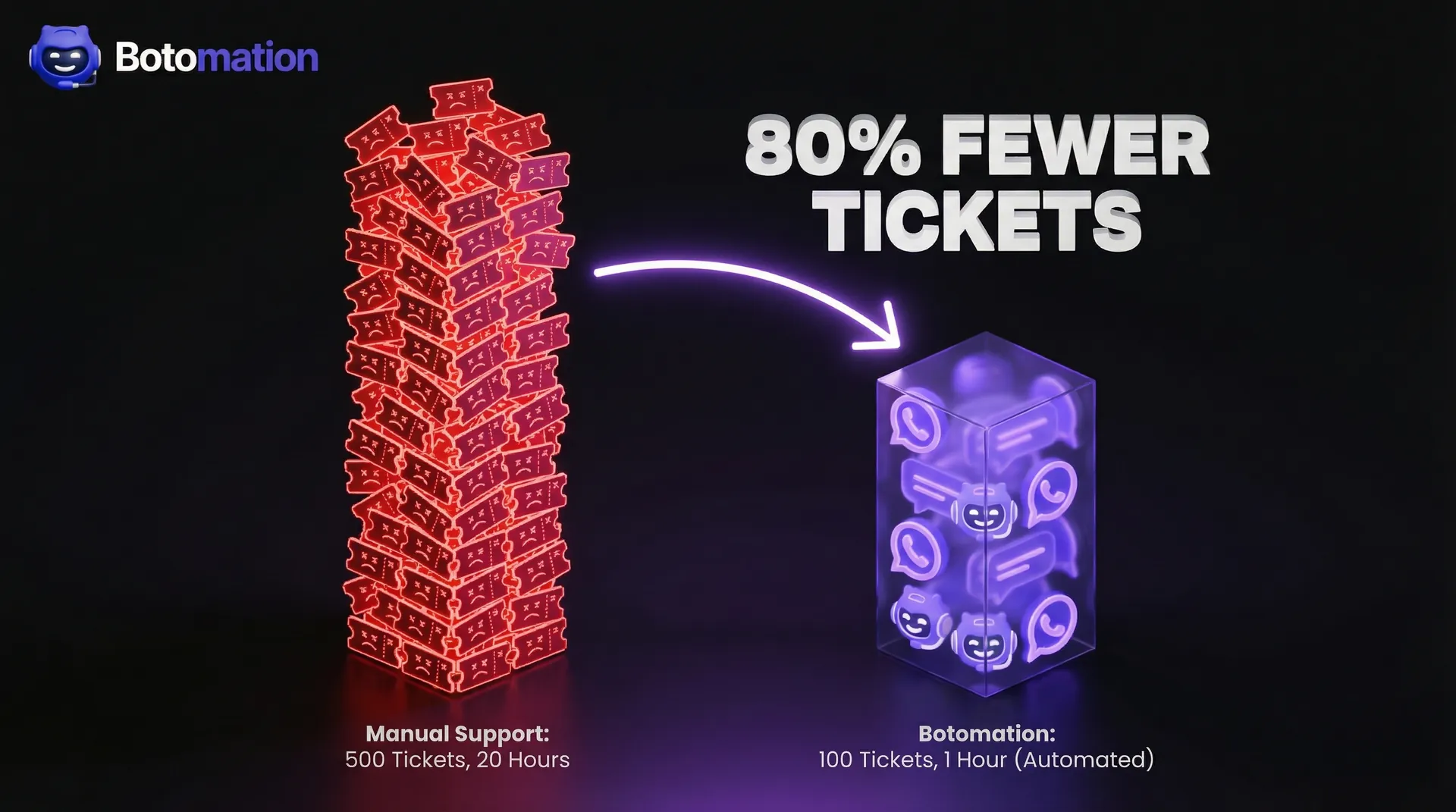
Automate SaaS Reporting to Google Sheets - 2026 Ops Guide
Automate reporting from multiple SaaS tools to Google Sheets. Eliminate manual entry errors and sync CRM data in real-time for operations managers.
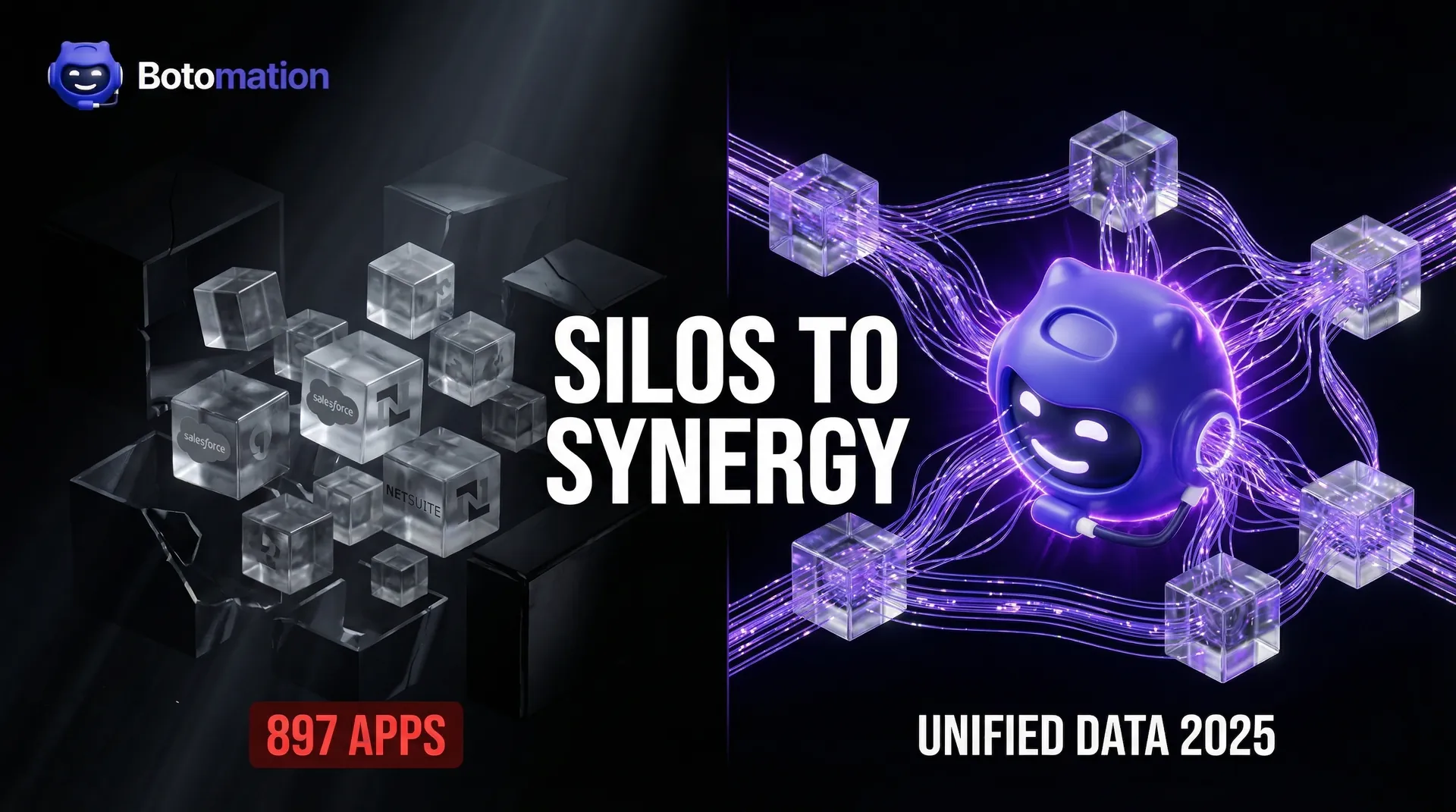
How to Eliminate Data Silos Between Business Applications in 2026
Learn how WhatsApp AI slashes support costs for e-commerce & SaaS. Proven strategies to boost sales, recover carts, and scale 24/7 service.