Automate Administrative Tasks - 2026 Guide & ROI Framework
Jan 8, 2026
AI Automation
Business Operations
Efficiency
AI Automation
Business Operations
Efficiency
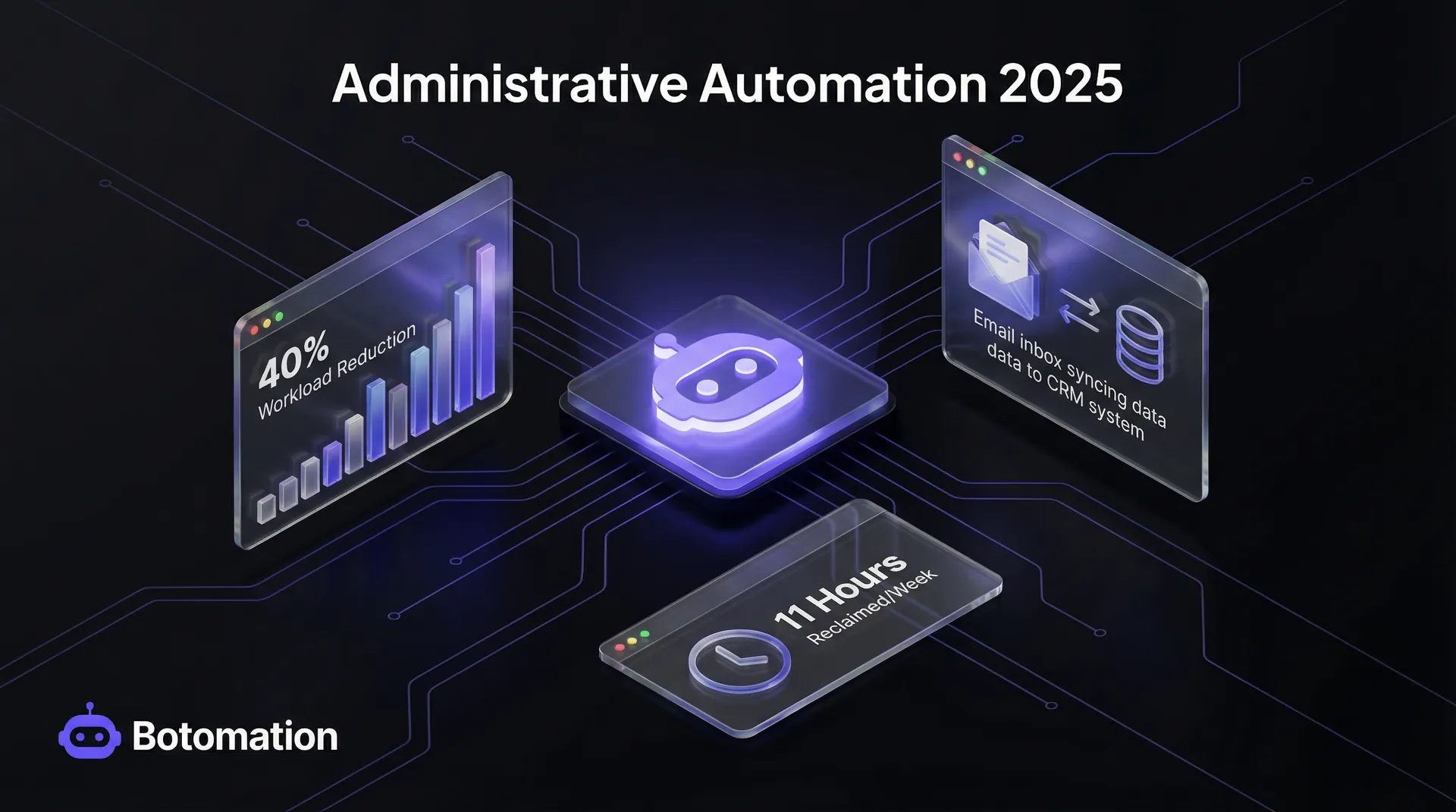
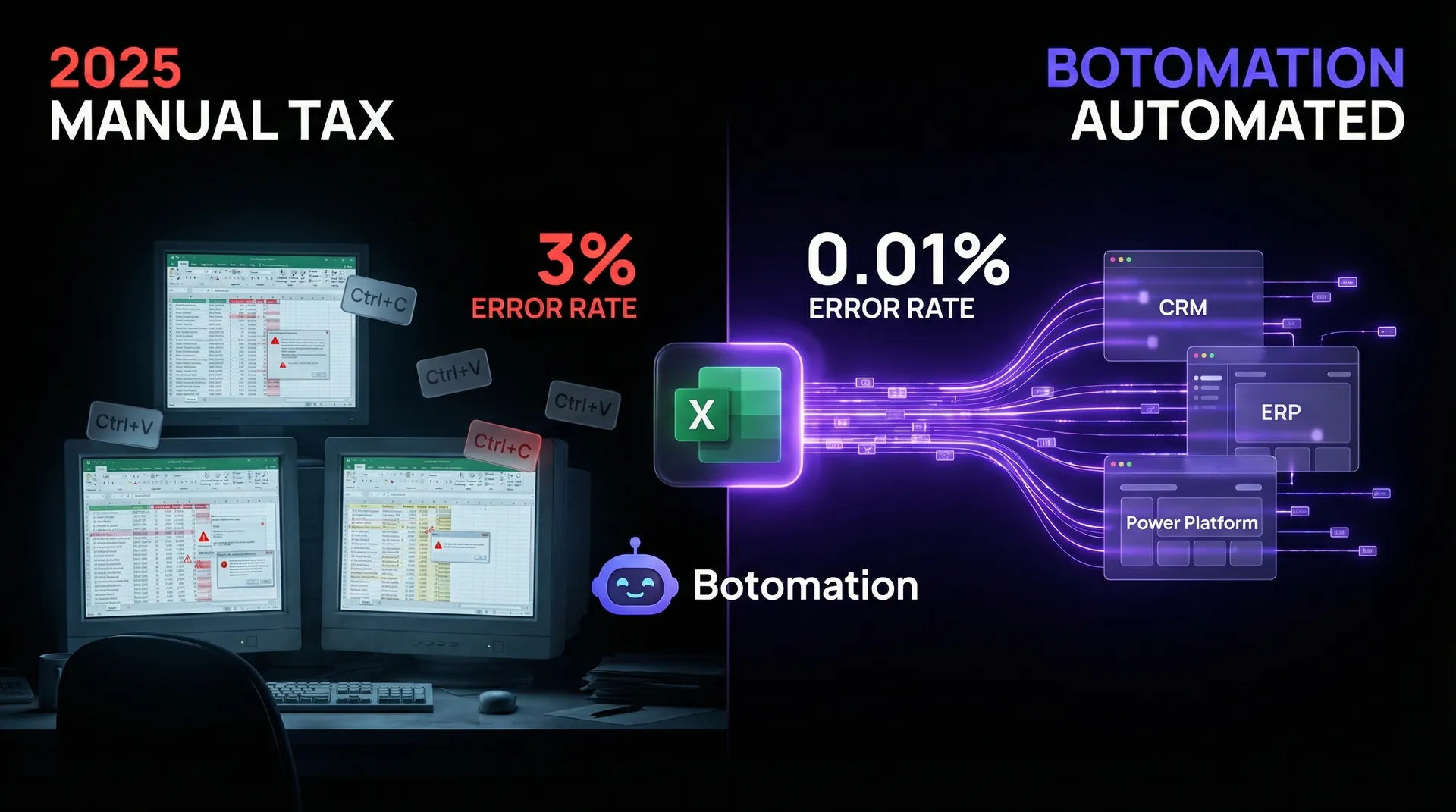
Administrative operations function as the silent engine of a company, but when that engine is clogged with manual data entry and disconnected systems, the entire organization slows down. According to McKinsey studies updated for 2026, administrative work consumes roughly 28% of the average workweek, pulling high-value talent away from strategic initiatives. This "admin tax" isn't just a nuisance; it is a direct drain on profitability and employee morale. Recent industry data indicates that 94% of companies still struggle with repetitive business tasks that are perfectly suited for AI agents, yet they remain stuck in manual workflows.
By the end of 2026, the gap between companies that automate administrative tasks and those that don't will become a chasm. Modern automation protocols and AI agents can now replace manual data entry work, reducing workloads by a staggering 40% while virtually eliminating the human error inherent in copy-pasting data between spreadsheets and CRMs. Our team at Botomation views automation not just as a set of tools, but as the essential "glue" that binds disparate business operations into a single, cohesive unit. This guide provides a comprehensive 7-step ROI framework, similar to our strategies to automate project management and billing, designed to help operations managers and COOs transition from fragmented manual processes to a state of operational autopilot.
Key Industry Insight
The transition to automated administration is no longer about "saving time" in a general sense. It is about reclaiming the 11 hours per week that the average employee loses to "work about work," such as searching for files, manual status updates, and data reconciliation.
How to Audit Your Business to Automate Administrative Tasks
Before you can fix a broken system, you must understand exactly where the friction exists. An administrative task audit is a systematic evaluation of every recurring action within your back-office operations. Many leaders make the mistake of trying to automate everything at once, which leads to "automation debt" where the systems become too complex to manage. Instead, focus on mapping workflows to identify high-volume, low-complexity actions that offer the highest immediate return on investment.
Mapping these processes requires a clear view of how data moves between departments. For example, when a new lead enters your CRM, how many manual steps are required before a contract is generated? If an employee has to manually download a CSV, format it, and upload it to a billing platform, you have identified a prime candidate for automation. One mid-market firm recently utilized this audit approach to analyze their procurement cycle. They discovered that by simply automating approval routing and data syncing between email and accounting software, they reduced total administrative overhead by 35% within a single quarter.
Time Tracking Analysis for Administrative Workflows
Quantifying the burden of administrative work requires more than just guesswork. We recommend using dedicated time-tracking analysis to measure the exact minutes spent on manual data entry, email triage, and calendar management. When you document these workflows, you often find that "five-minute tasks" actually consume hours when aggregated across a team of ten people over a month. This data serves as the foundation for your business case, allowing you to move from "we feel busy" to "we are losing $12,000 a month on manual invoice processing."
Beyond just time, you must quantify the cost of human error. A single mistyped digit in a financial spreadsheet can lead to compliance issues or lost revenue that far outweighs the cost of the labor itself. A logistics firm discovered through a two-week audit that their team was spending 15 hours per week just on manual data entry for shipping manifests. By identifying this specific bottleneck, they were able to implement a targeted solution that paid for itself in less than thirty days.
Task Classification and Prioritization Framework
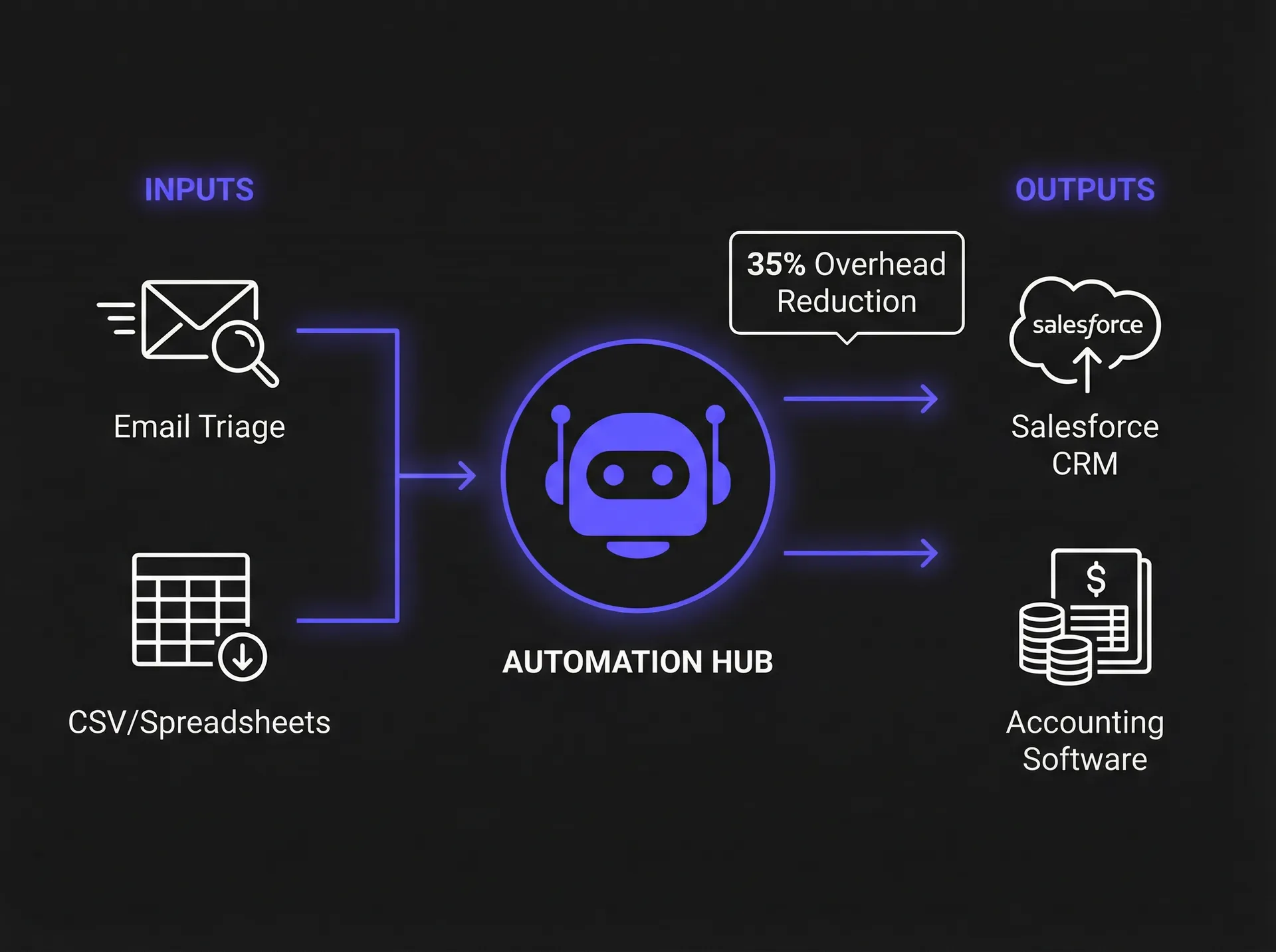
Not all administrative tasks are created equal. You should categorize every identified task by its frequency, complexity, and the potential impact of an error. High-frequency, low-complexity tasks—such as integrating your CRM and email to sync contacts between Mailchimp and Salesforce—are your "quick wins." Conversely, low-frequency, high-complexity tasks, like annual tax preparation, may be better left to human experts or semi-automated processes.
This classification must also account for security and compliance requirements. Tasks involving sensitive PII (Personally Identifiable Information) require different automation protocols than those involving public marketing data. By creating a prioritization matrix, you can rank projects based on "Ease of Implementation" versus "Value to the Business." This ensures that your initial automation efforts build momentum and prove the concept to stakeholders before you tackle more integrated enterprise-wide systems.
Top 15 Tools to Automate Administrative Tasks in 2026
The landscape of automation software has shifted dramatically in late 2024 and early 2026. We have moved past simple "if-this-then-that" logic into a world where AI-powered routing and self-healing workflows are the standard. Choosing the right tool depends entirely on your existing tech stack and the scale of your operations. While some platforms offer deep enterprise features, others focus on the agility required by small to medium-sized businesses.
| Category | Recommended Tools | Best For | Key 2026 Feature |
|---|---|---|---|
| **Enterprise RPA** | UiPath, Power Automate, Automation Anywhere | Large-scale legacy system integration | AI-driven process discovery |
| **SMB Integration** | Zapier, Make.com, Pipedream | Connecting SaaS apps and APIs | Zapier Advanced v2.0 AI Routing |
| **Document AI** | Rossum, ABBYY Vantage, DocuSign | Automated data extraction from PDFs | Advanced model context awareness |
| **Workflow Mgmt** | Monday.com, Asana, ClickUp | Team task orchestration | Automated resource leveling |
| **Communication** | Slack, Microsoft Teams, Intercom | Internal and external triage | Native AI summarization protocols |
Enterprise Level Automation Platforms
For organizations dealing with legacy software or complex regulatory environments, enterprise-grade Robotic Process Automation (RPA) is the standard. Microsoft Power Automate saw a significant update in early 2026, introducing enhanced security protocols that allow for "headless" automation across desktop applications without compromising user credentials. These tools are designed to mimic human actions on a screen, making them ideal for situations where an API (Application Programming Interface) is not available.
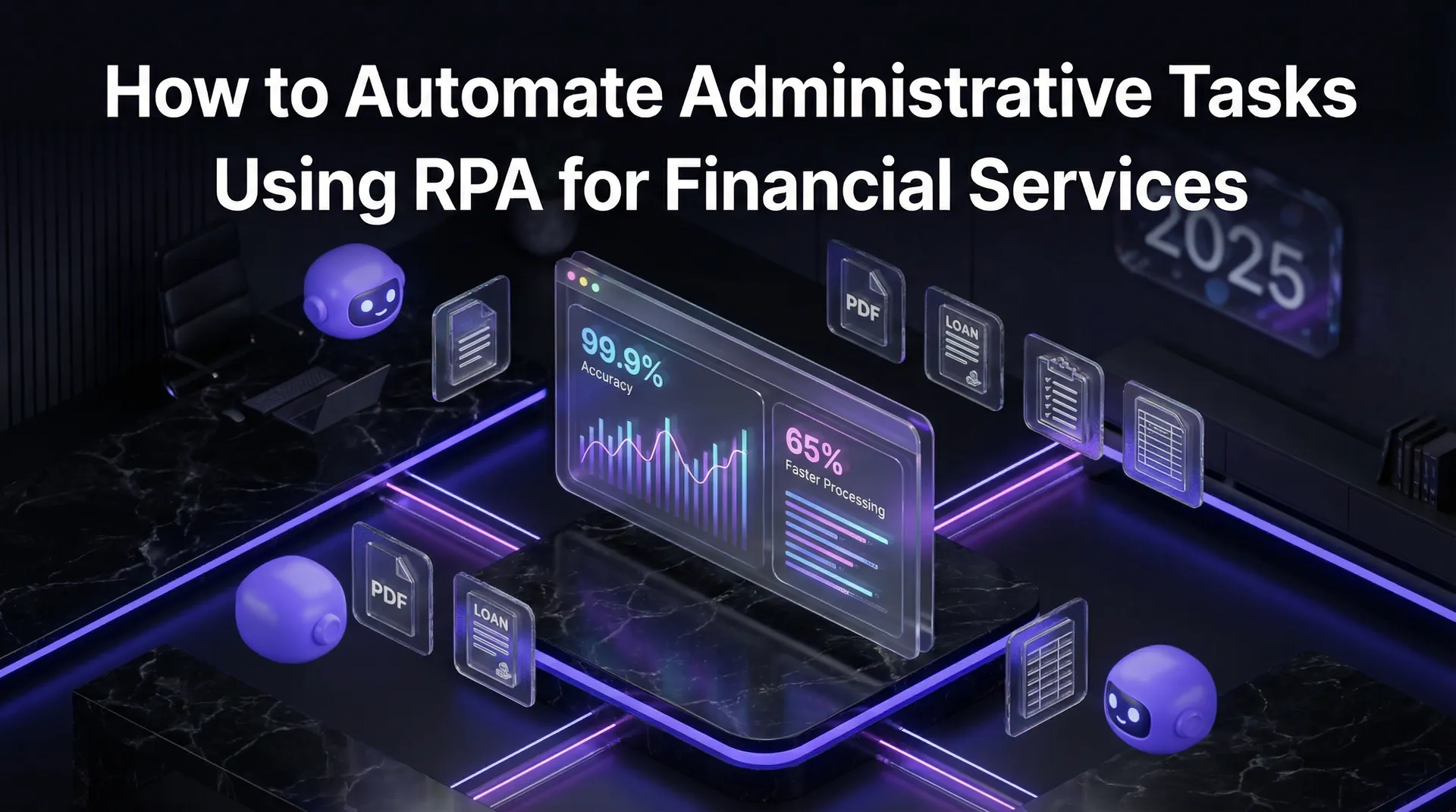
UiPath remains a dominant force, particularly with its latest releases focusing on "autonomic" automation—systems that can detect when a UI element has changed and adjust the automation script automatically. A leading financial services company recently utilized these enterprise features to automate administrative tasks using RPA for their mortgage application processing. By deploying UiPath bots to handle document verification and credit checks, they reduced their total administrative workload by 45%, allowing loan officers to focus on client relationships rather than paperwork.
Small Business Automation Solutions
Small and medium-sized businesses (SMBs) often lack the IT infrastructure to support full RPA deployments, which is where integration platforms like Zapier and Make.com shine. These tools act as the "connective tissue" between the hundreds of SaaS applications most businesses use daily. In November 2024, Zapier introduced its Advanced v2.0 tier, featuring AI-powered routing. This allows the system to "read" the content of an incoming email or form submission and decide which workflow to trigger based on the intent of the text, rather than simple keyword matching.
Make.com continues to be the preferred choice for operations managers who require more complex visual logic and lower per-task costs. The ability to build multi-branching scenarios with advanced error handling makes it a powerful ally for businesses that have outgrown simple automations. For a limited budget, these tools provide a level of operational sophistication that was previously only available to Fortune 500 companies. The key is not just picking a tool, but ensuring it integrates natively with your "source of truth," whether that is a CRM or a custom database.
Seven Phases of a Successful Automation Roadmap
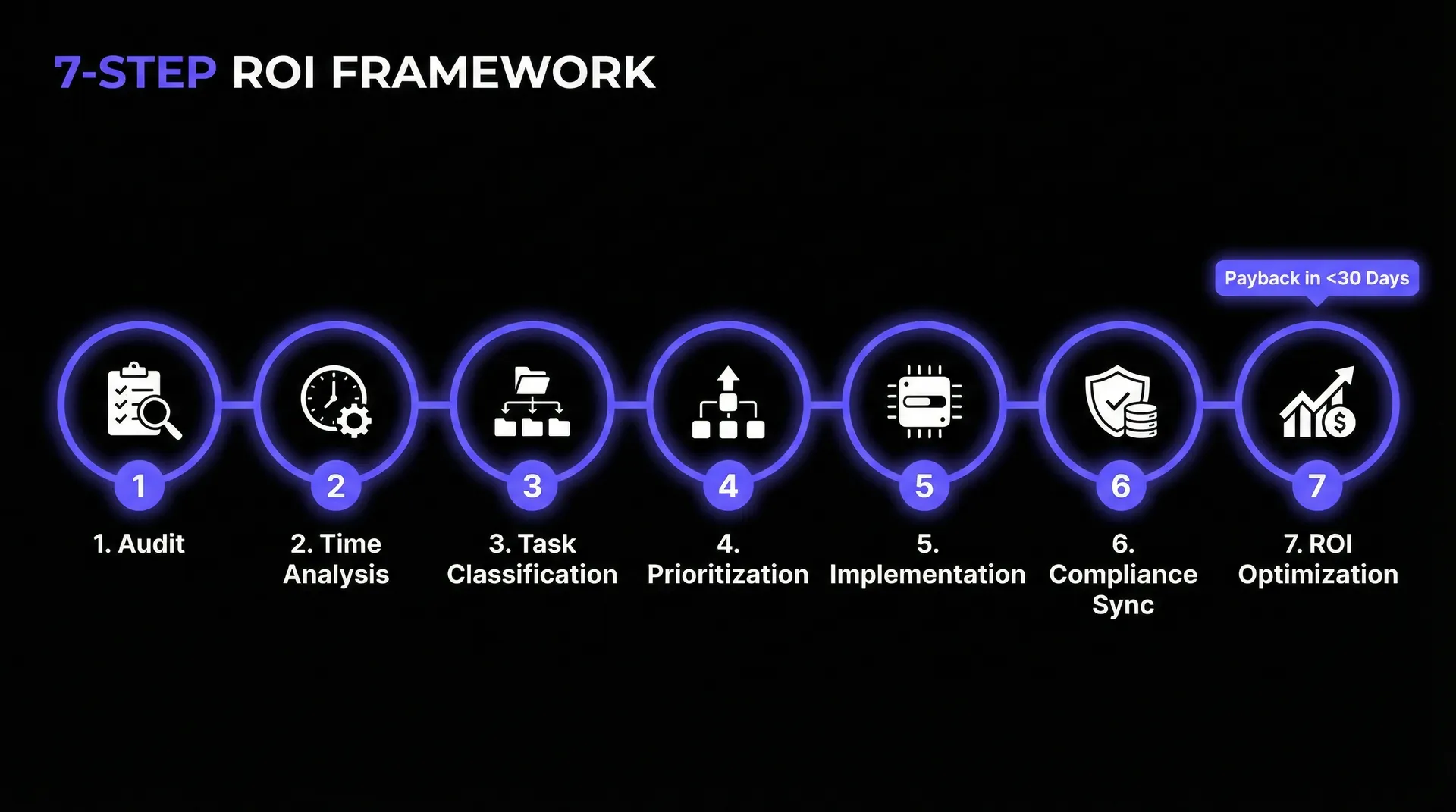
Implementing automation is a journey, not a one-time event. At Botomation, we follow a strict 7-phase roadmap to ensure that every workflow we build is stable, scalable, and secure. Without a structured approach, businesses often end up with "fragile" automations that break the moment a software update occurs or a human enters data in an unexpected format.
| Phase | Objective | Duration |
|---|---|---|
| 1. Assessment | Identify bottlenecks and document manual processes. | 1 Week |
| 2. Planning | Define success metrics and select the tech stack. | 1 Week |
| 3. Tool Selection | Finalize software licenses and security clearances. | 1 Week |
| 4. Development | Build the initial automation logic and data mappings. | 2-3 Weeks |
| 5. Testing | Stress-test the workflow in a sandbox environment. | 1 Week |
| 6. Launch | Deploy to production with human-in-the-loop oversight. | 1 Week |
| 7. Optimization | Analyze performance data and refine the logic. | Ongoing |
Assessment Planning and Tool Selection
The first three phases are the most critical because they set the foundation for everything that follows. During the assessment, you must conduct a thorough security and compliance audit. If you are automating the transfer of medical records, for example, your tool selection is immediately limited to HIPAA-compliant platforms. You must also consider the "long-term cost of ownership." A tool that is cheap today but requires a full-time developer to maintain tomorrow is not a true cost-saving measure.
Planning involves creating detailed "Process Definition Documents" (PDDs). These documents act as the blueprint for the automation, detailing every mouse click, keystroke, and decision point a human currently makes. This phase also includes creating rollback procedures. If an automated system fails, how does the business continue to operate manually? Having these answers before you write a single line of code is what separates professional implementations from amateur attempts.
Development, Testing, Launch, and Optimization
Once planning is complete, the development phase begins. We advocate for building in isolated environments to prevent any disruption to live business data. Testing should not just look for "success" but should actively try to "break" the automation. Implementing automated data entry validation ensures the system handles scenarios where a customer leaves a required field blank. What happens if the CRM is down for maintenance? Modern tools can now be integrated into these workflows to handle "fuzzy logic" and exceptions that would have previously crashed a standard automation.
After launch, the work continues. You must implement monitoring protocols to track the health of your "digital workers." A tech startup we partnered with recently achieved a 40% productivity boost within three months by following this exact roadmap. They didn't just set it and forget it; they spent the first 30 days post-launch refining the logic based on real-world edge cases. This iterative approach ensures that the automation evolves alongside the business, providing a sustainable return on investment.
Calculating ROI Beyond Simple Time Savings
When most people think about the ROI of automating administrative tasks, they focus on "hours saved." While this is a major factor, it is only the tip of the iceberg. To get a true picture of the value, you must look at direct cost savings, indirect benefits, and the mitigation of hidden costs. A comprehensive ROI framework allows you to justify the initial investment to stakeholders by showing exactly how the project will impact the bottom line over a 12 to 24-month period.
Direct savings are the easiest to calculate: take the hourly rate of the employee (including benefits) and multiply it by the number of hours the automation reclaims. However, the real value often lies in the "opportunity cost." If your top salesperson is spending 5 hours a week on data entry, the ROI isn't just their hourly rate; it's the value of the 5 additional hours they could have spent closing deals. We have seen companies realize a 20% higher ROI than initially projected simply by redirecting their talent toward revenue-generating activities.
Direct Cost Savings Calculation
To perform a professional-grade calculation, you must include the "fully burdened" labor rate. If an administrative assistant earns a base salary of $45,000, their actual cost to the company is often closer to $56,250 once you add 25% for taxes, healthcare, and office overhead. If an automation saves 50% of their time, you are reclaiming $28,125 in annual value from that single position.
Stat Box: The Real Cost of Manual Admin
- Average Admin Salary: $48,000/year
- Time Spent on Repetitive Tasks: 30%
- Cost of Manual Errors: $5,000 - $15,000/year per employee
- Potential Annual Savings per Employee: $19,400+ through automation
Beyond labor, consider the elimination of duplicate software licenses. Often, different departments use different tools to perform the same task because they aren't "talking" to each other. By using Botomation as the "glue" to connect your existing systems, you can often sunset redundant platforms, saving thousands in monthly SaaS subscriptions. A healthcare company we worked with saved $120,000 annually by automating their patient intake and billing reconciliation, primarily through the reduction of manual errors and the consolidation of their tech stack.
Indirect Benefits and Hidden Costs
The "soft" benefits of automation are often the most impactful for long-term growth. Employee burnout is at an all-time high, and nothing contributes to it more than soul-crushing, repetitive paperwork. Automating these tasks improves employee satisfaction and retention, which significantly reduces the high cost of turnover and recruitment. Furthermore, automated systems provide a level of scalability that human teams cannot match. You can scale business operations with AI automation to double your transaction volume overnight without needing to double your administrative staff.
There are also the hidden costs of not automating. In a world where your competitors are providing instant responses and real-time updates, a 24-hour delay caused by manual processing is a competitive disadvantage. Compliance risk is another major factor. An automated system provides an immutable audit trail, showing exactly who moved what data and when. This reduces the risk of fines and makes annual audits a breeze rather than a month-long headache for your finance team.
Safeguarding Automated Administrative Processes
As you automate more of your back office, security and compliance become paramount. You are essentially creating "digital pipelines" for your most sensitive data, and those pipelines must be fortified. In 2026, the standard for automation security has shifted toward Zero-trust architecture. This means that every automation "bot" or integration must have its own unique identity and the absolute minimum permissions required to perform its task.
Compliance isn't just a checkbox; it's a requirement for staying in business in sectors like healthcare, finance, and legal services. Automated workflows must be designed to respect data residency laws (like GDPR) and industry-specific regulations (like HIPAA or SOX). A financial services firm we recently consulted for was able to maintain 100% compliance while automating the client onboarding process. They achieved this by using encrypted data transmission and ensuring that no sensitive data was ever "stored" within the automation platform itself, only passed through it in an encrypted state.
Industry Specific Compliance Requirements
For healthcare organizations, HIPAA compliance is the primary concern. Any automation that handles Protected Health Information (PHI) must use BAA-compliant tools and provide end-to-end encryption. In the financial sector, SOX (Sarbanes-Oxley) compliance requires strict controls over financial reporting. Automation can actually make SOX compliance easier by replacing manual spreadsheets—which are prone to unauthorized changes—with locked-down, automated workflows that log every action.
GDPR and CCPA also play a major role in how you handle customer data. Your automated systems must include "right to be forgotten" protocols, allowing you to quickly identify and delete a user's data across all integrated platforms. By building these requirements into the architecture from day one, you avoid the massive "refactoring" costs that occur when a regulator comes knocking. Our experts at Botomation specialize in building these compliant "glues" that keep your data safe while it moves through your business.
Security Implementation Best Practices
Beyond the big-picture regulations, there are several "ground-level" best practices you should follow. First, never hard-code credentials into an automation. Use secure "vaults" or environment variables provided by platforms like Microsoft Azure or AWS. Second, implement regular security audits and penetration testing on your automated workflows. A workflow that was secure six months ago might have a newly discovered vulnerability today.
Finally, you must have a clear incident response and breach notification procedure. If an automation fails or a third-party API is compromised, you need to know exactly how to "kill" the process and who needs to be notified. This level of preparation is what separates a professional automation strategy from a risky experiment. By treating your automations as first-class citizens in your security infrastructure, you can reap the benefits of efficiency without the sleepless nights.
Common Automation Mistakes and How to Avoid Them
Even with the best tools, many automation projects fail because of fundamental strategic errors. One of the most common mistakes is "automating a mess." If your current manual process is inefficient, confusing, or broken, automating it will only make it fail faster. You must optimize the process before you automate it. We call this the "Garbage In, Garbage Out" rule of automation.
Another frequent pitfall is over-complicating the initial project. It is tempting to try and build a "god-bot" that handles every possible scenario, but this leads to fragile logic that is impossible to debug. Start with "Minimum Viable Automations" (MVAs) that solve 80% of the problem with 20% of the complexity. One organization recently lost $50,000 in potential savings because they spent six months trying to build a perfect system rather than launching a simple one that could have started saving them money on day one.
Technical Implementation Pitfalls
On the technical side, poor integration between tools is a major headache. If your CRM doesn't talk natively to your accounting software, forcing them together with a series of "hacks" will lead to data corruption. You should always look for "native" integrations first, and only use custom code or RPA as a resort. Additionally, many businesses fail to implement proper error handling. An automation should be smart enough to know when it has failed and send an alert to a human, rather than silently stopping or, worse, continuing with incorrect data.
Performance degradation is another concern. As you add more automations, you may find that your API limits are being reached or that your systems are slowing down. This is why "efficiency in logic" matters. A poorly designed workflow might ping a database 100 times for 100 records, whereas a well-designed one would make a single "batch" request. These technical nuances are where partnering with an agency like Botomation pays dividends, as our experts know how to build for performance at scale.
Business Process Automation Errors
From a business perspective, the biggest mistake is a lack of stakeholder buy-in. If your employees feel that automation is a threat to their jobs, they will find ways to bypass the system. You must frame automation as a "co-pilot" that removes the drudgery from their day, not as a replacement for their expertise. Change management is just as important as the code itself.
Finally, failing to update business processes after automation is a missed opportunity. Once a task is automated, the "downstream" processes should change to take advantage of the new speed. If your billing is now instant, but your shipping department still waits for a weekly manual report, you haven't truly optimized the business. You must look at the entire value chain to ensure that the "glue" you've applied is actually holding the whole structure together and allowing it to move faster.
Frequently Asked Questions
How long does it take to see a return on investment from administrative automation?
Most businesses begin to see a positive ROI within 3 to 6 months. The "break-even" point usually occurs when the reclaimed labor hours and the reduction in error-related costs surpass the initial setup and licensing fees. By focusing on "quick wins" in the first 30 days, you can often generate enough savings to fund more complex projects later in the year.
Do I need a full-time developer to maintain these systems?
Not necessarily. While enterprise RPA often requires specialized IT support, SMB tools like Zapier and Make.com are designed to be managed by "citizen developers" or operations managers. However, as your automation ecosystem grows, many companies find it more cost-effective to partner with an agency like Botomation to handle the heavy lifting and ongoing optimization.
Will automation replace my administrative staff?
The goal of administrative automation is rarely to reduce headcount, but rather to increase "headroom." By removing repetitive tasks, your existing staff can focus on higher-value activities like customer success, strategic planning, and complex problem-solving. In most cases, automation allows a company to grow its revenue significantly without needing to hire additional back-office support.
Is my data safe when using third-party automation tools?
Yes, provided you select tools with enterprise-grade security and follow best practices like Zero-trust architecture. Most modern platforms use AES-256 encryption for data at rest and TLS for data in transit. At Botomation, we prioritize security by ensuring that sensitive data is only processed, never stored, within the automation layer.
What happens if the automation breaks?
A professional automation implementation always includes error handling and human-in-the-loop protocols. If a workflow encounters an edge case it doesn't understand, it will automatically pause and notify a designated team member to intervene. This ensures that the business keeps running smoothly and that no incorrect data is processed while the issue is being resolved.
Building a Frictionless Future with Automation
The complexity of modern business requires more than just hard work; it requires a smarter approach to how systems interact. We have explored how a thorough audit, the right selection of 2026-ready tools, and a structured 7-phase roadmap can transform your operations. By viewing automation as the "glue" that connects your email, spreadsheets, and CRM, you move away from the "Old Way" of manual, error-prone data entry and into a "New Way" of instant, seamless operations.
The ROI of this transition is clear, extending far beyond simple time savings into the realms of improved employee retention, ironclad compliance, and the ability to scale your business without a linear increase in costs. However, the most successful companies don't go it alone. They partner with experts who can navigate the technical pitfalls and security requirements of a modern automated back office.
Ready to automate your growth? Book a call below.
Partnering with Botomation means choosing a premium agency of experts dedicated to making your business run on autopilot. We don't just provide tools; we provide the strategic partnership needed to eliminate manual entry and ensure your entire business talks to itself. Stop losing money to the "admin tax" and start building a business that scales effortlessly.
Administrative operations function as the silent engine of a company, but when that engine is clogged with manual data entry and disconnected systems, the entire organization slows down. According to McKinsey studies updated for 2026, administrative work consumes roughly 28% of the average workweek, pulling high-value talent away from strategic initiatives. This "admin tax" isn't just a nuisance; it is a direct drain on profitability and employee morale. Recent industry data indicates that 94% of companies still struggle with repetitive business tasks that are perfectly suited for AI agents, yet they remain stuck in manual workflows.
By the end of 2026, the gap between companies that automate administrative tasks and those that don't will become a chasm. Modern automation protocols and AI agents can now replace manual data entry work, reducing workloads by a staggering 40% while virtually eliminating the human error inherent in copy-pasting data between spreadsheets and CRMs. Our team at Botomation views automation not just as a set of tools, but as the essential "glue" that binds disparate business operations into a single, cohesive unit. This guide provides a comprehensive 7-step ROI framework, similar to our strategies to automate project management and billing, designed to help operations managers and COOs transition from fragmented manual processes to a state of operational autopilot.
Key Industry Insight
The transition to automated administration is no longer about "saving time" in a general sense. It is about reclaiming the 11 hours per week that the average employee loses to "work about work," such as searching for files, manual status updates, and data reconciliation.
How to Audit Your Business to Automate Administrative Tasks
Before you can fix a broken system, you must understand exactly where the friction exists. An administrative task audit is a systematic evaluation of every recurring action within your back-office operations. Many leaders make the mistake of trying to automate everything at once, which leads to "automation debt" where the systems become too complex to manage. Instead, focus on mapping workflows to identify high-volume, low-complexity actions that offer the highest immediate return on investment.
Mapping these processes requires a clear view of how data moves between departments. For example, when a new lead enters your CRM, how many manual steps are required before a contract is generated? If an employee has to manually download a CSV, format it, and upload it to a billing platform, you have identified a prime candidate for automation. One mid-market firm recently utilized this audit approach to analyze their procurement cycle. They discovered that by simply automating approval routing and data syncing between email and accounting software, they reduced total administrative overhead by 35% within a single quarter.
Time Tracking Analysis for Administrative Workflows
Quantifying the burden of administrative work requires more than just guesswork. We recommend using dedicated time-tracking analysis to measure the exact minutes spent on manual data entry, email triage, and calendar management. When you document these workflows, you often find that "five-minute tasks" actually consume hours when aggregated across a team of ten people over a month. This data serves as the foundation for your business case, allowing you to move from "we feel busy" to "we are losing $12,000 a month on manual invoice processing."
Beyond just time, you must quantify the cost of human error. A single mistyped digit in a financial spreadsheet can lead to compliance issues or lost revenue that far outweighs the cost of the labor itself. A logistics firm discovered through a two-week audit that their team was spending 15 hours per week just on manual data entry for shipping manifests. By identifying this specific bottleneck, they were able to implement a targeted solution that paid for itself in less than thirty days.
Task Classification and Prioritization Framework
Not all administrative tasks are created equal. You should categorize every identified task by its frequency, complexity, and the potential impact of an error. High-frequency, low-complexity tasks—such as integrating your CRM and email to sync contacts between Mailchimp and Salesforce—are your "quick wins." Conversely, low-frequency, high-complexity tasks, like annual tax preparation, may be better left to human experts or semi-automated processes.
This classification must also account for security and compliance requirements. Tasks involving sensitive PII (Personally Identifiable Information) require different automation protocols than those involving public marketing data. By creating a prioritization matrix, you can rank projects based on "Ease of Implementation" versus "Value to the Business." This ensures that your initial automation efforts build momentum and prove the concept to stakeholders before you tackle more integrated enterprise-wide systems.
Top 15 Tools to Automate Administrative Tasks in 2026
The landscape of automation software has shifted dramatically in late 2024 and early 2026. We have moved past simple "if-this-then-that" logic into a world where AI-powered routing and self-healing workflows are the standard. Choosing the right tool depends entirely on your existing tech stack and the scale of your operations. While some platforms offer deep enterprise features, others focus on the agility required by small to medium-sized businesses.
| Category | Recommended Tools | Best For | Key 2026 Feature |
|---|---|---|---|
| **Enterprise RPA** | UiPath, Power Automate, Automation Anywhere | Large-scale legacy system integration | AI-driven process discovery |
| **SMB Integration** | Zapier, Make.com, Pipedream | Connecting SaaS apps and APIs | Zapier Advanced v2.0 AI Routing |
| **Document AI** | Rossum, ABBYY Vantage, DocuSign | Automated data extraction from PDFs | Advanced model context awareness |
| **Workflow Mgmt** | Monday.com, Asana, ClickUp | Team task orchestration | Automated resource leveling |
| **Communication** | Slack, Microsoft Teams, Intercom | Internal and external triage | Native AI summarization protocols |
Enterprise Level Automation Platforms
For organizations dealing with legacy software or complex regulatory environments, enterprise-grade Robotic Process Automation (RPA) is the standard. Microsoft Power Automate saw a significant update in early 2026, introducing enhanced security protocols that allow for "headless" automation across desktop applications without compromising user credentials. These tools are designed to mimic human actions on a screen, making them ideal for situations where an API (Application Programming Interface) is not available.
UiPath remains a dominant force, particularly with its latest releases focusing on "autonomic" automation—systems that can detect when a UI element has changed and adjust the automation script automatically. A leading financial services company recently utilized these enterprise features to automate administrative tasks using RPA for their mortgage application processing. By deploying UiPath bots to handle document verification and credit checks, they reduced their total administrative workload by 45%, allowing loan officers to focus on client relationships rather than paperwork.
Small Business Automation Solutions
Small and medium-sized businesses (SMBs) often lack the IT infrastructure to support full RPA deployments, which is where integration platforms like Zapier and Make.com shine. These tools act as the "connective tissue" between the hundreds of SaaS applications most businesses use daily. In November 2024, Zapier introduced its Advanced v2.0 tier, featuring AI-powered routing. This allows the system to "read" the content of an incoming email or form submission and decide which workflow to trigger based on the intent of the text, rather than simple keyword matching.
Make.com continues to be the preferred choice for operations managers who require more complex visual logic and lower per-task costs. The ability to build multi-branching scenarios with advanced error handling makes it a powerful ally for businesses that have outgrown simple automations. For a limited budget, these tools provide a level of operational sophistication that was previously only available to Fortune 500 companies. The key is not just picking a tool, but ensuring it integrates natively with your "source of truth," whether that is a CRM or a custom database.
Seven Phases of a Successful Automation Roadmap
Implementing automation is a journey, not a one-time event. At Botomation, we follow a strict 7-phase roadmap to ensure that every workflow we build is stable, scalable, and secure. Without a structured approach, businesses often end up with "fragile" automations that break the moment a software update occurs or a human enters data in an unexpected format.
| Phase | Objective | Duration |
|---|---|---|
| 1. Assessment | Identify bottlenecks and document manual processes. | 1 Week |
| 2. Planning | Define success metrics and select the tech stack. | 1 Week |
| 3. Tool Selection | Finalize software licenses and security clearances. | 1 Week |
| 4. Development | Build the initial automation logic and data mappings. | 2-3 Weeks |
| 5. Testing | Stress-test the workflow in a sandbox environment. | 1 Week |
| 6. Launch | Deploy to production with human-in-the-loop oversight. | 1 Week |
| 7. Optimization | Analyze performance data and refine the logic. | Ongoing |
Assessment Planning and Tool Selection
The first three phases are the most critical because they set the foundation for everything that follows. During the assessment, you must conduct a thorough security and compliance audit. If you are automating the transfer of medical records, for example, your tool selection is immediately limited to HIPAA-compliant platforms. You must also consider the "long-term cost of ownership." A tool that is cheap today but requires a full-time developer to maintain tomorrow is not a true cost-saving measure.
Planning involves creating detailed "Process Definition Documents" (PDDs). These documents act as the blueprint for the automation, detailing every mouse click, keystroke, and decision point a human currently makes. This phase also includes creating rollback procedures. If an automated system fails, how does the business continue to operate manually? Having these answers before you write a single line of code is what separates professional implementations from amateur attempts.
Development, Testing, Launch, and Optimization
Once planning is complete, the development phase begins. We advocate for building in isolated environments to prevent any disruption to live business data. Testing should not just look for "success" but should actively try to "break" the automation. Implementing automated data entry validation ensures the system handles scenarios where a customer leaves a required field blank. What happens if the CRM is down for maintenance? Modern tools can now be integrated into these workflows to handle "fuzzy logic" and exceptions that would have previously crashed a standard automation.
After launch, the work continues. You must implement monitoring protocols to track the health of your "digital workers." A tech startup we partnered with recently achieved a 40% productivity boost within three months by following this exact roadmap. They didn't just set it and forget it; they spent the first 30 days post-launch refining the logic based on real-world edge cases. This iterative approach ensures that the automation evolves alongside the business, providing a sustainable return on investment.
Calculating ROI Beyond Simple Time Savings
When most people think about the ROI of automating administrative tasks, they focus on "hours saved." While this is a major factor, it is only the tip of the iceberg. To get a true picture of the value, you must look at direct cost savings, indirect benefits, and the mitigation of hidden costs. A comprehensive ROI framework allows you to justify the initial investment to stakeholders by showing exactly how the project will impact the bottom line over a 12 to 24-month period.
Direct savings are the easiest to calculate: take the hourly rate of the employee (including benefits) and multiply it by the number of hours the automation reclaims. However, the real value often lies in the "opportunity cost." If your top salesperson is spending 5 hours a week on data entry, the ROI isn't just their hourly rate; it's the value of the 5 additional hours they could have spent closing deals. We have seen companies realize a 20% higher ROI than initially projected simply by redirecting their talent toward revenue-generating activities.
Direct Cost Savings Calculation
To perform a professional-grade calculation, you must include the "fully burdened" labor rate. If an administrative assistant earns a base salary of $45,000, their actual cost to the company is often closer to $56,250 once you add 25% for taxes, healthcare, and office overhead. If an automation saves 50% of their time, you are reclaiming $28,125 in annual value from that single position.
Stat Box: The Real Cost of Manual Admin
- Average Admin Salary: $48,000/year
- Time Spent on Repetitive Tasks: 30%
- Cost of Manual Errors: $5,000 - $15,000/year per employee
- Potential Annual Savings per Employee: $19,400+ through automation
Beyond labor, consider the elimination of duplicate software licenses. Often, different departments use different tools to perform the same task because they aren't "talking" to each other. By using Botomation as the "glue" to connect your existing systems, you can often sunset redundant platforms, saving thousands in monthly SaaS subscriptions. A healthcare company we worked with saved $120,000 annually by automating their patient intake and billing reconciliation, primarily through the reduction of manual errors and the consolidation of their tech stack.
Indirect Benefits and Hidden Costs
The "soft" benefits of automation are often the most impactful for long-term growth. Employee burnout is at an all-time high, and nothing contributes to it more than soul-crushing, repetitive paperwork. Automating these tasks improves employee satisfaction and retention, which significantly reduces the high cost of turnover and recruitment. Furthermore, automated systems provide a level of scalability that human teams cannot match. You can scale business operations with AI automation to double your transaction volume overnight without needing to double your administrative staff.
There are also the hidden costs of not automating. In a world where your competitors are providing instant responses and real-time updates, a 24-hour delay caused by manual processing is a competitive disadvantage. Compliance risk is another major factor. An automated system provides an immutable audit trail, showing exactly who moved what data and when. This reduces the risk of fines and makes annual audits a breeze rather than a month-long headache for your finance team.
Safeguarding Automated Administrative Processes
As you automate more of your back office, security and compliance become paramount. You are essentially creating "digital pipelines" for your most sensitive data, and those pipelines must be fortified. In 2026, the standard for automation security has shifted toward Zero-trust architecture. This means that every automation "bot" or integration must have its own unique identity and the absolute minimum permissions required to perform its task.
Compliance isn't just a checkbox; it's a requirement for staying in business in sectors like healthcare, finance, and legal services. Automated workflows must be designed to respect data residency laws (like GDPR) and industry-specific regulations (like HIPAA or SOX). A financial services firm we recently consulted for was able to maintain 100% compliance while automating the client onboarding process. They achieved this by using encrypted data transmission and ensuring that no sensitive data was ever "stored" within the automation platform itself, only passed through it in an encrypted state.
Industry Specific Compliance Requirements
For healthcare organizations, HIPAA compliance is the primary concern. Any automation that handles Protected Health Information (PHI) must use BAA-compliant tools and provide end-to-end encryption. In the financial sector, SOX (Sarbanes-Oxley) compliance requires strict controls over financial reporting. Automation can actually make SOX compliance easier by replacing manual spreadsheets—which are prone to unauthorized changes—with locked-down, automated workflows that log every action.
GDPR and CCPA also play a major role in how you handle customer data. Your automated systems must include "right to be forgotten" protocols, allowing you to quickly identify and delete a user's data across all integrated platforms. By building these requirements into the architecture from day one, you avoid the massive "refactoring" costs that occur when a regulator comes knocking. Our experts at Botomation specialize in building these compliant "glues" that keep your data safe while it moves through your business.
Security Implementation Best Practices
Beyond the big-picture regulations, there are several "ground-level" best practices you should follow. First, never hard-code credentials into an automation. Use secure "vaults" or environment variables provided by platforms like Microsoft Azure or AWS. Second, implement regular security audits and penetration testing on your automated workflows. A workflow that was secure six months ago might have a newly discovered vulnerability today.
Finally, you must have a clear incident response and breach notification procedure. If an automation fails or a third-party API is compromised, you need to know exactly how to "kill" the process and who needs to be notified. This level of preparation is what separates a professional automation strategy from a risky experiment. By treating your automations as first-class citizens in your security infrastructure, you can reap the benefits of efficiency without the sleepless nights.
Common Automation Mistakes and How to Avoid Them
Even with the best tools, many automation projects fail because of fundamental strategic errors. One of the most common mistakes is "automating a mess." If your current manual process is inefficient, confusing, or broken, automating it will only make it fail faster. You must optimize the process before you automate it. We call this the "Garbage In, Garbage Out" rule of automation.
Another frequent pitfall is over-complicating the initial project. It is tempting to try and build a "god-bot" that handles every possible scenario, but this leads to fragile logic that is impossible to debug. Start with "Minimum Viable Automations" (MVAs) that solve 80% of the problem with 20% of the complexity. One organization recently lost $50,000 in potential savings because they spent six months trying to build a perfect system rather than launching a simple one that could have started saving them money on day one.
Technical Implementation Pitfalls
On the technical side, poor integration between tools is a major headache. If your CRM doesn't talk natively to your accounting software, forcing them together with a series of "hacks" will lead to data corruption. You should always look for "native" integrations first, and only use custom code or RPA as a resort. Additionally, many businesses fail to implement proper error handling. An automation should be smart enough to know when it has failed and send an alert to a human, rather than silently stopping or, worse, continuing with incorrect data.
Performance degradation is another concern. As you add more automations, you may find that your API limits are being reached or that your systems are slowing down. This is why "efficiency in logic" matters. A poorly designed workflow might ping a database 100 times for 100 records, whereas a well-designed one would make a single "batch" request. These technical nuances are where partnering with an agency like Botomation pays dividends, as our experts know how to build for performance at scale.
Business Process Automation Errors
From a business perspective, the biggest mistake is a lack of stakeholder buy-in. If your employees feel that automation is a threat to their jobs, they will find ways to bypass the system. You must frame automation as a "co-pilot" that removes the drudgery from their day, not as a replacement for their expertise. Change management is just as important as the code itself.
Finally, failing to update business processes after automation is a missed opportunity. Once a task is automated, the "downstream" processes should change to take advantage of the new speed. If your billing is now instant, but your shipping department still waits for a weekly manual report, you haven't truly optimized the business. You must look at the entire value chain to ensure that the "glue" you've applied is actually holding the whole structure together and allowing it to move faster.
Frequently Asked Questions
How long does it take to see a return on investment from administrative automation?
Most businesses begin to see a positive ROI within 3 to 6 months. The "break-even" point usually occurs when the reclaimed labor hours and the reduction in error-related costs surpass the initial setup and licensing fees. By focusing on "quick wins" in the first 30 days, you can often generate enough savings to fund more complex projects later in the year.
Do I need a full-time developer to maintain these systems?
Not necessarily. While enterprise RPA often requires specialized IT support, SMB tools like Zapier and Make.com are designed to be managed by "citizen developers" or operations managers. However, as your automation ecosystem grows, many companies find it more cost-effective to partner with an agency like Botomation to handle the heavy lifting and ongoing optimization.
Will automation replace my administrative staff?
The goal of administrative automation is rarely to reduce headcount, but rather to increase "headroom." By removing repetitive tasks, your existing staff can focus on higher-value activities like customer success, strategic planning, and complex problem-solving. In most cases, automation allows a company to grow its revenue significantly without needing to hire additional back-office support.
Is my data safe when using third-party automation tools?
Yes, provided you select tools with enterprise-grade security and follow best practices like Zero-trust architecture. Most modern platforms use AES-256 encryption for data at rest and TLS for data in transit. At Botomation, we prioritize security by ensuring that sensitive data is only processed, never stored, within the automation layer.
What happens if the automation breaks?
A professional automation implementation always includes error handling and human-in-the-loop protocols. If a workflow encounters an edge case it doesn't understand, it will automatically pause and notify a designated team member to intervene. This ensures that the business keeps running smoothly and that no incorrect data is processed while the issue is being resolved.
Building a Frictionless Future with Automation
The complexity of modern business requires more than just hard work; it requires a smarter approach to how systems interact. We have explored how a thorough audit, the right selection of 2026-ready tools, and a structured 7-phase roadmap can transform your operations. By viewing automation as the "glue" that connects your email, spreadsheets, and CRM, you move away from the "Old Way" of manual, error-prone data entry and into a "New Way" of instant, seamless operations.
The ROI of this transition is clear, extending far beyond simple time savings into the realms of improved employee retention, ironclad compliance, and the ability to scale your business without a linear increase in costs. However, the most successful companies don't go it alone. They partner with experts who can navigate the technical pitfalls and security requirements of a modern automated back office.
Ready to automate your growth? Book a call below.
Partnering with Botomation means choosing a premium agency of experts dedicated to making your business run on autopilot. We don't just provide tools; we provide the strategic partnership needed to eliminate manual entry and ensure your entire business talks to itself. Stop losing money to the "admin tax" and start building a business that scales effortlessly.
Get Started
Book a FREE Consultation Right NOW!
Schedule a Call with Our Team To Make Your Business More Efficient with AI Instantly.
Read More
Automate Administrative Tasks - 2026 Guide & ROI Framework
Automate administrative tasks with our 2026 guide. Learn how business process automation eliminates manual entry and integrates CRM tools for ROI.
Eliminate Manual Data Copying - Excel & Business Software
Learn how WhatsApp AI slashes support costs for e-commerce & SaaS. Proven strategies to boost sales, recover carts, and scale 24/7 service.