Eliminate Manual Data Copying - Excel & Business Software
Jan 8, 2026
Excel
AI Automation
Workflow Optimization
Excel
AI Automation
Workflow Optimization
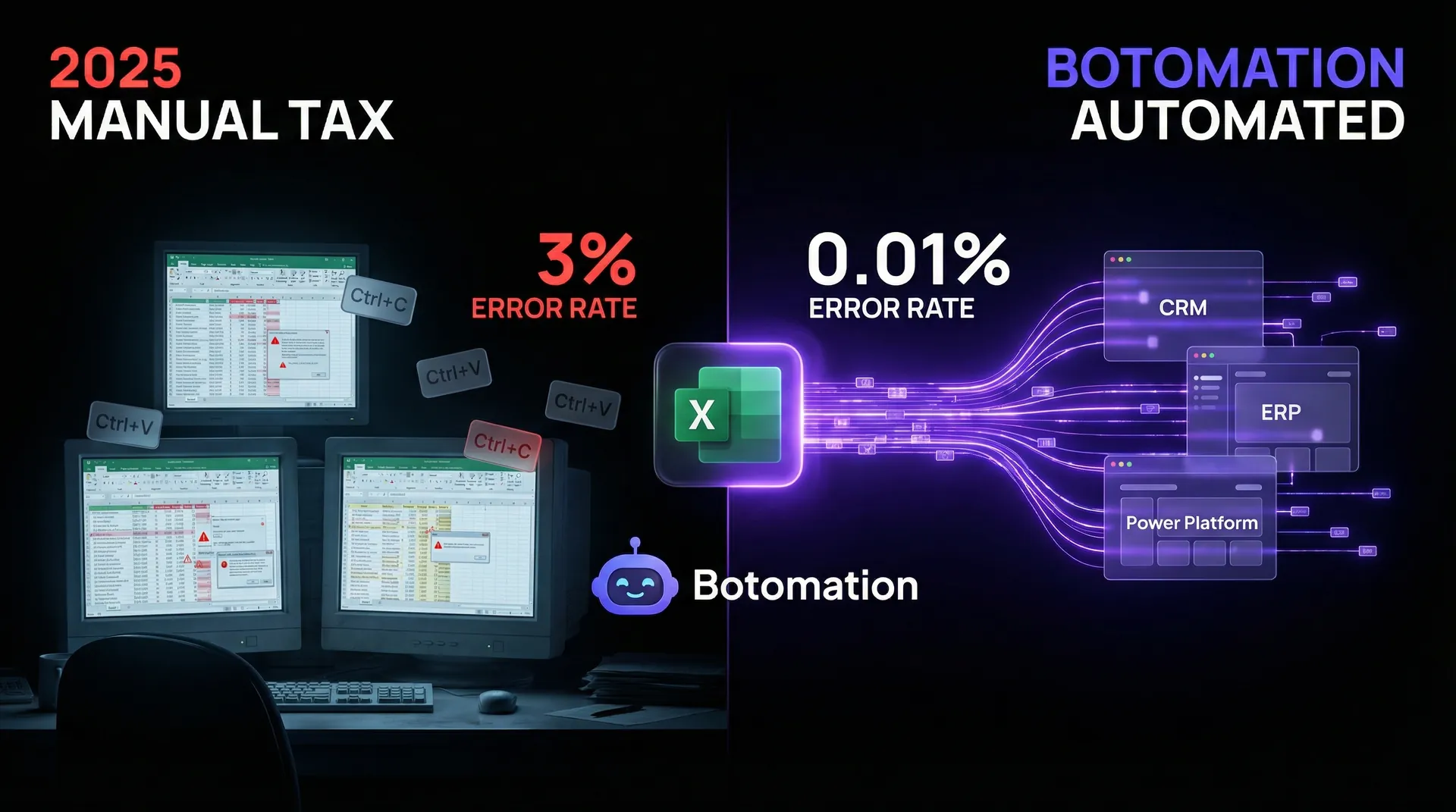
As we progress through January 2026, the strategic need to eliminate manual data copying Excel business software has become a critical benchmark for operational success. The image of an operations manager tethered to two monitors, frantically toggling between Ctrl+C and Ctrl+V, is a relic that should have vanished years ago. Yet, many service-based enterprises continue to operate as if it were 2015, relying on human "data bridges" to synchronize information between spreadsheets and core business software. This manual labor is far more than a tedious chore; it is a silent drain on profit margins and a primary catalyst for catastrophic data errors, which is why many firms are exploring how AI agents replace manual data entry work to safeguard their operations. When a team member spends their afternoon migrating invoice numbers from an Excel sheet into a CRM, they are not merely wasting time—they are introducing a 1% to 3% probability of error with every single keystroke. Establishing a secure way to connect Excel to CRM systems is the most effective way to eliminate this risk.
In the current landscape, the "Old Way" of handling data involves fragmented systems that necessitate constant human intervention. This creates a structural bottleneck where growth is limited by the number of hours staff can devote to data entry rather than the number of clients served. Our team at Botomation has observed that the most successful companies in 2026 have pivoted toward a "New Way" of operating. They treat their business software as a unified, living ecosystem where data flows instantly and accurately without human interference. By the end of this year, the gap between automated businesses and manual ones will become an unbridgeable chasm in terms of operational velocity and accuracy.
The transition to eliminate manual data copying Excel business software is no longer a luxury reserved for large corporations with massive IT budgets. With the latest advancements in the Microsoft Power Platform and the release of specialized connectors like CData Connect Server v2.8, even mid-sized service businesses can achieve 100% data synchronization. This article provides a comprehensive roadmap for COOs and Operations Managers to terminate the "copy-paste tax" and move toward a fully automated back office. We will explore the financial realities of manual work, the technical solutions available now, and how our experts at Botomation architect these systems to place your operations on autopilot.
Why should you eliminate manual data copying Excel business software today?
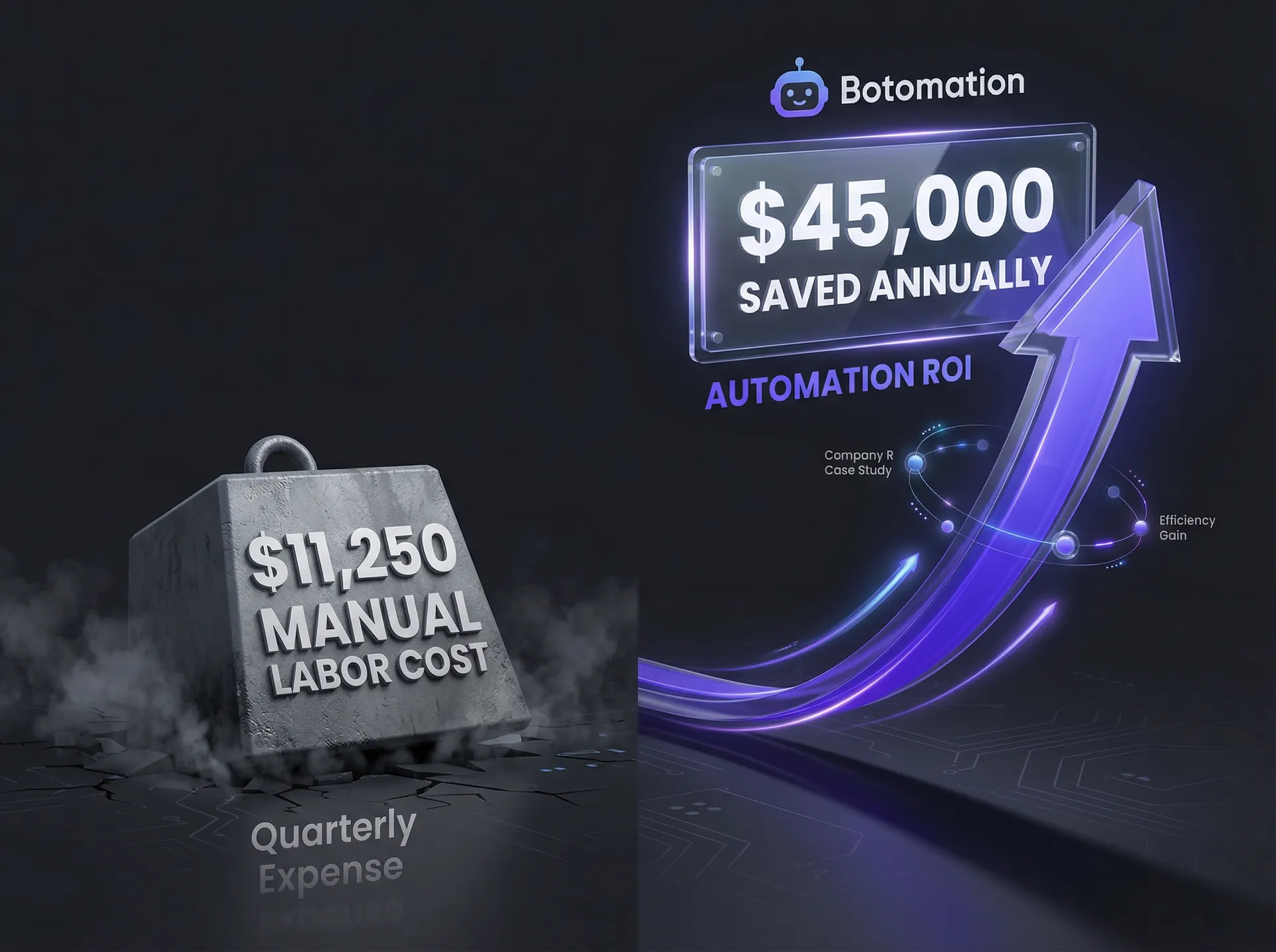
The true cost of manual data entry is rarely captured as a distinct line item on a profit and loss statement, making it a hidden expense that steadily erodes the bottom line. Earlier this year, we partnered with a logistics firm, Company R, which struggled with a massive backlog of shipping manifests and client billing data. Their team was dedicating nearly 40 hours per week across three departments just to migrate data from Excel workbooks into their proprietary ERP and CRM systems. By implementing a custom automation strategy using Power Automate’s 2026 features to eliminate Excel manual processes, Company R saved $45,000 in labor costs alone within the first twelve months. This figure excludes the significant revenue recovered by eliminating billing errors that previously went unnoticed for months.
Statistical data from recent industry audits confirms that manual processes carry a consistent error rate of 1% to 3%, whereas automated solutions deployed by Botomation reduce that rate to a staggering 0.01%. For a business processing 1,000 entries per week, a 3% error rate translates to 30 mistakes entering the system every seven days. These errors snowball, leading to incorrect shipping addresses, missed follow-ups, and client churn. When analyzing the time spent, the average office worker in an admin-heavy role loses 6 to 10 hours per week to repetitive tasks. Moving away from Excel copy paste automation toward API-driven logic is the only way to recover this lost productivity.
What is the financial impact of manual processes?
To grasp the financial drain, one must consider the fully burdened cost of an employee. If an operations assistant earns $45,000 annually, their true cost to the company—including benefits, taxes, and overhead—is closer to $56,250. If that employee spends 20% of their time on manual data copying, the company is effectively paying $11,250 per year for a task that a software script could execute for pennies. When multiplied across a team of five or ten people, the "manual tax" becomes a six-figure problem that hinders the ability to reinvest in marketing or talent.
Beyond direct labor costs, there is the cost of "re-work." When a manual entry error is discovered, it typically takes four times longer to identify and fix the mistake than it did to enter the data originally. In high-stakes industries like healthcare or legal services, a single transposed digit in a spreadsheet can lead to compliance violations or lost cases, resulting in legal fees that dwarf the initial cost of automation. Our experts at Botomation prioritize these high-risk areas, ensuring that the most critical data paths are the first to be secured through automated workflows.
How do quality and accuracy issues affect growth?
The psychological impact of repetitive manual work often leads to "attention drift," where even diligent employees begin making mistakes after the second hour of data migration. Automation does not experience fatigue, distraction, or the tendency to skip rows. By transitioning to an automated system featuring real-time data entry validation, you ensure that the data in your CRM is a perfect reflection of your Excel master sheets. This "single source of truth" is essential for making informed business decisions in 2026.
When data is inaccurate, reporting becomes obsolete. A COO viewing a dashboard that relies on manually updated spreadsheets is essentially looking at a distorted mirror. If data entry is delayed by three days due to staff absence, decisions made today are based on stale, potentially incorrect information. Automated data transfer ensures that your business intelligence tools are fed with real-time, high-integrity data, facilitating agile responses to market shifts.
The Botomation Insight: Most businesses view manual data entry as a necessary cost of doing business, but in 2026, it is actually a sign of technical debt. Every hour your team spends copying data is an hour they aren't helping you scale.
| Metric | Manual Process (The Old Way) | Automated with Botomation (The New Way) |
|---|---|---|
| **Error Rate** | 1% - 3% (High risk) | <0.01% (Near-perfect) |
| **Weekly Labor** | 6 - 10 Hours per employee | <15 Minutes (System monitoring) |
| **Data Latency** | Hours or Days (Batch processing) | Real-time / Instant |
| **Scalability** | Requires new hires to grow | Scales infinitely with no extra staff |
| **Employee Morale** | Low (Repetitive/Boring) | High (Focus on creative/strategy) |
What are the best solutions to eliminate manual data copying Excel business software?
Choosing the right solution to eliminate manual data copying Excel business software depends heavily on your existing tech stack and data volume. In 2026, the landscape has shifted toward low-code but highly sophisticated environments. By utilizing advanced Excel automation tools, businesses can achieve deep integration without the need for massive IT departments. The Microsoft Power Platform remains a dominant force, especially with the recent launch of the "Smart Copy Eliminator" feature, which utilizes underlying AI models to recognize data structures and automatically map them to corresponding fields in business apps like Salesforce or Microsoft Dynamics 365.
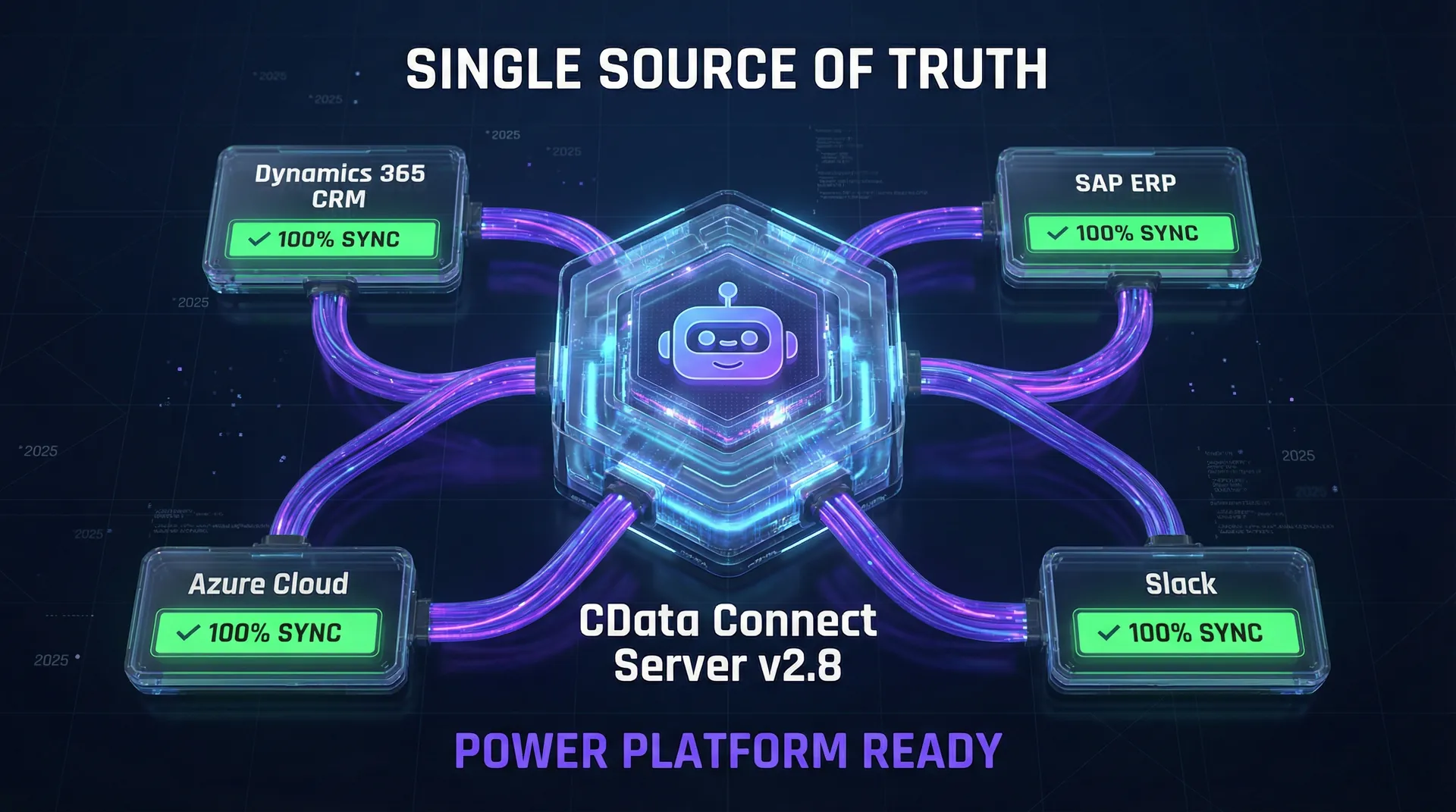
For enterprises requiring deeper integration, CData Connect Server v2.8 has become the gold standard for real-time connectivity. Unlike traditional exports, CData allows Excel to act as a live "window" into your database or CRM. When a value is modified in the spreadsheet, it updates the business software instantly, and vice-versa. While these tools are powerful, they require expert configuration to ensure security and data integrity. This is where partnering with an agency like Botomation becomes vital; we provide custom Excel data sync solutions and architect the entire infrastructure to ensure a stable Excel business software connection.
What Microsoft Power Platform solutions are available?
The 2026 version of Power Automate introduced the "Data Flow Optimizer," a significant upgrade for businesses that rely on complex Excel formulas. Previously, automation often struggled with calculated columns or hidden sheets, but the new optimizer interprets the underlying logic of the workbook to ensure only the final, "clean" data is transferred. This reduces the need for data cleaning steps that previously complicated workflows.
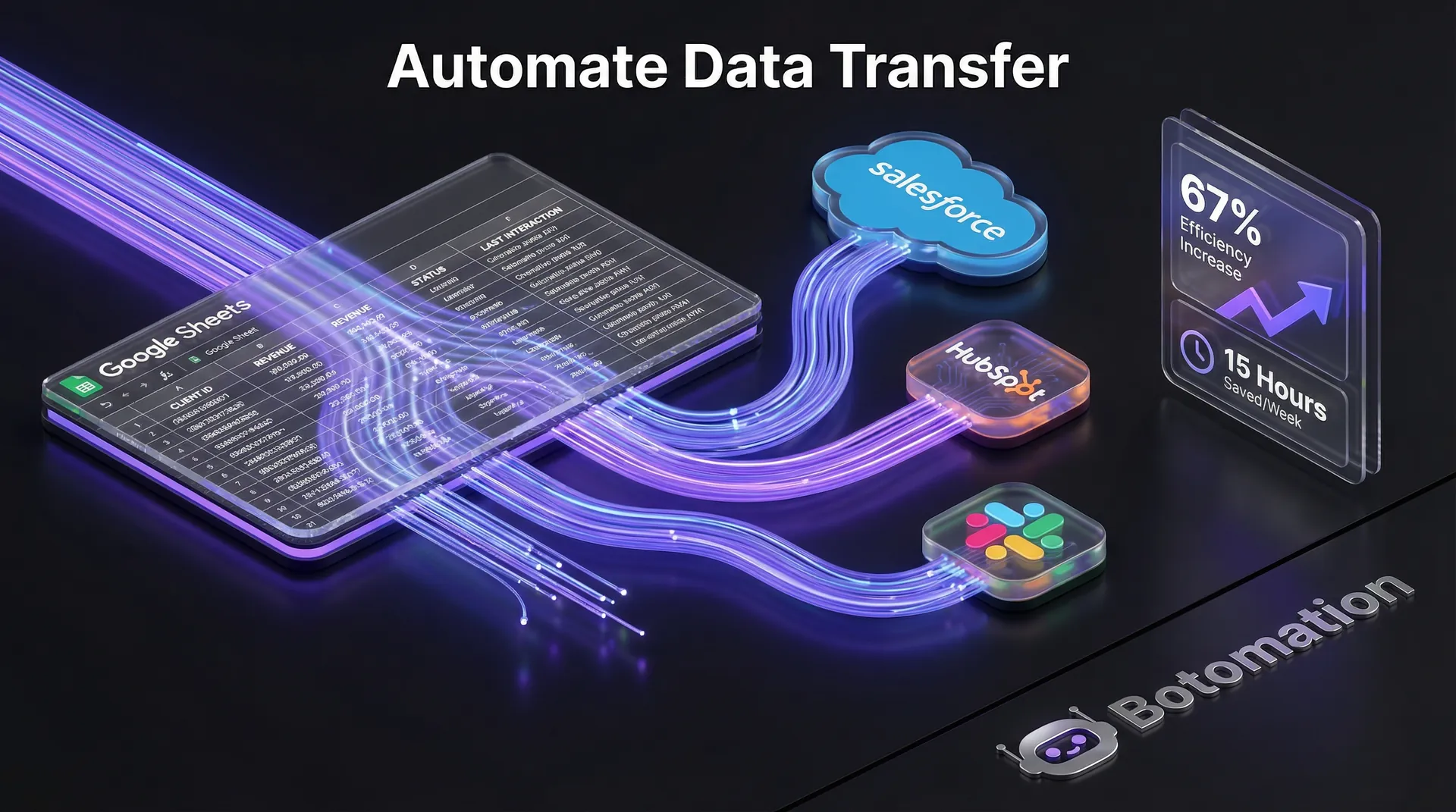
Setting up these flows involves creating a trigger—such as a new row being added to an Excel table—and then defining the action in your business software. Our team specializes in creating multi-path flows that can handle exceptions. For example, if a row in Excel is missing a client's email address, our automation can automatically ping the account manager on Slack to provide the missing information before the data is pushed to the CRM. This level of sophistication ensures the process never breaks down.
How do CData and database solutions work?
CData Connect Server v2.8 is particularly effective for businesses dealing with massive datasets that would overwhelm a standard Power Automate flow. It provides a centralized hub where all your business software—from Shopify to QuickBooks—is presented as a standard SQL database. This allows our experts to write efficient queries that move data between Excel and your software at speeds that were previously impossible.
For large enterprises, we often recommend a hybrid approach. We utilize CData to maintain a live link for high-volume data like inventory or sales transactions, while using Power Automate for task-based triggers to automate the client onboarding process. This creates a robust infrastructure capable of handling thousands of transactions per minute without lag or data loss.
When should you use custom VBA and scripting solutions?
While modern platforms are preferred, niche cases still exist where custom VBA (Visual Basic for Applications) or Python scripts are the most efficient path. If your business utilizes a legacy software system without an open API, a custom-coded script can act as a bridge. We often use Python's "pandas" library to perform complex data transformations in seconds that would take a human hours to calculate manually.
VBA remains useful for internal Excel automation, such as formatting raw data dumps into standardized templates before the automation engine processes them. However, we generally advise moving away from heavy VBA dependency, as it can be fragile during Excel updates. At Botomation, we focus on future-proofing your systems, favoring API-based integrations that remain stable regardless of software version updates.
How do you implement automated data transfer systems?
Implementation is where many DIY projects falter. Connecting two apps is one thing; building a system that handles 10,000 rows of data without failure is another. We recently assisted a professional services firm, Company S, which was overwhelmed by manual entry for their project management tool. They were losing nearly 15 hours a week just syncing project budgets from Excel. By implementing Excel data workflow automation, we reduced their manual copying by 95% in just three weeks.
The key to Company S's success was the preparation of the data itself. Most Excel sheets are "messy," containing merged cells, empty rows, and inconsistent formatting. Automation requires structure. Our first step is always to convert raw spreadsheets into "Excel Tables," allowing the automation engine to see the data as a structured database, which makes the transfer process significantly more reliable.
What is the preparation and setup process?
Before a single line of automation is written, your Excel environment must be optimized. This involves defining clear headers, removing redundant columns, and ensuring every piece of data has a "Unique Identifier" (such as a Customer ID or Invoice Number). Without a unique ID, the automation cannot distinguish between creating a new record and updating an existing one, which leads to duplicate entries.
On the software side, we must configure API (Application Programming Interface) permissions. This involves creating "Service Accounts" with specific rights to write data while being restricted from deleting or accessing sensitive information. This security-first approach is a hallmark of the Botomation methodology, ensuring efficiency without creating new vulnerabilities.
How does automation configuration and testing work?
Once the foundation is set, we build the workflow. In Power Automate 2026, this involves using the "Canvas Designer" to map Excel columns to CRM fields. We do not just map "Name" to "Name"; we include logic that checks for formatting. For instance, if your Excel sheet lists phone numbers as "1234567890" but your CRM requires "(123) 456-7890," our automation handles that transformation in real-time.
Testing is the most critical phase. We execute "Dry Runs" using a sandbox environment to ensure every possible scenario is covered. We build "Error Handling" loops that catch issues, log them for review, and notify our team so the system can recover automatically. This level of resilience is what separates a basic script from a professional business process automation.
How to Start Eliminating Manual Entry Today:
- Audit your spreadsheets: Identify which Excel files are updated daily and where that data goes.
- Standardize your tables: Ensure every sheet has a header row and no merged cells.
- Identify your "Source of Truth": Decide if Excel or your business software should be the primary master record.
- Map the data flow: Draw a simple diagram of how information moves from point A to point B.
- Partner with experts: Contact Botomation to handle the technical heavy lifting and architecture.
Which advanced strategies enable complete data process automation?
As we look deeper into 2026, the most exciting developments involve AI-powered data recognition. Company T, a mid-sized construction firm, achieved 99.8% automation by leveraging Microsoft’s new AI-powered pattern recognition. They did not just automate the copying; they automated the understanding of the data. Their Excel sheets were often filled with messy notes from site managers. Using GPT-5 integrated directly into their data flow, the system could read a note like "Ordered 50 extra bags of cement for the Smith job" and automatically update the inventory in Excel and the project costs in their ERP.
This intelligent automation is the next frontier. It moves beyond simple logic and enters the realm of contextual processing. For an operations manager, this means you no longer have to spend time cleaning data before it gets copied. The system learns your preferences, recognizes your specific business terminology, and formats the data exactly as your business software expects.
What AI-powered automation tools are coming in 2026?
The integration of GPT-5 into the Microsoft Power Platform has changed everything for Excel users. In the past, if a column had inconsistent date formats, the automation would break. Today, the AI interprets these variations and standardizes them instantly. This allows your team to work naturally in Excel without being forced into rigid, robotic data entry patterns.
Furthermore, machine learning models can now perform "Predictive Data Processing." If the system notices that every time you enter a specific product code in Excel, you also update a specific field in your CRM, it will begin to suggest that update or even perform it proactively. This reduces the cognitive load on your staff as the connectivity between your systems becomes smarter over time.
How does multi-application integration benefit operations?
The most powerful automations connect your entire tech stack, facilitating a seamless Excel to business app integration. Imagine a scenario where a new sale is recorded in an Excel sheet. Instead of just copying that to your CRM, a Botomation-built system can simultaneously:
- Update the CRM record with the new deal value.
- Generate an invoice in QuickBooks.
- Create a new project folder in Google Drive.
- Send a "Welcome" email via Mailchimp.
- Post a celebration message in the company's Slack channel.
This "Centralized Data Hub" model ensures that every department is looking at the same information simultaneously. There is no lag between sales, operations, and finance. When you connect disparate software tools to eliminate manual data copying between Excel and business software, you are synchronizing your entire organization's heartbeat.
How can you maintain and optimize your automated systems?
An automation system is not a "set it and forget it" tool; it is a piece of infrastructure that requires monitoring. Company U, a retail chain we partnered with, maintained 100% automation uptime throughout 2026 by using the "Automation Health Check" features in the Power Platform. This tool provides a dashboard that shows every successful run, every delay, and any potential bottlenecks. If an API for their business software goes down for maintenance, the system automatically queues the data and sends it once the connection is restored.
Maintenance also involves performance optimization. As your business grows, an Excel sheet that had 100 rows might grow to 100,000. A poorly designed automation will slow down as the dataset expands. Our team at Botomation uses batch processing techniques to ensure that even massive data transfers happen in seconds. We optimize queries so the system only looks for changes since the last run, rather than re-reading the entire spreadsheet every time.
How do you handle monitoring and maintenance?
We recommend a monthly system audit to ensure that the automation remains aligned with your business processes. Business software often updates its interface or API, which can occasionally require minor tweaks to the automation logic. By having a dedicated partner like Botomation, you do not have to worry about these technical shifts. We monitor the health of your flows and proactively update them before they have a chance to fail.
Setting up alerts is also vital. If a critical data transfer fails—perhaps because an employee changed a column name in Excel—the system should immediately notify the appropriate person. We set up these guardrails so that the operations manager is only involved when a human decision is actually needed, rather than spending their day checking if the pipes are still working.
How can you achieve performance optimization?
For businesses dealing with complex calculations, we often move the heavy lifting away from Excel and into the automation engine itself. If your spreadsheet has 500 VLOOKUPs, it will eventually become sluggish. We can replace those Excel-based lookups with cloud-based data transformations that run in the background. This keeps your Excel files lightweight and fast, while the automation handles the complexity.
Optimizing for speed is especially important for customer-facing data. If a client updates their info on a web form, you want that to reflect in your Excel-based reporting and your CRM immediately. By fine-tuning polling intervals and using webhooks, we can achieve near-instantaneous synchronization, giving your team the most up-to-date information possible for every client interaction.
Frequently Asked Questions
Will I lose control over my data if I automate the copying process?
Quite the opposite. Automation actually provides more control because it enforces standardized data entry. You can set strict rules for what data is allowed to pass through the system, and every single transfer is logged with a timestamp and a record of exactly what was moved. You can audit these logs at any time, providing a level of transparency that manual copy-pasting can never match.
Can automation work with older "legacy" business software?
Yes, though the approach differs. If the software has an API, we use that for a direct connection. If it does not, we can use RPA (Robotic Process Automation) or custom scripting to mimic a human's actions—opening the program, clicking the fields, and typing the data. Our team at Botomation has extensive experience bridging the gap between modern spreadsheets and older, specialized industry software.
Is it expensive to maintain these automated systems?
When compared to the cost of a full-time employee's salary, benefits, and the cost of their errors, automation is remarkably cost-effective. Most of the costs are front-loaded in the architecture and setup phase. Once the system is running, the maintenance costs are minimal, often just involving small adjustments as your business software evolves. The return on investment (ROI) is typically realized within the first three to six months.
What happens if someone accidentally deletes a column in my Excel sheet?
We build defensive logic into every automation. If the system detects that a required column is missing or a header has been changed, it will pause the workflow and send an immediate alert. It will not attempt to push broken data into your business software. This prevents the corruption of your CRM or ERP data and allows you to fix the spreadsheet error before any damage is done.
The era of manual data entry is coming to an end. Businesses that continue to rely on staff to move information between spreadsheets and software are choosing to operate with a self-imposed handicap. They are slower, more prone to error, and significantly more expensive to run than their automated competitors. By the end of 2026, the ability to eliminate manual data copying Excel business software will be the defining factor in operational excellence.
At Botomation, we do not just sell you a tool; we provide a premium service that transforms your back office into a high-speed, error-free engine. Our experts handle the complex mapping, the API configurations, and the AI integrations so you can focus on leading your team and growing your revenue. We are the "glue" that makes your disparate tools talk to each other, ensuring your business runs on autopilot. The "Old Way" is filled with frustration and Ctrl+V; the "New Way" is seamless, instant, and handled by the experts at Botomation.
Ready to automate your growth? Stop losing money on manual tasks and start scaling today. Book a call below.
As we progress through January 2026, the strategic need to eliminate manual data copying Excel business software has become a critical benchmark for operational success. The image of an operations manager tethered to two monitors, frantically toggling between Ctrl+C and Ctrl+V, is a relic that should have vanished years ago. Yet, many service-based enterprises continue to operate as if it were 2015, relying on human "data bridges" to synchronize information between spreadsheets and core business software. This manual labor is far more than a tedious chore; it is a silent drain on profit margins and a primary catalyst for catastrophic data errors, which is why many firms are exploring how AI agents replace manual data entry work to safeguard their operations. When a team member spends their afternoon migrating invoice numbers from an Excel sheet into a CRM, they are not merely wasting time—they are introducing a 1% to 3% probability of error with every single keystroke. Establishing a secure way to connect Excel to CRM systems is the most effective way to eliminate this risk.
In the current landscape, the "Old Way" of handling data involves fragmented systems that necessitate constant human intervention. This creates a structural bottleneck where growth is limited by the number of hours staff can devote to data entry rather than the number of clients served. Our team at Botomation has observed that the most successful companies in 2026 have pivoted toward a "New Way" of operating. They treat their business software as a unified, living ecosystem where data flows instantly and accurately without human interference. By the end of this year, the gap between automated businesses and manual ones will become an unbridgeable chasm in terms of operational velocity and accuracy.
The transition to eliminate manual data copying Excel business software is no longer a luxury reserved for large corporations with massive IT budgets. With the latest advancements in the Microsoft Power Platform and the release of specialized connectors like CData Connect Server v2.8, even mid-sized service businesses can achieve 100% data synchronization. This article provides a comprehensive roadmap for COOs and Operations Managers to terminate the "copy-paste tax" and move toward a fully automated back office. We will explore the financial realities of manual work, the technical solutions available now, and how our experts at Botomation architect these systems to place your operations on autopilot.
Why should you eliminate manual data copying Excel business software today?
The true cost of manual data entry is rarely captured as a distinct line item on a profit and loss statement, making it a hidden expense that steadily erodes the bottom line. Earlier this year, we partnered with a logistics firm, Company R, which struggled with a massive backlog of shipping manifests and client billing data. Their team was dedicating nearly 40 hours per week across three departments just to migrate data from Excel workbooks into their proprietary ERP and CRM systems. By implementing a custom automation strategy using Power Automate’s 2026 features to eliminate Excel manual processes, Company R saved $45,000 in labor costs alone within the first twelve months. This figure excludes the significant revenue recovered by eliminating billing errors that previously went unnoticed for months.
Statistical data from recent industry audits confirms that manual processes carry a consistent error rate of 1% to 3%, whereas automated solutions deployed by Botomation reduce that rate to a staggering 0.01%. For a business processing 1,000 entries per week, a 3% error rate translates to 30 mistakes entering the system every seven days. These errors snowball, leading to incorrect shipping addresses, missed follow-ups, and client churn. When analyzing the time spent, the average office worker in an admin-heavy role loses 6 to 10 hours per week to repetitive tasks. Moving away from Excel copy paste automation toward API-driven logic is the only way to recover this lost productivity.
What is the financial impact of manual processes?
To grasp the financial drain, one must consider the fully burdened cost of an employee. If an operations assistant earns $45,000 annually, their true cost to the company—including benefits, taxes, and overhead—is closer to $56,250. If that employee spends 20% of their time on manual data copying, the company is effectively paying $11,250 per year for a task that a software script could execute for pennies. When multiplied across a team of five or ten people, the "manual tax" becomes a six-figure problem that hinders the ability to reinvest in marketing or talent.
Beyond direct labor costs, there is the cost of "re-work." When a manual entry error is discovered, it typically takes four times longer to identify and fix the mistake than it did to enter the data originally. In high-stakes industries like healthcare or legal services, a single transposed digit in a spreadsheet can lead to compliance violations or lost cases, resulting in legal fees that dwarf the initial cost of automation. Our experts at Botomation prioritize these high-risk areas, ensuring that the most critical data paths are the first to be secured through automated workflows.
How do quality and accuracy issues affect growth?
The psychological impact of repetitive manual work often leads to "attention drift," where even diligent employees begin making mistakes after the second hour of data migration. Automation does not experience fatigue, distraction, or the tendency to skip rows. By transitioning to an automated system featuring real-time data entry validation, you ensure that the data in your CRM is a perfect reflection of your Excel master sheets. This "single source of truth" is essential for making informed business decisions in 2026.
When data is inaccurate, reporting becomes obsolete. A COO viewing a dashboard that relies on manually updated spreadsheets is essentially looking at a distorted mirror. If data entry is delayed by three days due to staff absence, decisions made today are based on stale, potentially incorrect information. Automated data transfer ensures that your business intelligence tools are fed with real-time, high-integrity data, facilitating agile responses to market shifts.
The Botomation Insight: Most businesses view manual data entry as a necessary cost of doing business, but in 2026, it is actually a sign of technical debt. Every hour your team spends copying data is an hour they aren't helping you scale.
| Metric | Manual Process (The Old Way) | Automated with Botomation (The New Way) |
|---|---|---|
| **Error Rate** | 1% - 3% (High risk) | <0.01% (Near-perfect) |
| **Weekly Labor** | 6 - 10 Hours per employee | <15 Minutes (System monitoring) |
| **Data Latency** | Hours or Days (Batch processing) | Real-time / Instant |
| **Scalability** | Requires new hires to grow | Scales infinitely with no extra staff |
| **Employee Morale** | Low (Repetitive/Boring) | High (Focus on creative/strategy) |
What are the best solutions to eliminate manual data copying Excel business software?
Choosing the right solution to eliminate manual data copying Excel business software depends heavily on your existing tech stack and data volume. In 2026, the landscape has shifted toward low-code but highly sophisticated environments. By utilizing advanced Excel automation tools, businesses can achieve deep integration without the need for massive IT departments. The Microsoft Power Platform remains a dominant force, especially with the recent launch of the "Smart Copy Eliminator" feature, which utilizes underlying AI models to recognize data structures and automatically map them to corresponding fields in business apps like Salesforce or Microsoft Dynamics 365.
For enterprises requiring deeper integration, CData Connect Server v2.8 has become the gold standard for real-time connectivity. Unlike traditional exports, CData allows Excel to act as a live "window" into your database or CRM. When a value is modified in the spreadsheet, it updates the business software instantly, and vice-versa. While these tools are powerful, they require expert configuration to ensure security and data integrity. This is where partnering with an agency like Botomation becomes vital; we provide custom Excel data sync solutions and architect the entire infrastructure to ensure a stable Excel business software connection.
What Microsoft Power Platform solutions are available?
The 2026 version of Power Automate introduced the "Data Flow Optimizer," a significant upgrade for businesses that rely on complex Excel formulas. Previously, automation often struggled with calculated columns or hidden sheets, but the new optimizer interprets the underlying logic of the workbook to ensure only the final, "clean" data is transferred. This reduces the need for data cleaning steps that previously complicated workflows.
Setting up these flows involves creating a trigger—such as a new row being added to an Excel table—and then defining the action in your business software. Our team specializes in creating multi-path flows that can handle exceptions. For example, if a row in Excel is missing a client's email address, our automation can automatically ping the account manager on Slack to provide the missing information before the data is pushed to the CRM. This level of sophistication ensures the process never breaks down.
How do CData and database solutions work?
CData Connect Server v2.8 is particularly effective for businesses dealing with massive datasets that would overwhelm a standard Power Automate flow. It provides a centralized hub where all your business software—from Shopify to QuickBooks—is presented as a standard SQL database. This allows our experts to write efficient queries that move data between Excel and your software at speeds that were previously impossible.
For large enterprises, we often recommend a hybrid approach. We utilize CData to maintain a live link for high-volume data like inventory or sales transactions, while using Power Automate for task-based triggers to automate the client onboarding process. This creates a robust infrastructure capable of handling thousands of transactions per minute without lag or data loss.
When should you use custom VBA and scripting solutions?
While modern platforms are preferred, niche cases still exist where custom VBA (Visual Basic for Applications) or Python scripts are the most efficient path. If your business utilizes a legacy software system without an open API, a custom-coded script can act as a bridge. We often use Python's "pandas" library to perform complex data transformations in seconds that would take a human hours to calculate manually.
VBA remains useful for internal Excel automation, such as formatting raw data dumps into standardized templates before the automation engine processes them. However, we generally advise moving away from heavy VBA dependency, as it can be fragile during Excel updates. At Botomation, we focus on future-proofing your systems, favoring API-based integrations that remain stable regardless of software version updates.
How do you implement automated data transfer systems?
Implementation is where many DIY projects falter. Connecting two apps is one thing; building a system that handles 10,000 rows of data without failure is another. We recently assisted a professional services firm, Company S, which was overwhelmed by manual entry for their project management tool. They were losing nearly 15 hours a week just syncing project budgets from Excel. By implementing Excel data workflow automation, we reduced their manual copying by 95% in just three weeks.
The key to Company S's success was the preparation of the data itself. Most Excel sheets are "messy," containing merged cells, empty rows, and inconsistent formatting. Automation requires structure. Our first step is always to convert raw spreadsheets into "Excel Tables," allowing the automation engine to see the data as a structured database, which makes the transfer process significantly more reliable.
What is the preparation and setup process?
Before a single line of automation is written, your Excel environment must be optimized. This involves defining clear headers, removing redundant columns, and ensuring every piece of data has a "Unique Identifier" (such as a Customer ID or Invoice Number). Without a unique ID, the automation cannot distinguish between creating a new record and updating an existing one, which leads to duplicate entries.
On the software side, we must configure API (Application Programming Interface) permissions. This involves creating "Service Accounts" with specific rights to write data while being restricted from deleting or accessing sensitive information. This security-first approach is a hallmark of the Botomation methodology, ensuring efficiency without creating new vulnerabilities.
How does automation configuration and testing work?
Once the foundation is set, we build the workflow. In Power Automate 2026, this involves using the "Canvas Designer" to map Excel columns to CRM fields. We do not just map "Name" to "Name"; we include logic that checks for formatting. For instance, if your Excel sheet lists phone numbers as "1234567890" but your CRM requires "(123) 456-7890," our automation handles that transformation in real-time.
Testing is the most critical phase. We execute "Dry Runs" using a sandbox environment to ensure every possible scenario is covered. We build "Error Handling" loops that catch issues, log them for review, and notify our team so the system can recover automatically. This level of resilience is what separates a basic script from a professional business process automation.
How to Start Eliminating Manual Entry Today:
- Audit your spreadsheets: Identify which Excel files are updated daily and where that data goes.
- Standardize your tables: Ensure every sheet has a header row and no merged cells.
- Identify your "Source of Truth": Decide if Excel or your business software should be the primary master record.
- Map the data flow: Draw a simple diagram of how information moves from point A to point B.
- Partner with experts: Contact Botomation to handle the technical heavy lifting and architecture.
Which advanced strategies enable complete data process automation?
As we look deeper into 2026, the most exciting developments involve AI-powered data recognition. Company T, a mid-sized construction firm, achieved 99.8% automation by leveraging Microsoft’s new AI-powered pattern recognition. They did not just automate the copying; they automated the understanding of the data. Their Excel sheets were often filled with messy notes from site managers. Using GPT-5 integrated directly into their data flow, the system could read a note like "Ordered 50 extra bags of cement for the Smith job" and automatically update the inventory in Excel and the project costs in their ERP.
This intelligent automation is the next frontier. It moves beyond simple logic and enters the realm of contextual processing. For an operations manager, this means you no longer have to spend time cleaning data before it gets copied. The system learns your preferences, recognizes your specific business terminology, and formats the data exactly as your business software expects.
What AI-powered automation tools are coming in 2026?
The integration of GPT-5 into the Microsoft Power Platform has changed everything for Excel users. In the past, if a column had inconsistent date formats, the automation would break. Today, the AI interprets these variations and standardizes them instantly. This allows your team to work naturally in Excel without being forced into rigid, robotic data entry patterns.
Furthermore, machine learning models can now perform "Predictive Data Processing." If the system notices that every time you enter a specific product code in Excel, you also update a specific field in your CRM, it will begin to suggest that update or even perform it proactively. This reduces the cognitive load on your staff as the connectivity between your systems becomes smarter over time.
How does multi-application integration benefit operations?
The most powerful automations connect your entire tech stack, facilitating a seamless Excel to business app integration. Imagine a scenario where a new sale is recorded in an Excel sheet. Instead of just copying that to your CRM, a Botomation-built system can simultaneously:
- Update the CRM record with the new deal value.
- Generate an invoice in QuickBooks.
- Create a new project folder in Google Drive.
- Send a "Welcome" email via Mailchimp.
- Post a celebration message in the company's Slack channel.
This "Centralized Data Hub" model ensures that every department is looking at the same information simultaneously. There is no lag between sales, operations, and finance. When you connect disparate software tools to eliminate manual data copying between Excel and business software, you are synchronizing your entire organization's heartbeat.
How can you maintain and optimize your automated systems?
An automation system is not a "set it and forget it" tool; it is a piece of infrastructure that requires monitoring. Company U, a retail chain we partnered with, maintained 100% automation uptime throughout 2026 by using the "Automation Health Check" features in the Power Platform. This tool provides a dashboard that shows every successful run, every delay, and any potential bottlenecks. If an API for their business software goes down for maintenance, the system automatically queues the data and sends it once the connection is restored.
Maintenance also involves performance optimization. As your business grows, an Excel sheet that had 100 rows might grow to 100,000. A poorly designed automation will slow down as the dataset expands. Our team at Botomation uses batch processing techniques to ensure that even massive data transfers happen in seconds. We optimize queries so the system only looks for changes since the last run, rather than re-reading the entire spreadsheet every time.
How do you handle monitoring and maintenance?
We recommend a monthly system audit to ensure that the automation remains aligned with your business processes. Business software often updates its interface or API, which can occasionally require minor tweaks to the automation logic. By having a dedicated partner like Botomation, you do not have to worry about these technical shifts. We monitor the health of your flows and proactively update them before they have a chance to fail.
Setting up alerts is also vital. If a critical data transfer fails—perhaps because an employee changed a column name in Excel—the system should immediately notify the appropriate person. We set up these guardrails so that the operations manager is only involved when a human decision is actually needed, rather than spending their day checking if the pipes are still working.
How can you achieve performance optimization?
For businesses dealing with complex calculations, we often move the heavy lifting away from Excel and into the automation engine itself. If your spreadsheet has 500 VLOOKUPs, it will eventually become sluggish. We can replace those Excel-based lookups with cloud-based data transformations that run in the background. This keeps your Excel files lightweight and fast, while the automation handles the complexity.
Optimizing for speed is especially important for customer-facing data. If a client updates their info on a web form, you want that to reflect in your Excel-based reporting and your CRM immediately. By fine-tuning polling intervals and using webhooks, we can achieve near-instantaneous synchronization, giving your team the most up-to-date information possible for every client interaction.
Frequently Asked Questions
Will I lose control over my data if I automate the copying process?
Quite the opposite. Automation actually provides more control because it enforces standardized data entry. You can set strict rules for what data is allowed to pass through the system, and every single transfer is logged with a timestamp and a record of exactly what was moved. You can audit these logs at any time, providing a level of transparency that manual copy-pasting can never match.
Can automation work with older "legacy" business software?
Yes, though the approach differs. If the software has an API, we use that for a direct connection. If it does not, we can use RPA (Robotic Process Automation) or custom scripting to mimic a human's actions—opening the program, clicking the fields, and typing the data. Our team at Botomation has extensive experience bridging the gap between modern spreadsheets and older, specialized industry software.
Is it expensive to maintain these automated systems?
When compared to the cost of a full-time employee's salary, benefits, and the cost of their errors, automation is remarkably cost-effective. Most of the costs are front-loaded in the architecture and setup phase. Once the system is running, the maintenance costs are minimal, often just involving small adjustments as your business software evolves. The return on investment (ROI) is typically realized within the first three to six months.
What happens if someone accidentally deletes a column in my Excel sheet?
We build defensive logic into every automation. If the system detects that a required column is missing or a header has been changed, it will pause the workflow and send an immediate alert. It will not attempt to push broken data into your business software. This prevents the corruption of your CRM or ERP data and allows you to fix the spreadsheet error before any damage is done.
The era of manual data entry is coming to an end. Businesses that continue to rely on staff to move information between spreadsheets and software are choosing to operate with a self-imposed handicap. They are slower, more prone to error, and significantly more expensive to run than their automated competitors. By the end of 2026, the ability to eliminate manual data copying Excel business software will be the defining factor in operational excellence.
At Botomation, we do not just sell you a tool; we provide a premium service that transforms your back office into a high-speed, error-free engine. Our experts handle the complex mapping, the API configurations, and the AI integrations so you can focus on leading your team and growing your revenue. We are the "glue" that makes your disparate tools talk to each other, ensuring your business runs on autopilot. The "Old Way" is filled with frustration and Ctrl+V; the "New Way" is seamless, instant, and handled by the experts at Botomation.
Ready to automate your growth? Stop losing money on manual tasks and start scaling today. Book a call below.
Get Started
Book a FREE Consultation Right NOW!
Schedule a Call with Our Team To Make Your Business More Efficient with AI Instantly.
Read More
Eliminate Manual Data Copying - Excel & Business Software
Eliminate manual data copying Excel business software with back-office automation. Boost operational efficiency and reduce errors for COOs in 2026.
Automate Data Transfer - Google Sheets & Business Apps 2026
Learn how WhatsApp AI slashes support costs for e-commerce & SaaS. Proven strategies to boost sales, recover carts, and scale 24/7 service.