Automate Data Entry Validation Business Operations in 2026
Jan 8, 2026
AI Automation
Data Management
Business Operations
AI Automation
Data Management
Business Operations
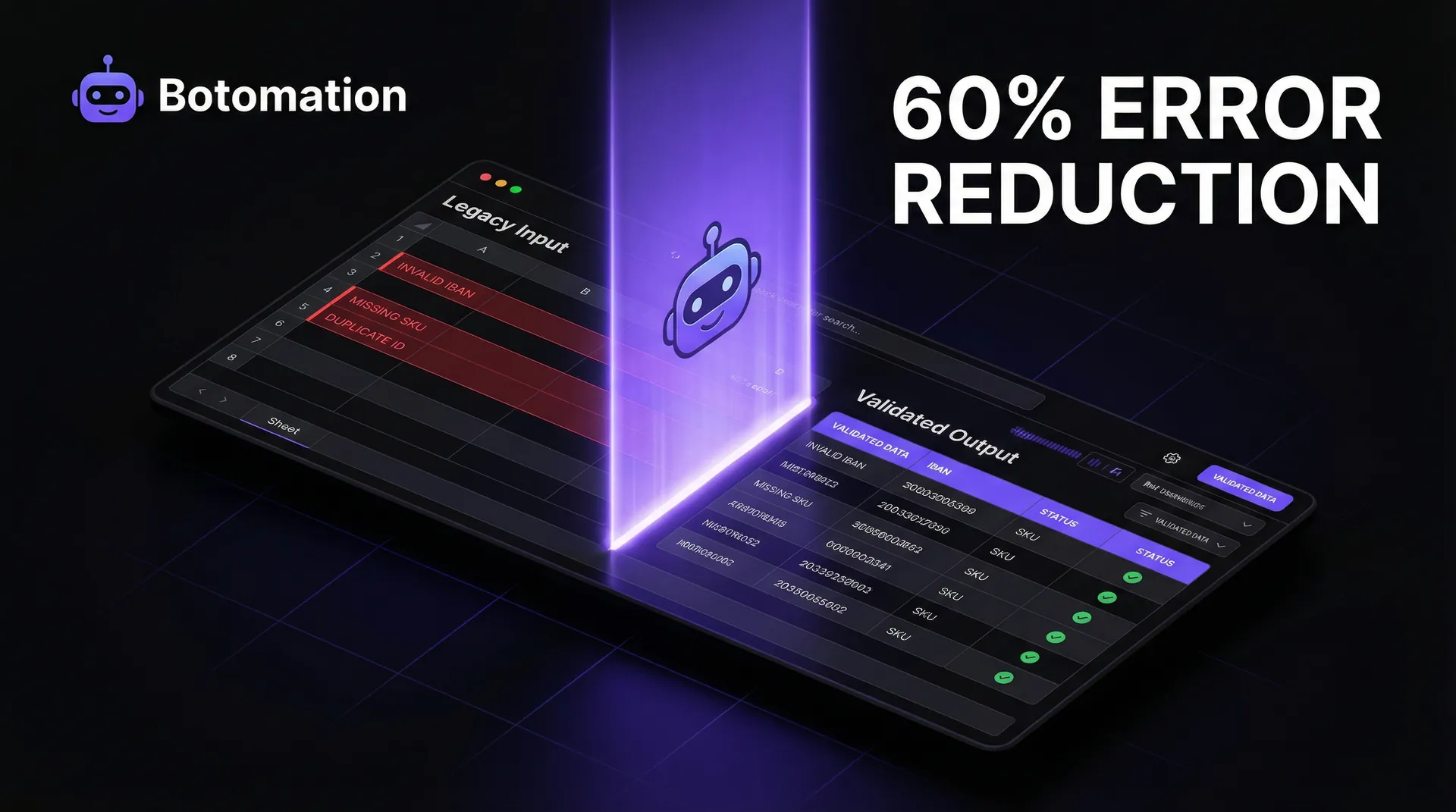
The operational landscape of 2026 has reached a critical tipping point where the decision to automate data entry validation business operations has become essential for organizational survival. Statistics from the Tech Data 2026 Annual Report reveal a striking reality: organizations that successfully implemented real-time validation protocols reported a staggering 60% reduction in data processing errors compared to those relying on manual oversight. For Chief Operating Officers and Operations Managers, these errors are not merely administrative nuisances; they represent a systemic drain on resources, often manifesting as failed transactions, compliance breaches, and degraded customer trust.
Back-office operations face a unique set of challenges because they act as the engine room of the enterprise, often handling thousands of records daily across disparate systems like CRMs, legacy databases, and cloud-based financial tools. Since AI agents replace manual data entry work, relying on human input remains one of the most significant vulnerabilities in this chain, as even the most diligent employees naturally succumb to fatigue. This guide presents seven actionable steps to automate validation and achieve the error reduction results that leading firms are now seeing as a standard benchmark. By focusing on practical implementation, our team at Botomation helps organizations move away from the "fix it later" mentality and toward a "correct at source" architecture.
Implementing these steps requires a shift in how we perceive data entry—not as a rote task, but as a critical entry point that requires sophisticated, automated gatekeeping. As we walk through these strategies, we will focus on how to integrate real-time validation into your existing workflows without disrupting the pace of business. The goal is to create a seamless environment where data quality is guaranteed by the system itself, allowing your human talent to focus on high-value analysis rather than tedious correction.
What are the Current Challenges in Back-Office Data Validation?
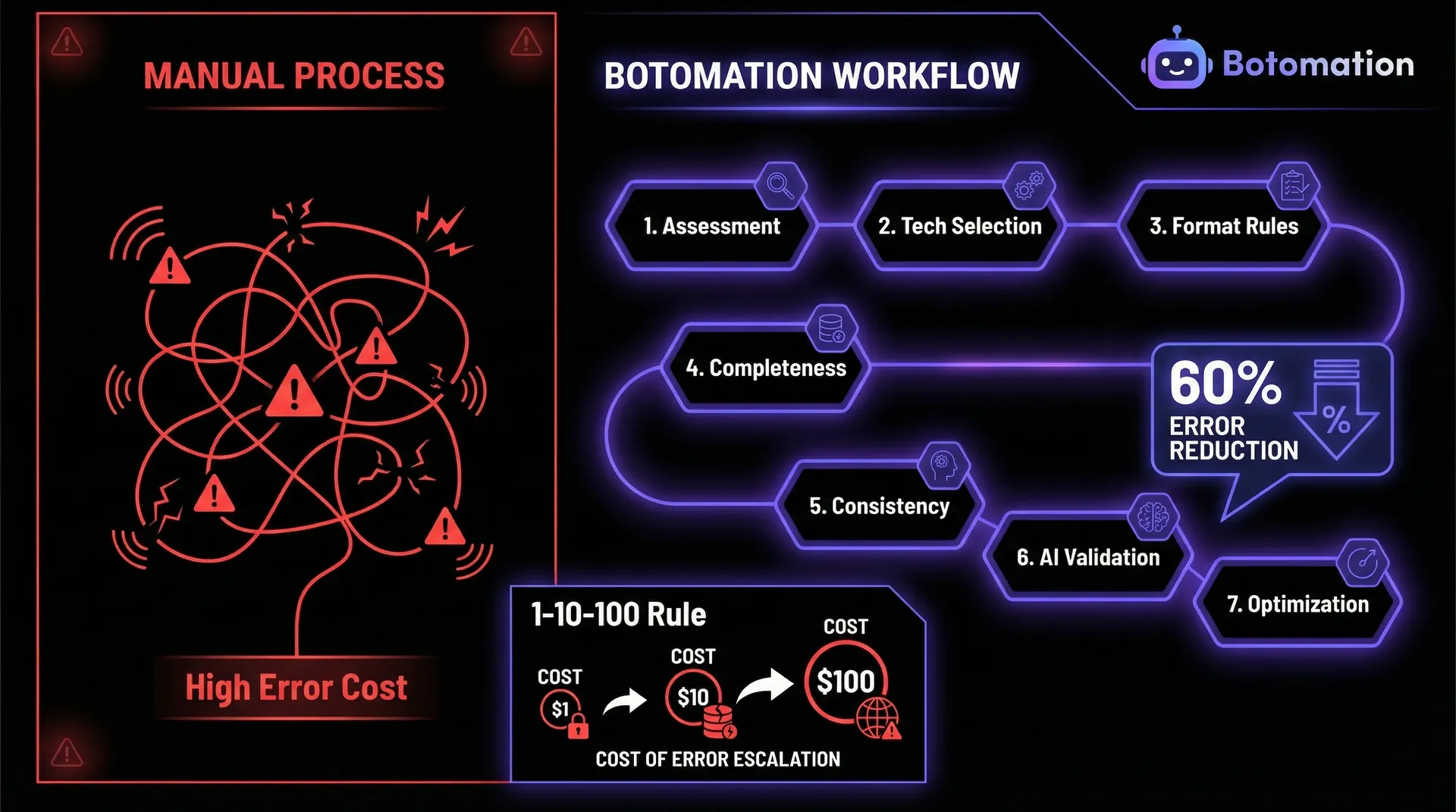
The current state of back-office operations in many mid-market firms is characterized by a "reactive correction" cycle that is both expensive and inefficient. When data entry is handled manually, the probability of error is statistically high, regardless of the industry. These errors often remain hidden within spreadsheets or buried in CRM fields until they cause a downstream failure, such as an incorrect invoice or a missed shipment. By the time an error is discovered, the cost to rectify it has often tripled due to the labor required to trace the mistake back to its origin and the administrative overhead of correcting multiple interconnected records.
Quantifying the impact of these manual processes reveals a sobering financial picture. Industry research indicates that poor data quality costs organizations an average of $12.9 million annually, a figure that includes lost productivity, wasted marketing spend, and regulatory fines. For an operations manager, this isn't just a theoretical number; it represents the literal hours your team spends every Friday afternoon "cleaning up" the database instead of preparing for the week ahead. The potential for real-time data entry validation to offer a 60% error reduction isn't just a performance metric—it is a direct injection of recovered capital back into the business.
Operational Insight: Data errors follow a 1-10-100 rule. It costs $1 to verify data at the point of entry, $10 to correct it later in the process, and $100 if the error reaches the customer or a regulatory body.
What are the Most Common Data Entry Errors in Back-Office Operations?
Typical errors in back-office environments usually fall into a few predictable categories: typos, transposed digits, missing information, and format inconsistencies. In the finance sector, a transposed digit in an IBAN or a routing number can lead to thousands of dollars in wire transfer fees and days of reconciliation work. Healthcare providers often struggle with patient ID mismatches or incorrect billing codes, which delay insurance reimbursements and create significant friction for patients. Retail operations frequently deal with SKU mismatches or incorrect inventory counts that lead to overpromising and under-delivering to customers.
The frequency of these errors is often higher than leadership realizes because many small mistakes are "fixed on the fly" by staff and never logged as official errors. However, the cumulative impact of these "small" fixes is a massive drain on operational velocity. When a staff member spends five minutes searching for a missing zip code or correcting a date format, they are not performing the strategic tasks they were hired for. This hidden labor cost is exactly what our experts at Botomation target when we design automated validation workflows.
How Can We Quantify the Cost of Manual Processes?
To understand the true cost of manual data entry, we must look beyond the hourly wage of the clerk. We must factor in the "error tail"—the sequence of events triggered by a single incorrect data point. For example, an incorrect address in a shipping database leads to a returned package, which incurs a second shipping fee, additional labor for the customer service team to contact the client, and the potential loss of that client's future business. When you add up the labor costs associated with manual entry and subsequent error correction, the ROI on automation becomes undeniable.
Compliance risks also play a significant role in the cost equation, especially in 2026's heightened regulatory environment. Data errors in financial reporting or personal information handling can lead to severe penalties under frameworks like GDPR or CCPA. Beyond the fines, the reputational damage of a data-related issue can be irreversible. By automating data entry validation, organizations create a digital audit trail that demonstrates a commitment to data integrity, effectively de-risking the entire back-office operation.
| Metric | Manual Process (The Old Way) | Automated Validation (The Botomation Way) |
|---|---|---|
| **Error Rate** | 5% - 10% average | < 0.5% with real-time checks |
| **Processing Time** | 3-5 minutes per record | < 30 seconds per record |
| **Correction Cost** | High ($10 - $100 per error) | Minimal (Prevented at source) |
| **Staff Morale** | Low (Repetitive, frustrating) | High (Focus on complex tasks) |
| **Data Integrity** | Questionable / Variable | High / Standardized |
How to Perform an Initial Assessment to Automate Data Entry Validation Business Operations?
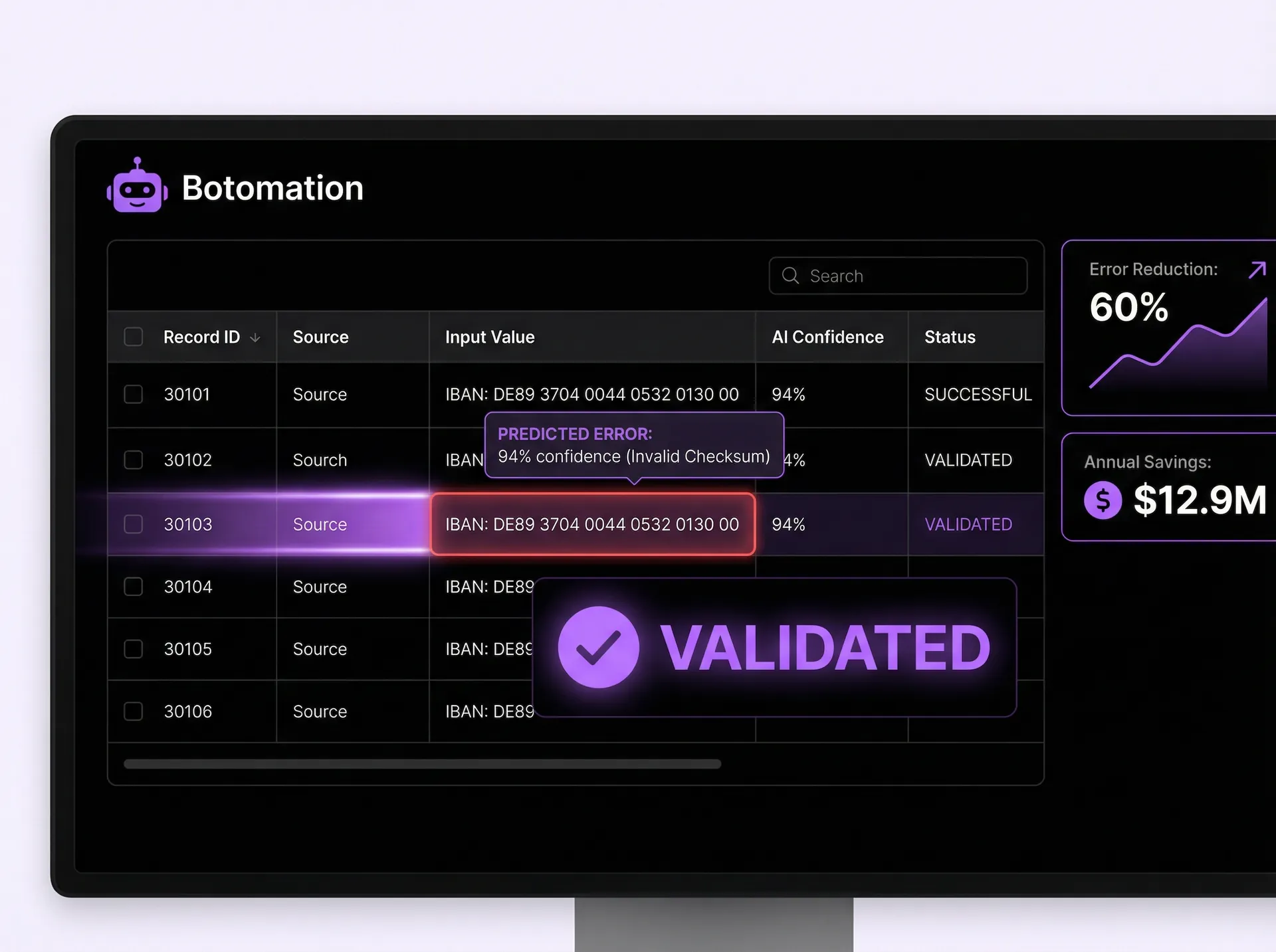
The first step in any successful automation journey is a comprehensive assessment of the current landscape. You cannot fix what you haven't measured, and jumping into tool selection without a clear map of your data flow is a recipe for expensive failure. At Botomation, our team starts by identifying the "High-Gravity" data points—those specific fields that, if incorrect, cause the most significant downstream damage. We look at how data moves from an initial intake form or email into your CRM, and then eventually into your accounting or fulfillment systems.
Mapping these data flows allows us to identify the exact bottlenecks where human error is most likely to occur. Often, we find that errors happen most frequently when data is being "bridged" between two disconnected systems—for example, when an employee has to copy information from a PDF invoice into an ERP system. By identifying these high-impact validation opportunities, we can prioritize automation efforts that offer the highest ROI potential. Establishing baseline metrics for current error rates and processing times is crucial here, especially when you automate lead verification, as it allows you to prove the value of the automation once it is deployed.
How to Conduct Process Mapping and Current State Analysis?
Documenting existing workflows requires more than just looking at a software manual; it involves watching how your team actually works. We often discover "shadow processes" where employees use sticky notes or personal spreadsheets to keep track of data because the official system is too cumbersome. These manual workarounds are hotspots for errors. By documenting every handoff between departments and every manual data entry point, we create a visual blueprint of the operational "leaks" that need to be plugged.
During this phase, stakeholder interviews are vital. The people on the front lines know exactly which fields are the most frustrating and where the system usually fails them. Understanding these pain points ensures that the automated solution we build actually solves the problems the team faces daily. This collaborative approach also aids in future change management, as the staff feels their input has been valued in the design of the new, more efficient system.
What is Involved in Error Analysis and Root Cause Identification?
Once the processes are mapped, we perform a deep dive into historical error data. We look for patterns: Are errors more frequent on Friday afternoons? Do they cluster around a specific vendor's invoices? Are certain fields, like international phone numbers or tax IDs, consistently formatted incorrectly? By classifying errors by their source—whether they are human-driven, system-related, or caused by a flawed process—we can tailor the validation rules to address the root cause rather than just the symptom.
Determining which errors have the highest business impact is a critical prioritization step. A typo in a "Notes" field might be annoying, but a typo in a "Contract Value" field is a catastrophe. We focus our initial automation efforts on the data points that drive financial outcomes, compliance, and customer satisfaction. This ensures that the first phase of implementation delivers immediate, visible value to the leadership team.
How to Approach Technology Selection for Business Process Automation?
Selecting the right technology for business process automation is about finding the "glue" that connects your existing stack without adding unnecessary complexity. In 2026, the market is flooded with tools promising AI-powered miracles, but for back-office operations, the most effective solutions are often those that connect disparate software tools across your current CRM and ERP systems. Our experts at Botomation evaluate tools based on their ability to handle the specific volume and variety of your data, ensuring that the validation happens in milliseconds so it doesn't slow down the user.
Cost-benefit analysis is a core part of this step. While custom-built solutions offer the most flexibility, many modern middleware platforms provide "low-code" validation features that can be deployed rapidly. The key is ensuring scalability; a tool that works for 100 records a day must be able to handle 10,000 as your business grows. We also look for tools that offer robust API capabilities, allowing us to build a "validation layer" that sits between your data sources and your core databases, acting as a permanent filter for quality.
How to Evaluate Real-Time Validation Tools?
When evaluating tools, we look for several non-negotiable features. First, the tool must support "Inline Validation," which provides immediate feedback to the user the moment they type an incorrect value. Second, it must have the ability to perform "Cross-System Lookups"—for example, checking a customer ID entered in a form against the master record in the CRM in real-time. Third, it should offer a "Fuzzy Matching" capability to identify potential duplicates even if the spelling isn't an exact match.
We also consider the balance between open-source components and commercial "off-the-shelf" solutions. For many of our clients, a hybrid approach works best: using established platforms like Zapier or Make for the connectivity, while layering on specialized validation services for things like address verification or financial data scrubbing. This modular approach ensures that you aren't locked into a single vendor and can upgrade individual components as technology evolves.
What are the Best Practices for Integration Planning and Implementation?
The implementation phase is where the technical heavy lifting happens. Connecting validation tools with your existing databases requires careful API management to ensure data security and system performance. We don't just "turn on" the validation; we phase it in. This often starts with a "passive mode" where the system logs errors without stopping the user, allowing us to fine-tune the rules and ensure we aren't creating "false positives" that frustrate the staff.
Change management is equally important. Even the best automation can fail if the staff doesn't understand why it's there. We provide training that emphasizes how the new system makes their jobs easier by removing the need for tedious self-checking. By the time the system goes "live" with active blocking of incorrect data, the team should view it as a helpful assistant rather than a digital micromanager.
How to Implement Effective Format and Range Validation?
The most immediate "quick win" in reducing data errors is the implementation of standard format and range validations. Following data entry validation best practices is the foundation of data integrity. If a field is meant for a date, the system should not allow "TBD" or "Next Week" to be entered. If a phone number is required, it must follow the correct international format for that region. By enforcing these rules at the point of entry, you eliminate the need for downstream "data scrubbing" projects that cost thousands of dollars in consultant fees.
Custom validation rules are where we tailor the system to your specific business logic. For example, if your company only operates in certain states, the "State" field should be a restricted dropdown rather than a free-text box. If you have a maximum discount threshold of 20%, the system should trigger an immediate alert or require a manager's override if a salesperson tries to enter 25%. These rules act as the "guardrails" for your business operations, ensuring that every piece of data conforms to your established policies.
How to Set Up Standard Format Validation?
Setting up format validators involves using Regular Expressions (RegEx) to define exactly what a "good" piece of data looks like. Our team configures these for everything from email addresses to complex internal part numbers. In 2026, we also use "Smart Formatting" which automatically corrects minor errors as the user types—such as capitalizing the first letter of a name or adding the correct dashes to a social security number. This improves the user experience while simultaneously ensuring data quality.
The design of error messages is a frequently overlooked but critical component. A generic "Invalid Entry" message is unhelpful and leads to user frustration. Instead, we design helpful, specific guidance like "Please enter a valid 10-digit phone number" or "Dates must be in the MM/DD/YYYY format." This proactive guidance turns the validation process into a training tool, gradually teaching the staff the correct data standards of the organization.
How to Manage Range and Threshold Validation?
Numeric data requires a different type of oversight. Range validation ensures that financial figures or measurements fall within realistic bounds. For a payroll system, this might mean flagging any hourly rate entered above $200 as a "potential error" for review. In a procurement setting, it could mean preventing a purchase order from being submitted if the total exceeds the department's remaining budget.
We also implement "Logic-Based Thresholds." For example, if a user enters "California" as the state, the "Sales Tax" field must be exactly 7.25% (or whatever the current rate is). If the user enters anything else, the system provides a real-time correction. This level of automation doesn't just prevent typos; it enforces business compliance and financial accuracy across the entire organization.
Step-by-Step Tutorial: Implementing a Basic Validation Rule
1. Identify the Field: Select a critical data field (e.g., "Customer Email").
2. Define the Rule: Use a RegEx pattern to ensure it contains an "@" symbol and a valid domain extension.
3. Set the Trigger: Configure the rule to run "On Blur" (when the user clicks away from the field).
4. Design the Feedback: Create a clear error message: "Please enter a valid email address (e.g., name@company.com)."
5. Test and Deploy: Run 50 test entries through the field to ensure it catches errors without blocking valid emails.
What are the Best Practices for Data Completeness and Consistency?
A record can be perfectly formatted but still be useless if it's incomplete. Data completeness validation ensures that every "Mandatory" field is filled before a record can be saved or moved to the next stage of the workflow. This prevents the common problem of "empty-field drift," where records slowly lose detail as they move through different departments. At Botomation, we design these protocols to be dynamic; for instance, if a customer is marked as "Corporate," the system might then require a "Tax ID" and "Authorized Signatory" that wouldn't be needed for an "Individual" customer. By streamlining administrative task automation, we ensure that data quality remains high without increasing the workload on your team.
Consistency checks take this a step further by looking at the relationship between different fields. If a shipping method is set to "Overnight Air," but the "Shipping Cost" is entered as $0.00, the system should flag this as a consistency error. This type of validation mimics the "common sense" of a human reviewer but does it at the speed of light for every single record. It ensures that the story the data tells is coherent and logical.
What are the Essential Completeness Validation Protocols?
The key to effective completeness validation is balancing thoroughness with user experience. If you make 50 fields mandatory on a single screen, users will find ways to bypass the system with "dummy data" just to get their work done. We solve this by using "Progressive Disclosure"—only showing the fields that are relevant to the current step of the process. This keeps the interface clean and ensures that the user is only asked for information they actually have at that moment.
We also implement "Conditional Mandatories." For a law firm, if a case type is "Litigation," the "Court Date" field becomes mandatory. If it's "Consultation," it remains optional. This intelligent approach to data entry ensures that you capture 100% of the critical data needed for specific workflows without burdening the team with irrelevant data points.
How to Handle Consistency and Duplication Prevention?
Duplicate records are the "silent killer" of back-office efficiency. They lead to multiple invoices being sent to the same client, fragmented customer histories, and inaccurate reporting. Our automated systems use advanced matching algorithms to check for duplicates in real-time. If a user tries to enter a new lead with an email address that already exists in the CRM, the system immediately alerts them and offers to open the existing record instead.
For more complex scenarios, we use "Weighted Matching." This looks at multiple fields—Name, Address, and Phone Number—and assigns a "Similarity Score." If the score is above 90%, the system prevents the entry. If it's between 70% and 90%, it flags the record for a manual "Merge or Create" decision. This keeps your database clean and ensures a "Single Source of Truth" for your entire operation.
How Can You Automate Data Entry Validation Business Operations Using AI?
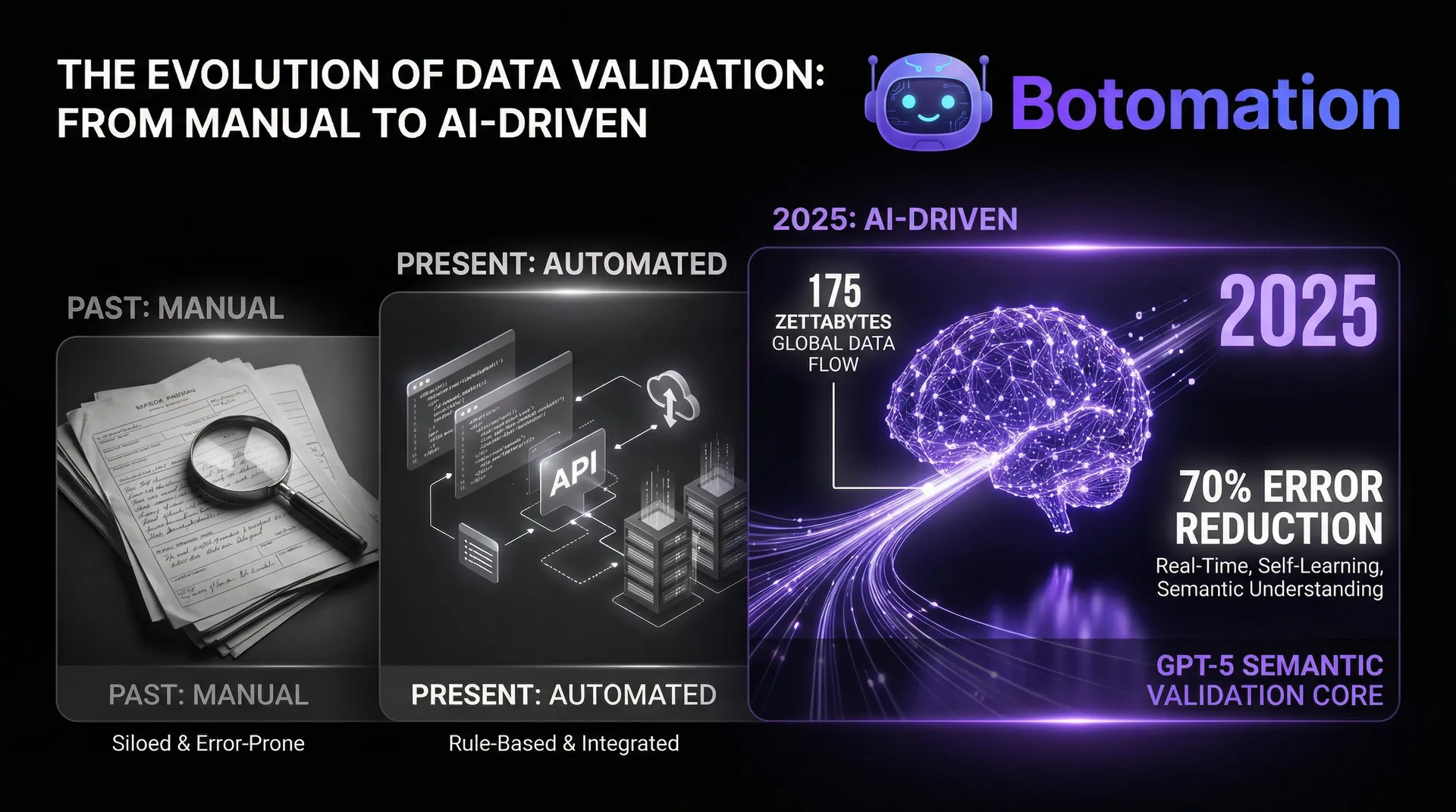
As we move deeper into 2026, the most advanced organizations automate repetitive business tasks with AI agents, moving beyond simple "If/Then" rules and into the realm of AI-driven validation. By using machine learning models—including specialized versions of GPT-5 or custom-trained internal models—we can identify errors that follow complex, non-linear patterns. These systems don't just check if a field is empty; they check if the content of the field makes sense in context. For example, an AI validator can read a "Project Description" and flag it if the mentioned budget doesn't align with the "Budget" field entered elsewhere.
Predictive validation is about stopping the error before the user even finishes typing. By analyzing historical data, the system can predict what a user is likely to enter and provide suggestions, much like autocomplete but with business-specific logic. If a certain vendor always uses "Net-45" terms, the system can pre-populate that field and flag it if the user tries to change it to "Net-30" by mistake. This "Intelligent Nudging" significantly reduces the cognitive load on staff and naturally guides them toward 100% accuracy.
How is Machine Learning Used in Data Validation?
Machine learning models are particularly effective at "Anomaly Detection." Unlike traditional rules, which require a human to define every possible error, ML models learn what "normal" data looks like by analyzing millions of past entries. If a new entry deviates significantly from the norm—perhaps a price is 500% higher than the average for that product—the system flags it for review. This is an incredibly powerful tool for fraud detection and for catching those "once-in-a-year" catastrophic errors that rules-based systems often miss.
We also use ML for "Data Enrichment" during the validation process. When a user enters a company name, our system can automatically pull their official address, tax ID, and industry code from external databases. This reduces the amount of manual entry required in the first place, which is the most effective way to reduce errors. If the human doesn't have to type it, they can't get it wrong.
How to Implement AI Validation in Back-Office Systems?
Integrating AI into back-office workflows requires a delicate touch. You don't want an AI that "hallucinates" or makes arbitrary decisions. At Botomation, we implement "Human-in-the-Loop" AI systems. The AI acts as a high-speed filter, handling 99% of the routine validation, but it surfaces the "uncertain" cases to a human expert for a final decision. This combines the speed of automation with the nuanced judgment of your best employees.
We also focus on "Continuous Learning." Every time a human corrects a flag raised by the AI, the system learns from that interaction. Over time, the AI becomes more accurate and more attuned to the specific quirks of your business. This means your data validation system isn't a static tool—it's an evolving asset that gets smarter and more valuable every single day.
Conclusion: The Path to 60% Error Reduction
The journey from a manual, error-prone back-office to an automated, high-precision operation is not an overnight transformation, but it is a structured one. By following these seven steps, organizations can realistically achieve the 60% error reduction reported by industry leaders in 2026. The benefits extend far beyond just "cleaner data." You will see faster processing times, lower operational costs, and a staff that is more engaged because they are no longer bogged down by repetitive administrative cleanup.
The "Old Way" of managing data through sheer willpower and manual oversight is no longer sustainable in a world where data volume is exploding. Partnering with the experts at Botomation allows you to leapfrog the competition by deploying a custom-tailored "Validation Layer" that puts your operations on autopilot. We don't just give you a tool; we provide the strategic partnership and technical expertise to ensure your business runs with the precision that 2026 demands.
Ready to automate your growth? Stop losing money to manual errors and start scaling with confidence. Book a call below to see how our team can transform your back-office operations.
Frequently Asked Questions
How long does it take to see results from automated data validation?
Most of our clients see an immediate improvement in data quality within the first 30 days of implementing basic format and range validation. However, the full 60% reduction in errors typically occurs over a 3-to-6-month period as the more advanced AI and consistency checks are phased in and the team adapts to the new workflows.
Will this require us to replace our existing CRM or ERP?
Absolutely not. Our approach at Botomation is to act as the "glue" between your existing tools. We build validation layers that integrate with the software you already use and love. The goal is to enhance your current stack, not force you into a costly and disruptive migration.
Is AI-driven validation safe for sensitive financial data?
Yes, when implemented correctly. We prioritize data security and compliance (GDPR, SOC2) in every project. Our AI models are often run in secure, private environments, ensuring that your sensitive business data is never used to train public models. We use AI as a tool for pattern recognition and verification, always keeping the final control in your hands.
What is the typical ROI for a data entry automation project?
While every business is different, most organizations see the project pay for itself within 6 to 12 months. This ROI comes from three main areas: direct labor savings (less time spent on entry and correction), reduced operational leakage, and decreased compliance risk.
The operational landscape of 2026 has reached a critical tipping point where the decision to automate data entry validation business operations has become essential for organizational survival. Statistics from the Tech Data 2026 Annual Report reveal a striking reality: organizations that successfully implemented real-time validation protocols reported a staggering 60% reduction in data processing errors compared to those relying on manual oversight. For Chief Operating Officers and Operations Managers, these errors are not merely administrative nuisances; they represent a systemic drain on resources, often manifesting as failed transactions, compliance breaches, and degraded customer trust.
Back-office operations face a unique set of challenges because they act as the engine room of the enterprise, often handling thousands of records daily across disparate systems like CRMs, legacy databases, and cloud-based financial tools. Since AI agents replace manual data entry work, relying on human input remains one of the most significant vulnerabilities in this chain, as even the most diligent employees naturally succumb to fatigue. This guide presents seven actionable steps to automate validation and achieve the error reduction results that leading firms are now seeing as a standard benchmark. By focusing on practical implementation, our team at Botomation helps organizations move away from the "fix it later" mentality and toward a "correct at source" architecture.
Implementing these steps requires a shift in how we perceive data entry—not as a rote task, but as a critical entry point that requires sophisticated, automated gatekeeping. As we walk through these strategies, we will focus on how to integrate real-time validation into your existing workflows without disrupting the pace of business. The goal is to create a seamless environment where data quality is guaranteed by the system itself, allowing your human talent to focus on high-value analysis rather than tedious correction.
What are the Current Challenges in Back-Office Data Validation?
The current state of back-office operations in many mid-market firms is characterized by a "reactive correction" cycle that is both expensive and inefficient. When data entry is handled manually, the probability of error is statistically high, regardless of the industry. These errors often remain hidden within spreadsheets or buried in CRM fields until they cause a downstream failure, such as an incorrect invoice or a missed shipment. By the time an error is discovered, the cost to rectify it has often tripled due to the labor required to trace the mistake back to its origin and the administrative overhead of correcting multiple interconnected records.
Quantifying the impact of these manual processes reveals a sobering financial picture. Industry research indicates that poor data quality costs organizations an average of $12.9 million annually, a figure that includes lost productivity, wasted marketing spend, and regulatory fines. For an operations manager, this isn't just a theoretical number; it represents the literal hours your team spends every Friday afternoon "cleaning up" the database instead of preparing for the week ahead. The potential for real-time data entry validation to offer a 60% error reduction isn't just a performance metric—it is a direct injection of recovered capital back into the business.
Operational Insight: Data errors follow a 1-10-100 rule. It costs $1 to verify data at the point of entry, $10 to correct it later in the process, and $100 if the error reaches the customer or a regulatory body.
What are the Most Common Data Entry Errors in Back-Office Operations?
Typical errors in back-office environments usually fall into a few predictable categories: typos, transposed digits, missing information, and format inconsistencies. In the finance sector, a transposed digit in an IBAN or a routing number can lead to thousands of dollars in wire transfer fees and days of reconciliation work. Healthcare providers often struggle with patient ID mismatches or incorrect billing codes, which delay insurance reimbursements and create significant friction for patients. Retail operations frequently deal with SKU mismatches or incorrect inventory counts that lead to overpromising and under-delivering to customers.
The frequency of these errors is often higher than leadership realizes because many small mistakes are "fixed on the fly" by staff and never logged as official errors. However, the cumulative impact of these "small" fixes is a massive drain on operational velocity. When a staff member spends five minutes searching for a missing zip code or correcting a date format, they are not performing the strategic tasks they were hired for. This hidden labor cost is exactly what our experts at Botomation target when we design automated validation workflows.
How Can We Quantify the Cost of Manual Processes?
To understand the true cost of manual data entry, we must look beyond the hourly wage of the clerk. We must factor in the "error tail"—the sequence of events triggered by a single incorrect data point. For example, an incorrect address in a shipping database leads to a returned package, which incurs a second shipping fee, additional labor for the customer service team to contact the client, and the potential loss of that client's future business. When you add up the labor costs associated with manual entry and subsequent error correction, the ROI on automation becomes undeniable.
Compliance risks also play a significant role in the cost equation, especially in 2026's heightened regulatory environment. Data errors in financial reporting or personal information handling can lead to severe penalties under frameworks like GDPR or CCPA. Beyond the fines, the reputational damage of a data-related issue can be irreversible. By automating data entry validation, organizations create a digital audit trail that demonstrates a commitment to data integrity, effectively de-risking the entire back-office operation.
| Metric | Manual Process (The Old Way) | Automated Validation (The Botomation Way) |
|---|---|---|
| **Error Rate** | 5% - 10% average | < 0.5% with real-time checks |
| **Processing Time** | 3-5 minutes per record | < 30 seconds per record |
| **Correction Cost** | High ($10 - $100 per error) | Minimal (Prevented at source) |
| **Staff Morale** | Low (Repetitive, frustrating) | High (Focus on complex tasks) |
| **Data Integrity** | Questionable / Variable | High / Standardized |
How to Perform an Initial Assessment to Automate Data Entry Validation Business Operations?
The first step in any successful automation journey is a comprehensive assessment of the current landscape. You cannot fix what you haven't measured, and jumping into tool selection without a clear map of your data flow is a recipe for expensive failure. At Botomation, our team starts by identifying the "High-Gravity" data points—those specific fields that, if incorrect, cause the most significant downstream damage. We look at how data moves from an initial intake form or email into your CRM, and then eventually into your accounting or fulfillment systems.
Mapping these data flows allows us to identify the exact bottlenecks where human error is most likely to occur. Often, we find that errors happen most frequently when data is being "bridged" between two disconnected systems—for example, when an employee has to copy information from a PDF invoice into an ERP system. By identifying these high-impact validation opportunities, we can prioritize automation efforts that offer the highest ROI potential. Establishing baseline metrics for current error rates and processing times is crucial here, especially when you automate lead verification, as it allows you to prove the value of the automation once it is deployed.
How to Conduct Process Mapping and Current State Analysis?
Documenting existing workflows requires more than just looking at a software manual; it involves watching how your team actually works. We often discover "shadow processes" where employees use sticky notes or personal spreadsheets to keep track of data because the official system is too cumbersome. These manual workarounds are hotspots for errors. By documenting every handoff between departments and every manual data entry point, we create a visual blueprint of the operational "leaks" that need to be plugged.
During this phase, stakeholder interviews are vital. The people on the front lines know exactly which fields are the most frustrating and where the system usually fails them. Understanding these pain points ensures that the automated solution we build actually solves the problems the team faces daily. This collaborative approach also aids in future change management, as the staff feels their input has been valued in the design of the new, more efficient system.
What is Involved in Error Analysis and Root Cause Identification?
Once the processes are mapped, we perform a deep dive into historical error data. We look for patterns: Are errors more frequent on Friday afternoons? Do they cluster around a specific vendor's invoices? Are certain fields, like international phone numbers or tax IDs, consistently formatted incorrectly? By classifying errors by their source—whether they are human-driven, system-related, or caused by a flawed process—we can tailor the validation rules to address the root cause rather than just the symptom.
Determining which errors have the highest business impact is a critical prioritization step. A typo in a "Notes" field might be annoying, but a typo in a "Contract Value" field is a catastrophe. We focus our initial automation efforts on the data points that drive financial outcomes, compliance, and customer satisfaction. This ensures that the first phase of implementation delivers immediate, visible value to the leadership team.
How to Approach Technology Selection for Business Process Automation?
Selecting the right technology for business process automation is about finding the "glue" that connects your existing stack without adding unnecessary complexity. In 2026, the market is flooded with tools promising AI-powered miracles, but for back-office operations, the most effective solutions are often those that connect disparate software tools across your current CRM and ERP systems. Our experts at Botomation evaluate tools based on their ability to handle the specific volume and variety of your data, ensuring that the validation happens in milliseconds so it doesn't slow down the user.
Cost-benefit analysis is a core part of this step. While custom-built solutions offer the most flexibility, many modern middleware platforms provide "low-code" validation features that can be deployed rapidly. The key is ensuring scalability; a tool that works for 100 records a day must be able to handle 10,000 as your business grows. We also look for tools that offer robust API capabilities, allowing us to build a "validation layer" that sits between your data sources and your core databases, acting as a permanent filter for quality.
How to Evaluate Real-Time Validation Tools?
When evaluating tools, we look for several non-negotiable features. First, the tool must support "Inline Validation," which provides immediate feedback to the user the moment they type an incorrect value. Second, it must have the ability to perform "Cross-System Lookups"—for example, checking a customer ID entered in a form against the master record in the CRM in real-time. Third, it should offer a "Fuzzy Matching" capability to identify potential duplicates even if the spelling isn't an exact match.
We also consider the balance between open-source components and commercial "off-the-shelf" solutions. For many of our clients, a hybrid approach works best: using established platforms like Zapier or Make for the connectivity, while layering on specialized validation services for things like address verification or financial data scrubbing. This modular approach ensures that you aren't locked into a single vendor and can upgrade individual components as technology evolves.
What are the Best Practices for Integration Planning and Implementation?
The implementation phase is where the technical heavy lifting happens. Connecting validation tools with your existing databases requires careful API management to ensure data security and system performance. We don't just "turn on" the validation; we phase it in. This often starts with a "passive mode" where the system logs errors without stopping the user, allowing us to fine-tune the rules and ensure we aren't creating "false positives" that frustrate the staff.
Change management is equally important. Even the best automation can fail if the staff doesn't understand why it's there. We provide training that emphasizes how the new system makes their jobs easier by removing the need for tedious self-checking. By the time the system goes "live" with active blocking of incorrect data, the team should view it as a helpful assistant rather than a digital micromanager.
How to Implement Effective Format and Range Validation?
The most immediate "quick win" in reducing data errors is the implementation of standard format and range validations. Following data entry validation best practices is the foundation of data integrity. If a field is meant for a date, the system should not allow "TBD" or "Next Week" to be entered. If a phone number is required, it must follow the correct international format for that region. By enforcing these rules at the point of entry, you eliminate the need for downstream "data scrubbing" projects that cost thousands of dollars in consultant fees.
Custom validation rules are where we tailor the system to your specific business logic. For example, if your company only operates in certain states, the "State" field should be a restricted dropdown rather than a free-text box. If you have a maximum discount threshold of 20%, the system should trigger an immediate alert or require a manager's override if a salesperson tries to enter 25%. These rules act as the "guardrails" for your business operations, ensuring that every piece of data conforms to your established policies.
How to Set Up Standard Format Validation?
Setting up format validators involves using Regular Expressions (RegEx) to define exactly what a "good" piece of data looks like. Our team configures these for everything from email addresses to complex internal part numbers. In 2026, we also use "Smart Formatting" which automatically corrects minor errors as the user types—such as capitalizing the first letter of a name or adding the correct dashes to a social security number. This improves the user experience while simultaneously ensuring data quality.
The design of error messages is a frequently overlooked but critical component. A generic "Invalid Entry" message is unhelpful and leads to user frustration. Instead, we design helpful, specific guidance like "Please enter a valid 10-digit phone number" or "Dates must be in the MM/DD/YYYY format." This proactive guidance turns the validation process into a training tool, gradually teaching the staff the correct data standards of the organization.
How to Manage Range and Threshold Validation?
Numeric data requires a different type of oversight. Range validation ensures that financial figures or measurements fall within realistic bounds. For a payroll system, this might mean flagging any hourly rate entered above $200 as a "potential error" for review. In a procurement setting, it could mean preventing a purchase order from being submitted if the total exceeds the department's remaining budget.
We also implement "Logic-Based Thresholds." For example, if a user enters "California" as the state, the "Sales Tax" field must be exactly 7.25% (or whatever the current rate is). If the user enters anything else, the system provides a real-time correction. This level of automation doesn't just prevent typos; it enforces business compliance and financial accuracy across the entire organization.
Step-by-Step Tutorial: Implementing a Basic Validation Rule
1. Identify the Field: Select a critical data field (e.g., "Customer Email").
2. Define the Rule: Use a RegEx pattern to ensure it contains an "@" symbol and a valid domain extension.
3. Set the Trigger: Configure the rule to run "On Blur" (when the user clicks away from the field).
4. Design the Feedback: Create a clear error message: "Please enter a valid email address (e.g., name@company.com)."
5. Test and Deploy: Run 50 test entries through the field to ensure it catches errors without blocking valid emails.
What are the Best Practices for Data Completeness and Consistency?
A record can be perfectly formatted but still be useless if it's incomplete. Data completeness validation ensures that every "Mandatory" field is filled before a record can be saved or moved to the next stage of the workflow. This prevents the common problem of "empty-field drift," where records slowly lose detail as they move through different departments. At Botomation, we design these protocols to be dynamic; for instance, if a customer is marked as "Corporate," the system might then require a "Tax ID" and "Authorized Signatory" that wouldn't be needed for an "Individual" customer. By streamlining administrative task automation, we ensure that data quality remains high without increasing the workload on your team.
Consistency checks take this a step further by looking at the relationship between different fields. If a shipping method is set to "Overnight Air," but the "Shipping Cost" is entered as $0.00, the system should flag this as a consistency error. This type of validation mimics the "common sense" of a human reviewer but does it at the speed of light for every single record. It ensures that the story the data tells is coherent and logical.
What are the Essential Completeness Validation Protocols?
The key to effective completeness validation is balancing thoroughness with user experience. If you make 50 fields mandatory on a single screen, users will find ways to bypass the system with "dummy data" just to get their work done. We solve this by using "Progressive Disclosure"—only showing the fields that are relevant to the current step of the process. This keeps the interface clean and ensures that the user is only asked for information they actually have at that moment.
We also implement "Conditional Mandatories." For a law firm, if a case type is "Litigation," the "Court Date" field becomes mandatory. If it's "Consultation," it remains optional. This intelligent approach to data entry ensures that you capture 100% of the critical data needed for specific workflows without burdening the team with irrelevant data points.
How to Handle Consistency and Duplication Prevention?
Duplicate records are the "silent killer" of back-office efficiency. They lead to multiple invoices being sent to the same client, fragmented customer histories, and inaccurate reporting. Our automated systems use advanced matching algorithms to check for duplicates in real-time. If a user tries to enter a new lead with an email address that already exists in the CRM, the system immediately alerts them and offers to open the existing record instead.
For more complex scenarios, we use "Weighted Matching." This looks at multiple fields—Name, Address, and Phone Number—and assigns a "Similarity Score." If the score is above 90%, the system prevents the entry. If it's between 70% and 90%, it flags the record for a manual "Merge or Create" decision. This keeps your database clean and ensures a "Single Source of Truth" for your entire operation.
How Can You Automate Data Entry Validation Business Operations Using AI?
As we move deeper into 2026, the most advanced organizations automate repetitive business tasks with AI agents, moving beyond simple "If/Then" rules and into the realm of AI-driven validation. By using machine learning models—including specialized versions of GPT-5 or custom-trained internal models—we can identify errors that follow complex, non-linear patterns. These systems don't just check if a field is empty; they check if the content of the field makes sense in context. For example, an AI validator can read a "Project Description" and flag it if the mentioned budget doesn't align with the "Budget" field entered elsewhere.
Predictive validation is about stopping the error before the user even finishes typing. By analyzing historical data, the system can predict what a user is likely to enter and provide suggestions, much like autocomplete but with business-specific logic. If a certain vendor always uses "Net-45" terms, the system can pre-populate that field and flag it if the user tries to change it to "Net-30" by mistake. This "Intelligent Nudging" significantly reduces the cognitive load on staff and naturally guides them toward 100% accuracy.
How is Machine Learning Used in Data Validation?
Machine learning models are particularly effective at "Anomaly Detection." Unlike traditional rules, which require a human to define every possible error, ML models learn what "normal" data looks like by analyzing millions of past entries. If a new entry deviates significantly from the norm—perhaps a price is 500% higher than the average for that product—the system flags it for review. This is an incredibly powerful tool for fraud detection and for catching those "once-in-a-year" catastrophic errors that rules-based systems often miss.
We also use ML for "Data Enrichment" during the validation process. When a user enters a company name, our system can automatically pull their official address, tax ID, and industry code from external databases. This reduces the amount of manual entry required in the first place, which is the most effective way to reduce errors. If the human doesn't have to type it, they can't get it wrong.
How to Implement AI Validation in Back-Office Systems?
Integrating AI into back-office workflows requires a delicate touch. You don't want an AI that "hallucinates" or makes arbitrary decisions. At Botomation, we implement "Human-in-the-Loop" AI systems. The AI acts as a high-speed filter, handling 99% of the routine validation, but it surfaces the "uncertain" cases to a human expert for a final decision. This combines the speed of automation with the nuanced judgment of your best employees.
We also focus on "Continuous Learning." Every time a human corrects a flag raised by the AI, the system learns from that interaction. Over time, the AI becomes more accurate and more attuned to the specific quirks of your business. This means your data validation system isn't a static tool—it's an evolving asset that gets smarter and more valuable every single day.
Conclusion: The Path to 60% Error Reduction
The journey from a manual, error-prone back-office to an automated, high-precision operation is not an overnight transformation, but it is a structured one. By following these seven steps, organizations can realistically achieve the 60% error reduction reported by industry leaders in 2026. The benefits extend far beyond just "cleaner data." You will see faster processing times, lower operational costs, and a staff that is more engaged because they are no longer bogged down by repetitive administrative cleanup.
The "Old Way" of managing data through sheer willpower and manual oversight is no longer sustainable in a world where data volume is exploding. Partnering with the experts at Botomation allows you to leapfrog the competition by deploying a custom-tailored "Validation Layer" that puts your operations on autopilot. We don't just give you a tool; we provide the strategic partnership and technical expertise to ensure your business runs with the precision that 2026 demands.
Ready to automate your growth? Stop losing money to manual errors and start scaling with confidence. Book a call below to see how our team can transform your back-office operations.
Frequently Asked Questions
How long does it take to see results from automated data validation?
Most of our clients see an immediate improvement in data quality within the first 30 days of implementing basic format and range validation. However, the full 60% reduction in errors typically occurs over a 3-to-6-month period as the more advanced AI and consistency checks are phased in and the team adapts to the new workflows.
Will this require us to replace our existing CRM or ERP?
Absolutely not. Our approach at Botomation is to act as the "glue" between your existing tools. We build validation layers that integrate with the software you already use and love. The goal is to enhance your current stack, not force you into a costly and disruptive migration.
Is AI-driven validation safe for sensitive financial data?
Yes, when implemented correctly. We prioritize data security and compliance (GDPR, SOC2) in every project. Our AI models are often run in secure, private environments, ensuring that your sensitive business data is never used to train public models. We use AI as a tool for pattern recognition and verification, always keeping the final control in your hands.
What is the typical ROI for a data entry automation project?
While every business is different, most organizations see the project pay for itself within 6 to 12 months. This ROI comes from three main areas: direct labor savings (less time spent on entry and correction), reduced operational leakage, and decreased compliance risk.
Get Started
Book a FREE Consultation Right NOW!
Schedule a Call with Our Team To Make Your Business More Efficient with AI Instantly.
Read More
Automate Data Entry Validation Business Operations in 2026
Automate data entry validation business operations to cut errors by 60%. Our 2026 guide covers real-time AI validation and back-office automation.
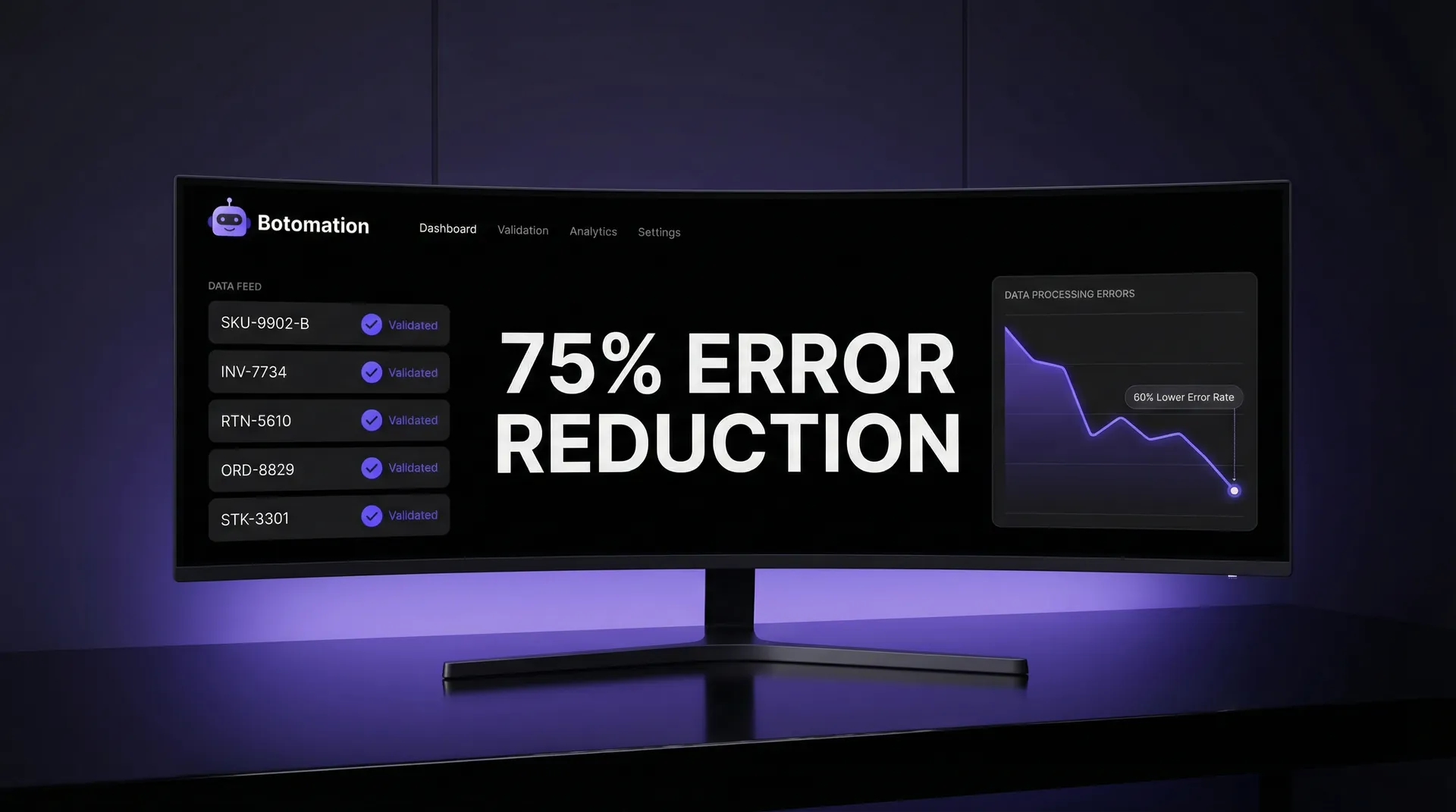
Real-Time Data Entry Validation - 2026 Efficiency Guide
Learn how WhatsApp AI slashes support costs for e-commerce & SaaS. Proven strategies to boost sales, recover carts, and scale 24/7 service.