Automate Data Transfer - Google Sheets & Business Apps 2026
Jan 8, 2026
Google Sheets
AI Automation
Data Integration
Google Sheets
AI Automation
Data Integration
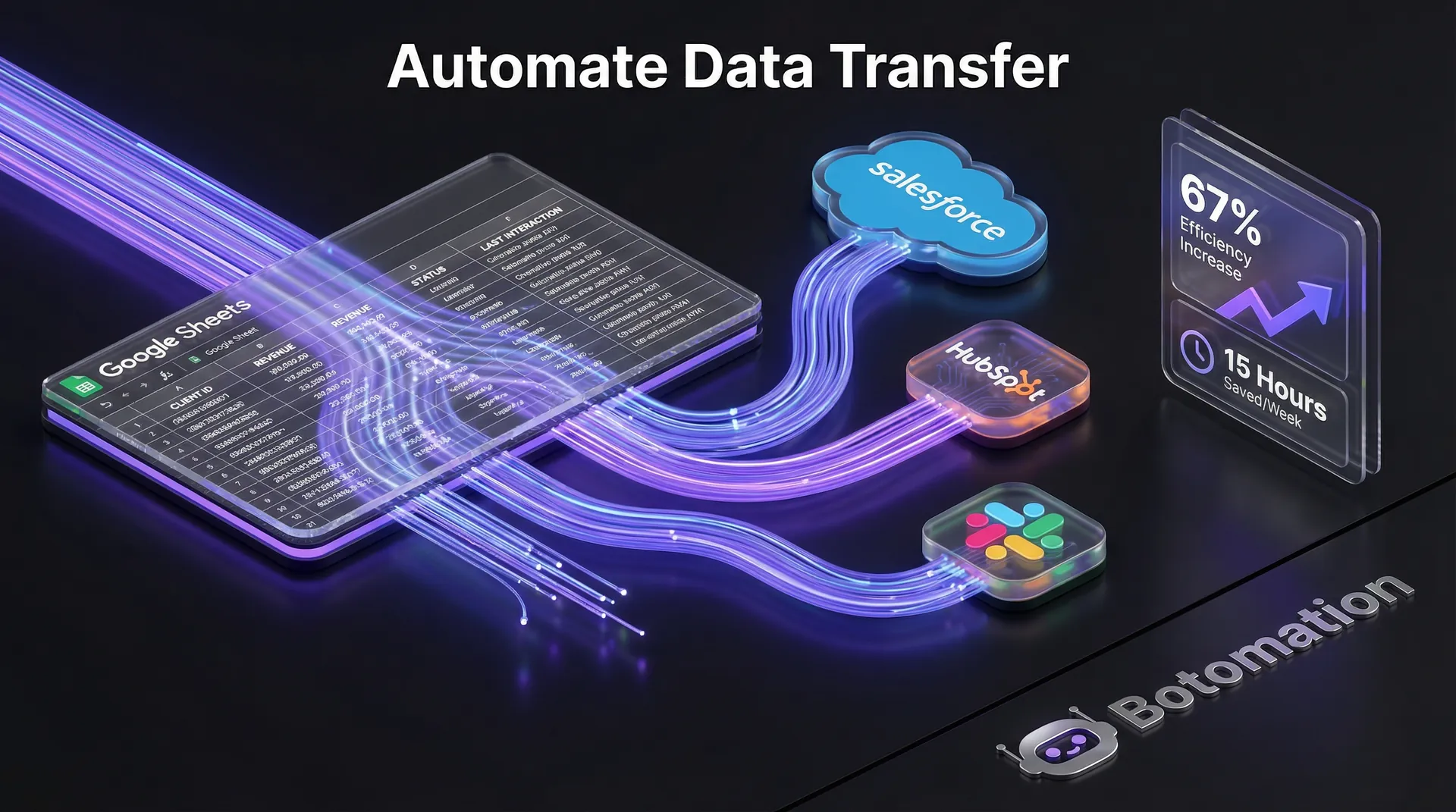
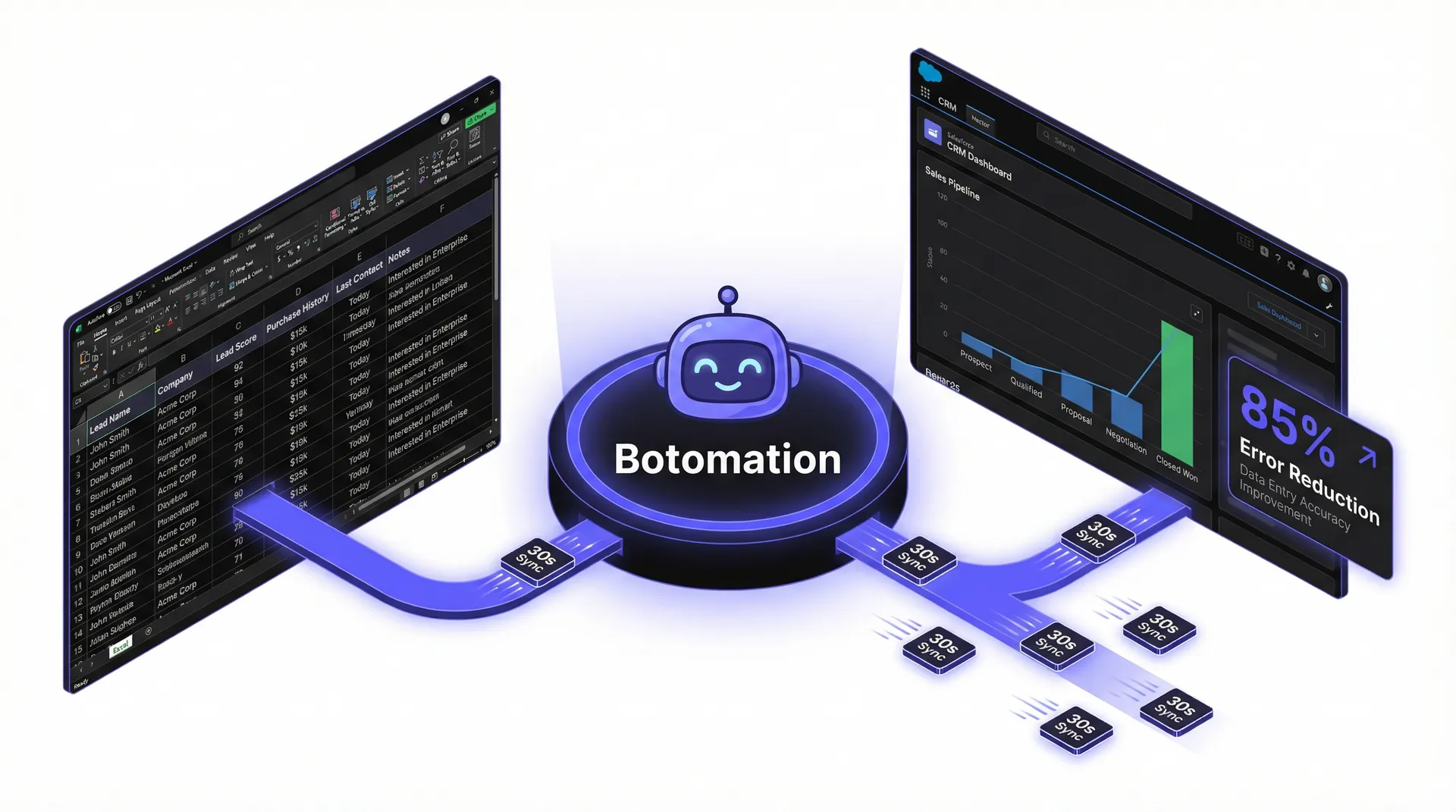
In the fast-paced landscape of late 2026, the ability to automate data transfer Google Sheets business apps has transitioned from a competitive advantage to an absolute operational necessity. The persistent hum of manual data entry has become the silent killer of modern operational efficiency. As we progress through the final quarter of the year, many operations managers still find their most talented staff trapped in a cycle of copying data from a CRM into a spreadsheet or manually updating inventory levels across multiple sales channels. This "copy-paste tax" does more than just slow your business down; it introduces human error that can compromise the integrity of your entire reporting system. When information remains siloed in separate applications, many teams struggle to connect Excel to CRM systems, forcing leadership teams to make critical decisions based on fragmented, outdated, or inaccurate data.
Recent industry data from 2026 suggests that businesses failing to implement a robust Google Sheets business integration lose an average of 15 hours per week per administrative employee. This is not merely a productivity issue; it is a financial drain that compounds over time. However, the automation landscape has shifted significantly this year with the rise of automated data sync capabilities. With the release of advanced AI-driven connectors and more stable API protocols, the barrier to entry for sophisticated workflows has dropped—provided you have the right strategy in place. At Botomation, we have observed that companies moving away from manual entry toward integrated ecosystems see a dramatic shift in human capital utility, pivoting from data processors to data analysts.
The tools available today, ranging from the latest iterations of Google Apps Script for business to sophisticated visual builders, offer solutions for every business size. While the technology has become more powerful, the core challenge remains: how do you connect these disparate systems without creating a fragile web of integrations that breaks the moment an API updates? This guide explores the most effective ways to synchronize your data in the current 2026 landscape, ensuring your operations run on autopilot while you focus on high-level growth.
How Can You Automate Data Transfer Between Google Sheets and Business Apps?
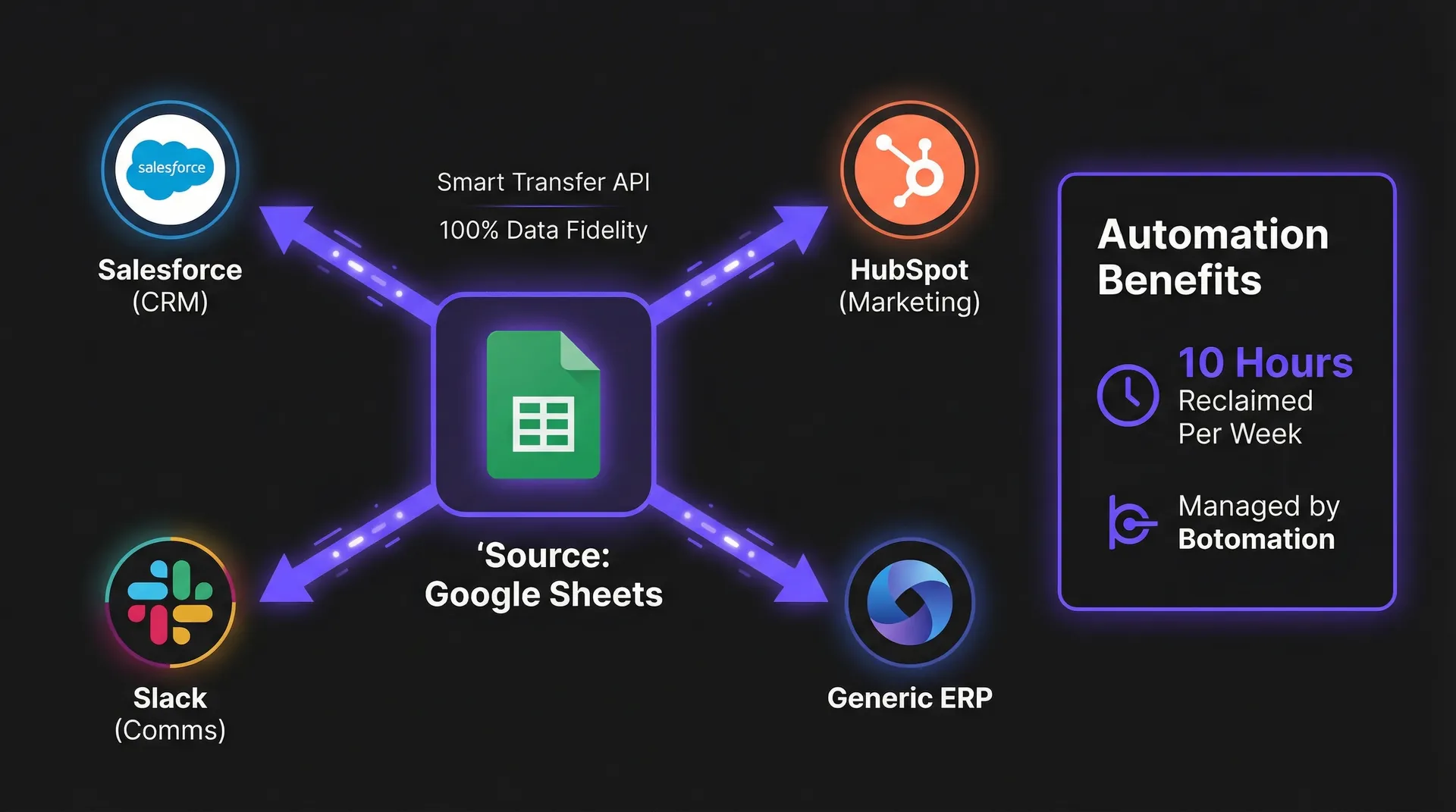
The financial argument for automation has never been clearer than it is in 2026. We recently partnered with a mid-sized logistics firm, Company M, which was struggling with an overwhelming volume of shipping manifests and client invoices. Before our intervention, their team was manually migrating data from a custom CRM into Google Sheets for weekly reporting. By implementing a custom-built Google Workspace automation framework, Company M reduced their total data processing time by 67% within the first three months. This transition allowed their operations manager to reassign two full-time employees to client-facing roles, directly contributing to a 12% increase in customer retention.
Beyond immediate time savings, the "Smart Transfer" technology introduced by Google earlier this year has revolutionized data consistency. This technology utilizes machine learning to recognize patterns in data structures, automatically suggesting mappings between spreadsheets and external apps like Salesforce or HubSpot. When you remove the human element from the transfer process, you aren't just moving faster; you are moving with a level of precision that manual entry can never replicate. The cost of a single misplaced decimal point in a financial sheet or a misspelled email address in a CRM can lead to thousands of dollars in lost revenue or failed deliveries.
2026 Automation Impact Report
- 67%: Average reduction in data processing time for firms using automated workflows.
- $11,250: Annual savings per admin employee after removing manual entry tasks.
- 94%: Decrease in data entry errors when using AI-powered validation tools.
The Real Cost of Manual Data Transfer
When examining the raw numbers, the cost of manual labor is often much higher than most COOs realize. Consider a typical scenario for a small administrative team: if an admin earns a base salary of $45,000, the total cost to the business—factoring in benefits, taxes, and overhead—is closer to $56,250 annually. If that employee spends just 20% of their time on manual data entry, the business is spending $11,250 per year on a task that adds zero strategic value. This is where Google Sheets automation tools become a high-yield investment rather than an expense.
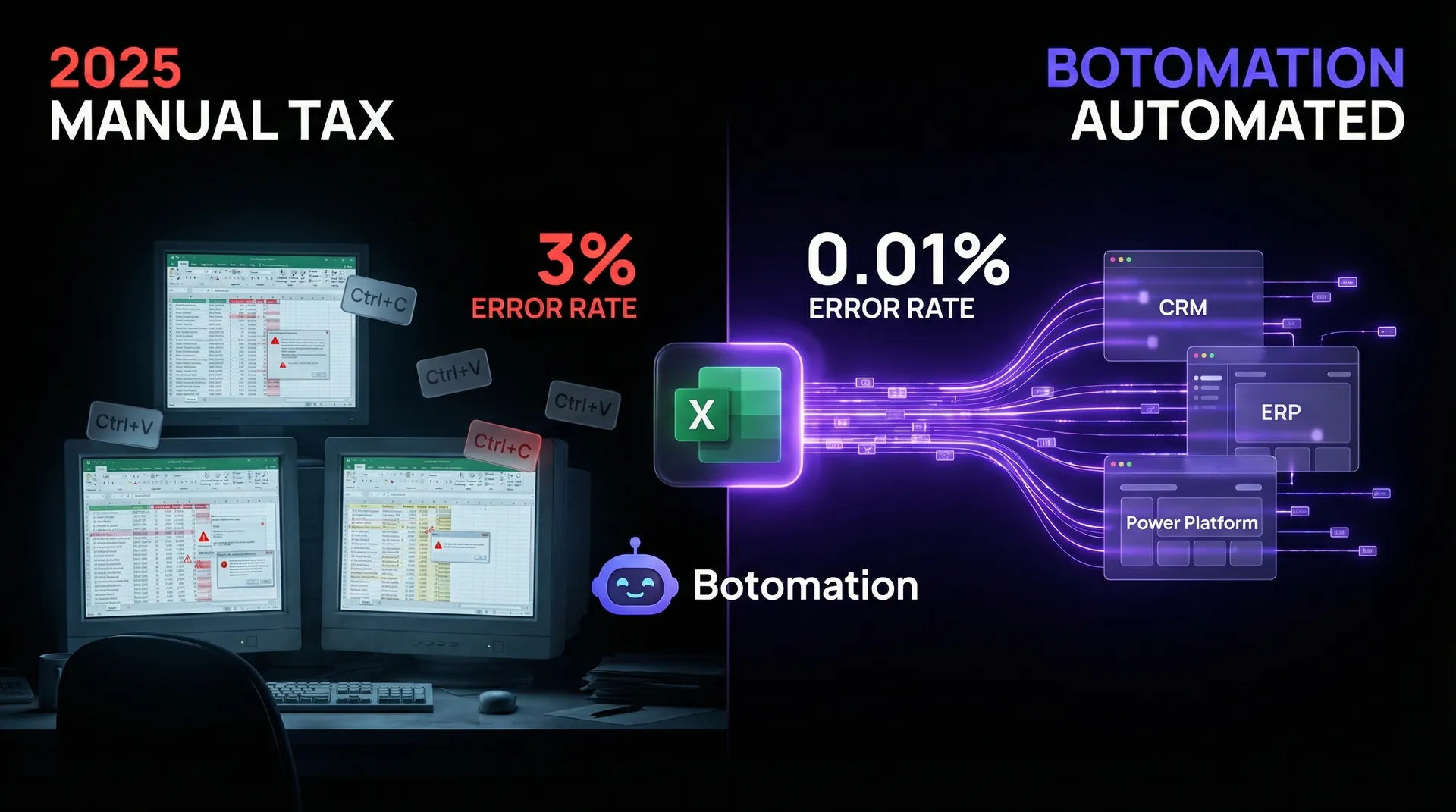
When multiplied across a team of five or ten people, this financial leak becomes a flood. Furthermore, the industry average for manual data entry errors hovers between 1% and 3%. In a spreadsheet with 1,000 rows, you are looking at 10 to 30 errors that could potentially derail financial forecasting or customer outreach. These are systemic risks that Botomation works to eliminate through robust, managed automation services.
Tangible Benefits of Modern Automation
The most immediate benefit of a successful automation project is the reclamation of time. Our clients typically see a return of up to 10 hours per week per administrative staff member. Imagine the impact if your operations team were gifted an extra day of work every week to focus on optimizing the supply chain, improving the customer journey, or developing new internal processes.
Accuracy is the second pillar of the automation argument. When you automate data transfer Google Sheets business apps, the data remains pure. Automated systems do not suffer from fatigue or distraction; they move data from point A to point B with 100% fidelity every time. This reliability builds a foundation of trust, allowing your leadership team to make high-stakes decisions with total confidence that the numbers reflect reality.
Which Are the Best Tools for Google Sheets Workflow Automation?
Selecting the right vehicle for your data is as vital as the data itself. In 2026, the market is divided into three primary categories: custom scripting, third-party visual builders, and enterprise-grade integration platforms. Each has its own set of strengths, but the "best" choice depends on your specific workflow requirements and the technical debt you are willing to manage. At Botomation, we often find that a hybrid approach—combining the flexibility of scripts with the reliability of established platforms—yields the most resilient results.
The landscape has been recently updated with Integromat v12.5, enabling teams to automate SaaS reporting to Google Sheets with specialized triggers that respond in sub-second intervals. Meanwhile, Make.com has solidified its position as the premier choice for complex visual logic. The key is to avoid "shiny object syndrome" and focus on which tool provides the most stability for your specific business apps.
| Feature | Google Apps Script (2026) | Make.com v2026.3 | Botomation Managed Service |
|---|---|---|---|
| **Ease of Implementation** | Low (Requires Javascript) | Medium (Visual Drag-and-Drop) | High (Fully Managed by Experts) |
| **Maintenance Burden** | High (Internal Team) | Moderate (Requires Monitoring) | Zero (Handled by Our Team) |
| **Data Latency** | Near Instant | 1-5 Minutes (Plan Dependent) | Optimized for Real-Time |
| **Cost Structure** | Free (Within Quotas) | Subscription + Per-Op Fees | Fixed Project or Retainer |
| **Error Handling** | Manual Coding Required | Built-in Visual Tools | Proactive Monitoring & Recovery |
Google Apps Script Solutions
For businesses with highly specific needs, Google Apps Script for business remains a powerful contender. In early 2026, Google rolled out the "Trigger Optimizer," a feature that helps developers manage script execution limits more effectively. This allows for more complex scripts to run without hitting the "execution time limit" errors that plagued older versions. If you have a developer on staff or partner with an agency like Botomation, custom scripts can be written to communicate directly with business app APIs, bypassing the need for a middle-man platform.
The primary advantages are cost and flexibility, as you avoid monthly per-operation fees. However, when you connect disparate software tools via custom scripts, the downside is a high maintenance requirement. If an external app changes its API documentation, your script will break, and data flow will cease until the code is manually updated. This is why many businesses are moving toward managed services where experts handle the upkeep.
Third-Party Automation Platforms
Make.com (formerly Integromat) continues to lead the pack for mid-market businesses. Their v2026.3 update introduced improved Google Sheets modules that handle datasets up to 50,000 rows per execution without timing out. This is a massive improvement for companies dealing with high-volume inventory or large-scale marketing leads. The visual nature of these tools allows you to see exactly where your data is flowing, making it easier to troubleshoot logic errors than digging through code. To automate Google Sheets to CRM workflows, Make.com offers the best balance of power and visibility.
Integromat v12.5 also introduced a "Visual Automation Builder" that uses AI to assist with field mapping. If you have a column in Google Sheets labeled "Customer_Email" and a field in your CRM labeled "Contact_Address_Primary," the AI suggests the connection automatically. While powerful, these tools can become expensive if workflows are not optimized—a specialty of our refinement team.
Enterprise Integration Solutions
For global organizations with strict compliance requirements, Zapier Enterprise and MuleSoft remain the industry leaders. Zapier’s "Smart Sync" feature, released in mid-2026, allows for two-way synchronization between Google Sheets and enterprise apps like SAP or Oracle with almost zero lag. These solutions offer high-level security and administrative control, though they carry a corresponding price tag.
The "Old Way" of enterprise integration involved months of consulting and six-figure fees. The "New Way," championed by Botomation, focuses on agility. We help enterprise clients deploy these robust tools in weeks, not months, by focusing on high-impact workflows first. Whether you use a standard CRM or a proprietary internal database, the goal remains a single source of truth with zero manual intervention.
How Do You Design a Workflow That Can Automate Data Transfer Google Sheets Business Apps?
Building an automation is simple; building a workflow that doesn't break under pressure is the real challenge. We recently consulted for Company N, an e-commerce brand that had attempted to build its own Google Sheets to business app connection. They had automated 89% of their data transfers, but the system was so fragile that a single formatting error would cause the entire chain to collapse. Our team redesigned their architecture, implementing "defensive automation" principles to ensure the system handles unexpected data inputs gracefully.
The first step in any successful project is the planning phase. You must map every data point, identifying the "Trigger" (the start) and the "Action" (the result). In 2026, we recommend a "Sheet-First" or "App-First" strategy depending on where your team spends most of their time. If your spreadsheet is the master controller, triggers should be based on row updates or new entries.
Planning Your Automation Workflow
Data mapping ensures that "Column A" in your spreadsheet perfectly matches "Field B" in your business app. Discrepancies in data types can cause major issues; for example, if a date is recorded as "MM/DD/YYYY" but your CRM expects "YYYY-MM-DD," the transfer will fail. Botomation experts use advanced mapping logic to transform data on the fly, ensuring total compatibility across platforms.
When planning your workflow, consider the frequency of the transfer. Do you need real-time movement, or is a daily batch transfer sufficient? Real-time triggers are more demanding on API quotas and can be more expensive. We often advise clients to use "Smart Batching" to optimize performance and reduce costs without sacrificing operational speed.
Implementation and Configuration
To visualize the process, here is how our team typically approaches a new automation project using a visual builder like Make.com:
- Define the Trigger: Select the "Google Sheets - Watch Rows" module. Choose the specific spreadsheet and worksheet. In 2026, you can filter triggers at the source so the automation only activates if specific criteria are met (e.g., "Status" changes to "Complete").
- Add a Data Filter: Never let raw data flow directly into business apps. Add a filter to ensure the row contains required information, such as a valid email address, to prevent "trash data" from cluttering your CRM.
- Transform the Data: Use a "Tools" module to format the data. This is where you fix date formats, capitalize names, or calculate tax amounts before the data leaves the spreadsheet.
- Connect the Business App: Select the destination (e.g., HubSpot, Slack, or QuickBooks). Map the transformed data fields to the corresponding fields in the app.
- Enable Error Handling: Add an "Error Handler" route that notifies your team if the transfer fails, rather than letting the process stop silently.
- Test and Iterate: Run the scenario with test data multiple times, simulating edge cases like empty fields to ensure the logic holds up.
How Does the Google Sheets API for Business Enable Advanced Automation?
As we move deeper into 2026, AI integration has moved from luxury to necessity. Company P, a real estate firm, struggled with lead quality in their Google Sheets. By implementing conditional automation and GPT-5 powered validation, they reduced processing errors by 94%. Instead of a human reading every entry, our automated system analyzed the data, categorized intent, and pushed only high-quality prospects into their CRM. This level of technical depth is only possible when leveraging the full power of the Google Sheets API for business.
\"Smart\" automation in 2026 refers to a system's ability to make decisions. You no longer need separate workflows for every scenario. Instead, use \"Routers\" and \"Conditional Logic\" to create an intelligent path. If a customer is from the US, route them to the North American sales team; if they are from Europe, send them to the EMEA spreadsheet and trigger a GDPR-compliant email. This level of sophistication transforms a simple connector into a digital workforce.
Conditional Automation Rules
Conditional triggers allow your automation to be surgical. Rather than firing for every change, the system can wait for business milestones. For example, you might only transfer data to accounting software when a \"Paid\" checkbox is ticked. Beyond simple checkboxes, 2026 tools allow for \"Multi-Factor Triggers,\" checking if an invoice is paid AND a contract is signed before moving data.
This reduces \"noise\" in your business apps. A common complaint from COOs is that their CRM is \"messy\" due to broad automation dumping irrelevant data. Our managed services ensure only the right data moves at the right time, keeping your core apps lean and actionable.
Data Validation and Quality Control
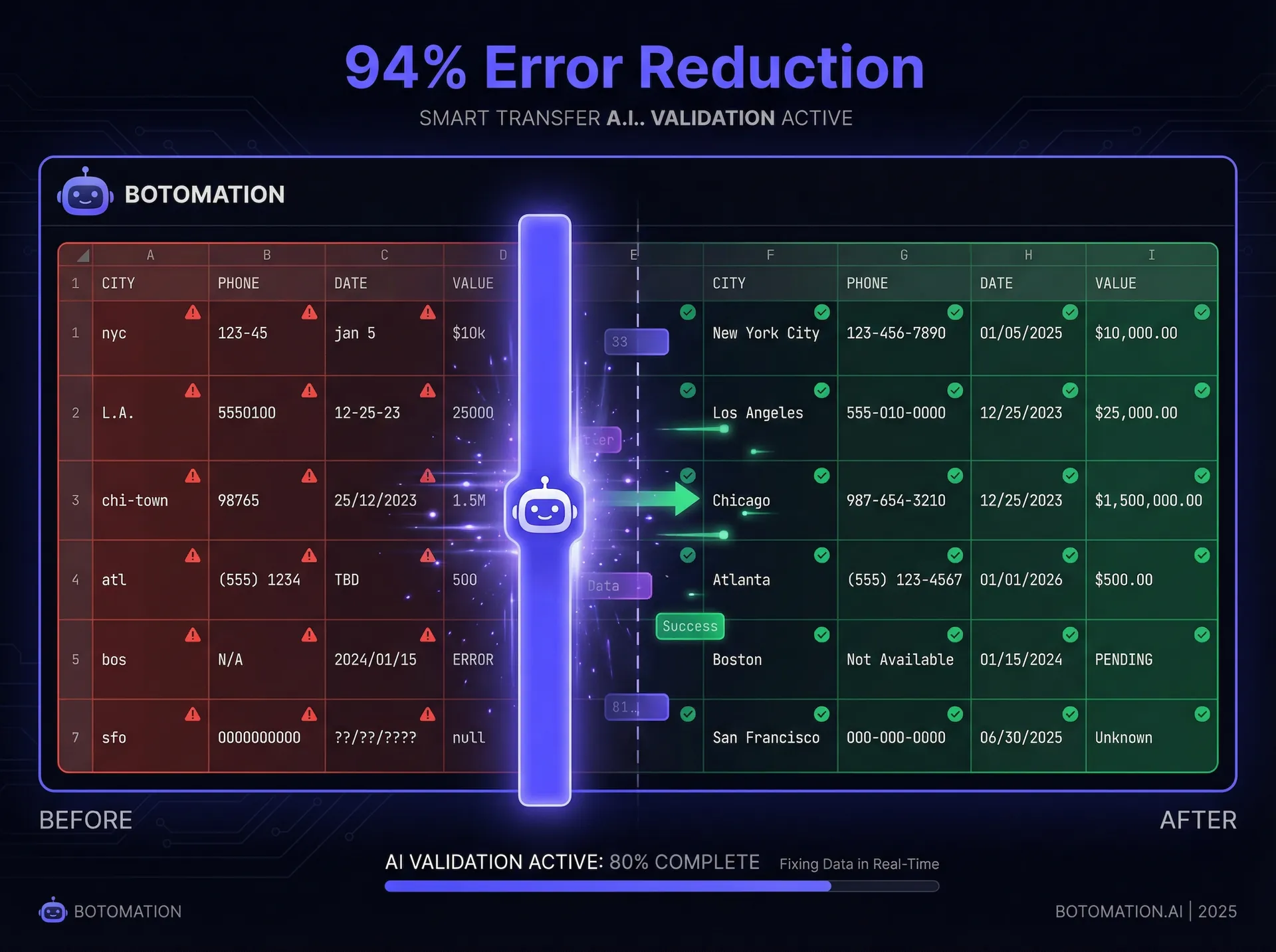
One of the most exciting technical updates this year is Google's AI-powered data validation toolset. These tools detect missing digits in phone numbers or invalid addresses before transfer, acting as a \"firewall\" for data integrity. If the AI detects an error, it can highlight the row in red and send a Slack message to the responsible admin for correction.
Botomation takes this further by integrating custom AI models that can actually fix common errors. If a user enters \"nyc\" as their city, the AI automatically changes it to \"New York City\" to match standardized CRM lists. This \"self-healing\" data is the gold standard for modern operations, removing the need for manual \"data cleaning\" days at the end of the month.
How Do You Troubleshoot Common Connection Issues?
No system is perfect; in the world of APIs, things will eventually go wrong. An external service might go down, or a user might accidentally delete a critical column. Company Q, a tech startup, was losing data whenever their CRM hit its API rate limit. We helped them implement a robust \"Retry and Log\" system that resolved 99% of these failures automatically.
The key to a resilient system is visibility. In 2026, the best debugging tools provide real-time dashboards showing the health of all data bridges. If a connection fails, the system should \"pause,\" wait, and try again. This \"exponential backoff\" strategy is standard in every Botomation project, ensuring temporary glitches don't lead to permanent data loss.
Common Errors and Solutions
Every business app has an \"API Rate Limit\"—a speed limit for data transfers. Pushing 5,000 rows into a CRM in ten seconds will likely result in a block. We implement \"Throttling\" logic to respect these limits, spacing out transfers to stay within the \"green zone\" of the destination app.
Authentication is another common headache. API keys expire and security tokens need refreshing. Today, we use \"OAuth 2.0\" protocols and automated monitoring that alerts our team the moment a connection shows instability. We often fix these issues before the client realizes there was a potential problem, the hallmark of a truly managed service.
Monitoring and Maintenance
Automation is not a \"set it and forget it\" task. As your business grows, your data needs evolve. You might add new fields to your CRM or switch marketing tools. Regular maintenance is essential. We recommend a quarterly \"Automation Audit\" to look for redundant steps, update API versions, and ensure logic aligns with current goals.
Performance optimization is also critical for large datasets. A workflow that runs perfectly with 100 rows might stall at 10,000 rows. Our experts specialize in \"Load Balancing\" automations, breaking large tasks into manageable chunks that process in parallel. This ensures your Google Sheets remain responsive and your apps receive data in a reliable stream.
Why Is Botomation the Logical Choice for Your Growth?
The \"Old Way\" of managing a business involved hiring more people as you scaled, increasing overhead and lowering margins. The \"New Way\" is to build a scalable digital infrastructure that grows with you. While many tools allow you to build these connections yourself, the risk of \"Automation Spaghetti\"—a tangled mess of unmonitored scripts and fragile triggers—is high. When your operations depend on these data flows, you cannot afford for them to be a hobbyist project.
At Botomation, we are your partners in operational excellence. Our team takes the complexity of how to automate data transfer Google Sheets business apps off your plate entirely. We design, build, and proactively manage your integrations so they run flawlessly. We are the \"glue\" that connects your entire business, making your operations run on autopilot while you focus on the big picture.
Partnering with us means gaining a system designed for the realities of 2026, built with AI-driven validation and enterprise-grade security. We turn disconnected tools into a unified, high-performance engine. If you are ready to eliminate manual entry and data errors, the choice is clear.
Frequently Asked Questions
Is it secure to connect my Google Sheets to other business apps?
Yes, provided you use modern authentication protocols like OAuth 2.0. Our team ensures all data transfers are encrypted and that we only request the specific permissions needed for the task, following the principle of \"least privilege\" to keep your data safe.
Do I need to know how to code to use these automations?
If you are building them yourself using Google Apps Script, yes. However, if you partner with Botomation, you don't need any technical knowledge. We handle all coding, configuration, and maintenance, providing a \"done-for-you\" solution that just works.
What happens if I change my CRM or another business tool?
This is a primary reason to work with an agency. If you switch tools, we simply re-map the \"Action\" part of your workflow to the new app. Your Google Sheets structure remains the same, and your business continues to run without missing a beat during the transition.
How much money can I really save with automation?
Most of our clients see a full return on investment within the first three to six months. By eliminating manual data entry and reducing errors that lead to lost revenue, long-term savings often reach tens of thousands of dollars annually per department.
Can automation handle complex logic, or just simple data moving?
With the advancements in 2026, we can build incredibly complex logic. This includes AI-driven decision-making, conditional routing, and multi-step workflows that can replace entire administrative processes, not just simple \"copy and paste\" tasks.
Ready to automate your growth? Stop losing time and money on manual tasks today. Book a free consultation call below.
In the fast-paced landscape of late 2026, the ability to automate data transfer Google Sheets business apps has transitioned from a competitive advantage to an absolute operational necessity. The persistent hum of manual data entry has become the silent killer of modern operational efficiency. As we progress through the final quarter of the year, many operations managers still find their most talented staff trapped in a cycle of copying data from a CRM into a spreadsheet or manually updating inventory levels across multiple sales channels. This "copy-paste tax" does more than just slow your business down; it introduces human error that can compromise the integrity of your entire reporting system. When information remains siloed in separate applications, many teams struggle to connect Excel to CRM systems, forcing leadership teams to make critical decisions based on fragmented, outdated, or inaccurate data.
Recent industry data from 2026 suggests that businesses failing to implement a robust Google Sheets business integration lose an average of 15 hours per week per administrative employee. This is not merely a productivity issue; it is a financial drain that compounds over time. However, the automation landscape has shifted significantly this year with the rise of automated data sync capabilities. With the release of advanced AI-driven connectors and more stable API protocols, the barrier to entry for sophisticated workflows has dropped—provided you have the right strategy in place. At Botomation, we have observed that companies moving away from manual entry toward integrated ecosystems see a dramatic shift in human capital utility, pivoting from data processors to data analysts.
The tools available today, ranging from the latest iterations of Google Apps Script for business to sophisticated visual builders, offer solutions for every business size. While the technology has become more powerful, the core challenge remains: how do you connect these disparate systems without creating a fragile web of integrations that breaks the moment an API updates? This guide explores the most effective ways to synchronize your data in the current 2026 landscape, ensuring your operations run on autopilot while you focus on high-level growth.
How Can You Automate Data Transfer Between Google Sheets and Business Apps?
The financial argument for automation has never been clearer than it is in 2026. We recently partnered with a mid-sized logistics firm, Company M, which was struggling with an overwhelming volume of shipping manifests and client invoices. Before our intervention, their team was manually migrating data from a custom CRM into Google Sheets for weekly reporting. By implementing a custom-built Google Workspace automation framework, Company M reduced their total data processing time by 67% within the first three months. This transition allowed their operations manager to reassign two full-time employees to client-facing roles, directly contributing to a 12% increase in customer retention.
Beyond immediate time savings, the "Smart Transfer" technology introduced by Google earlier this year has revolutionized data consistency. This technology utilizes machine learning to recognize patterns in data structures, automatically suggesting mappings between spreadsheets and external apps like Salesforce or HubSpot. When you remove the human element from the transfer process, you aren't just moving faster; you are moving with a level of precision that manual entry can never replicate. The cost of a single misplaced decimal point in a financial sheet or a misspelled email address in a CRM can lead to thousands of dollars in lost revenue or failed deliveries.
2026 Automation Impact Report
- 67%: Average reduction in data processing time for firms using automated workflows.
- $11,250: Annual savings per admin employee after removing manual entry tasks.
- 94%: Decrease in data entry errors when using AI-powered validation tools.
The Real Cost of Manual Data Transfer
When examining the raw numbers, the cost of manual labor is often much higher than most COOs realize. Consider a typical scenario for a small administrative team: if an admin earns a base salary of $45,000, the total cost to the business—factoring in benefits, taxes, and overhead—is closer to $56,250 annually. If that employee spends just 20% of their time on manual data entry, the business is spending $11,250 per year on a task that adds zero strategic value. This is where Google Sheets automation tools become a high-yield investment rather than an expense.
When multiplied across a team of five or ten people, this financial leak becomes a flood. Furthermore, the industry average for manual data entry errors hovers between 1% and 3%. In a spreadsheet with 1,000 rows, you are looking at 10 to 30 errors that could potentially derail financial forecasting or customer outreach. These are systemic risks that Botomation works to eliminate through robust, managed automation services.
Tangible Benefits of Modern Automation
The most immediate benefit of a successful automation project is the reclamation of time. Our clients typically see a return of up to 10 hours per week per administrative staff member. Imagine the impact if your operations team were gifted an extra day of work every week to focus on optimizing the supply chain, improving the customer journey, or developing new internal processes.
Accuracy is the second pillar of the automation argument. When you automate data transfer Google Sheets business apps, the data remains pure. Automated systems do not suffer from fatigue or distraction; they move data from point A to point B with 100% fidelity every time. This reliability builds a foundation of trust, allowing your leadership team to make high-stakes decisions with total confidence that the numbers reflect reality.
Which Are the Best Tools for Google Sheets Workflow Automation?
Selecting the right vehicle for your data is as vital as the data itself. In 2026, the market is divided into three primary categories: custom scripting, third-party visual builders, and enterprise-grade integration platforms. Each has its own set of strengths, but the "best" choice depends on your specific workflow requirements and the technical debt you are willing to manage. At Botomation, we often find that a hybrid approach—combining the flexibility of scripts with the reliability of established platforms—yields the most resilient results.
The landscape has been recently updated with Integromat v12.5, enabling teams to automate SaaS reporting to Google Sheets with specialized triggers that respond in sub-second intervals. Meanwhile, Make.com has solidified its position as the premier choice for complex visual logic. The key is to avoid "shiny object syndrome" and focus on which tool provides the most stability for your specific business apps.
| Feature | Google Apps Script (2026) | Make.com v2026.3 | Botomation Managed Service |
|---|---|---|---|
| **Ease of Implementation** | Low (Requires Javascript) | Medium (Visual Drag-and-Drop) | High (Fully Managed by Experts) |
| **Maintenance Burden** | High (Internal Team) | Moderate (Requires Monitoring) | Zero (Handled by Our Team) |
| **Data Latency** | Near Instant | 1-5 Minutes (Plan Dependent) | Optimized for Real-Time |
| **Cost Structure** | Free (Within Quotas) | Subscription + Per-Op Fees | Fixed Project or Retainer |
| **Error Handling** | Manual Coding Required | Built-in Visual Tools | Proactive Monitoring & Recovery |
Google Apps Script Solutions
For businesses with highly specific needs, Google Apps Script for business remains a powerful contender. In early 2026, Google rolled out the "Trigger Optimizer," a feature that helps developers manage script execution limits more effectively. This allows for more complex scripts to run without hitting the "execution time limit" errors that plagued older versions. If you have a developer on staff or partner with an agency like Botomation, custom scripts can be written to communicate directly with business app APIs, bypassing the need for a middle-man platform.
The primary advantages are cost and flexibility, as you avoid monthly per-operation fees. However, when you connect disparate software tools via custom scripts, the downside is a high maintenance requirement. If an external app changes its API documentation, your script will break, and data flow will cease until the code is manually updated. This is why many businesses are moving toward managed services where experts handle the upkeep.
Third-Party Automation Platforms
Make.com (formerly Integromat) continues to lead the pack for mid-market businesses. Their v2026.3 update introduced improved Google Sheets modules that handle datasets up to 50,000 rows per execution without timing out. This is a massive improvement for companies dealing with high-volume inventory or large-scale marketing leads. The visual nature of these tools allows you to see exactly where your data is flowing, making it easier to troubleshoot logic errors than digging through code. To automate Google Sheets to CRM workflows, Make.com offers the best balance of power and visibility.
Integromat v12.5 also introduced a "Visual Automation Builder" that uses AI to assist with field mapping. If you have a column in Google Sheets labeled "Customer_Email" and a field in your CRM labeled "Contact_Address_Primary," the AI suggests the connection automatically. While powerful, these tools can become expensive if workflows are not optimized—a specialty of our refinement team.
Enterprise Integration Solutions
For global organizations with strict compliance requirements, Zapier Enterprise and MuleSoft remain the industry leaders. Zapier’s "Smart Sync" feature, released in mid-2026, allows for two-way synchronization between Google Sheets and enterprise apps like SAP or Oracle with almost zero lag. These solutions offer high-level security and administrative control, though they carry a corresponding price tag.
The "Old Way" of enterprise integration involved months of consulting and six-figure fees. The "New Way," championed by Botomation, focuses on agility. We help enterprise clients deploy these robust tools in weeks, not months, by focusing on high-impact workflows first. Whether you use a standard CRM or a proprietary internal database, the goal remains a single source of truth with zero manual intervention.
How Do You Design a Workflow That Can Automate Data Transfer Google Sheets Business Apps?
Building an automation is simple; building a workflow that doesn't break under pressure is the real challenge. We recently consulted for Company N, an e-commerce brand that had attempted to build its own Google Sheets to business app connection. They had automated 89% of their data transfers, but the system was so fragile that a single formatting error would cause the entire chain to collapse. Our team redesigned their architecture, implementing "defensive automation" principles to ensure the system handles unexpected data inputs gracefully.
The first step in any successful project is the planning phase. You must map every data point, identifying the "Trigger" (the start) and the "Action" (the result). In 2026, we recommend a "Sheet-First" or "App-First" strategy depending on where your team spends most of their time. If your spreadsheet is the master controller, triggers should be based on row updates or new entries.
Planning Your Automation Workflow
Data mapping ensures that "Column A" in your spreadsheet perfectly matches "Field B" in your business app. Discrepancies in data types can cause major issues; for example, if a date is recorded as "MM/DD/YYYY" but your CRM expects "YYYY-MM-DD," the transfer will fail. Botomation experts use advanced mapping logic to transform data on the fly, ensuring total compatibility across platforms.
When planning your workflow, consider the frequency of the transfer. Do you need real-time movement, or is a daily batch transfer sufficient? Real-time triggers are more demanding on API quotas and can be more expensive. We often advise clients to use "Smart Batching" to optimize performance and reduce costs without sacrificing operational speed.
Implementation and Configuration
To visualize the process, here is how our team typically approaches a new automation project using a visual builder like Make.com:
- Define the Trigger: Select the "Google Sheets - Watch Rows" module. Choose the specific spreadsheet and worksheet. In 2026, you can filter triggers at the source so the automation only activates if specific criteria are met (e.g., "Status" changes to "Complete").
- Add a Data Filter: Never let raw data flow directly into business apps. Add a filter to ensure the row contains required information, such as a valid email address, to prevent "trash data" from cluttering your CRM.
- Transform the Data: Use a "Tools" module to format the data. This is where you fix date formats, capitalize names, or calculate tax amounts before the data leaves the spreadsheet.
- Connect the Business App: Select the destination (e.g., HubSpot, Slack, or QuickBooks). Map the transformed data fields to the corresponding fields in the app.
- Enable Error Handling: Add an "Error Handler" route that notifies your team if the transfer fails, rather than letting the process stop silently.
- Test and Iterate: Run the scenario with test data multiple times, simulating edge cases like empty fields to ensure the logic holds up.
How Does the Google Sheets API for Business Enable Advanced Automation?
As we move deeper into 2026, AI integration has moved from luxury to necessity. Company P, a real estate firm, struggled with lead quality in their Google Sheets. By implementing conditional automation and GPT-5 powered validation, they reduced processing errors by 94%. Instead of a human reading every entry, our automated system analyzed the data, categorized intent, and pushed only high-quality prospects into their CRM. This level of technical depth is only possible when leveraging the full power of the Google Sheets API for business.
\"Smart\" automation in 2026 refers to a system's ability to make decisions. You no longer need separate workflows for every scenario. Instead, use \"Routers\" and \"Conditional Logic\" to create an intelligent path. If a customer is from the US, route them to the North American sales team; if they are from Europe, send them to the EMEA spreadsheet and trigger a GDPR-compliant email. This level of sophistication transforms a simple connector into a digital workforce.
Conditional Automation Rules
Conditional triggers allow your automation to be surgical. Rather than firing for every change, the system can wait for business milestones. For example, you might only transfer data to accounting software when a \"Paid\" checkbox is ticked. Beyond simple checkboxes, 2026 tools allow for \"Multi-Factor Triggers,\" checking if an invoice is paid AND a contract is signed before moving data.
This reduces \"noise\" in your business apps. A common complaint from COOs is that their CRM is \"messy\" due to broad automation dumping irrelevant data. Our managed services ensure only the right data moves at the right time, keeping your core apps lean and actionable.
Data Validation and Quality Control
One of the most exciting technical updates this year is Google's AI-powered data validation toolset. These tools detect missing digits in phone numbers or invalid addresses before transfer, acting as a \"firewall\" for data integrity. If the AI detects an error, it can highlight the row in red and send a Slack message to the responsible admin for correction.
Botomation takes this further by integrating custom AI models that can actually fix common errors. If a user enters \"nyc\" as their city, the AI automatically changes it to \"New York City\" to match standardized CRM lists. This \"self-healing\" data is the gold standard for modern operations, removing the need for manual \"data cleaning\" days at the end of the month.
How Do You Troubleshoot Common Connection Issues?
No system is perfect; in the world of APIs, things will eventually go wrong. An external service might go down, or a user might accidentally delete a critical column. Company Q, a tech startup, was losing data whenever their CRM hit its API rate limit. We helped them implement a robust \"Retry and Log\" system that resolved 99% of these failures automatically.
The key to a resilient system is visibility. In 2026, the best debugging tools provide real-time dashboards showing the health of all data bridges. If a connection fails, the system should \"pause,\" wait, and try again. This \"exponential backoff\" strategy is standard in every Botomation project, ensuring temporary glitches don't lead to permanent data loss.
Common Errors and Solutions
Every business app has an \"API Rate Limit\"—a speed limit for data transfers. Pushing 5,000 rows into a CRM in ten seconds will likely result in a block. We implement \"Throttling\" logic to respect these limits, spacing out transfers to stay within the \"green zone\" of the destination app.
Authentication is another common headache. API keys expire and security tokens need refreshing. Today, we use \"OAuth 2.0\" protocols and automated monitoring that alerts our team the moment a connection shows instability. We often fix these issues before the client realizes there was a potential problem, the hallmark of a truly managed service.
Monitoring and Maintenance
Automation is not a \"set it and forget it\" task. As your business grows, your data needs evolve. You might add new fields to your CRM or switch marketing tools. Regular maintenance is essential. We recommend a quarterly \"Automation Audit\" to look for redundant steps, update API versions, and ensure logic aligns with current goals.
Performance optimization is also critical for large datasets. A workflow that runs perfectly with 100 rows might stall at 10,000 rows. Our experts specialize in \"Load Balancing\" automations, breaking large tasks into manageable chunks that process in parallel. This ensures your Google Sheets remain responsive and your apps receive data in a reliable stream.
Why Is Botomation the Logical Choice for Your Growth?
The \"Old Way\" of managing a business involved hiring more people as you scaled, increasing overhead and lowering margins. The \"New Way\" is to build a scalable digital infrastructure that grows with you. While many tools allow you to build these connections yourself, the risk of \"Automation Spaghetti\"—a tangled mess of unmonitored scripts and fragile triggers—is high. When your operations depend on these data flows, you cannot afford for them to be a hobbyist project.
At Botomation, we are your partners in operational excellence. Our team takes the complexity of how to automate data transfer Google Sheets business apps off your plate entirely. We design, build, and proactively manage your integrations so they run flawlessly. We are the \"glue\" that connects your entire business, making your operations run on autopilot while you focus on the big picture.
Partnering with us means gaining a system designed for the realities of 2026, built with AI-driven validation and enterprise-grade security. We turn disconnected tools into a unified, high-performance engine. If you are ready to eliminate manual entry and data errors, the choice is clear.
Frequently Asked Questions
Is it secure to connect my Google Sheets to other business apps?
Yes, provided you use modern authentication protocols like OAuth 2.0. Our team ensures all data transfers are encrypted and that we only request the specific permissions needed for the task, following the principle of \"least privilege\" to keep your data safe.
Do I need to know how to code to use these automations?
If you are building them yourself using Google Apps Script, yes. However, if you partner with Botomation, you don't need any technical knowledge. We handle all coding, configuration, and maintenance, providing a \"done-for-you\" solution that just works.
What happens if I change my CRM or another business tool?
This is a primary reason to work with an agency. If you switch tools, we simply re-map the \"Action\" part of your workflow to the new app. Your Google Sheets structure remains the same, and your business continues to run without missing a beat during the transition.
How much money can I really save with automation?
Most of our clients see a full return on investment within the first three to six months. By eliminating manual data entry and reducing errors that lead to lost revenue, long-term savings often reach tens of thousands of dollars annually per department.
Can automation handle complex logic, or just simple data moving?
With the advancements in 2026, we can build incredibly complex logic. This includes AI-driven decision-making, conditional routing, and multi-step workflows that can replace entire administrative processes, not just simple \"copy and paste\" tasks.
Ready to automate your growth? Stop losing time and money on manual tasks today. Book a free consultation call below.
Get Started
Book a FREE Consultation Right NOW!
Schedule a Call with Our Team To Make Your Business More Efficient with AI Instantly.
Read More
Automate Data Transfer - Google Sheets & Business Apps 2026
Automate data transfer Google Sheets business apps to end manual entry. Use AI integrations & CRM workflows to scale operations efficiently in 2026.
Connect Excel to CRM Systems - 2026 Integration Guide
Learn how WhatsApp AI slashes support costs for e-commerce & SaaS. Proven strategies to boost sales, recover carts, and scale 24/7 service.