Connect Disparate Software Tools - 2026 Automation Guide
Jan 8, 2026
Software Integration
AI Automation
Business Growth
Software Integration
AI Automation
Business Growth
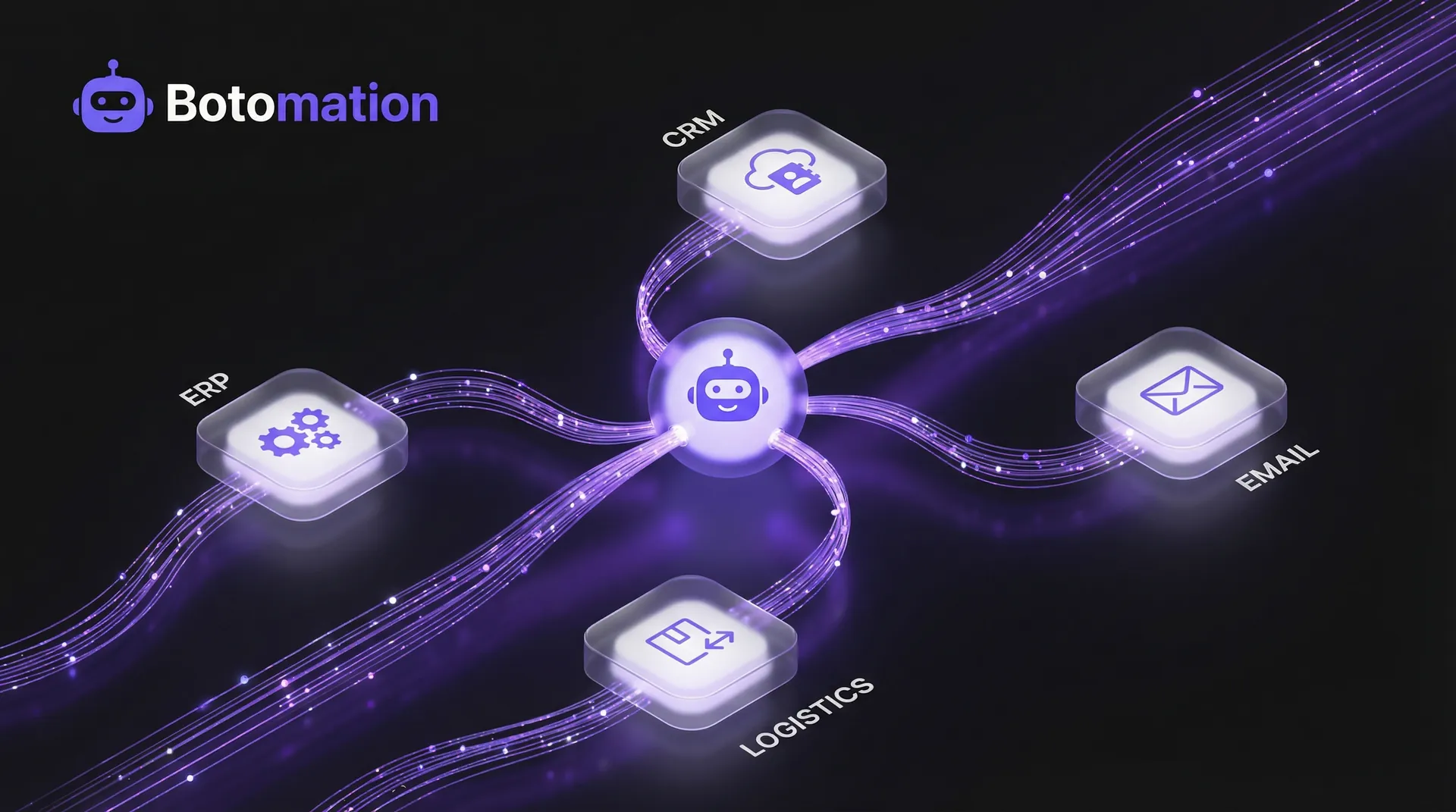
In the rapidly evolving digital landscape of January 2026, the ability to connect disparate software tools has become the defining factor for operational success. The modern enterprise is frequently a fragmented collection of high-performance but isolated systems. While your organization may utilize a world-class CRM, a sophisticated email marketing suite, and a robust logistics tracker, operational efficiency is often hindered by manual data migration. As of late 2026, this fragmentation remains a primary obstacle to scalable growth. When systems fail to communicate, employees are forced to act as "human middleware," performing repetitive tasks that modern automation can execute in milliseconds. This structural inefficiency drains profit margins, creates unnecessary overhead, and limits your ability to scale effectively in a hyper-competitive market.
The challenge of how to integrate these systems has transitioned from a technical luxury to a competitive necessity. The legacy approach relied on increasing administrative headcount to bridge data silos, a strategy that is no longer viable given the speed of modern commerce. The modern framework, championed by Botomation, treats your software stack as a unified digital nervous system. By facilitating instantaneous data flow from initial customer acquisition to final invoicing, we ensure your operations run on autopilot. This article explores the strategic and technical frameworks required to bridge these gaps and secure a frictionless operational environment that leverages the full power of your technology investments.
Managing a technological landscape requires a fundamental shift in perspective. You are no longer merely managing individual tools; you are orchestrating an entire ecosystem. Understanding the interplay between these components is the first step toward operational excellence. Whether you are a COO seeking to optimize overhead or an operations manager overwhelmed by spreadsheet management, the path to a high-efficiency business begins with strategic integration. By the end of this guide, you will understand the tools, platforms, and methodologies required to transform your business from a collection of silos into a synchronized powerhouse.
How to Connect Disparate Software Tools to Solve Data Silo Problems
The scale of "app sprawl" in 2026 is significant and continues to grow. Current market research indicates that the average enterprise utilizes nearly 900 distinct applications across various departments, from HR and finance to sales and logistics. While each tool serves a specific purpose, disconnected platforms create a "data tax" that many businesses pay unknowingly every single day. Information trapped in a silo loses its utility; for example, a lead generated in marketing software is ineffective if the sales team cannot access it immediately due to a manual sync backlog. Implementing automated data sync for CRM and email marketing solves this problem, ensuring that a delay never costs you a closed deal or a lost opportunity.
The financial consequences of these silos are often buried deep within administrative expenses, making them hard to track but easy to feel. When systems are not integrated, you risk both time and data integrity. Operations managers frequently report spending up to 30% of their work week verifying that reporting dashboards align with billing systems. This lack of a "single source of truth" results in hesitant decision-making. If leadership cannot trust data because it was manually transferred across multiple platforms, they cannot lead with the confidence required in today's fast-paced market. Integration removes this ambiguity by ensuring that data is identical, regardless of which application you are viewing.
"Data silos represent the friction slowing the engine of modern commerce. If your tools are not integrated, your business is effectively operating with the handbrake engaged. In 2026, integration is the fuel for agility." — Senior Integration Consultant at Botomation.
Identifying Common Data Silo Problems
The most immediate symptom of disconnected systems is a heavy reliance on manual data entry. This process is inherently susceptible to human error—a misspelled email, a transposed digit in a shipping code, or an incorrectly categorized lead can have significant downstream effects. A single typo in a CRM entry can lead to delivery failures, frustrated customers, and support tickets that cost an average of $22 to resolve. When you connect disparate software tools, you eliminate these points of failure at the source by replacing manual data entry with AI agents to automate the transfer process.
Furthermore, data silos cause significant lags in operational responsiveness. In an era where customers expect real-time updates, waiting for manual batch uploads to sync inventory across e-commerce and warehouse management systems is a liability. This often results in overselling stock, leading to order cancellations that damage brand loyalty and decrease your search ranking on major marketplaces. Inconsistent information across applications is not merely unprofessional; it actively erodes the trust your brand has built over years of service. Solving these problems requires more than just better training; it requires a structural change in how data moves through your organization.
Measuring Productivity Loss from Disconnected Systems
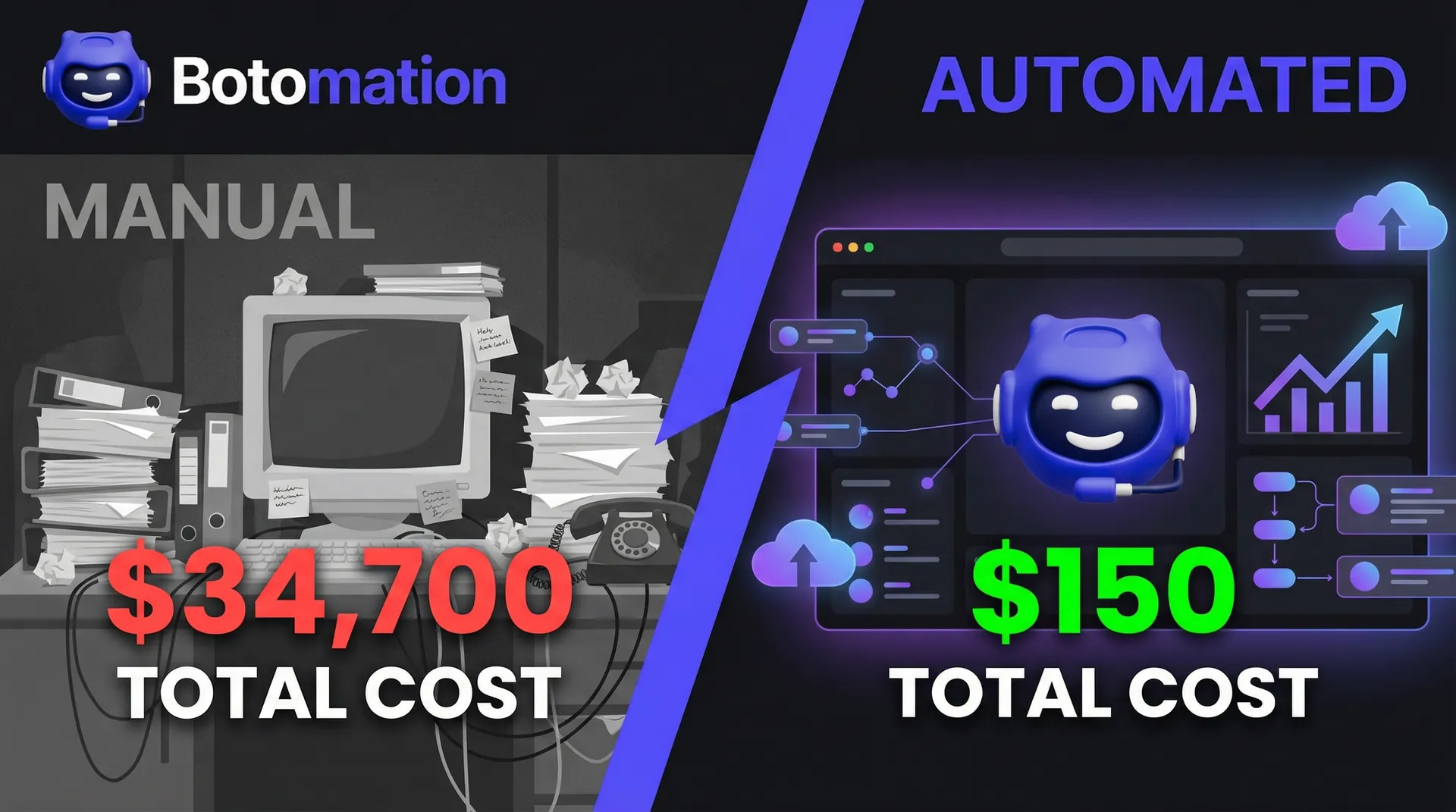
To quantify the cost of fragmentation, consider the labor involved in manual data synchronization. If an administrative employee spends just 10 hours per week on "copy-paste" tasks, the annual cost to the business is substantial. However, the true cost is often higher when you factor in the "context switching" penalty. Research shows it takes an average of 23 minutes to get back into a deep work state after being interrupted by a manual task. If an employee switches between tools 10 times a day, they are effectively losing hours of high-value cognitive output.
| Expense Category | Manual Process Cost (Annual) | Automated Process Cost (Annual) |
|---|---|---|
| Labor (10 hrs/week @ $35/hr) | $18,200 | $0 |
| Error Correction (Estimated) | $4,500 | $150 |
| Opportunity Cost (Lost Sales) | $12,000 | $0 |
| **Total Cost** | **$34,700** | **$150** |
These figures do not account for the "soft costs" of employee burnout. High-performing talent does not want to spend their career acting as a bridge between software platforms. Forcing skilled professionals to perform robotic work leads to high turnover and decreased job satisfaction. In 2026, the cost of replacing a mid-level operations manager can exceed $75,000 when factoring in recruitment, onboarding, and lost productivity. You can reduce admin tasks in service operations because automation is as much about talent retention and morale as it is about financial savings. By removing the drudgery of data entry, you allow your team to focus on the creative and strategic work they were actually hired to do.
Best Integration Platforms to Connect Disparate Software Tools in 2026
Selecting the right foundation for your integration strategy is a critical decision that will impact your business for years. In 2026, the market has evolved beyond simple logic toward "Integration Ops as a Service," where technical complexities are managed by AI-driven engines. Platforms like ONEiO lead this trend with ONEAI® automation, which maps complex data structures between different vendors without requiring manual coding. This allows businesses to focus on workflow logic rather than API syntax, significantly lowering the barrier to entry for complex integrations.
Enterprise leaders such as IBM, Oracle, and SAP have also modernized their offerings for an AI-first world. These platforms are no longer exclusive to the Fortune 500; tiered models now allow mid-market companies to access high-level synchronization that was previously cost-prohibitive. When Botomation designs a solution, we prioritize platforms offering "event-driven architecture." This ensures the system reacts instantly to data changes, providing real-time updates that are essential in the current business climate. Whether you are moving data between a legacy ERP and a modern SaaS tool, the best integration platforms for business software provide the stability and security required for enterprise-scale operations.
Enterprise-Grade Integration Platforms
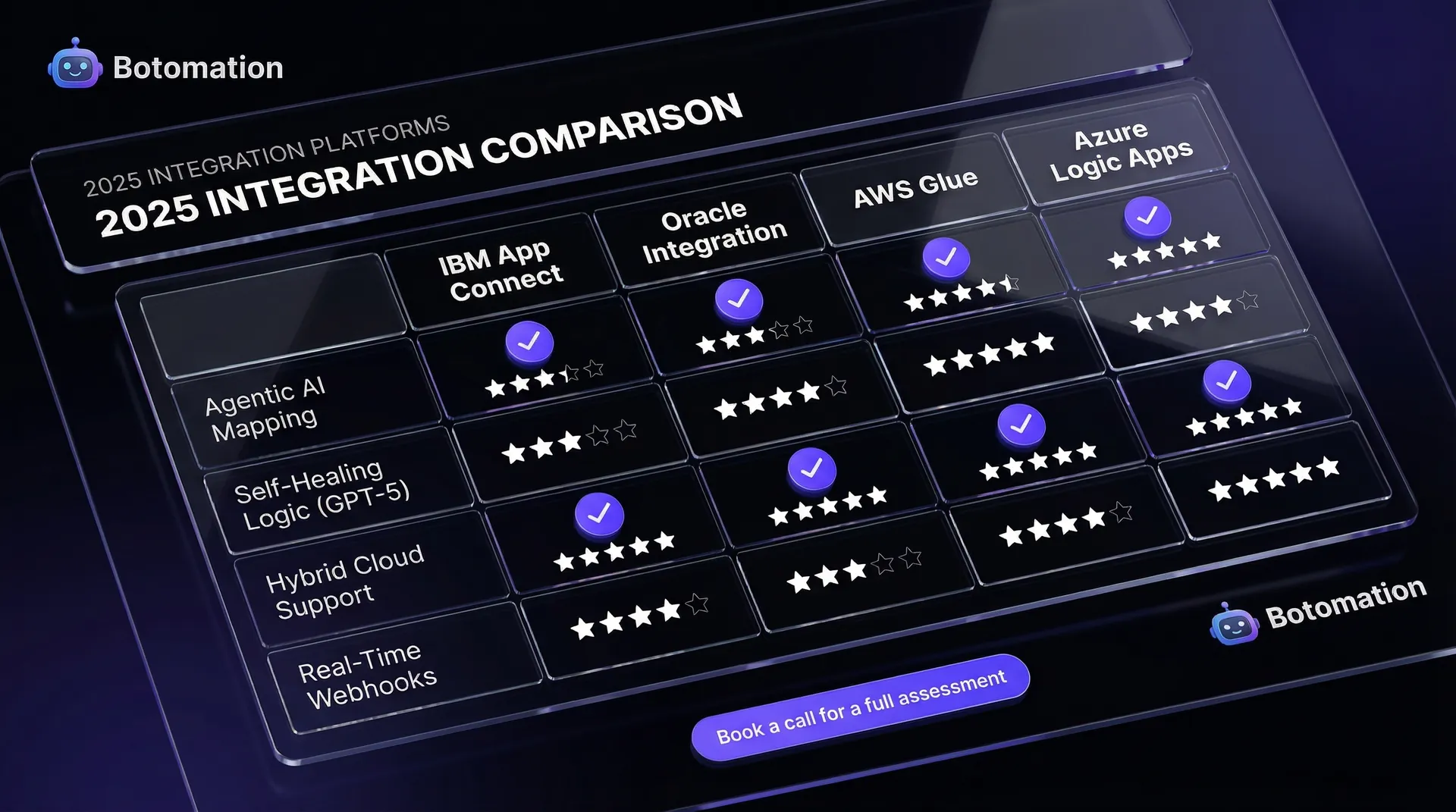
Oracle Integration Cloud (OIC) is highly effective for organizations within the Oracle ecosystem, particularly due to its AI-powered adapters. These adapters predict mapping between disparate data fields based on millions of previous successful integrations, significantly reducing the time required to connect disparate software tools. Similarly, IBM App Connect employs a decentralized approach, allowing individual departments to manage their own integrations while maintaining centralized security and compliance standards. This balance of agility and control is vital for large organizations with diverse software needs.
SAP Integration Suite remains the industry standard for organizations where the ERP serves as the core of operations. Their recent focus on AI-driven templates allows common integrations—such as connecting SAP to third-party logistics providers (3PL) or e-commerce platforms—to be deployed in days rather than months. These enterprise tools are engineered for 99.99% uptime and can process millions of transactions hourly, providing the robust infrastructure needed for large-scale global operations. They also include built-in governance tools that ensure data privacy and compliance with international regulations.
Cloud-Based Integration Services
For businesses seeking a modular and highly scalable approach, AWS and Azure offer powerful integration suites. AWS Application Integration Services, featuring EventBridge and Step Functions, allows for highly customized, auto-scaling workflows. For retail brands experiencing massive traffic spikes during seasonal sales, these cloud-native tools ensure that integrations remain stable under pressure, automatically scaling resources to match the transaction volume. This "pay-as-you-go" model is particularly attractive for growing companies that need enterprise power without the upfront capital expenditure.
Microsoft Azure Integration Services is often the preferred choice for companies utilizing the Microsoft 365 and Dynamics suite. Logic Apps provides a visual designer to simplify complex workflows, while Azure API Management ensures every connection is secure, throttled, and monitored. Botomation frequently recommends these services for clients requiring deep customization without the overhead of server management. Additionally, the subscription-based model of ONEiO provides predictable operational expenses with guaranteed uptime maintenance, making it an excellent choice for businesses that want to outsource the technical headache of integration entirely.
How to Connect Email CRM and Spreadsheets Automatically
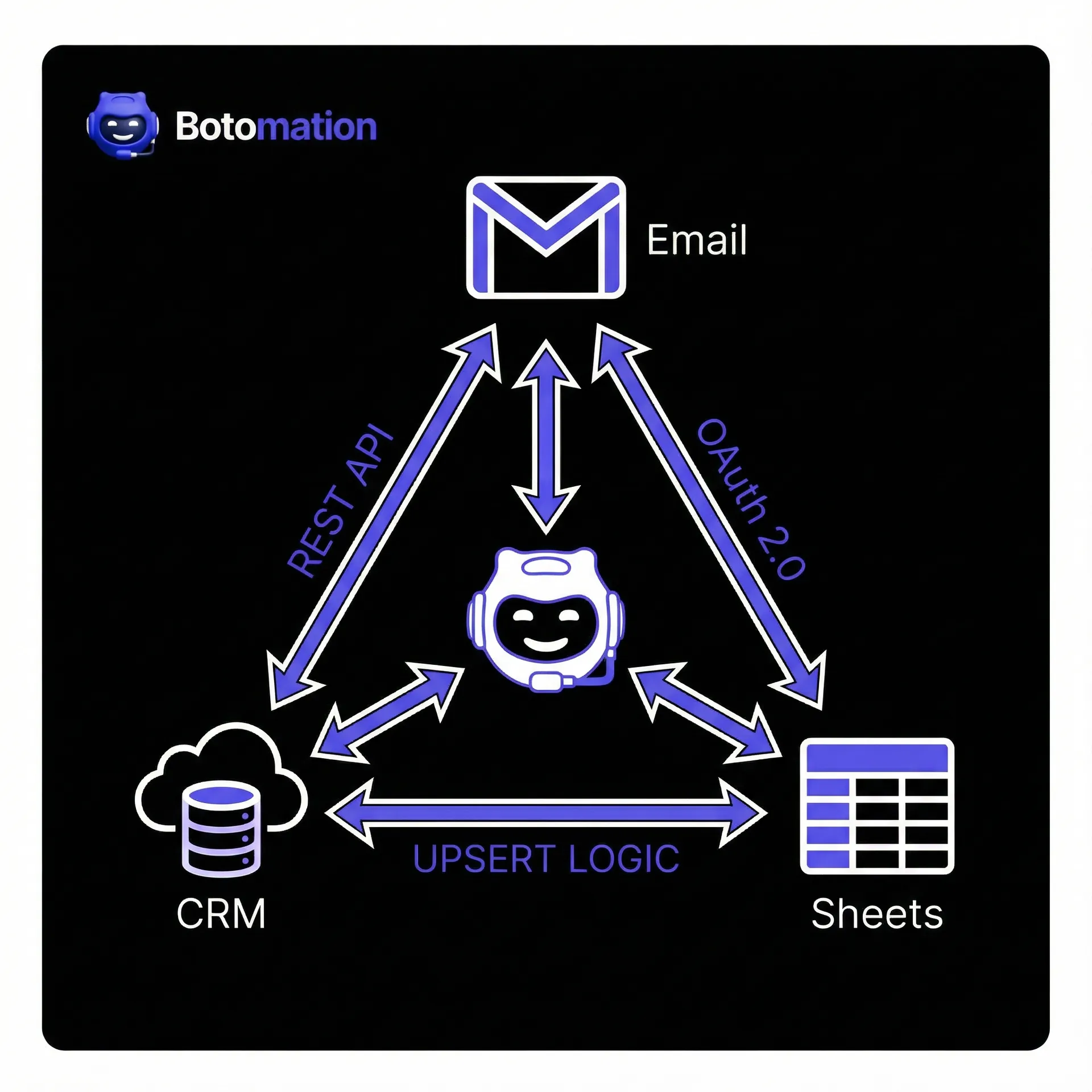
The fundamental software trio for most service-based companies includes email, a CRM, and spreadsheets. When synchronized, these tools create a seamless operational flow that captures every lead and tracks every dollar. Without synchronization, sales representatives may miss lead responses, and accounting departments may find that revenue projections do not align with CRM data. Automating the flow between these tools is one of the highest-ROI projects a business can implement, often paying for itself within the first few months of operation.
The technical requirements for these connections typically involve OAuth 2.0 for secure authentication and REST APIs for data transfer. By establishing a "listener" on your email server, you can automatically scan incoming communications for specific keywords, domains, or attachments. When a match is identified, the system can immediately update the corresponding record in Salesforce, HubSpot, or Zoho, ensuring your CRM remains the definitive source of customer data. This eliminates the need for manual logging and ensures that your sales team always has the most up-to-date context before jumping on a call.
Connecting Gmail and Outlook to CRM Systems
The first step is establishing a secure handshake between your mail server and CRM. While many CRMs offer native integrations, they are often limited to simple email logging. To achieve true automation, triggers must be configured for specific events. For instance, when a prospect sends an email containing the word "pricing" or "quote," Botomation can configure a workflow that logs the email, updates the deal stage to "Negotiation," and notifies the account executive via Slack or Microsoft Teams. This ensures that high-intent leads are prioritized and addressed immediately.
This level of automation requires sophisticated handling of API tokens to maintain data privacy and security. We implement filtering logic to distinguish between personal threads and business-critical communications, ensuring that only relevant data is synced. Automating contact creation ensures that every interaction is captured, preventing potential revenue from being lost due to administrative oversight. In 2026, speed to lead is a primary competitive advantage; following a comprehensive CRM email integration guide is the only way to achieve the response times that modern buyers expect.
Automating Data Flow Between Spreadsheets and CRM
Many executives still utilize spreadsheets for high-level reporting and financial modeling due to their flexibility and familiar interface. However, spreadsheets often become outdated immediately upon creation. By utilizing tools like Zapier, Make.com, or custom API connectors, we connect Excel or Google Sheets to CRM systems to create two-way synchronization. When a deal is closed in your CRM, the corresponding revenue tracker updates in real-time. This allows leadership to view accurate financial data without waiting for a weekly manual report.
To prevent duplicate records and data corruption, we implement "Upsert" (Update + Insert) logic. This ensures the system checks for an existing record based on a unique identifier (like an email or ID) before creating a new one, maintaining consistency across the organization. This eliminates the confusion caused by multiple document versions and ensures all stakeholders—from sales to finance—view the same data simultaneously. By automating this link, you transform your spreadsheets from static documents into dynamic, live dashboards.
No-Code Integration Platforms for Small Business Operations
Not every business requires a large IT department or a team of developers to connect disparate software tools. For small to mid-sized service businesses, no-code platforms offer a cost-effective and agile alternative. These tools allow for the creation of complex integrations via a drag-and-drop interface, focusing on business logic and workflow design rather than programming code. This democratizes automation, allowing operations managers and department heads to build the solutions they need without waiting for IT approval.
The efficiency of these platforms is significant. While a custom-coded integration might require weeks of development, testing, and deployment, a similar workflow on a no-code platform can often be deployed in a single day for a fraction of the cost. This allows operations managers to iterate quickly, adjusting processes in minutes rather than waiting for extended development cycles. In a world where business needs change weekly, this agility is a massive asset for small businesses looking to compete with larger, more established firms.
Evaluating No-Code Platform Capabilities
When selecting a no-code platform, it is essential to look beyond the user interface. The value lies in the library of pre-built connectors and the support for "branching logic" (e.g., if-then scenarios). As a business scales, these workflows will naturally increase in complexity, requiring multi-step paths and data transformations. You need a platform that can grow with you, rather than one you will outgrow in six months.
Scalability and pricing transparency are primary considerations. Some platforms utilize a "pay-per-task" model, which can lead to unexpected and astronomical costs as your transaction volume increases. Botomation assists clients in selecting platforms that provide a clear growth path, emphasizing features like advanced error handling, version control, and staging environments. This ensures that if a third-party CRM experiences downtime, the integration can pause and recover gracefully without data loss or duplication.
Getting Started with No-Code Integrations
To begin automating, it is best to focus on a single high-friction task rather than attempting to overhaul the entire back office at once. Identifying the task that causes the most administrative frustration—such as automating the client onboarding process or lead distribution—is a strong starting point. Following a disciplined approach ensures success:
- Map the manual process: Document every keystroke, click, and decision currently required by an employee.
- Identify the trigger: Determine the exact event that starts the process (e.g., a new lead form submission or a project marked as complete).
- Define the actions: Specify the necessary subsequent steps across all platforms (e.g., creating a draft invoice, sending a notification, and updating a spreadsheet).
- Test with sample data: Validate the automation with test records to ensure field mapping accuracy and handle edge cases.
- Monitor and refine: Observe the initial live runs to identify any unforeseen errors or opportunities for further optimization.
This disciplined approach builds internal confidence in automated systems. Once the efficiency of the first integration is realized, it becomes clear that automation is not just a technical project, but a fundamental component of modern business strategy.
Data Synchronization Best Practices Between Business Applications
Maintaining long-term harmony between tools is more challenging than the initial connection. Data synchronization requires a rigorous approach to security, conflict resolution, and data hygiene. When you connect disparate software tools, you must eliminate data silos between business applications and ensure that data integrity is maintained throughout the transfer process. Without these safeguards, automation can simply lead to the faster propagation of errors across your entire stack.
A key consideration is choosing between "Real-Time" and "Batch" processing. Real-time synchronization is ideal for customer-facing actions where immediacy is required, such as sending a welcome email. Batch processing is often more efficient for large-scale data migrations or non-urgent tasks, such as weekly reporting or historical data archiving, as it reduces the load on your APIs. Botomation designs hybrid systems that utilize the most effective method for each specific task, balancing performance with resource utilization.
Securing Data Transfers Between Systems
In 2026, data security is paramount. Every connection built by Botomation utilizes end-to-end encryption (TLS 1.3) and secure API authentication protocols like OAuth 2.0 or JWT. We ensure that sensitive business and customer data is never exposed during transfer. Compliance with GDPR, CCPA, and current AI Data Privacy Acts is integrated into every deployment. This is not just about avoiding fines; it's about protecting the reputation of your business and the privacy of your clients.
Proactive monitoring is essential for system security. We implement automated logging to track every synchronization and identify failures immediately. If an API key expires or a third-party service goes down, our team is alerted to resolve the issue before it impacts operations. This level of maintenance distinguishes professional enterprise integrations from temporary, fragile fixes. We also implement "least privilege" access, ensuring that each integration only has access to the specific data it needs to function.
Maintaining Data Integrity Across Platforms
Integrated systems are only as good as the data they process. We implement data validation steps at the point of integration to prevent "garbage in, garbage out" scenarios. For example, if a phone number field contains incorrect formatting, the system flags it for review or automatically formats it rather than propagating the error through other tools. This ensures that your databases remain clean and useful for marketing and sales efforts.
Conflict resolution is also critical. If a customer updates their information in a web portal while a representative updates it simultaneously in the CRM, the system must know which update takes precedence. We help define a "source of truth" policy to ensure data remains consistent and reliable across the enterprise. Usually, this involves setting a hierarchy of systems where the most reliable source (often the CRM or ERP) is the final authority on disputed data points.
Measuring ROI from Software Integration Projects
Measuring the Return on Investment (ROI) of an integration project involves tracking both direct cost savings and indirect revenue gains. When you connect disparate software tools, you are essentially reclaiming time. The value of that time, when redirected toward strategic growth, is what drives the bottom line. ROI is not just about reducing headcount; it's about increasing the capacity of your existing team to handle more business without adding overhead.
Botomation tracks several Key Performance Indicators (KPIs) to demonstrate value. Key metrics include "Hours Saved per Week," "Time to Lead Response," and "Order Processing Cycle Time." Reducing lead response time from hours to seconds directly correlates with higher conversion rates and increased revenue. Furthermore, we track the reduction in error-related costs, which can be significant in industries with high transaction values or strict compliance requirements.
Tracking Integration Performance Metrics
Success is often indicated by the seamless, silent operation of the system. We provide clients with custom dashboards to monitor integration health and performance in real-time:
- Throughput: The volume of records and transactions moving through the system daily.
- Error Rate: The percentage of synchronizations requiring human intervention (our target is always < 0.5%).
- Uptime: The availability of the connection bridge and the status of third-party APIs.
- Latency: The speed at which data moves between systems, ensuring real-time expectations are met.
- MTTR (Mean Time To Repair): How quickly the system or our team recovers from an API failure or data mismatch.
Monitoring these metrics allows us to identify and resolve bottlenecks before they disrupt business operations, ensuring that your automation remains an asset rather than a liability.
Calculating Financial Benefits
Consider a service business processing 500 orders monthly. Manually managing each order—from entry to invoicing—takes approximately 20 minutes across multiple systems.
- Manual Labor: 500 orders * 20 mins = 166.6 hours/month.
- Cost at $30/hr: $5,000/month or $60,000/year.
- Error Rate (3%): 15 orders/month requiring rework at $50/order = $9,000/year.
- Context Switching Loss: Estimated at $5,000/year in lost productivity.
- Total Annual Manual Cost: $74,000.
By implementing an automated workflow that reduces manual touch-time to 2 minutes per order, labor costs drop to $6,000/year. Even after the initial investment and platform fees, the business saves over $50,000 in the first year alone. This capital can then be reinvested into marketing, R&D, or product development, creating a virtuous cycle of growth. The ROI of integration is often the highest of any technology project a business can undertake.
Frequently Asked Questions
Will connecting my software tools slow down my systems?
No. Modern integrations utilize APIs that operate in the background. By offloading data processing to a dedicated integration layer or cloud platform, your primary applications often run more efficiently as they are no longer bogged down by manual tasks or inefficient native syncs.
Do I need to be a developer to manage these connections?
When partnering with Botomation, no technical skills are required on your part. We manage the architecture, security, and ongoing maintenance. For those using no-code tools independently, a basic understanding of logic and workflows is helpful, but traditional coding knowledge is not necessary.
What happens if one of my software tools updates its API?
API updates are a common part of the software lifecycle. Botomation provides ongoing monitoring and is often alerted to these changes by vendors in advance. This allows us to update your integration bridge before any data flow is interrupted, ensuring continuous operation.
Is my data safe when it's moving between tools?
Yes, provided the integration follows industry standards. We utilize TLS 1.3 encryption for data in transit and secure authentication protocols. Data is typically not stored in the integration layer; it moves through a secure, encrypted tunnel between your existing databases.
How long does it take to see a return on investment?
Most clients reach a break-even point within 3 to 6 months. The immediate reduction in labor costs and the elimination of expensive data entry errors provide a rapid payback, while the benefits of long-term scalability and improved data quality continue to grow over time.
In 2026, your business is only as strong as its connections. Operating with isolated software tools invites human error, creates employee burnout, and limits your growth potential. The most successful organizations have transitioned to a model where data flows effortlessly, allowing employees to focus on high-value strategy rather than administrative typing.
By choosing to connect disparate software tools, you are building a foundation for exponential growth. Botomation specializes in serving as the "glue" for your digital ecosystem, transforming fragmented back-office tasks into a unified, high-performance engine. Stop managing software silos and start letting your technology work for you.
Ready to automate your growth? Book a call below.
In the rapidly evolving digital landscape of January 2026, the ability to connect disparate software tools has become the defining factor for operational success. The modern enterprise is frequently a fragmented collection of high-performance but isolated systems. While your organization may utilize a world-class CRM, a sophisticated email marketing suite, and a robust logistics tracker, operational efficiency is often hindered by manual data migration. As of late 2026, this fragmentation remains a primary obstacle to scalable growth. When systems fail to communicate, employees are forced to act as "human middleware," performing repetitive tasks that modern automation can execute in milliseconds. This structural inefficiency drains profit margins, creates unnecessary overhead, and limits your ability to scale effectively in a hyper-competitive market.
The challenge of how to integrate these systems has transitioned from a technical luxury to a competitive necessity. The legacy approach relied on increasing administrative headcount to bridge data silos, a strategy that is no longer viable given the speed of modern commerce. The modern framework, championed by Botomation, treats your software stack as a unified digital nervous system. By facilitating instantaneous data flow from initial customer acquisition to final invoicing, we ensure your operations run on autopilot. This article explores the strategic and technical frameworks required to bridge these gaps and secure a frictionless operational environment that leverages the full power of your technology investments.
Managing a technological landscape requires a fundamental shift in perspective. You are no longer merely managing individual tools; you are orchestrating an entire ecosystem. Understanding the interplay between these components is the first step toward operational excellence. Whether you are a COO seeking to optimize overhead or an operations manager overwhelmed by spreadsheet management, the path to a high-efficiency business begins with strategic integration. By the end of this guide, you will understand the tools, platforms, and methodologies required to transform your business from a collection of silos into a synchronized powerhouse.
How to Connect Disparate Software Tools to Solve Data Silo Problems
The scale of "app sprawl" in 2026 is significant and continues to grow. Current market research indicates that the average enterprise utilizes nearly 900 distinct applications across various departments, from HR and finance to sales and logistics. While each tool serves a specific purpose, disconnected platforms create a "data tax" that many businesses pay unknowingly every single day. Information trapped in a silo loses its utility; for example, a lead generated in marketing software is ineffective if the sales team cannot access it immediately due to a manual sync backlog. Implementing automated data sync for CRM and email marketing solves this problem, ensuring that a delay never costs you a closed deal or a lost opportunity.
The financial consequences of these silos are often buried deep within administrative expenses, making them hard to track but easy to feel. When systems are not integrated, you risk both time and data integrity. Operations managers frequently report spending up to 30% of their work week verifying that reporting dashboards align with billing systems. This lack of a "single source of truth" results in hesitant decision-making. If leadership cannot trust data because it was manually transferred across multiple platforms, they cannot lead with the confidence required in today's fast-paced market. Integration removes this ambiguity by ensuring that data is identical, regardless of which application you are viewing.
"Data silos represent the friction slowing the engine of modern commerce. If your tools are not integrated, your business is effectively operating with the handbrake engaged. In 2026, integration is the fuel for agility." — Senior Integration Consultant at Botomation.
Identifying Common Data Silo Problems
The most immediate symptom of disconnected systems is a heavy reliance on manual data entry. This process is inherently susceptible to human error—a misspelled email, a transposed digit in a shipping code, or an incorrectly categorized lead can have significant downstream effects. A single typo in a CRM entry can lead to delivery failures, frustrated customers, and support tickets that cost an average of $22 to resolve. When you connect disparate software tools, you eliminate these points of failure at the source by replacing manual data entry with AI agents to automate the transfer process.
Furthermore, data silos cause significant lags in operational responsiveness. In an era where customers expect real-time updates, waiting for manual batch uploads to sync inventory across e-commerce and warehouse management systems is a liability. This often results in overselling stock, leading to order cancellations that damage brand loyalty and decrease your search ranking on major marketplaces. Inconsistent information across applications is not merely unprofessional; it actively erodes the trust your brand has built over years of service. Solving these problems requires more than just better training; it requires a structural change in how data moves through your organization.
Measuring Productivity Loss from Disconnected Systems
To quantify the cost of fragmentation, consider the labor involved in manual data synchronization. If an administrative employee spends just 10 hours per week on "copy-paste" tasks, the annual cost to the business is substantial. However, the true cost is often higher when you factor in the "context switching" penalty. Research shows it takes an average of 23 minutes to get back into a deep work state after being interrupted by a manual task. If an employee switches between tools 10 times a day, they are effectively losing hours of high-value cognitive output.
| Expense Category | Manual Process Cost (Annual) | Automated Process Cost (Annual) |
|---|---|---|
| Labor (10 hrs/week @ $35/hr) | $18,200 | $0 |
| Error Correction (Estimated) | $4,500 | $150 |
| Opportunity Cost (Lost Sales) | $12,000 | $0 |
| **Total Cost** | **$34,700** | **$150** |
These figures do not account for the "soft costs" of employee burnout. High-performing talent does not want to spend their career acting as a bridge between software platforms. Forcing skilled professionals to perform robotic work leads to high turnover and decreased job satisfaction. In 2026, the cost of replacing a mid-level operations manager can exceed $75,000 when factoring in recruitment, onboarding, and lost productivity. You can reduce admin tasks in service operations because automation is as much about talent retention and morale as it is about financial savings. By removing the drudgery of data entry, you allow your team to focus on the creative and strategic work they were actually hired to do.
Best Integration Platforms to Connect Disparate Software Tools in 2026
Selecting the right foundation for your integration strategy is a critical decision that will impact your business for years. In 2026, the market has evolved beyond simple logic toward "Integration Ops as a Service," where technical complexities are managed by AI-driven engines. Platforms like ONEiO lead this trend with ONEAI® automation, which maps complex data structures between different vendors without requiring manual coding. This allows businesses to focus on workflow logic rather than API syntax, significantly lowering the barrier to entry for complex integrations.
Enterprise leaders such as IBM, Oracle, and SAP have also modernized their offerings for an AI-first world. These platforms are no longer exclusive to the Fortune 500; tiered models now allow mid-market companies to access high-level synchronization that was previously cost-prohibitive. When Botomation designs a solution, we prioritize platforms offering "event-driven architecture." This ensures the system reacts instantly to data changes, providing real-time updates that are essential in the current business climate. Whether you are moving data between a legacy ERP and a modern SaaS tool, the best integration platforms for business software provide the stability and security required for enterprise-scale operations.
Enterprise-Grade Integration Platforms
Oracle Integration Cloud (OIC) is highly effective for organizations within the Oracle ecosystem, particularly due to its AI-powered adapters. These adapters predict mapping between disparate data fields based on millions of previous successful integrations, significantly reducing the time required to connect disparate software tools. Similarly, IBM App Connect employs a decentralized approach, allowing individual departments to manage their own integrations while maintaining centralized security and compliance standards. This balance of agility and control is vital for large organizations with diverse software needs.
SAP Integration Suite remains the industry standard for organizations where the ERP serves as the core of operations. Their recent focus on AI-driven templates allows common integrations—such as connecting SAP to third-party logistics providers (3PL) or e-commerce platforms—to be deployed in days rather than months. These enterprise tools are engineered for 99.99% uptime and can process millions of transactions hourly, providing the robust infrastructure needed for large-scale global operations. They also include built-in governance tools that ensure data privacy and compliance with international regulations.
Cloud-Based Integration Services
For businesses seeking a modular and highly scalable approach, AWS and Azure offer powerful integration suites. AWS Application Integration Services, featuring EventBridge and Step Functions, allows for highly customized, auto-scaling workflows. For retail brands experiencing massive traffic spikes during seasonal sales, these cloud-native tools ensure that integrations remain stable under pressure, automatically scaling resources to match the transaction volume. This "pay-as-you-go" model is particularly attractive for growing companies that need enterprise power without the upfront capital expenditure.
Microsoft Azure Integration Services is often the preferred choice for companies utilizing the Microsoft 365 and Dynamics suite. Logic Apps provides a visual designer to simplify complex workflows, while Azure API Management ensures every connection is secure, throttled, and monitored. Botomation frequently recommends these services for clients requiring deep customization without the overhead of server management. Additionally, the subscription-based model of ONEiO provides predictable operational expenses with guaranteed uptime maintenance, making it an excellent choice for businesses that want to outsource the technical headache of integration entirely.
How to Connect Email CRM and Spreadsheets Automatically
The fundamental software trio for most service-based companies includes email, a CRM, and spreadsheets. When synchronized, these tools create a seamless operational flow that captures every lead and tracks every dollar. Without synchronization, sales representatives may miss lead responses, and accounting departments may find that revenue projections do not align with CRM data. Automating the flow between these tools is one of the highest-ROI projects a business can implement, often paying for itself within the first few months of operation.
The technical requirements for these connections typically involve OAuth 2.0 for secure authentication and REST APIs for data transfer. By establishing a "listener" on your email server, you can automatically scan incoming communications for specific keywords, domains, or attachments. When a match is identified, the system can immediately update the corresponding record in Salesforce, HubSpot, or Zoho, ensuring your CRM remains the definitive source of customer data. This eliminates the need for manual logging and ensures that your sales team always has the most up-to-date context before jumping on a call.
Connecting Gmail and Outlook to CRM Systems
The first step is establishing a secure handshake between your mail server and CRM. While many CRMs offer native integrations, they are often limited to simple email logging. To achieve true automation, triggers must be configured for specific events. For instance, when a prospect sends an email containing the word "pricing" or "quote," Botomation can configure a workflow that logs the email, updates the deal stage to "Negotiation," and notifies the account executive via Slack or Microsoft Teams. This ensures that high-intent leads are prioritized and addressed immediately.
This level of automation requires sophisticated handling of API tokens to maintain data privacy and security. We implement filtering logic to distinguish between personal threads and business-critical communications, ensuring that only relevant data is synced. Automating contact creation ensures that every interaction is captured, preventing potential revenue from being lost due to administrative oversight. In 2026, speed to lead is a primary competitive advantage; following a comprehensive CRM email integration guide is the only way to achieve the response times that modern buyers expect.
Automating Data Flow Between Spreadsheets and CRM
Many executives still utilize spreadsheets for high-level reporting and financial modeling due to their flexibility and familiar interface. However, spreadsheets often become outdated immediately upon creation. By utilizing tools like Zapier, Make.com, or custom API connectors, we connect Excel or Google Sheets to CRM systems to create two-way synchronization. When a deal is closed in your CRM, the corresponding revenue tracker updates in real-time. This allows leadership to view accurate financial data without waiting for a weekly manual report.
To prevent duplicate records and data corruption, we implement "Upsert" (Update + Insert) logic. This ensures the system checks for an existing record based on a unique identifier (like an email or ID) before creating a new one, maintaining consistency across the organization. This eliminates the confusion caused by multiple document versions and ensures all stakeholders—from sales to finance—view the same data simultaneously. By automating this link, you transform your spreadsheets from static documents into dynamic, live dashboards.
No-Code Integration Platforms for Small Business Operations
Not every business requires a large IT department or a team of developers to connect disparate software tools. For small to mid-sized service businesses, no-code platforms offer a cost-effective and agile alternative. These tools allow for the creation of complex integrations via a drag-and-drop interface, focusing on business logic and workflow design rather than programming code. This democratizes automation, allowing operations managers and department heads to build the solutions they need without waiting for IT approval.
The efficiency of these platforms is significant. While a custom-coded integration might require weeks of development, testing, and deployment, a similar workflow on a no-code platform can often be deployed in a single day for a fraction of the cost. This allows operations managers to iterate quickly, adjusting processes in minutes rather than waiting for extended development cycles. In a world where business needs change weekly, this agility is a massive asset for small businesses looking to compete with larger, more established firms.
Evaluating No-Code Platform Capabilities
When selecting a no-code platform, it is essential to look beyond the user interface. The value lies in the library of pre-built connectors and the support for "branching logic" (e.g., if-then scenarios). As a business scales, these workflows will naturally increase in complexity, requiring multi-step paths and data transformations. You need a platform that can grow with you, rather than one you will outgrow in six months.
Scalability and pricing transparency are primary considerations. Some platforms utilize a "pay-per-task" model, which can lead to unexpected and astronomical costs as your transaction volume increases. Botomation assists clients in selecting platforms that provide a clear growth path, emphasizing features like advanced error handling, version control, and staging environments. This ensures that if a third-party CRM experiences downtime, the integration can pause and recover gracefully without data loss or duplication.
Getting Started with No-Code Integrations
To begin automating, it is best to focus on a single high-friction task rather than attempting to overhaul the entire back office at once. Identifying the task that causes the most administrative frustration—such as automating the client onboarding process or lead distribution—is a strong starting point. Following a disciplined approach ensures success:
- Map the manual process: Document every keystroke, click, and decision currently required by an employee.
- Identify the trigger: Determine the exact event that starts the process (e.g., a new lead form submission or a project marked as complete).
- Define the actions: Specify the necessary subsequent steps across all platforms (e.g., creating a draft invoice, sending a notification, and updating a spreadsheet).
- Test with sample data: Validate the automation with test records to ensure field mapping accuracy and handle edge cases.
- Monitor and refine: Observe the initial live runs to identify any unforeseen errors or opportunities for further optimization.
This disciplined approach builds internal confidence in automated systems. Once the efficiency of the first integration is realized, it becomes clear that automation is not just a technical project, but a fundamental component of modern business strategy.
Data Synchronization Best Practices Between Business Applications
Maintaining long-term harmony between tools is more challenging than the initial connection. Data synchronization requires a rigorous approach to security, conflict resolution, and data hygiene. When you connect disparate software tools, you must eliminate data silos between business applications and ensure that data integrity is maintained throughout the transfer process. Without these safeguards, automation can simply lead to the faster propagation of errors across your entire stack.
A key consideration is choosing between "Real-Time" and "Batch" processing. Real-time synchronization is ideal for customer-facing actions where immediacy is required, such as sending a welcome email. Batch processing is often more efficient for large-scale data migrations or non-urgent tasks, such as weekly reporting or historical data archiving, as it reduces the load on your APIs. Botomation designs hybrid systems that utilize the most effective method for each specific task, balancing performance with resource utilization.
Securing Data Transfers Between Systems
In 2026, data security is paramount. Every connection built by Botomation utilizes end-to-end encryption (TLS 1.3) and secure API authentication protocols like OAuth 2.0 or JWT. We ensure that sensitive business and customer data is never exposed during transfer. Compliance with GDPR, CCPA, and current AI Data Privacy Acts is integrated into every deployment. This is not just about avoiding fines; it's about protecting the reputation of your business and the privacy of your clients.
Proactive monitoring is essential for system security. We implement automated logging to track every synchronization and identify failures immediately. If an API key expires or a third-party service goes down, our team is alerted to resolve the issue before it impacts operations. This level of maintenance distinguishes professional enterprise integrations from temporary, fragile fixes. We also implement "least privilege" access, ensuring that each integration only has access to the specific data it needs to function.
Maintaining Data Integrity Across Platforms
Integrated systems are only as good as the data they process. We implement data validation steps at the point of integration to prevent "garbage in, garbage out" scenarios. For example, if a phone number field contains incorrect formatting, the system flags it for review or automatically formats it rather than propagating the error through other tools. This ensures that your databases remain clean and useful for marketing and sales efforts.
Conflict resolution is also critical. If a customer updates their information in a web portal while a representative updates it simultaneously in the CRM, the system must know which update takes precedence. We help define a "source of truth" policy to ensure data remains consistent and reliable across the enterprise. Usually, this involves setting a hierarchy of systems where the most reliable source (often the CRM or ERP) is the final authority on disputed data points.
Measuring ROI from Software Integration Projects
Measuring the Return on Investment (ROI) of an integration project involves tracking both direct cost savings and indirect revenue gains. When you connect disparate software tools, you are essentially reclaiming time. The value of that time, when redirected toward strategic growth, is what drives the bottom line. ROI is not just about reducing headcount; it's about increasing the capacity of your existing team to handle more business without adding overhead.
Botomation tracks several Key Performance Indicators (KPIs) to demonstrate value. Key metrics include "Hours Saved per Week," "Time to Lead Response," and "Order Processing Cycle Time." Reducing lead response time from hours to seconds directly correlates with higher conversion rates and increased revenue. Furthermore, we track the reduction in error-related costs, which can be significant in industries with high transaction values or strict compliance requirements.
Tracking Integration Performance Metrics
Success is often indicated by the seamless, silent operation of the system. We provide clients with custom dashboards to monitor integration health and performance in real-time:
- Throughput: The volume of records and transactions moving through the system daily.
- Error Rate: The percentage of synchronizations requiring human intervention (our target is always < 0.5%).
- Uptime: The availability of the connection bridge and the status of third-party APIs.
- Latency: The speed at which data moves between systems, ensuring real-time expectations are met.
- MTTR (Mean Time To Repair): How quickly the system or our team recovers from an API failure or data mismatch.
Monitoring these metrics allows us to identify and resolve bottlenecks before they disrupt business operations, ensuring that your automation remains an asset rather than a liability.
Calculating Financial Benefits
Consider a service business processing 500 orders monthly. Manually managing each order—from entry to invoicing—takes approximately 20 minutes across multiple systems.
- Manual Labor: 500 orders * 20 mins = 166.6 hours/month.
- Cost at $30/hr: $5,000/month or $60,000/year.
- Error Rate (3%): 15 orders/month requiring rework at $50/order = $9,000/year.
- Context Switching Loss: Estimated at $5,000/year in lost productivity.
- Total Annual Manual Cost: $74,000.
By implementing an automated workflow that reduces manual touch-time to 2 minutes per order, labor costs drop to $6,000/year. Even after the initial investment and platform fees, the business saves over $50,000 in the first year alone. This capital can then be reinvested into marketing, R&D, or product development, creating a virtuous cycle of growth. The ROI of integration is often the highest of any technology project a business can undertake.
Frequently Asked Questions
Will connecting my software tools slow down my systems?
No. Modern integrations utilize APIs that operate in the background. By offloading data processing to a dedicated integration layer or cloud platform, your primary applications often run more efficiently as they are no longer bogged down by manual tasks or inefficient native syncs.
Do I need to be a developer to manage these connections?
When partnering with Botomation, no technical skills are required on your part. We manage the architecture, security, and ongoing maintenance. For those using no-code tools independently, a basic understanding of logic and workflows is helpful, but traditional coding knowledge is not necessary.
What happens if one of my software tools updates its API?
API updates are a common part of the software lifecycle. Botomation provides ongoing monitoring and is often alerted to these changes by vendors in advance. This allows us to update your integration bridge before any data flow is interrupted, ensuring continuous operation.
Is my data safe when it's moving between tools?
Yes, provided the integration follows industry standards. We utilize TLS 1.3 encryption for data in transit and secure authentication protocols. Data is typically not stored in the integration layer; it moves through a secure, encrypted tunnel between your existing databases.
How long does it take to see a return on investment?
Most clients reach a break-even point within 3 to 6 months. The immediate reduction in labor costs and the elimination of expensive data entry errors provide a rapid payback, while the benefits of long-term scalability and improved data quality continue to grow over time.
In 2026, your business is only as strong as its connections. Operating with isolated software tools invites human error, creates employee burnout, and limits your growth potential. The most successful organizations have transitioned to a model where data flows effortlessly, allowing employees to focus on high-value strategy rather than administrative typing.
By choosing to connect disparate software tools, you are building a foundation for exponential growth. Botomation specializes in serving as the "glue" for your digital ecosystem, transforming fragmented back-office tasks into a unified, high-performance engine. Stop managing software silos and start letting your technology work for you.
Ready to automate your growth? Book a call below.
Get Started
Book a FREE Consultation Right NOW!
Schedule a Call with Our Team To Make Your Business More Efficient with AI Instantly.
Read More
Connect Disparate Software Tools - 2026 Automation Guide
Learn how to connect disparate software tools for business automation. Streamline CRM, email, and SaaS workflows to eliminate manual data entry tasks.
How to Automate Data Entry and Administrative Tasks 2026
Learn how WhatsApp AI slashes support costs for e-commerce & SaaS. Proven strategies to boost sales, recover carts, and scale 24/7 service.