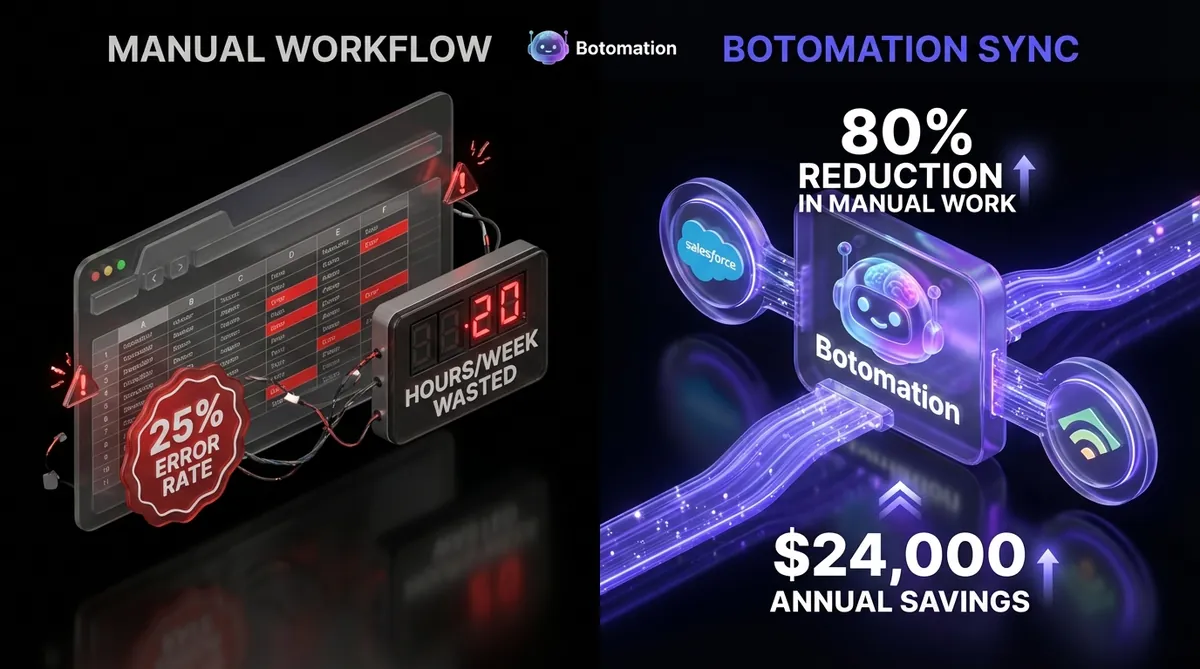
CRM Email Integration - 2026 Guide for B2B SaaS Automation
Jan 8, 2026
CRM
Email Marketing
AI Automation
CRM
Email Marketing
AI Automation
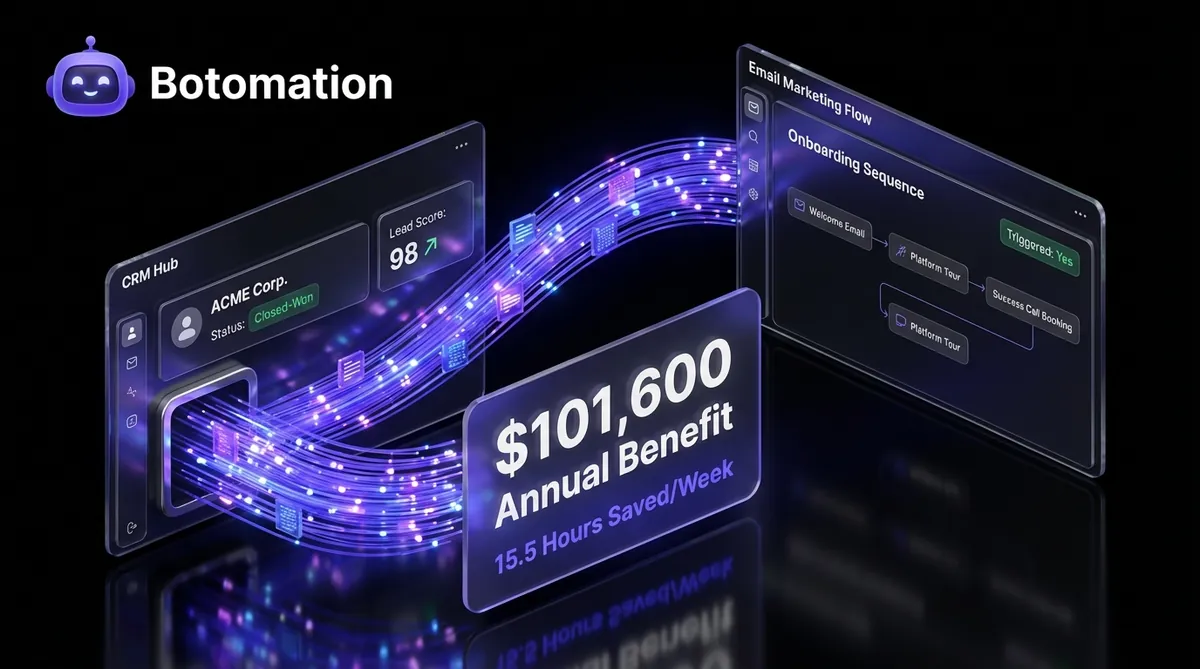
The friction between sales and marketing teams often stems from a single, frustrating reality: the data in the CRM rarely matches the data in the email marketing tool. Implementing a robust CRM email integration for B2B SaaS companies in 2026 is no longer optional; it is a necessity for growth. This disconnect is more than just a minor annoyance; it is a significant drain on resources and a primary cause of lost revenue. When a lead upgrades their subscription in your CRM but continues to receive "early bird" discount emails from your marketing platform, it signals a lack of internal cohesion that sophisticated buyers notice immediately. Statistics from recent industry surveys indicate that roughly 65% of B2B SaaS organizations still struggle with manual data entry or fragmented systems that fail to communicate effectively.
Our team at Botomation has observed that the most successful growth-stage companies have moved beyond the "copy-paste" era of data management. By implementing automated synchronization, these businesses are reclaiming over 15 hours per week of administrative time, allowing them to scale SaaS operations without adding headcount according to 2026 marketing efficiency reports. This guide explores the technical and strategic landscape of CRM email integration, providing a roadmap for operations managers and COOs who want to automate administrative tasks and are tired of disconnected systems. We will look at how to eliminate data silos between business applications to move from static, siloed data to a fluid ecosystem where every customer interaction triggers the appropriate response across your entire tech stack. Partnering with a dedicated automation agency like Botomation ensures these connections are not just functional but optimized for the specific nuances of your business logic.
Understanding CRM to Email Marketing Integration Fundamentals
At its core, integrating your CRM with your email marketing platform is about creating a single source of truth for your customer data. By centralizing these records, you are essentially building a specialized customer data platform that ensures marketing and sales are always aligned. Without this, your marketing team is essentially flying blind, relying on outdated lists and manual exports that are obsolete the moment they are downloaded. There are two primary ways this data moves between systems: real-time synchronization and batch processing. Understanding the difference is crucial for deciding how to structure your internal workflows, as detailed in our complete guide to automated data sync. Real-time sync ensures that as soon as a salesperson changes a lead's status to "Closed-Won" in the CRM, that individual is instantly moved from a "Nurture" sequence to an "Onboarding" sequence in the email tool.
Data mapping is the second pillar of a successful integration. This involves identifying which fields in your CRM correspond to specific segments or tags in your email platform. For a B2B SaaS company, this might include mapping "Company Size" to a specific industry-focused email track or "Last Login Date" to a re-engagement campaign. When these fields are mapped correctly, your marketing becomes hyper-personalized without any manual intervention. A 2024 case study from Zendesk highlighted that companies implementing real-time sync saw a 23% improvement in response times, as their automated communications were always relevant to the customer's current stage in the lifecycle.
Real-time vs Batch Synchronization Explained
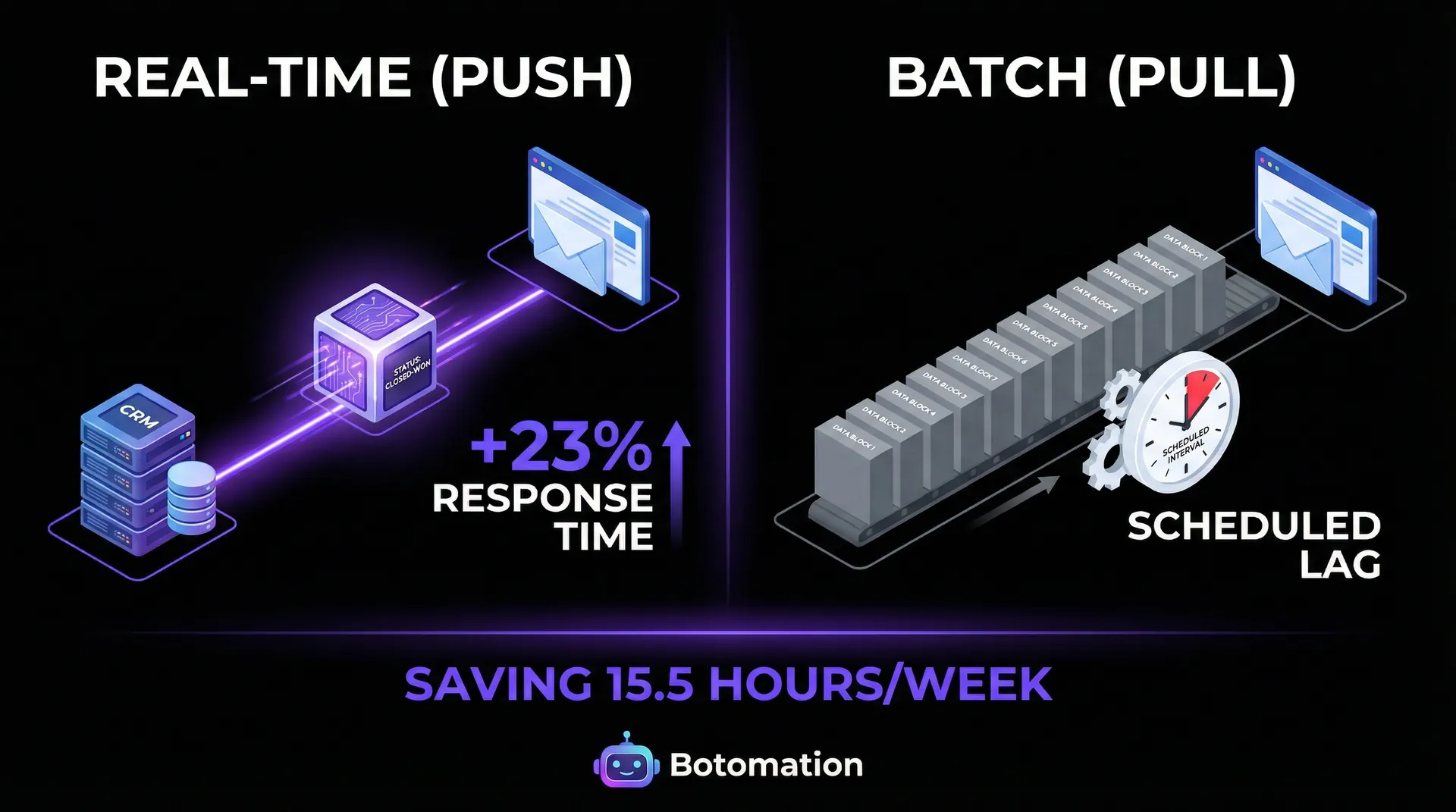
The technical distinction between real-time and batch synchronization often dictates the effectiveness of your automation. Real-time synchronization typically relies on webhooks or "push" technology, where the CRM sends a notification to the email platform the second a change occurs. This is vital for critical updates, such as a customer opting out of communications or a high-value lead requesting a demo.
If your system waits six hours to sync that data, you risk sending a generic marketing email to someone who just finished a sales call, which creates a disjointed and unprofessional brand experience. Batch synchronization, or "pull" technology, operates on a schedule—perhaps once an hour or once a day. While this is often less demanding on API limits and can be more cost-effective for massive databases, it introduces a lag that can be detrimental in the fast-moving SaaS world.
Data Mapping Basics Between CRM and Email Platforms
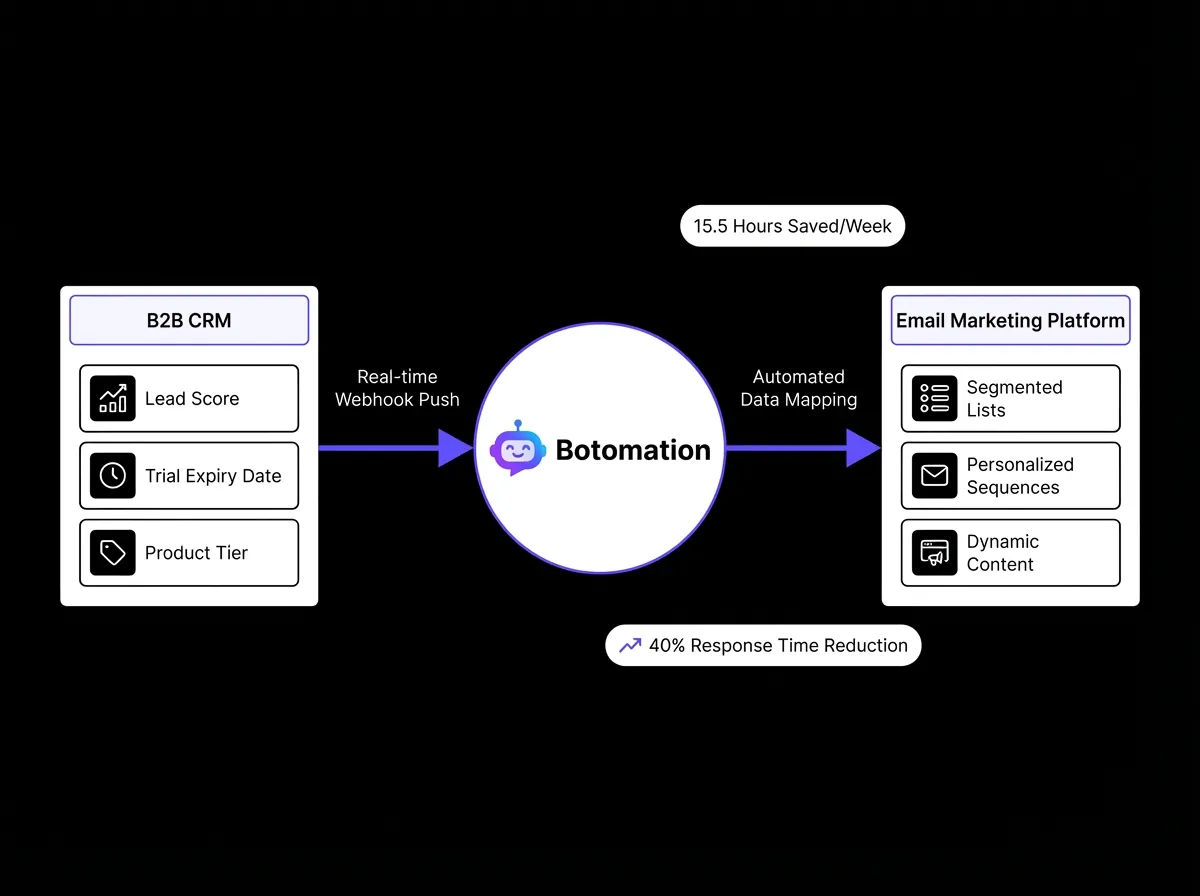
Successful data mapping requires a deep understanding of your customer journey and the specific data points that drive engagement. Common field mappings include the basics like first name and email address, but the real power lies in custom fields like "Product Tier," "Trial Expiry Date," and "Lead Score." In a B2B SaaS context, you might also want to map the "Account Owner" from the CRM or implement automated lead scoring so that marketing emails can be sent "from" the specific sales representative assigned to that account. This adds a layer of human touch to automated sequences that significantly boosts open and reply rates.
Data validation rules are equally important during the mapping process to prevent "garbage in, garbage out" scenarios. If your CRM allows for free-text entry in a "State" field but your email tool requires a two-letter ISO code, the sync will fail or create messy segments. Our team focuses on building validation layers and utilizing automated lead verification tools that clean and format data as it moves between systems. This ensures that your "Company Size" field doesn't end up with values like "10-50" in one system and "Small Business" in another, which would otherwise break your automated segmentation.
2026 Efficiency Insight: Companies that automate the sync between CRM and Email platforms report a 40% reduction in lead response time and save an average of 15.5 hours of manual data entry per week.
Top 5 CRM Email Integration Tools for 2026 and Their Features
Selecting the right bridge between your CRM and email marketing tool depends heavily on your technical requirements and the volume of data you handle. In 2026, the market is divided between native integrations provided by the software vendors themselves and the best integration platforms for business software that offer more flexibility. Native integrations are often easier to set up but can be limited in their ability to handle complex logic or multi-step workflows. Middleware solutions, on the other hand, act as a sophisticated "logic layer" that can transform data as it moves.
One of the most significant updates in the automation space recently was the release of Zapier's native Salesforce-Gmail integration v3.1 in January 2026. This update improved sync speeds by 50% and introduced better handling of high-volume API requests, making it a viable option for larger SaaS companies that previously required custom-coded solutions. However, even with these advancements, businesses must still be mindful of API rate limits. Most platforms restrict the number of "calls" you can make in a 24-hour period, and if your integration is poorly optimized, you could find your data sync grinding to a halt in the middle of a major campaign.
Native Integrations vs Third-Party Middleware
Native integrations, such as the connection between Salesforce and Pardot or HubSpot’s built-in email tools, offer the path of least resistance. Because the products are built by the same company, the data flows naturally without the need for complex mapping. However, many B2B SaaS companies prefer a "best-of-breed" approach, perhaps using Salesforce for their CRM but preferring the advanced automation features of Mailchimp or ActiveCampaign. In these cases, native connectors are often rudimentary, only syncing basic contact info while ignoring the rich behavioral data that makes marketing effective.
Third-party middleware like PieSync (now part of HubSpot) or specialized integration platforms provide a bidirectional sync that native tools often lack. Bidirectional sync means that if a customer updates their email address in a marketing form, that change is automatically reflected in the CRM, and vice versa. This prevents the common problem of having two different "versions" of a customer profile. While these tools require more maintenance and a higher technical understanding to configure, the resulting data integrity is often worth the initial investment.
Middleware Solutions for Complex Integration Needs
For organizations with massive datasets or highly complex business rules, tools like Syncari, Hightouch, and Census have become the gold standard in 2026. These are often referred to as "Reverse ETL" (Extract, Transform, Load) tools or Data Hubs. They don't just move data; they govern it. For example, if you have data coming from your CRM, your product database, and your help desk, a tool like Syncari can merge all that information into a single "Golden Record" before pushing the relevant pieces to your email marketing platform.
A notable success story from late 2024 involved a mid-market SaaS company that partnered with Syncari to resolve a massive duplicate record problem. By implementing a centralized data hub, they reduced duplicate records across their CRM and email platforms by 78% in just three months. This didn't just clean up their database; it saved them thousands of dollars in "per-contact" licensing fees that were being wasted on redundant entries. At Botomation, we specialize in configuring these advanced middleware layers so that your business logic is applied consistently across every tool in your stack.
| Feature | Native Integration | Middleware (Zapier/Make) | Data Hubs (Syncari/Hightouch) |
|---|---|---|---|
| **Setup Difficulty** | Low | Medium | High |
| **Customization** | Limited | High | Unlimited |
| **Data Direction** | Mostly Unidirectional | Mostly Unidirectional | Bidirectional |
| **Ideal For** | Basic Syncing | Workflow Automation | Enterprise Data Governance |
| **2026 Cost** | Included or Low | Subscription-based | Usage-based (Premium) |
Step-by-Step Setup Guide for Salesforce to Mailchimp Integration
Integrating Salesforce with Mailchimp is one of the most common requests we handle at Botomation. While Mailchimp offers a native "Salesforce Integration" app, getting it to work perfectly for a B2B SaaS model requires careful configuration. The goal is to ensure that your "Leads" and "Contacts" in Salesforce are segmented correctly in Mailchimp based on their lifecycle stage. This prevents the embarrassing mistake of sending a "Book a Demo" email to someone who is already deep in the sales pipeline with an account executive.
Before you begin the technical setup, you must define your "Sync Criteria." You likely don't want every single lead in your CRM to go to Mailchimp. For instance, you might only want to sync leads that have a valid email address and have reached a certain lead score. By filtering the data at the source, you keep your Mailchimp account clean and ensure your marketing budget is spent on viable prospects.
Prerequisites and API Configuration
The first technical hurdle is ensuring your Salesforce API user has the correct permissions. We recommend creating a dedicated "Integration User" in Salesforce rather than using an individual employee's credentials. This prevents the integration from breaking if that employee leaves the company or changes their password. This user needs "API Enabled" permissions and "Read/Write" access to the Leads, Contacts, and Accounts objects.
Testing is the most critical part of the prerequisite phase. We always advise our clients to use a Salesforce Sandbox environment and a test Mailchimp audience before going live. This allows you to verify that the field mapping is working as intended without the risk of sending accidental emails to your actual customers. During this phase, you should also check for any conflicting automation rules in either system.
Field Mapping and Sync Automation Setup
Once the connection is established, you will move to the field mapping screen. Start with the "Required" fields, which are usually just Email and Last Name. From there, add the custom fields that drive your segmentation. For companies using AI B2B prospecting tools, mapping fields like "Subscription Plan" and "Trial Start Date" is essential for high-conversion outreach. You should also map the "Lead Source" so you can track the effectiveness of different marketing channels within your email reports. In Mailchimp, these fields will appear as "Merge Tags," allowing you to insert dynamic content into your emails based on the data pulled from Salesforce.
After mapping the fields, you must configure the "Sync Rules." You can choose to sync all contacts or only those that belong to a specific Salesforce Campaign or View. We typically recommend using a Salesforce "Member Status" or a custom checkbox like "Sync to Mailchimp" to give your sales team manual control over who gets added to marketing sequences. Finally, set up error handling. Both Salesforce and Mailchimp provide logs that show why a specific record failed to sync. Monitoring these logs weekly is a key part of maintaining a healthy integration.
Best Practices for Data Hygiene and GDPR Compliance
In 2026, data privacy is not just a legal requirement; it is a fundamental part of customer trust. When you sync data between a CRM and an email marketing platform, you are moving "Personally Identifiable Information" (PII) across systems, which triggers various GDPR and CCPA requirements. The most important rule is that consent must be synchronized as well. If a user unsubscribes from a Mailchimp newsletter, that "Email Opt-Out" flag must be immediately updated in Salesforce.
Data hygiene is the other side of the coin. An automated sync is only as good as the data it's moving. Before you turn on any integration, our team at Botomation performs a deep "Data Audit" to identify duplicates, outdated records, and formatting errors. A 2024 report from Adobe found that companies implementing automated data validation procedures saw 35% fewer compliance issues and significantly higher engagement rates. Clean data ensures that your automations trigger for the right people at the right time.
GDPR and Privacy Compliance Requirements
To remain compliant with the latest 2026 regulations, your integration must support the "Right to be Forgotten." This means that if a customer requests that their data be deleted, it must be removed from both the CRM and the email platform (and any middleware in between). Modern integration tools now offer "Delete Sync" features that automate this process. Furthermore, you must ensure that your data is stored and processed in regions that satisfy your legal obligations. Many B2B SaaS companies are now opting for "EU-only" data residency to simplify their compliance landscape.
Consent tracking has also become more granular. It's no longer enough to have a single "Opt-In" checkbox. You may need to track consent for specific types of communication, such as "Product Updates," "Marketing Promotions," or "Partner Offers." Your CRM should act as the master record for these preferences, with the integration carefully mapping each consent type to the corresponding group or tag in your email tool.
Data Validation and Error Prevention
Preventing errors before they enter your system is far more efficient than trying to fix them after the fact. We recommend implementing "Validation Rules" at the point of entry—usually your website forms or CRM input screens. For example, you can use real-time email verification services that check if an email address is valid and active before it ever hits your CRM. This prevents "spam traps" and "hard bounces" from entering your marketing ecosystem, which protects your sender reputation.
Duplicate detection is another critical component of data hygiene. When multiple systems are connected, it's easy for the same person to be created as a "Lead" in Salesforce and a "Subscriber" in Mailchimp under different entries. Our automation experts use unique identifiers—usually a combination of Email Address and a "Global ID"—to merge these records automatically. By setting up these protocols, you ensure that your data remains a cohesive narrative of the customer's journey.
Measuring ROI and Performance of Your CRM Email Integration
The primary reason to invest in CRM email integration is to improve the bottom line, but you can't manage what you don't measure. Many firms choose to automate reporting to Google Sheets to gain real-time visibility into these metrics. In 2026, the ROI of automation is calculated through a combination of time saved and revenue generated. On the time-savings side, consider the manual effort involved in exporting a CSV from Salesforce, cleaning the data in Excel, and uploading it to Mailchimp every week; many teams still rely on connecting Excel to CRM systems manually rather than automating the flow. If this process takes a marketing coordinator four hours a week, that's 200 hours a year. At a $50/hour internal rate, that's $10,000 in pure labor costs saved by a single automation.
On the revenue side, the impact is even more dramatic. Integrated systems allow for "Triggered Emails" based on CRM behavior. For example, if a lead's status changes to "Negotiation," the system can automatically send a "Case Study" email relevant to their industry. Data from 2026 marketing reports shows that these behavior-triggered emails have a 25% higher conversion rate than generic broadcasts.
Key Performance Indicators for Integration Success
To track the health of your integration, you should monitor several Key Performance Indicators (KPIs). The first is "Sync Latency," which measures how long it takes for a change in the CRM to appear in the email tool. For critical B2B SaaS workflows, this should be under five minutes. The second KPI is the "Sync Error Rate." If more than 1% of your records are failing to sync, there is likely a structural issue with your data mapping or a conflict in your validation rules that needs to be addressed.
"Lead-to-Customer Conversion Rate" is the ultimate metric. By comparing the conversion rates of leads who received automated, integrated sequences versus those who were handled manually through automated lead qualification software, you can clearly see the value of the integration. Most of our clients at Botomation see a 40% improvement in lead response time, which is a leading indicator of higher conversion rates. When a lead gets a personalized response within minutes of their action, the likelihood of them moving forward in the sales process increases exponentially.
Calculating Return on Investment
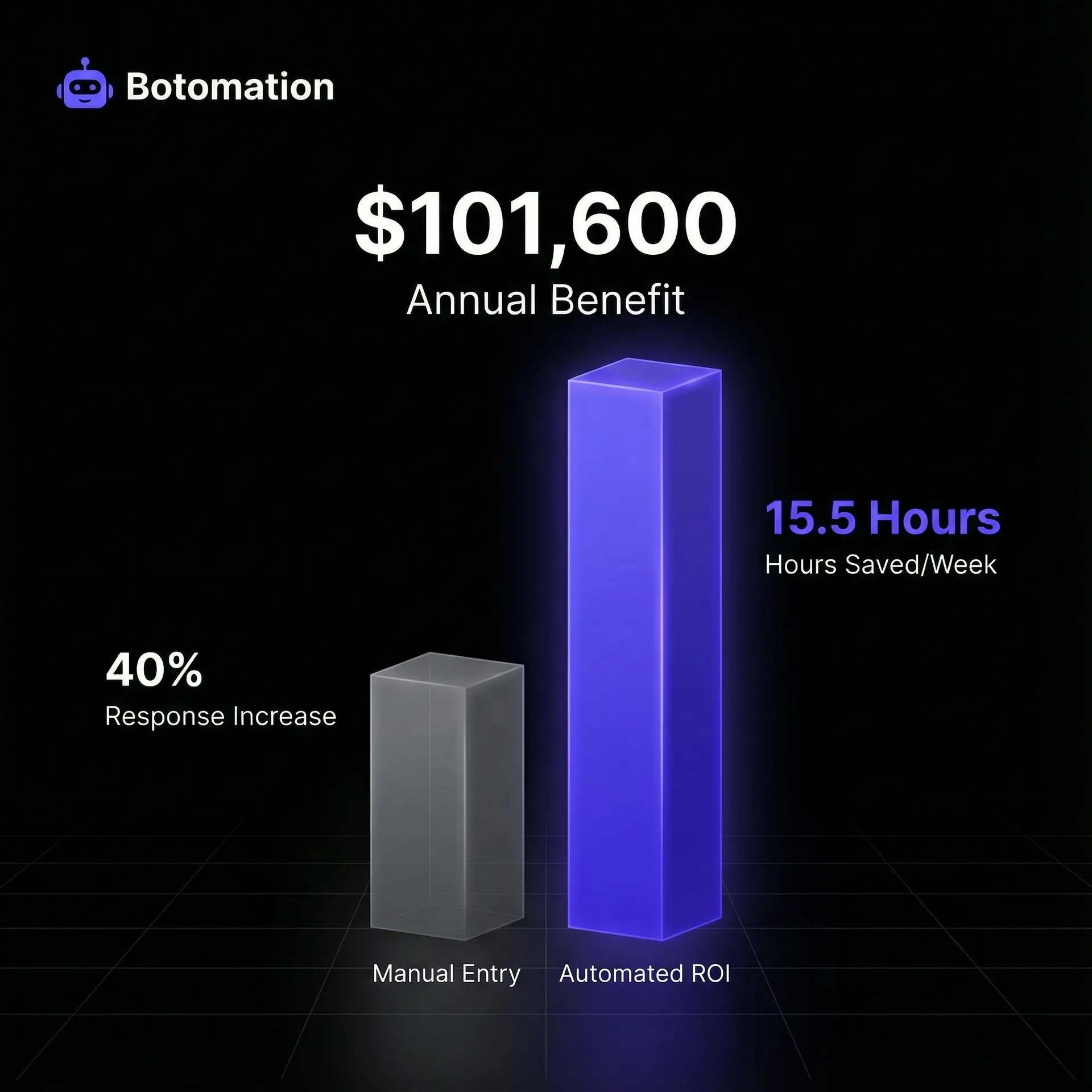
Calculating the ROI of your integration involves looking at both direct cost savings and indirect revenue gains. Let's look at a realistic scenario for a mid-sized SaaS company:
- Manual Labor Savings: 15 hours/week * $60/hour = $46,800/year.
- Reduced Error Correction: 5 hours/month * $80/hour = $4,800/year.
- Increased Revenue: 5% increase in conversion on a $1M pipeline = $50,000/year.
- Total Annual Benefit: $101,600.
If the cost of partnering with an agency like Botomation to set up and maintain the integration is $15,000, the payback period is less than two months. This doesn't even account for the "soft" benefits, such as improved employee morale (as they no longer have to do boring manual data entry) and a more professional brand image. When you look at the numbers, continuing with manual processes is often the most expensive choice a business can make.
Common Challenges and Troubleshooting Solutions
Even the best-designed integrations will occasionally run into issues. The most common challenge in 2026 remains "API Rate Limiting." Most SaaS platforms have a ceiling on how much data you can move in a given window. If you suddenly try to sync 50,000 records after a major trade show, you might hit this limit, causing the integration to pause. To solve this, we implement "Batch Queuing," where the integration intelligently spreads the data load over several hours to stay within the platform's limits without crashing the system.
Another frequent issue is "Field Type Mismatch." This happens when one system expects a number (like "1000") but the other system sends a string (like "One Thousand"). These small discrepancies can break an entire sync. Our troubleshooting approach involves setting up automated alerts that notify our team the moment a sync error occurs. This allows us to fix the mapping or data formatting issue before it impacts your marketing campaigns.
Sync Failure Causes and Resolutions
Authentication problems are a leading cause of sudden sync failures. API keys expire, or the "Integration User" might have their permissions changed by an unsuspecting IT administrator. We recommend using OAuth 2.0 whenever possible, as it provides a more secure and stable connection than simple API keys. If a sync fails, the first step is always to check the "Connection Status" in your middleware or integration app. Often, a simple "Re-authorize" click is all it takes to get the data flowing again.
Data formatting inconsistencies, particularly with phone numbers and addresses, are also a major hurdle. If your CRM doesn't enforce a specific format, you'll end up with a mix of formats that some email platforms will reject. The solution is to use "Data Transformation" steps in your integration logic. Before the data reaches the email tool, the middleware can automatically strip out parentheses and dashes, ensuring a 100% success rate for the sync.
Performance Optimization Strategies
As your database grows, you may notice that the sync starts to slow down. This is where "Delta Syncing" becomes important. Instead of checking every single record for changes, a Delta Sync only looks at records that have a "Last Modified Date" newer than the last sync time. This significantly reduces the load on both systems and ensures that updates are processed as quickly as possible. For companies with hundreds of thousands of contacts, this is a non-negotiable feature.
Database indexing is another "pro tip" for optimization. By ensuring that the fields used for the sync (like Email or External ID) are indexed in your CRM, the integration can find and update records much faster. Finally, we recommend regular "Sync Audits." Once a quarter, it’s wise to compare a random sample of records in both systems to ensure they match perfectly. This proactive approach catches "silent failures" where the integration thinks it's working but the data is subtly drifting apart.
Frequently Asked Questions
How often should my CRM and email data sync?
For most B2B SaaS companies, a real-time sync (or near real-time, within 5-15 minutes) is ideal for lead status changes and unsubscribes. Less critical data, like updated job titles or company descriptions, can be synced once a day in a batch to save on API usage.
Do I need a developer to set up these integrations?
While many tools offer "no-code" interfaces, achieving a reliable, bidirectional sync with complex business logic often requires specialized knowledge. Partnering with an automation agency ensures that the integration is built to handle edge cases and data validation that basic out-of-the-box setups often miss.
What happens if a contact is updated in both systems at the same time?
This is known as a "Race Condition." To prevent data loss, you must establish a "System of Record" for each field. Usually, the CRM is the master for contact details, while the email platform is the master for engagement data (like clicks and opens).
Will integrating my systems help with email deliverability?
Yes, significantly. By automating the sync of unsubscribes and bounces back to your CRM, you ensure that you aren't sending emails to "dead" addresses or people who have opted out. This keeps your sender reputation high and ensures your emails stay out of the spam folder.
Can I sync data from multiple CRMs into one email tool?
Yes, using middleware like Syncari or Zapier, you can aggregate data from multiple sources (e.g., a legacy CRM and a modern one) into a single email marketing platform. Our team specializes in these multi-source integrations to create a unified marketing view.
The days of manual data entry and disconnected software are over. In the competitive B2B SaaS landscape of 2026, the ability to move data fluidly between your CRM and email marketing platform is a baseline requirement for growth. By automating these processes, you don't just save time; you create a more responsive, personalized, and professional experience for your customers. You eliminate the human errors that lead to embarrassing communication blunders and ensure that your marketing and sales teams are finally working from the same playbook.
However, building these bridges is not a one-time task. It requires ongoing monitoring, optimization, and a deep understanding of how different APIs interact. Most operations managers simply don't have the time to become integration experts while also running their business. That is where we come in. Botomation is the expert agency that serves as the "glue" for your entire business, making your operations run on autopilot so you can focus on high-level strategy. We don't just connect tools; we build the infrastructure for your future growth.
Ready to automate your growth? Stop losing money to manual errors and disconnected systems today. Book a call below to see how our team can put your back-office on autopilot.
The friction between sales and marketing teams often stems from a single, frustrating reality: the data in the CRM rarely matches the data in the email marketing tool. Implementing a robust CRM email integration for B2B SaaS companies in 2026 is no longer optional; it is a necessity for growth. This disconnect is more than just a minor annoyance; it is a significant drain on resources and a primary cause of lost revenue. When a lead upgrades their subscription in your CRM but continues to receive "early bird" discount emails from your marketing platform, it signals a lack of internal cohesion that sophisticated buyers notice immediately. Statistics from recent industry surveys indicate that roughly 65% of B2B SaaS organizations still struggle with manual data entry or fragmented systems that fail to communicate effectively.
Our team at Botomation has observed that the most successful growth-stage companies have moved beyond the "copy-paste" era of data management. By implementing automated synchronization, these businesses are reclaiming over 15 hours per week of administrative time, allowing them to scale SaaS operations without adding headcount according to 2026 marketing efficiency reports. This guide explores the technical and strategic landscape of CRM email integration, providing a roadmap for operations managers and COOs who want to automate administrative tasks and are tired of disconnected systems. We will look at how to eliminate data silos between business applications to move from static, siloed data to a fluid ecosystem where every customer interaction triggers the appropriate response across your entire tech stack. Partnering with a dedicated automation agency like Botomation ensures these connections are not just functional but optimized for the specific nuances of your business logic.
Understanding CRM to Email Marketing Integration Fundamentals
At its core, integrating your CRM with your email marketing platform is about creating a single source of truth for your customer data. By centralizing these records, you are essentially building a specialized customer data platform that ensures marketing and sales are always aligned. Without this, your marketing team is essentially flying blind, relying on outdated lists and manual exports that are obsolete the moment they are downloaded. There are two primary ways this data moves between systems: real-time synchronization and batch processing. Understanding the difference is crucial for deciding how to structure your internal workflows, as detailed in our complete guide to automated data sync. Real-time sync ensures that as soon as a salesperson changes a lead's status to "Closed-Won" in the CRM, that individual is instantly moved from a "Nurture" sequence to an "Onboarding" sequence in the email tool.
Data mapping is the second pillar of a successful integration. This involves identifying which fields in your CRM correspond to specific segments or tags in your email platform. For a B2B SaaS company, this might include mapping "Company Size" to a specific industry-focused email track or "Last Login Date" to a re-engagement campaign. When these fields are mapped correctly, your marketing becomes hyper-personalized without any manual intervention. A 2024 case study from Zendesk highlighted that companies implementing real-time sync saw a 23% improvement in response times, as their automated communications were always relevant to the customer's current stage in the lifecycle.
Real-time vs Batch Synchronization Explained
The technical distinction between real-time and batch synchronization often dictates the effectiveness of your automation. Real-time synchronization typically relies on webhooks or "push" technology, where the CRM sends a notification to the email platform the second a change occurs. This is vital for critical updates, such as a customer opting out of communications or a high-value lead requesting a demo.
If your system waits six hours to sync that data, you risk sending a generic marketing email to someone who just finished a sales call, which creates a disjointed and unprofessional brand experience. Batch synchronization, or "pull" technology, operates on a schedule—perhaps once an hour or once a day. While this is often less demanding on API limits and can be more cost-effective for massive databases, it introduces a lag that can be detrimental in the fast-moving SaaS world.
Data Mapping Basics Between CRM and Email Platforms
Successful data mapping requires a deep understanding of your customer journey and the specific data points that drive engagement. Common field mappings include the basics like first name and email address, but the real power lies in custom fields like "Product Tier," "Trial Expiry Date," and "Lead Score." In a B2B SaaS context, you might also want to map the "Account Owner" from the CRM or implement automated lead scoring so that marketing emails can be sent "from" the specific sales representative assigned to that account. This adds a layer of human touch to automated sequences that significantly boosts open and reply rates.
Data validation rules are equally important during the mapping process to prevent "garbage in, garbage out" scenarios. If your CRM allows for free-text entry in a "State" field but your email tool requires a two-letter ISO code, the sync will fail or create messy segments. Our team focuses on building validation layers and utilizing automated lead verification tools that clean and format data as it moves between systems. This ensures that your "Company Size" field doesn't end up with values like "10-50" in one system and "Small Business" in another, which would otherwise break your automated segmentation.
2026 Efficiency Insight: Companies that automate the sync between CRM and Email platforms report a 40% reduction in lead response time and save an average of 15.5 hours of manual data entry per week.
Top 5 CRM Email Integration Tools for 2026 and Their Features
Selecting the right bridge between your CRM and email marketing tool depends heavily on your technical requirements and the volume of data you handle. In 2026, the market is divided between native integrations provided by the software vendors themselves and the best integration platforms for business software that offer more flexibility. Native integrations are often easier to set up but can be limited in their ability to handle complex logic or multi-step workflows. Middleware solutions, on the other hand, act as a sophisticated "logic layer" that can transform data as it moves.
One of the most significant updates in the automation space recently was the release of Zapier's native Salesforce-Gmail integration v3.1 in January 2026. This update improved sync speeds by 50% and introduced better handling of high-volume API requests, making it a viable option for larger SaaS companies that previously required custom-coded solutions. However, even with these advancements, businesses must still be mindful of API rate limits. Most platforms restrict the number of "calls" you can make in a 24-hour period, and if your integration is poorly optimized, you could find your data sync grinding to a halt in the middle of a major campaign.
Native Integrations vs Third-Party Middleware
Native integrations, such as the connection between Salesforce and Pardot or HubSpot’s built-in email tools, offer the path of least resistance. Because the products are built by the same company, the data flows naturally without the need for complex mapping. However, many B2B SaaS companies prefer a "best-of-breed" approach, perhaps using Salesforce for their CRM but preferring the advanced automation features of Mailchimp or ActiveCampaign. In these cases, native connectors are often rudimentary, only syncing basic contact info while ignoring the rich behavioral data that makes marketing effective.
Third-party middleware like PieSync (now part of HubSpot) or specialized integration platforms provide a bidirectional sync that native tools often lack. Bidirectional sync means that if a customer updates their email address in a marketing form, that change is automatically reflected in the CRM, and vice versa. This prevents the common problem of having two different "versions" of a customer profile. While these tools require more maintenance and a higher technical understanding to configure, the resulting data integrity is often worth the initial investment.
Middleware Solutions for Complex Integration Needs
For organizations with massive datasets or highly complex business rules, tools like Syncari, Hightouch, and Census have become the gold standard in 2026. These are often referred to as "Reverse ETL" (Extract, Transform, Load) tools or Data Hubs. They don't just move data; they govern it. For example, if you have data coming from your CRM, your product database, and your help desk, a tool like Syncari can merge all that information into a single "Golden Record" before pushing the relevant pieces to your email marketing platform.
A notable success story from late 2024 involved a mid-market SaaS company that partnered with Syncari to resolve a massive duplicate record problem. By implementing a centralized data hub, they reduced duplicate records across their CRM and email platforms by 78% in just three months. This didn't just clean up their database; it saved them thousands of dollars in "per-contact" licensing fees that were being wasted on redundant entries. At Botomation, we specialize in configuring these advanced middleware layers so that your business logic is applied consistently across every tool in your stack.
| Feature | Native Integration | Middleware (Zapier/Make) | Data Hubs (Syncari/Hightouch) |
|---|---|---|---|
| **Setup Difficulty** | Low | Medium | High |
| **Customization** | Limited | High | Unlimited |
| **Data Direction** | Mostly Unidirectional | Mostly Unidirectional | Bidirectional |
| **Ideal For** | Basic Syncing | Workflow Automation | Enterprise Data Governance |
| **2026 Cost** | Included or Low | Subscription-based | Usage-based (Premium) |
Step-by-Step Setup Guide for Salesforce to Mailchimp Integration
Integrating Salesforce with Mailchimp is one of the most common requests we handle at Botomation. While Mailchimp offers a native "Salesforce Integration" app, getting it to work perfectly for a B2B SaaS model requires careful configuration. The goal is to ensure that your "Leads" and "Contacts" in Salesforce are segmented correctly in Mailchimp based on their lifecycle stage. This prevents the embarrassing mistake of sending a "Book a Demo" email to someone who is already deep in the sales pipeline with an account executive.
Before you begin the technical setup, you must define your "Sync Criteria." You likely don't want every single lead in your CRM to go to Mailchimp. For instance, you might only want to sync leads that have a valid email address and have reached a certain lead score. By filtering the data at the source, you keep your Mailchimp account clean and ensure your marketing budget is spent on viable prospects.
Prerequisites and API Configuration
The first technical hurdle is ensuring your Salesforce API user has the correct permissions. We recommend creating a dedicated "Integration User" in Salesforce rather than using an individual employee's credentials. This prevents the integration from breaking if that employee leaves the company or changes their password. This user needs "API Enabled" permissions and "Read/Write" access to the Leads, Contacts, and Accounts objects.
Testing is the most critical part of the prerequisite phase. We always advise our clients to use a Salesforce Sandbox environment and a test Mailchimp audience before going live. This allows you to verify that the field mapping is working as intended without the risk of sending accidental emails to your actual customers. During this phase, you should also check for any conflicting automation rules in either system.
Field Mapping and Sync Automation Setup
Once the connection is established, you will move to the field mapping screen. Start with the "Required" fields, which are usually just Email and Last Name. From there, add the custom fields that drive your segmentation. For companies using AI B2B prospecting tools, mapping fields like "Subscription Plan" and "Trial Start Date" is essential for high-conversion outreach. You should also map the "Lead Source" so you can track the effectiveness of different marketing channels within your email reports. In Mailchimp, these fields will appear as "Merge Tags," allowing you to insert dynamic content into your emails based on the data pulled from Salesforce.
After mapping the fields, you must configure the "Sync Rules." You can choose to sync all contacts or only those that belong to a specific Salesforce Campaign or View. We typically recommend using a Salesforce "Member Status" or a custom checkbox like "Sync to Mailchimp" to give your sales team manual control over who gets added to marketing sequences. Finally, set up error handling. Both Salesforce and Mailchimp provide logs that show why a specific record failed to sync. Monitoring these logs weekly is a key part of maintaining a healthy integration.
Best Practices for Data Hygiene and GDPR Compliance
In 2026, data privacy is not just a legal requirement; it is a fundamental part of customer trust. When you sync data between a CRM and an email marketing platform, you are moving "Personally Identifiable Information" (PII) across systems, which triggers various GDPR and CCPA requirements. The most important rule is that consent must be synchronized as well. If a user unsubscribes from a Mailchimp newsletter, that "Email Opt-Out" flag must be immediately updated in Salesforce.
Data hygiene is the other side of the coin. An automated sync is only as good as the data it's moving. Before you turn on any integration, our team at Botomation performs a deep "Data Audit" to identify duplicates, outdated records, and formatting errors. A 2024 report from Adobe found that companies implementing automated data validation procedures saw 35% fewer compliance issues and significantly higher engagement rates. Clean data ensures that your automations trigger for the right people at the right time.
GDPR and Privacy Compliance Requirements
To remain compliant with the latest 2026 regulations, your integration must support the "Right to be Forgotten." This means that if a customer requests that their data be deleted, it must be removed from both the CRM and the email platform (and any middleware in between). Modern integration tools now offer "Delete Sync" features that automate this process. Furthermore, you must ensure that your data is stored and processed in regions that satisfy your legal obligations. Many B2B SaaS companies are now opting for "EU-only" data residency to simplify their compliance landscape.
Consent tracking has also become more granular. It's no longer enough to have a single "Opt-In" checkbox. You may need to track consent for specific types of communication, such as "Product Updates," "Marketing Promotions," or "Partner Offers." Your CRM should act as the master record for these preferences, with the integration carefully mapping each consent type to the corresponding group or tag in your email tool.
Data Validation and Error Prevention
Preventing errors before they enter your system is far more efficient than trying to fix them after the fact. We recommend implementing "Validation Rules" at the point of entry—usually your website forms or CRM input screens. For example, you can use real-time email verification services that check if an email address is valid and active before it ever hits your CRM. This prevents "spam traps" and "hard bounces" from entering your marketing ecosystem, which protects your sender reputation.
Duplicate detection is another critical component of data hygiene. When multiple systems are connected, it's easy for the same person to be created as a "Lead" in Salesforce and a "Subscriber" in Mailchimp under different entries. Our automation experts use unique identifiers—usually a combination of Email Address and a "Global ID"—to merge these records automatically. By setting up these protocols, you ensure that your data remains a cohesive narrative of the customer's journey.
Measuring ROI and Performance of Your CRM Email Integration
The primary reason to invest in CRM email integration is to improve the bottom line, but you can't manage what you don't measure. Many firms choose to automate reporting to Google Sheets to gain real-time visibility into these metrics. In 2026, the ROI of automation is calculated through a combination of time saved and revenue generated. On the time-savings side, consider the manual effort involved in exporting a CSV from Salesforce, cleaning the data in Excel, and uploading it to Mailchimp every week; many teams still rely on connecting Excel to CRM systems manually rather than automating the flow. If this process takes a marketing coordinator four hours a week, that's 200 hours a year. At a $50/hour internal rate, that's $10,000 in pure labor costs saved by a single automation.
On the revenue side, the impact is even more dramatic. Integrated systems allow for "Triggered Emails" based on CRM behavior. For example, if a lead's status changes to "Negotiation," the system can automatically send a "Case Study" email relevant to their industry. Data from 2026 marketing reports shows that these behavior-triggered emails have a 25% higher conversion rate than generic broadcasts.
Key Performance Indicators for Integration Success
To track the health of your integration, you should monitor several Key Performance Indicators (KPIs). The first is "Sync Latency," which measures how long it takes for a change in the CRM to appear in the email tool. For critical B2B SaaS workflows, this should be under five minutes. The second KPI is the "Sync Error Rate." If more than 1% of your records are failing to sync, there is likely a structural issue with your data mapping or a conflict in your validation rules that needs to be addressed.
"Lead-to-Customer Conversion Rate" is the ultimate metric. By comparing the conversion rates of leads who received automated, integrated sequences versus those who were handled manually through automated lead qualification software, you can clearly see the value of the integration. Most of our clients at Botomation see a 40% improvement in lead response time, which is a leading indicator of higher conversion rates. When a lead gets a personalized response within minutes of their action, the likelihood of them moving forward in the sales process increases exponentially.
Calculating Return on Investment
Calculating the ROI of your integration involves looking at both direct cost savings and indirect revenue gains. Let's look at a realistic scenario for a mid-sized SaaS company:
- Manual Labor Savings: 15 hours/week * $60/hour = $46,800/year.
- Reduced Error Correction: 5 hours/month * $80/hour = $4,800/year.
- Increased Revenue: 5% increase in conversion on a $1M pipeline = $50,000/year.
- Total Annual Benefit: $101,600.
If the cost of partnering with an agency like Botomation to set up and maintain the integration is $15,000, the payback period is less than two months. This doesn't even account for the "soft" benefits, such as improved employee morale (as they no longer have to do boring manual data entry) and a more professional brand image. When you look at the numbers, continuing with manual processes is often the most expensive choice a business can make.
Common Challenges and Troubleshooting Solutions
Even the best-designed integrations will occasionally run into issues. The most common challenge in 2026 remains "API Rate Limiting." Most SaaS platforms have a ceiling on how much data you can move in a given window. If you suddenly try to sync 50,000 records after a major trade show, you might hit this limit, causing the integration to pause. To solve this, we implement "Batch Queuing," where the integration intelligently spreads the data load over several hours to stay within the platform's limits without crashing the system.
Another frequent issue is "Field Type Mismatch." This happens when one system expects a number (like "1000") but the other system sends a string (like "One Thousand"). These small discrepancies can break an entire sync. Our troubleshooting approach involves setting up automated alerts that notify our team the moment a sync error occurs. This allows us to fix the mapping or data formatting issue before it impacts your marketing campaigns.
Sync Failure Causes and Resolutions
Authentication problems are a leading cause of sudden sync failures. API keys expire, or the "Integration User" might have their permissions changed by an unsuspecting IT administrator. We recommend using OAuth 2.0 whenever possible, as it provides a more secure and stable connection than simple API keys. If a sync fails, the first step is always to check the "Connection Status" in your middleware or integration app. Often, a simple "Re-authorize" click is all it takes to get the data flowing again.
Data formatting inconsistencies, particularly with phone numbers and addresses, are also a major hurdle. If your CRM doesn't enforce a specific format, you'll end up with a mix of formats that some email platforms will reject. The solution is to use "Data Transformation" steps in your integration logic. Before the data reaches the email tool, the middleware can automatically strip out parentheses and dashes, ensuring a 100% success rate for the sync.
Performance Optimization Strategies
As your database grows, you may notice that the sync starts to slow down. This is where "Delta Syncing" becomes important. Instead of checking every single record for changes, a Delta Sync only looks at records that have a "Last Modified Date" newer than the last sync time. This significantly reduces the load on both systems and ensures that updates are processed as quickly as possible. For companies with hundreds of thousands of contacts, this is a non-negotiable feature.
Database indexing is another "pro tip" for optimization. By ensuring that the fields used for the sync (like Email or External ID) are indexed in your CRM, the integration can find and update records much faster. Finally, we recommend regular "Sync Audits." Once a quarter, it’s wise to compare a random sample of records in both systems to ensure they match perfectly. This proactive approach catches "silent failures" where the integration thinks it's working but the data is subtly drifting apart.
Frequently Asked Questions
How often should my CRM and email data sync?
For most B2B SaaS companies, a real-time sync (or near real-time, within 5-15 minutes) is ideal for lead status changes and unsubscribes. Less critical data, like updated job titles or company descriptions, can be synced once a day in a batch to save on API usage.
Do I need a developer to set up these integrations?
While many tools offer "no-code" interfaces, achieving a reliable, bidirectional sync with complex business logic often requires specialized knowledge. Partnering with an automation agency ensures that the integration is built to handle edge cases and data validation that basic out-of-the-box setups often miss.
What happens if a contact is updated in both systems at the same time?
This is known as a "Race Condition." To prevent data loss, you must establish a "System of Record" for each field. Usually, the CRM is the master for contact details, while the email platform is the master for engagement data (like clicks and opens).
Will integrating my systems help with email deliverability?
Yes, significantly. By automating the sync of unsubscribes and bounces back to your CRM, you ensure that you aren't sending emails to "dead" addresses or people who have opted out. This keeps your sender reputation high and ensures your emails stay out of the spam folder.
Can I sync data from multiple CRMs into one email tool?
Yes, using middleware like Syncari or Zapier, you can aggregate data from multiple sources (e.g., a legacy CRM and a modern one) into a single email marketing platform. Our team specializes in these multi-source integrations to create a unified marketing view.
The days of manual data entry and disconnected software are over. In the competitive B2B SaaS landscape of 2026, the ability to move data fluidly between your CRM and email marketing platform is a baseline requirement for growth. By automating these processes, you don't just save time; you create a more responsive, personalized, and professional experience for your customers. You eliminate the human errors that lead to embarrassing communication blunders and ensure that your marketing and sales teams are finally working from the same playbook.
However, building these bridges is not a one-time task. It requires ongoing monitoring, optimization, and a deep understanding of how different APIs interact. Most operations managers simply don't have the time to become integration experts while also running their business. That is where we come in. Botomation is the expert agency that serves as the "glue" for your entire business, making your operations run on autopilot so you can focus on high-level strategy. We don't just connect tools; we build the infrastructure for your future growth.
Ready to automate your growth? Stop losing money to manual errors and disconnected systems today. Book a call below to see how our team can put your back-office on autopilot.
Get Started
Book a FREE Consultation Right NOW!
Schedule a Call with Our Team To Make Your Business More Efficient with AI Instantly.