Reduce Admin Tasks in Service Business Operations in 2026
Jan 8, 2026
Service Business
AI Automation
Operations
Service Business
AI Automation
Operations
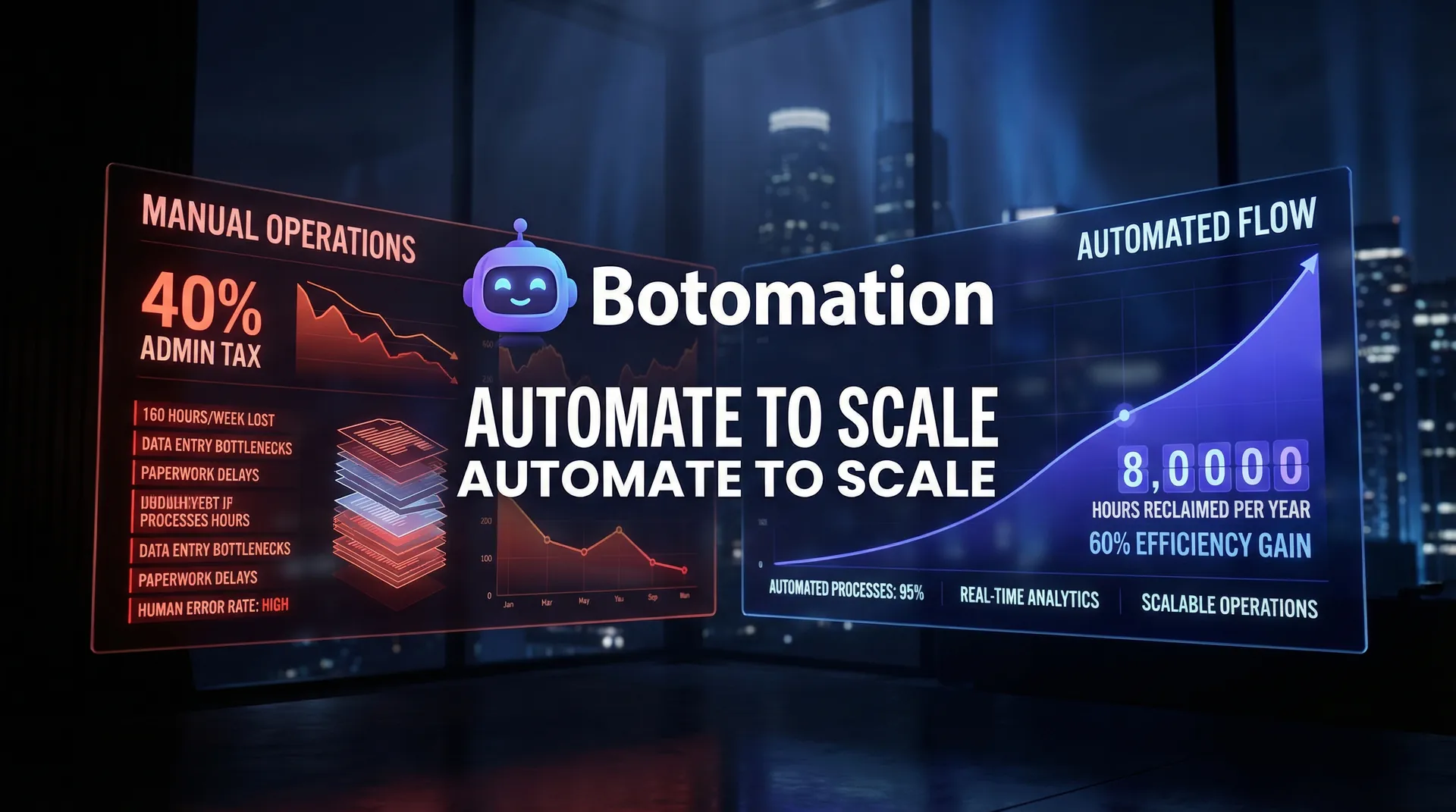
Operating a service-based business in 2026 requires a sophisticated approach to efficiency. While the core value you provide to your clients remains the priority, the "administrative tax" required to deliver that value has become a significant burden. We often see operations managers and COOs buried under a mountain of digital paperwork, from managing complex scheduling across global time zones to ensuring that data flows correctly between a dozen different software applications. This administrative friction isn't just a nuisance; it is a fundamental barrier to scaling your revenue and maintaining a healthy profit margin.
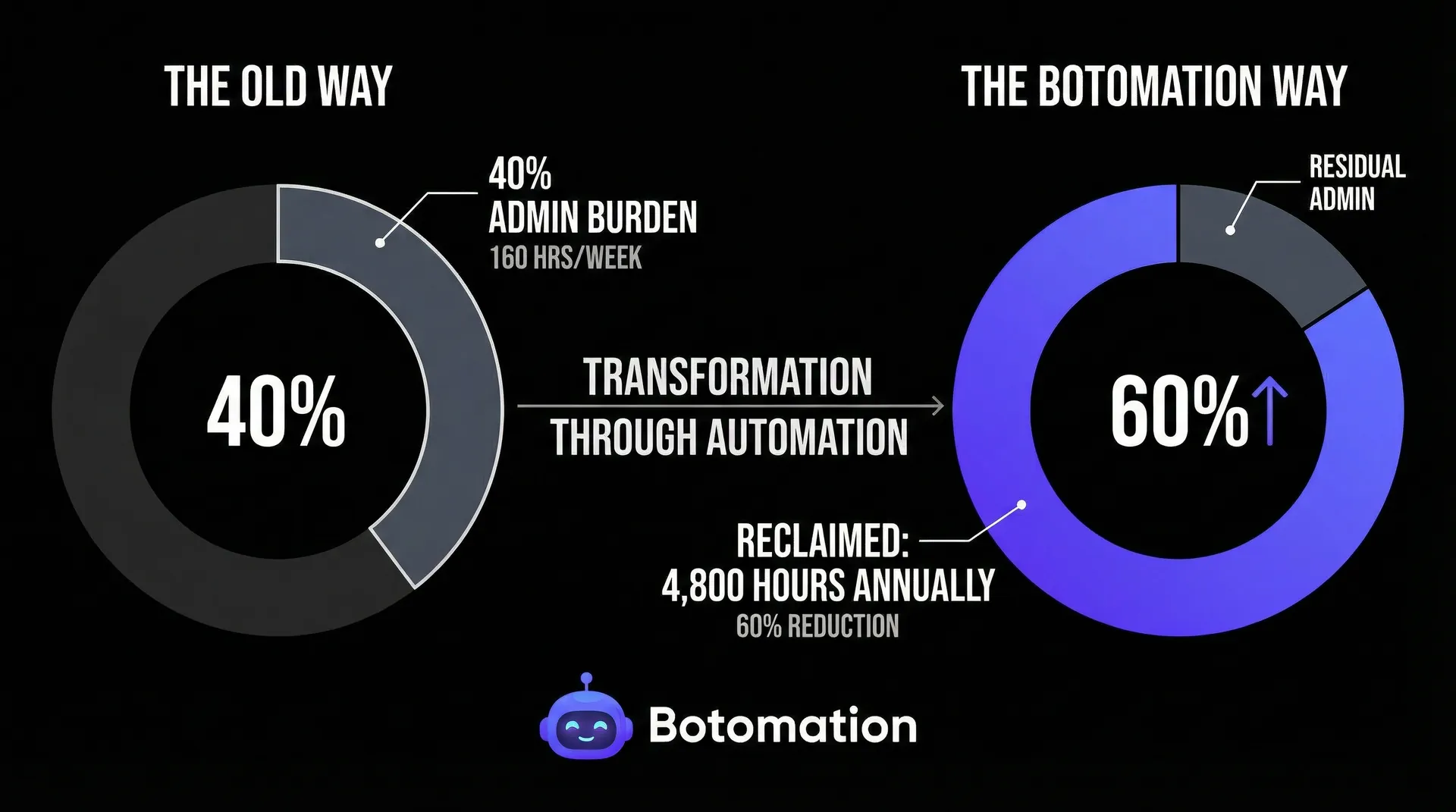
In the current landscape, digital transformation for service business operations has evolved from a buzzword into a survival strategy. Recent industry data suggests that service businesses still spend approximately 40% of their total working hours on non-billable administrative tasks. For a firm with ten employees, that equates to 160 hours every week—roughly 8,000 hours a year—spent on data entry, follow-up emails, and report generation rather than client strategy or service delivery. This is where the divide between stagnating firms and high-growth leaders becomes apparent. By partnering with an expert team to implement sophisticated workflow automation, businesses are now working to reduce admin tasks in service business operations by 60% or more, reclaiming thousands of hours for high-impact work.
The shift we are seeing in late 2026 is the move from simple "if-this-then-that" logic to automating repetitive business tasks with AI agents that handle nuance and decision-making. At Botomation, our team specializes in building these intelligent bridges. We don't just suggest tools; we architect the entire back-office ecosystem so that your operations run on autopilot. This article provides a comprehensive roadmap for identifying, implementing, and measuring the success of automation to effectively reduce admin tasks in service business operations.
Understanding How to Reduce Admin Tasks in Service Business Operations
Administrative burden is the "invisible work" that keeps a business running but doesn't directly add value to the client's end product. In a service context, this includes everything from the moment a lead fills out a form to the final invoice being marked as paid. The challenge in 2026 is that as we adopt more specialized tools for CRM, project management, and accounting, we inadvertently create "data silos." Someone—usually a high-paid operations professional—has to act as the human bridge between these systems, though AI agents now replace manual data entry work by copy-pasting information and double-checking for errors autonomously.
Many back-office automation service companies have highlighted that the 40% statistic mentioned earlier is a wake-up call for many of our clients. When you break it down, a senior consultant earning $150,000 a year might be spending $60,000 worth of their time on tasks that a well-configured automation could handle for a fraction of the cost. The trend in 2026 has shifted toward "Hyper-Automation," where business process automation for service companies involves tools like Microsoft Copilot for Business and GPT-5 enabled agents integrated directly into the workflow. These aren't just chatbots; they are functional components that can read a contract, extract key dates, update a CRM, and notify the legal team without a human ever touching a keyboard.
Common Administrative Tasks Consuming Service Business Time
When we audit new clients, we consistently find four primary "time sinks": manual data entry, fragmented email management, complex scheduling, and manual reporting. Data entry is perhaps the most insidious, which is why many firms implement automated data sync for CRM and email to stop small increments of manual work—five minutes here, ten minutes there—from aggregating into a massive loss of productivity. For example, moving a lead’s contact details from a website form into a CRM and then into a project management tool like Asana or Monday.com is a task that carries zero strategic value but high risk for human error.
Consider a case study from a mid-sized consulting firm we recently partnered with. Before working with Botomation, their team spent roughly 25 hours every week just managing the onboarding phase for new clients. This included sending welcome emails, setting up shared folders, and automating the client onboarding process to handle task creation and invoicing. By quantifying this, we found they were losing 1,300 hours annually to pure administrative work. This "Old Way" of operating meant that for every four clients they signed, they effectively needed to hire a new administrative assistant just to keep up with the paperwork.
Impact of Admin Overload on Business Growth
The real cost of administrative overload isn't just the salary paid for those hours; it's the "opportunity cost" of what those people could have been doing instead. When your most talented staff are stuck in spreadsheets, they aren't innovating, they aren't deepening client relationships, and they aren't identifying new revenue streams. This leads to a plateau in growth where the business cannot take on more work because the administrative infrastructure is already at its breaking point.
Furthermore, manual processes are inherently prone to error. A missed digit in a contract or a forgotten follow-up email can lead to lost revenue or damaged reputations. We have seen companies that grew 30% faster in a single year simply because they automated project management and billing to clear the administrative deck. By removing the friction of manual tasks, their teams were able to handle a higher volume of clients with the same headcount, directly impacting the bottom line. The "New Way" of operating, powered by Botomation’s expertise, ensures that your business can scale without a linear increase in administrative costs.
"Automation is no longer about replacing humans; it's about liberating them from the mundane so they can focus on the exceptional." — Senior Operations Consultant at Botomation.
Identifying High-Impact Opportunities to Reduce Admin Tasks in Service Business Operations
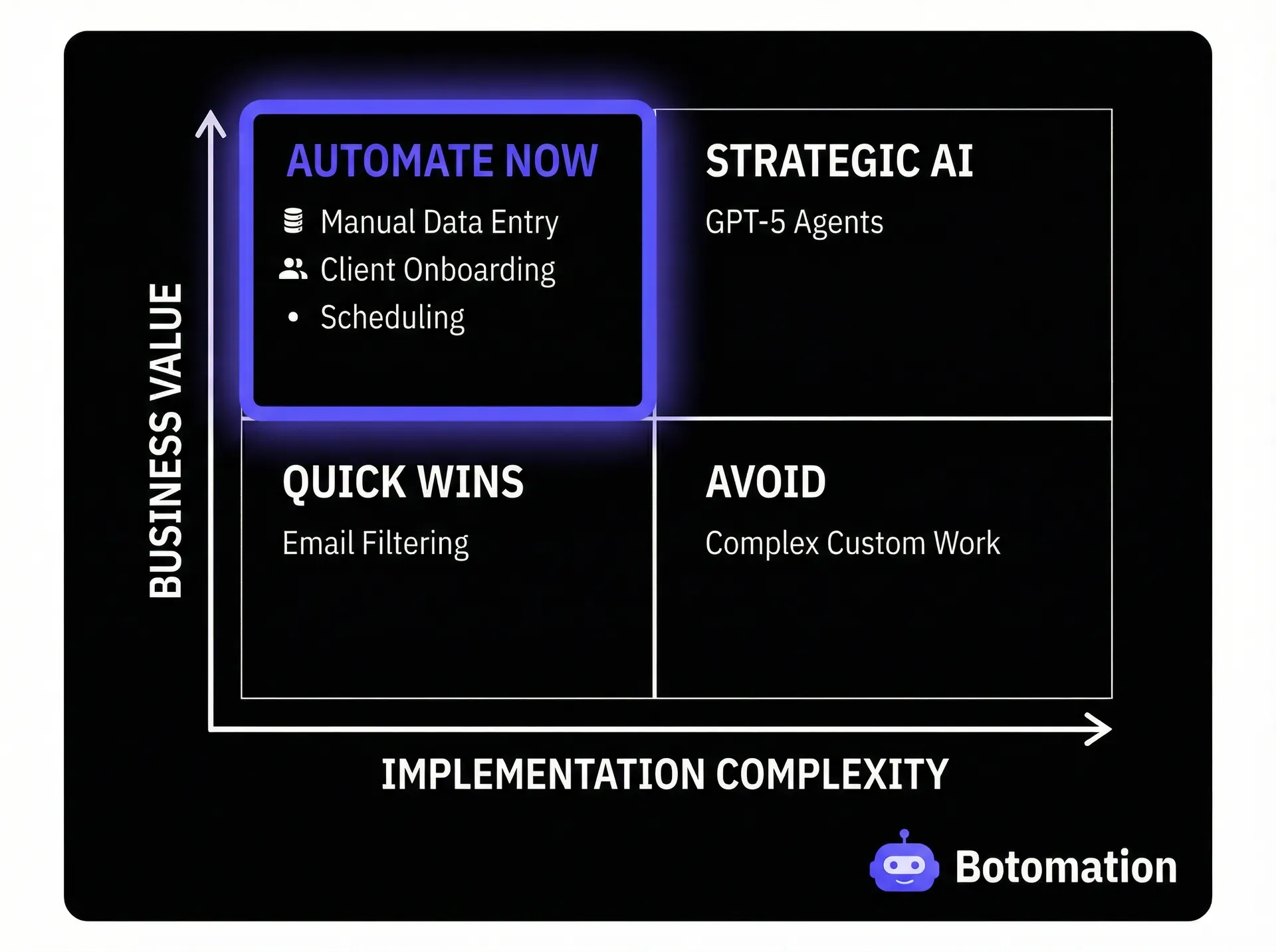
Not every task is a candidate for automation. To maximize your return on investment, you must focus on tasks that are high-frequency, logic-based, and time-consuming. We use a "Complexity vs. Value" matrix to help our clients prioritize their automation roadmap. The goal is to find the "low-hanging fruit"—tasks that are easy to automate but provide immediate relief to the team. In 2026, tools like Zapier’s AI suggestions and Make.com’s process mining features have made it easier to spot these bottlenecks by analyzing your existing data flows and suggesting where a bridge is needed. When you automate repetitive tasks service business owners often find that the most impactful changes are also the simplest to implement initially.
Data Entry and Information Management Tasks
Repetitive data transfer is the most logical starting point for any automation strategy. If your team is moving information from an email to a spreadsheet, or from a spreadsheet to a CRM, you are wasting resources. In 2026, we utilize advanced Optical Character Recognition (OCR) and AI-driven parsing to extract data from unstructured sources like PDFs or handwritten notes and push them into structured databases automatically.
One marketing agency we worked with was spending 15 hours weekly just syncing campaign data from various social platforms into their internal reporting dashboard. Our team built a custom workflow using Make.com and specialized APIs that pulled this data in real-time. This didn't just save time; it provided the agency with "live" insights they could share with clients, turning a boring administrative task into a competitive advantage. The key is to ensure your tools—whether it's your Email, Spreadsheets, or CRM—are all "talking" to each other through a centralized automation hub.
Communication and Scheduling Workflows
The "back-and-forth" of scheduling is a classic administrative nightmare. While tools like Calendly have existed for years, the 2026 approach involves deep integration with your entire business context. Imagine an automation that doesn't just offer a link, but checks the prospect's CRM status, verifies the consultant's current project load, and automatically prepares a personalized briefing document before the meeting even starts.
By implementing WhatsApp calendar integration and connecting Google Workspace with your automation engine, you can reduce scheduling-related admin time by up to 60%. We recently implemented a workflow for a legal services firm where the automation handled the entire intake process: it screened the initial inquiry, checked for conflicts of interest in their database, scheduled the consultation, and sent out the necessary NDA—all without a human needing to intervene until the actual meeting time. This is the level of "autopilot" operations that Botomation provides.
Best Workflow Automation Tools for Admin Task Reduction in 2026
Choosing the right tool is critical, but it’s often the most confusing part for business owners. The landscape in 2026 is dominated by a few major players, each with unique strengths. However, the tool itself is only as good as the architecture behind it. That’s why our team at Botomation focuses on selecting the right "stack" for your specific needs, ensuring that your systems are integrated seamlessly. Utilizing the right service business workflow automation software can be the difference between a fragmented system and a unified engine.
| Feature | Zapier (2026 Version) | Make.com | n8n (Self-Hosted) | Airtable Automation |
|---|---|---|---|---|
| **Ease of Use** | High (Natural Language) | Medium (Visual Canvas) | Low (Developer Focused) | High (Database Centric) |
| **Complexity** | Simple to Moderate | High / Multi-step | Very High / Custom | Moderate |
| **AI Integration** | Built-in GPT-5 Agents | Custom API Hooks | Deep AI Orchestration | Native AI Fields |
| **Best For** | Quick wins & simple syncs | Complex logic & mapping | Data privacy & custom code | Content & Project Ops |
No-Code Automation Platforms for Admin Work
Zapier remains the leader for quick integrations, especially with its 2026 updates that allow users to describe a workflow in plain English to have it built automatically. However, for more complex service operations, we often lean toward Make (formerly Integromat). Make allows for a more granular, visual representation of the data flow, which is essential when you're dealing with conditional logic—for example, "If the client is in the UK, send invoice A; if they are in the US, send invoice B and notify the US tax team."
We worked with a professional services firm that used a combination of these platforms to reduce their total admin overhead by 65%. They used Zapier for simple notifications and Make for their heavy-duty financial data processing. By using the right tool for the right job, they avoided the "spaghetti code" mess that often happens when businesses try to force one tool to do everything. Our experts ensure that your automation stack is scalable and cost-effective, avoiding unnecessary subscription bloat. Identifying the most effective workflow automation tools for consulting businesses requires this nuanced approach to platform selection.
Specialized Admin Automation Solutions
Beyond general-purpose integrators, 2026 has brought specialized tools that solve specific admin problems with incredible efficiency. For document processing, tools like Rossom or DocuSign’s advanced AI suites can now "read" and categorize documents with 99% accuracy. For project management, Airtable has evolved from a simple database into a full-scale automation engine that can trigger complex workflows based on status changes.
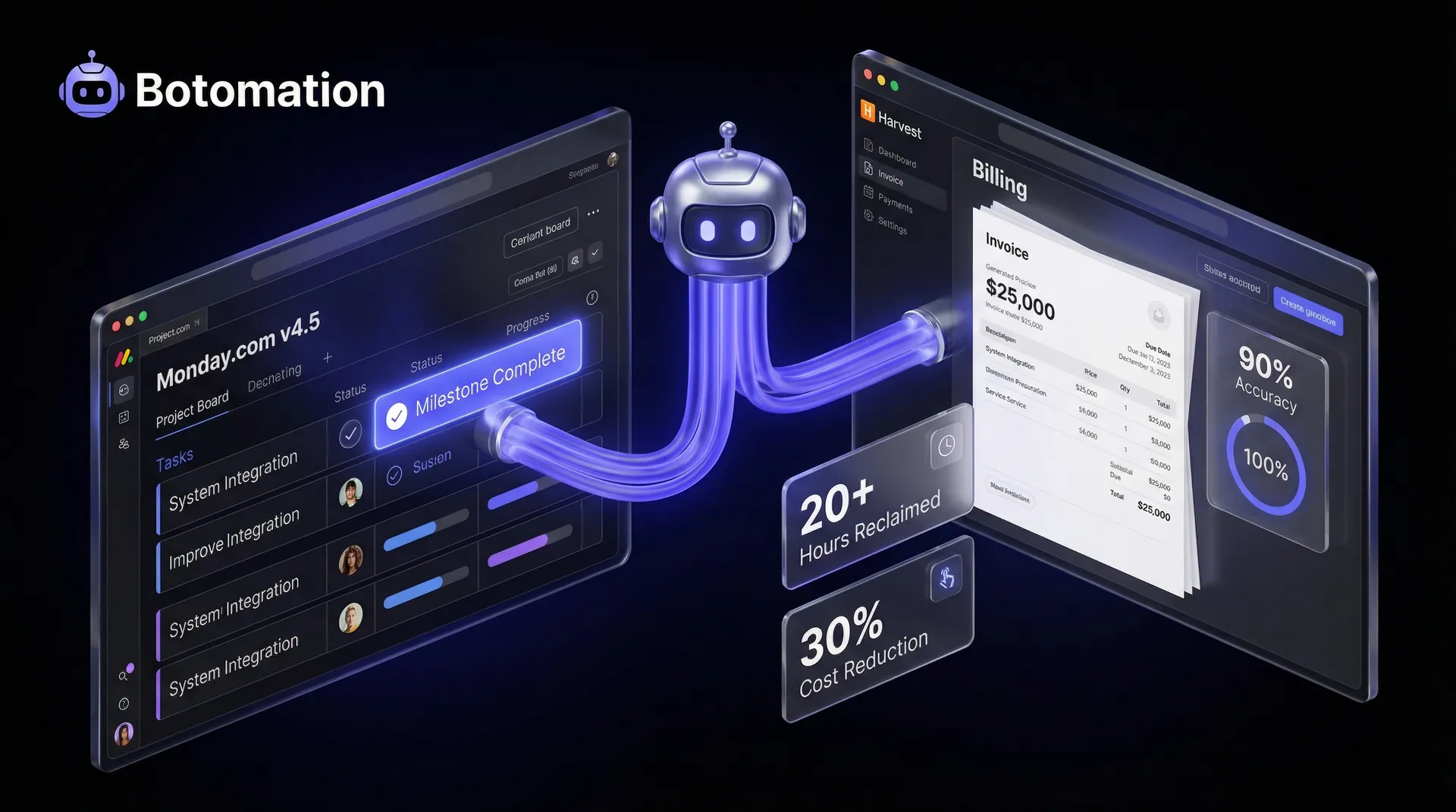
The real power comes when these specialized tools are connected by Botomation’s experts. We don't just set up a tool; we create a "connective tissue" across your organization. For instance, we can link your specialized time-tracking software directly to your accounting system, so that as soon as a project hits its milestone, the invoice is generated, sent, and tracked for payment automatically. This eliminates the "lag time" in your cash flow caused by administrative delays. By 2026, the integration of AI agents into these specialized tools allows for autonomous decision-making, such as identifying when a client is likely to churn based on their interaction patterns and triggering a retention workflow without human prompts.
Implementation Strategies for Admin Task Automation
Implementing automation should not be a "big bang" event that disrupts your entire office. Instead, we recommend a phased approach that builds confidence and demonstrates ROI early on. The goal is to transition from the "Old Way" of manual chaos to the "New Way" of automated precision without losing a step in your daily operations. Successfully implementing workflow automation for service-based business operations requires a cultural shift as much as a technical one.
Phase 1: Automating Low-Risk Administrative Tasks
The first phase focuses on tasks where the risk of error is low but the frequency is high. This usually involves internal notifications and basic data syncing. For example, setting up a workflow that notifies a Slack channel whenever a new lead is captured or a project status is updated. These small wins prove the value of automation to the team and begin to clear the mental clutter of constant manual checking.
A professional services firm we partnered with started by automating their internal "status report" requests. Instead of the COO emailing five department heads every Friday, they used automated executive reporting to pull data directly from their project management tool and format it into a concise summary. This simple change saved the COO three hours a week and ensured the data was always objective and up-to-date. By starting small, they were able to refine their data hygiene before moving on to more complex integrations.
Step-by-Step Tutorial: Automating Your First Lead-to-CRM Flow
- Identify the Trigger: Choose your source (e.g., a Typeform or Webflow form). Ensure you are capturing all necessary fields (Name, Email, Service Interest).
- Connect the Bridge: Use a tool like Make.com to "listen" for new submissions.
- Add Logic (Optional): Insert a filter to only process leads that meet certain criteria (e.g., "Budget > $5,000").
- Map the Data: Direct the automation to create a "New Deal" in your CRM (e.g., HubSpot or Pipedrive). Ensure the email address is mapped correctly to avoid duplicate records.
- Automate the Follow-up: Add a final step to send a personalized "Thank You" email via Gmail or Outlook, including a link to your calendar for a discovery call.
- Test and Deploy: Run three test submissions to ensure the data lands in the right place, then turn the "on" switch.
Phase 2: Scaling to Complex Administrative Workflows
Once the foundation is laid, we move to Phase 2: the "heavy lifting." This involves workflows that interact with your financial systems, legal documents, and client-facing deliverables. In 2026, this often includes AI-assisted document generation. For a consulting firm, this might mean an automation that takes the "Discovery Notes" from a meeting, uses an LLM to summarize them into a formal proposal, and sends that proposal to the client for an e-signature.
Scaling to this level requires a deep understanding of APIs and data security. Our team at Botomation handles the technical complexity of connecting these disparate systems. We recently helped a global consultancy automate 80% of their reporting process. By pulling data from financial tools, time-tracking software, and project management boards, we created a "Master Dashboard" that updated in real-time. What used to take a team of three people a full week to prepare every month now happens instantaneously, with zero human intervention. This phase also involves the use of "Self-Healing Workflows"—automations that can detect when a step has failed (e.g., an API timeout) and automatically attempt a retry or alert a human with a specific diagnostic report, ensuring that the back-office remains robust 24/7.
Measuring Administrative Task Reduction Success
You cannot manage what you do not measure. To justify the investment in automation, you must track specific Key Performance Indicators (KPIs) that demonstrate both time savings and financial impact. At Botomation, we provide our clients with detailed reporting on their automation performance, showing exactly how many hours have been reclaimed and where the most significant gains are being made.
Tracking Administrative Time and Efficiency Metrics
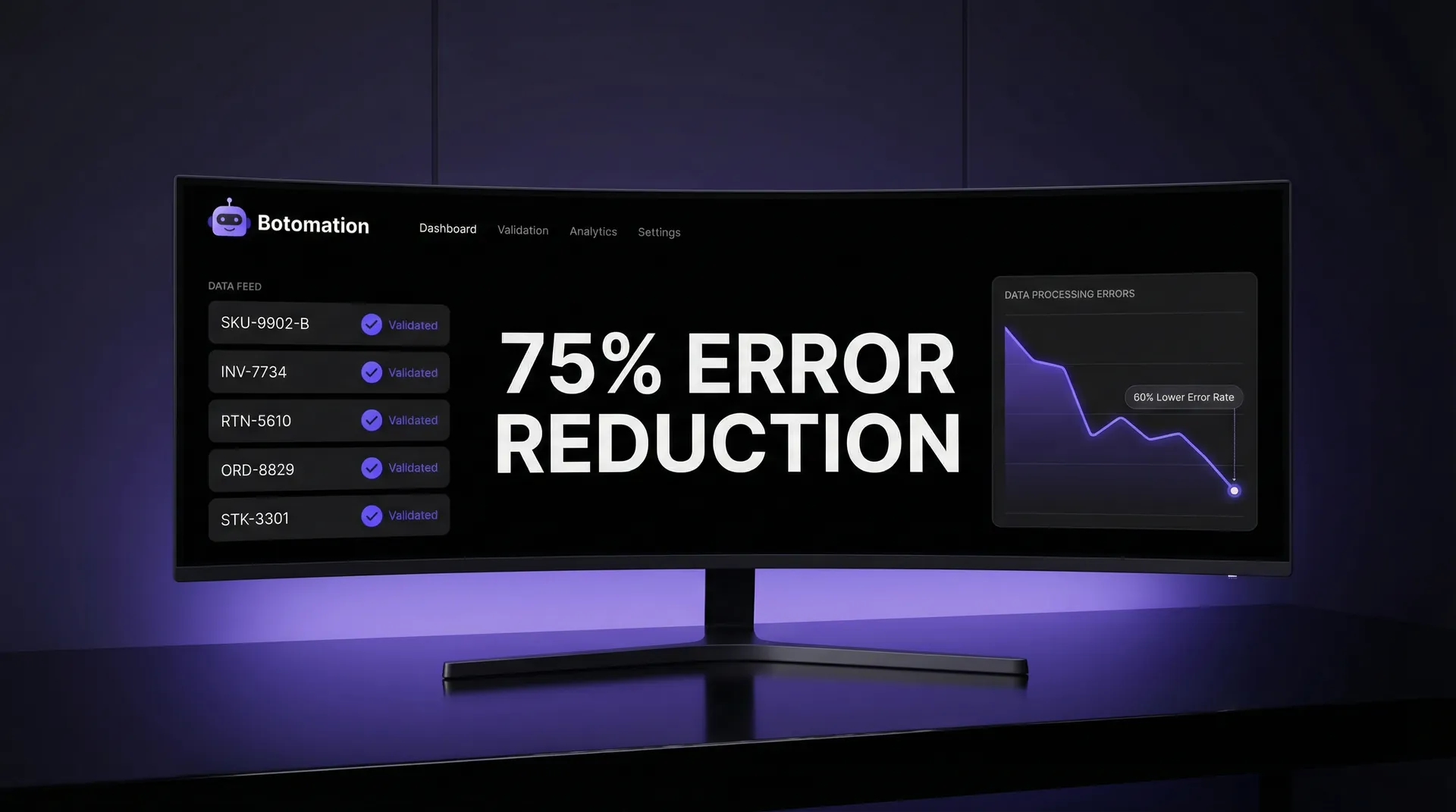
The most immediate metric is "Admin Time Percentage." Before automation, most firms are at that 40% mark. After a successful implementation with our team, we expect to see that number drop to 15% or lower. We also track "Error Rates" in data entry. If your team was manually entering 500 invoices a month, there was likely a 2-3% error rate. Automation reduces this to nearly zero, preventing costly financial discrepancies.
Another critical metric is "Task Completion Time." How long does it take from the moment a client signs a contract to the moment the project is kicked off? In a manual environment, this can take 24-48 hours. With Botomation’s workflows, it takes seconds. By measuring these "micro-efficiencies," you can see the cumulative impact on your business's agility. We have seen businesses reduce their "Lead-to-Cash" cycle by 40%, significantly improving their liquidity. Furthermore, monitoring "Employee Satisfaction Scores" often reveals that morale improves as staff are relieved of the drudgery of repetitive data tasks.
Calculating Business Impact and ROI
To calculate the true ROI, we look at the fully burdened cost of your employees' time. This isn't just their base salary; it includes benefits, taxes, and overhead.
The ROI Calculation:
* Base Salary: $45,000
* Benefits & Overhead (25%): $11,250
* Total Annual Cost: $56,250
* Admin Time (40%): $22,500
* Automation Savings (75% of Admin Time): $16,875 per employee.
If you have a team of ten, that is $168,750 in reclaimed value every year. This doesn't even account for the additional revenue generated by the team now that they are focused on client work. One of our case studies showed a 250% ROI within the first six months of partnering with us. The financial impact is clear: automation is not an expense; it is a high-yield investment in your company's infrastructure. By 2026, firms that fail to make this investment are finding themselves unable to compete on price with automated competitors who operate with significantly lower overhead.
Frequently Asked Questions
How do we handle security and compliance when automating sensitive client data?
Security is our top priority at Botomation. In 2026, we use enterprise-grade automation tools that are SOC2, GDPR, and HIPAA compliant. We implement "Least Privilege" access, meaning the automation only has access to the specific data it needs to perform its task. We also use encrypted data tunnels and "Secret Management" for all API keys to ensure your information is never exposed.
Will automation make our service feel "robotic" to our clients?
Quite the opposite. By automating the "boring" admin tasks, your team has more time to provide high-touch, personalized service. We use automation to handle the logistics (scheduling, invoicing, data syncing) so that when your team does interact with a client, they are fully briefed and focused on the relationship, not the paperwork. We can even use AI to help draft personalized messages that your team can review and "humanize" before sending.
Do we need a dedicated IT person to manage these automations?
No. That is the primary benefit of partnering with an agency like Botomation. We act as your "Fractional Automation Department." Our team designs, builds, and maintains your workflows. If an API changes or a tool updates, we handle the adjustments. You get all the benefits of a high-tech operations department without the overhead of hiring full-time developers.
How long does it typically take to see results?
Most of our clients see "Phase 1" results within the first 30 days. Because we focus on high-impact, low-risk tasks first, you will notice an immediate reduction in the daily "noise" of admin work. Full-scale "Phase 2" transformations typically take 90 to 120 days, depending on the complexity of your existing systems.
Can automation work with our older, legacy software?
In almost all cases, yes. While 2026-era tools with modern APIs are easier to connect, we have extensive experience using "RPA" (Robotic Process Automation) and custom webhooks to bridge the gap with older systems. If there is a way to access the data, our team can automate the flow.
Partnering with Botomation for Seamless Operations
The administrative burden in service businesses is a silent killer of growth, culture, and profitability. As we move through 2026, the gap between businesses that operate manually and those that operate on "autopilot" will only continue to widen. You didn't start your business to spend your days managing spreadsheets and chasing down status updates. You started it to solve problems for your clients and build something meaningful.
Botomation is the "glue" that connects your entire business. Our expert team takes the disconnected tools you use every day—Email, Spreadsheets, CRM, and Project Management—and weaves them into a single, cohesive engine. We eliminate the manual entry, erase the human error, and streamline your back-office so you can focus on what actually moves the needle. Partnering with us isn't just about buying a service; it's about investing in a future where your business scales effortlessly.
The "Old Way" of manual operations is slow, expensive, and prone to failure. The "New Way" is automated, instant, and precise. The choice for any forward-thinking COO or Operations Manager is clear. Botomation is the most logical choice to solve your administrative challenges and unlock your team's true potential.
Ready to automate your growth? Stop losing money to manual tasks today. Book a free consultation call below.
Operating a service-based business in 2026 requires a sophisticated approach to efficiency. While the core value you provide to your clients remains the priority, the "administrative tax" required to deliver that value has become a significant burden. We often see operations managers and COOs buried under a mountain of digital paperwork, from managing complex scheduling across global time zones to ensuring that data flows correctly between a dozen different software applications. This administrative friction isn't just a nuisance; it is a fundamental barrier to scaling your revenue and maintaining a healthy profit margin.
In the current landscape, digital transformation for service business operations has evolved from a buzzword into a survival strategy. Recent industry data suggests that service businesses still spend approximately 40% of their total working hours on non-billable administrative tasks. For a firm with ten employees, that equates to 160 hours every week—roughly 8,000 hours a year—spent on data entry, follow-up emails, and report generation rather than client strategy or service delivery. This is where the divide between stagnating firms and high-growth leaders becomes apparent. By partnering with an expert team to implement sophisticated workflow automation, businesses are now working to reduce admin tasks in service business operations by 60% or more, reclaiming thousands of hours for high-impact work.
The shift we are seeing in late 2026 is the move from simple "if-this-then-that" logic to automating repetitive business tasks with AI agents that handle nuance and decision-making. At Botomation, our team specializes in building these intelligent bridges. We don't just suggest tools; we architect the entire back-office ecosystem so that your operations run on autopilot. This article provides a comprehensive roadmap for identifying, implementing, and measuring the success of automation to effectively reduce admin tasks in service business operations.
Understanding How to Reduce Admin Tasks in Service Business Operations
Administrative burden is the "invisible work" that keeps a business running but doesn't directly add value to the client's end product. In a service context, this includes everything from the moment a lead fills out a form to the final invoice being marked as paid. The challenge in 2026 is that as we adopt more specialized tools for CRM, project management, and accounting, we inadvertently create "data silos." Someone—usually a high-paid operations professional—has to act as the human bridge between these systems, though AI agents now replace manual data entry work by copy-pasting information and double-checking for errors autonomously.
Many back-office automation service companies have highlighted that the 40% statistic mentioned earlier is a wake-up call for many of our clients. When you break it down, a senior consultant earning $150,000 a year might be spending $60,000 worth of their time on tasks that a well-configured automation could handle for a fraction of the cost. The trend in 2026 has shifted toward "Hyper-Automation," where business process automation for service companies involves tools like Microsoft Copilot for Business and GPT-5 enabled agents integrated directly into the workflow. These aren't just chatbots; they are functional components that can read a contract, extract key dates, update a CRM, and notify the legal team without a human ever touching a keyboard.
Common Administrative Tasks Consuming Service Business Time
When we audit new clients, we consistently find four primary "time sinks": manual data entry, fragmented email management, complex scheduling, and manual reporting. Data entry is perhaps the most insidious, which is why many firms implement automated data sync for CRM and email to stop small increments of manual work—five minutes here, ten minutes there—from aggregating into a massive loss of productivity. For example, moving a lead’s contact details from a website form into a CRM and then into a project management tool like Asana or Monday.com is a task that carries zero strategic value but high risk for human error.
Consider a case study from a mid-sized consulting firm we recently partnered with. Before working with Botomation, their team spent roughly 25 hours every week just managing the onboarding phase for new clients. This included sending welcome emails, setting up shared folders, and automating the client onboarding process to handle task creation and invoicing. By quantifying this, we found they were losing 1,300 hours annually to pure administrative work. This "Old Way" of operating meant that for every four clients they signed, they effectively needed to hire a new administrative assistant just to keep up with the paperwork.
Impact of Admin Overload on Business Growth
The real cost of administrative overload isn't just the salary paid for those hours; it's the "opportunity cost" of what those people could have been doing instead. When your most talented staff are stuck in spreadsheets, they aren't innovating, they aren't deepening client relationships, and they aren't identifying new revenue streams. This leads to a plateau in growth where the business cannot take on more work because the administrative infrastructure is already at its breaking point.
Furthermore, manual processes are inherently prone to error. A missed digit in a contract or a forgotten follow-up email can lead to lost revenue or damaged reputations. We have seen companies that grew 30% faster in a single year simply because they automated project management and billing to clear the administrative deck. By removing the friction of manual tasks, their teams were able to handle a higher volume of clients with the same headcount, directly impacting the bottom line. The "New Way" of operating, powered by Botomation’s expertise, ensures that your business can scale without a linear increase in administrative costs.
"Automation is no longer about replacing humans; it's about liberating them from the mundane so they can focus on the exceptional." — Senior Operations Consultant at Botomation.
Identifying High-Impact Opportunities to Reduce Admin Tasks in Service Business Operations
Not every task is a candidate for automation. To maximize your return on investment, you must focus on tasks that are high-frequency, logic-based, and time-consuming. We use a "Complexity vs. Value" matrix to help our clients prioritize their automation roadmap. The goal is to find the "low-hanging fruit"—tasks that are easy to automate but provide immediate relief to the team. In 2026, tools like Zapier’s AI suggestions and Make.com’s process mining features have made it easier to spot these bottlenecks by analyzing your existing data flows and suggesting where a bridge is needed. When you automate repetitive tasks service business owners often find that the most impactful changes are also the simplest to implement initially.
Data Entry and Information Management Tasks
Repetitive data transfer is the most logical starting point for any automation strategy. If your team is moving information from an email to a spreadsheet, or from a spreadsheet to a CRM, you are wasting resources. In 2026, we utilize advanced Optical Character Recognition (OCR) and AI-driven parsing to extract data from unstructured sources like PDFs or handwritten notes and push them into structured databases automatically.
One marketing agency we worked with was spending 15 hours weekly just syncing campaign data from various social platforms into their internal reporting dashboard. Our team built a custom workflow using Make.com and specialized APIs that pulled this data in real-time. This didn't just save time; it provided the agency with "live" insights they could share with clients, turning a boring administrative task into a competitive advantage. The key is to ensure your tools—whether it's your Email, Spreadsheets, or CRM—are all "talking" to each other through a centralized automation hub.
Communication and Scheduling Workflows
The "back-and-forth" of scheduling is a classic administrative nightmare. While tools like Calendly have existed for years, the 2026 approach involves deep integration with your entire business context. Imagine an automation that doesn't just offer a link, but checks the prospect's CRM status, verifies the consultant's current project load, and automatically prepares a personalized briefing document before the meeting even starts.
By implementing WhatsApp calendar integration and connecting Google Workspace with your automation engine, you can reduce scheduling-related admin time by up to 60%. We recently implemented a workflow for a legal services firm where the automation handled the entire intake process: it screened the initial inquiry, checked for conflicts of interest in their database, scheduled the consultation, and sent out the necessary NDA—all without a human needing to intervene until the actual meeting time. This is the level of "autopilot" operations that Botomation provides.
Best Workflow Automation Tools for Admin Task Reduction in 2026
Choosing the right tool is critical, but it’s often the most confusing part for business owners. The landscape in 2026 is dominated by a few major players, each with unique strengths. However, the tool itself is only as good as the architecture behind it. That’s why our team at Botomation focuses on selecting the right "stack" for your specific needs, ensuring that your systems are integrated seamlessly. Utilizing the right service business workflow automation software can be the difference between a fragmented system and a unified engine.
| Feature | Zapier (2026 Version) | Make.com | n8n (Self-Hosted) | Airtable Automation |
|---|---|---|---|---|
| **Ease of Use** | High (Natural Language) | Medium (Visual Canvas) | Low (Developer Focused) | High (Database Centric) |
| **Complexity** | Simple to Moderate | High / Multi-step | Very High / Custom | Moderate |
| **AI Integration** | Built-in GPT-5 Agents | Custom API Hooks | Deep AI Orchestration | Native AI Fields |
| **Best For** | Quick wins & simple syncs | Complex logic & mapping | Data privacy & custom code | Content & Project Ops |
No-Code Automation Platforms for Admin Work
Zapier remains the leader for quick integrations, especially with its 2026 updates that allow users to describe a workflow in plain English to have it built automatically. However, for more complex service operations, we often lean toward Make (formerly Integromat). Make allows for a more granular, visual representation of the data flow, which is essential when you're dealing with conditional logic—for example, "If the client is in the UK, send invoice A; if they are in the US, send invoice B and notify the US tax team."
We worked with a professional services firm that used a combination of these platforms to reduce their total admin overhead by 65%. They used Zapier for simple notifications and Make for their heavy-duty financial data processing. By using the right tool for the right job, they avoided the "spaghetti code" mess that often happens when businesses try to force one tool to do everything. Our experts ensure that your automation stack is scalable and cost-effective, avoiding unnecessary subscription bloat. Identifying the most effective workflow automation tools for consulting businesses requires this nuanced approach to platform selection.
Specialized Admin Automation Solutions
Beyond general-purpose integrators, 2026 has brought specialized tools that solve specific admin problems with incredible efficiency. For document processing, tools like Rossom or DocuSign’s advanced AI suites can now "read" and categorize documents with 99% accuracy. For project management, Airtable has evolved from a simple database into a full-scale automation engine that can trigger complex workflows based on status changes.
The real power comes when these specialized tools are connected by Botomation’s experts. We don't just set up a tool; we create a "connective tissue" across your organization. For instance, we can link your specialized time-tracking software directly to your accounting system, so that as soon as a project hits its milestone, the invoice is generated, sent, and tracked for payment automatically. This eliminates the "lag time" in your cash flow caused by administrative delays. By 2026, the integration of AI agents into these specialized tools allows for autonomous decision-making, such as identifying when a client is likely to churn based on their interaction patterns and triggering a retention workflow without human prompts.
Implementation Strategies for Admin Task Automation
Implementing automation should not be a "big bang" event that disrupts your entire office. Instead, we recommend a phased approach that builds confidence and demonstrates ROI early on. The goal is to transition from the "Old Way" of manual chaos to the "New Way" of automated precision without losing a step in your daily operations. Successfully implementing workflow automation for service-based business operations requires a cultural shift as much as a technical one.
Phase 1: Automating Low-Risk Administrative Tasks
The first phase focuses on tasks where the risk of error is low but the frequency is high. This usually involves internal notifications and basic data syncing. For example, setting up a workflow that notifies a Slack channel whenever a new lead is captured or a project status is updated. These small wins prove the value of automation to the team and begin to clear the mental clutter of constant manual checking.
A professional services firm we partnered with started by automating their internal "status report" requests. Instead of the COO emailing five department heads every Friday, they used automated executive reporting to pull data directly from their project management tool and format it into a concise summary. This simple change saved the COO three hours a week and ensured the data was always objective and up-to-date. By starting small, they were able to refine their data hygiene before moving on to more complex integrations.
Step-by-Step Tutorial: Automating Your First Lead-to-CRM Flow
- Identify the Trigger: Choose your source (e.g., a Typeform or Webflow form). Ensure you are capturing all necessary fields (Name, Email, Service Interest).
- Connect the Bridge: Use a tool like Make.com to "listen" for new submissions.
- Add Logic (Optional): Insert a filter to only process leads that meet certain criteria (e.g., "Budget > $5,000").
- Map the Data: Direct the automation to create a "New Deal" in your CRM (e.g., HubSpot or Pipedrive). Ensure the email address is mapped correctly to avoid duplicate records.
- Automate the Follow-up: Add a final step to send a personalized "Thank You" email via Gmail or Outlook, including a link to your calendar for a discovery call.
- Test and Deploy: Run three test submissions to ensure the data lands in the right place, then turn the "on" switch.
Phase 2: Scaling to Complex Administrative Workflows
Once the foundation is laid, we move to Phase 2: the "heavy lifting." This involves workflows that interact with your financial systems, legal documents, and client-facing deliverables. In 2026, this often includes AI-assisted document generation. For a consulting firm, this might mean an automation that takes the "Discovery Notes" from a meeting, uses an LLM to summarize them into a formal proposal, and sends that proposal to the client for an e-signature.
Scaling to this level requires a deep understanding of APIs and data security. Our team at Botomation handles the technical complexity of connecting these disparate systems. We recently helped a global consultancy automate 80% of their reporting process. By pulling data from financial tools, time-tracking software, and project management boards, we created a "Master Dashboard" that updated in real-time. What used to take a team of three people a full week to prepare every month now happens instantaneously, with zero human intervention. This phase also involves the use of "Self-Healing Workflows"—automations that can detect when a step has failed (e.g., an API timeout) and automatically attempt a retry or alert a human with a specific diagnostic report, ensuring that the back-office remains robust 24/7.
Measuring Administrative Task Reduction Success
You cannot manage what you do not measure. To justify the investment in automation, you must track specific Key Performance Indicators (KPIs) that demonstrate both time savings and financial impact. At Botomation, we provide our clients with detailed reporting on their automation performance, showing exactly how many hours have been reclaimed and where the most significant gains are being made.
Tracking Administrative Time and Efficiency Metrics
The most immediate metric is "Admin Time Percentage." Before automation, most firms are at that 40% mark. After a successful implementation with our team, we expect to see that number drop to 15% or lower. We also track "Error Rates" in data entry. If your team was manually entering 500 invoices a month, there was likely a 2-3% error rate. Automation reduces this to nearly zero, preventing costly financial discrepancies.
Another critical metric is "Task Completion Time." How long does it take from the moment a client signs a contract to the moment the project is kicked off? In a manual environment, this can take 24-48 hours. With Botomation’s workflows, it takes seconds. By measuring these "micro-efficiencies," you can see the cumulative impact on your business's agility. We have seen businesses reduce their "Lead-to-Cash" cycle by 40%, significantly improving their liquidity. Furthermore, monitoring "Employee Satisfaction Scores" often reveals that morale improves as staff are relieved of the drudgery of repetitive data tasks.
Calculating Business Impact and ROI
To calculate the true ROI, we look at the fully burdened cost of your employees' time. This isn't just their base salary; it includes benefits, taxes, and overhead.
The ROI Calculation:
* Base Salary: $45,000
* Benefits & Overhead (25%): $11,250
* Total Annual Cost: $56,250
* Admin Time (40%): $22,500
* Automation Savings (75% of Admin Time): $16,875 per employee.
If you have a team of ten, that is $168,750 in reclaimed value every year. This doesn't even account for the additional revenue generated by the team now that they are focused on client work. One of our case studies showed a 250% ROI within the first six months of partnering with us. The financial impact is clear: automation is not an expense; it is a high-yield investment in your company's infrastructure. By 2026, firms that fail to make this investment are finding themselves unable to compete on price with automated competitors who operate with significantly lower overhead.
Frequently Asked Questions
How do we handle security and compliance when automating sensitive client data?
Security is our top priority at Botomation. In 2026, we use enterprise-grade automation tools that are SOC2, GDPR, and HIPAA compliant. We implement "Least Privilege" access, meaning the automation only has access to the specific data it needs to perform its task. We also use encrypted data tunnels and "Secret Management" for all API keys to ensure your information is never exposed.
Will automation make our service feel "robotic" to our clients?
Quite the opposite. By automating the "boring" admin tasks, your team has more time to provide high-touch, personalized service. We use automation to handle the logistics (scheduling, invoicing, data syncing) so that when your team does interact with a client, they are fully briefed and focused on the relationship, not the paperwork. We can even use AI to help draft personalized messages that your team can review and "humanize" before sending.
Do we need a dedicated IT person to manage these automations?
No. That is the primary benefit of partnering with an agency like Botomation. We act as your "Fractional Automation Department." Our team designs, builds, and maintains your workflows. If an API changes or a tool updates, we handle the adjustments. You get all the benefits of a high-tech operations department without the overhead of hiring full-time developers.
How long does it typically take to see results?
Most of our clients see "Phase 1" results within the first 30 days. Because we focus on high-impact, low-risk tasks first, you will notice an immediate reduction in the daily "noise" of admin work. Full-scale "Phase 2" transformations typically take 90 to 120 days, depending on the complexity of your existing systems.
Can automation work with our older, legacy software?
In almost all cases, yes. While 2026-era tools with modern APIs are easier to connect, we have extensive experience using "RPA" (Robotic Process Automation) and custom webhooks to bridge the gap with older systems. If there is a way to access the data, our team can automate the flow.
Partnering with Botomation for Seamless Operations
The administrative burden in service businesses is a silent killer of growth, culture, and profitability. As we move through 2026, the gap between businesses that operate manually and those that operate on "autopilot" will only continue to widen. You didn't start your business to spend your days managing spreadsheets and chasing down status updates. You started it to solve problems for your clients and build something meaningful.
Botomation is the "glue" that connects your entire business. Our expert team takes the disconnected tools you use every day—Email, Spreadsheets, CRM, and Project Management—and weaves them into a single, cohesive engine. We eliminate the manual entry, erase the human error, and streamline your back-office so you can focus on what actually moves the needle. Partnering with us isn't just about buying a service; it's about investing in a future where your business scales effortlessly.
The "Old Way" of manual operations is slow, expensive, and prone to failure. The "New Way" is automated, instant, and precise. The choice for any forward-thinking COO or Operations Manager is clear. Botomation is the most logical choice to solve your administrative challenges and unlock your team's true potential.
Ready to automate your growth? Stop losing money to manual tasks today. Book a free consultation call below.
Get Started
Book a FREE Consultation Right NOW!
Schedule a Call with Our Team To Make Your Business More Efficient with AI Instantly.
Read More
Reduce Admin Tasks in Service Business Operations in 2026
Reduce admin tasks in service business operations via workflow automation. Botomation helps COOs cut manual data entry, CRM silos, and admin costs by 60%.
7 Steps to Automate Project Management and Billing Processes
Learn how WhatsApp AI slashes support costs for e-commerce & SaaS. Proven strategies to boost sales, recover carts, and scale 24/7 service.