Automate Shopify Returns and WhatsApp Order Updates 2026
Jan 8, 2026
AI Automation
E-commerce
AI Automation
E-commerce
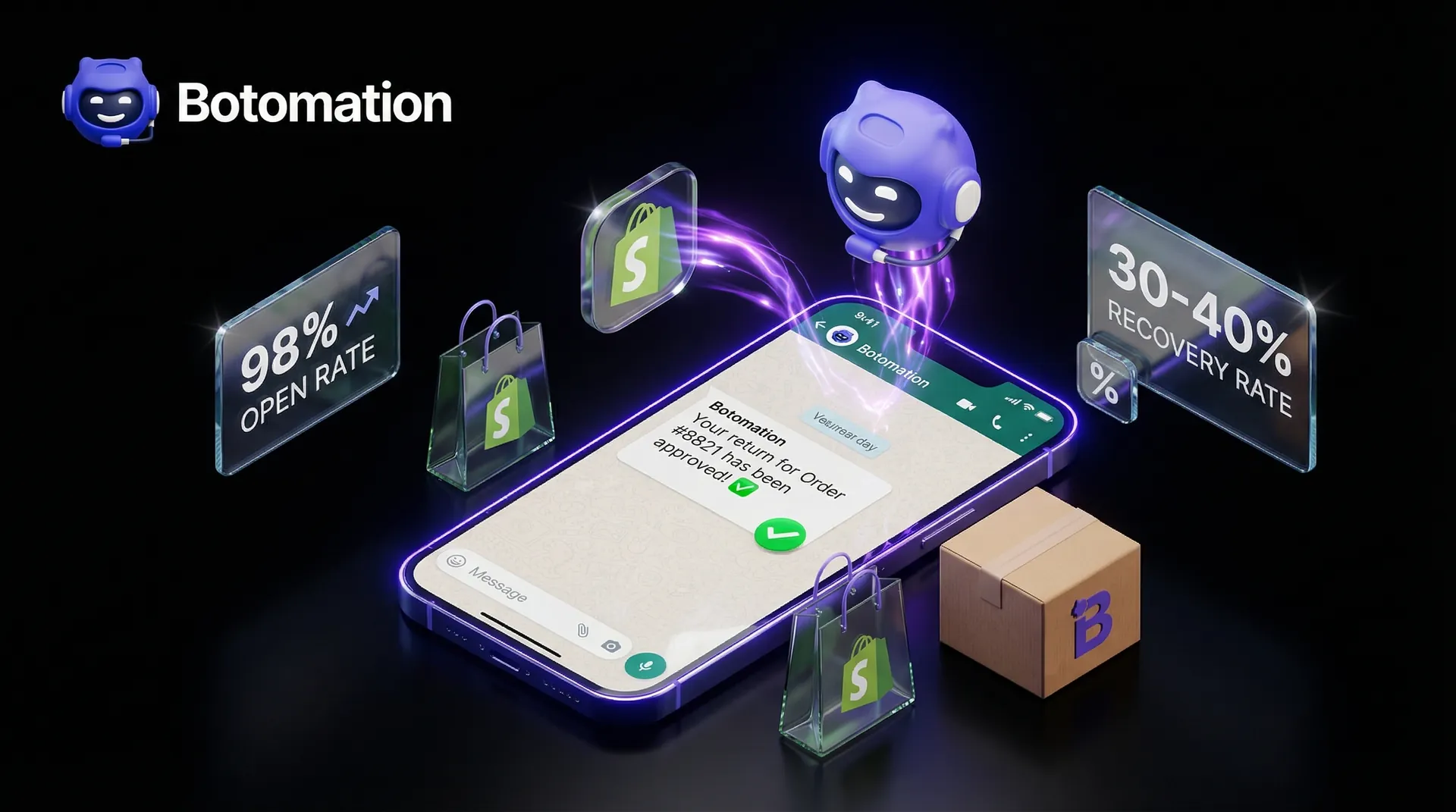
By January 2026, the e-commerce landscape has shifted entirely toward immediate, conversational commerce. Customers no longer have the patience to dig through crowded email inboxes for a return label or a shipping update that might have landed in their spam folder. When a shopper initiates a return, they are often at their most frustrated, and the speed of your response determines whether they ever buy from you again. Research shows that implementing automated order updates via whatsapp shopify can lead to cart recovery rates as high as 30-40% by maintaining a continuous, helpful dialogue with the buyer. Furthermore, reducing wismo queries with whatsapp notifications has become the primary goal for brands looking to scale without increasing support costs. This level of responsiveness transforms a potentially negative return experience into a moment of brand loyalty.
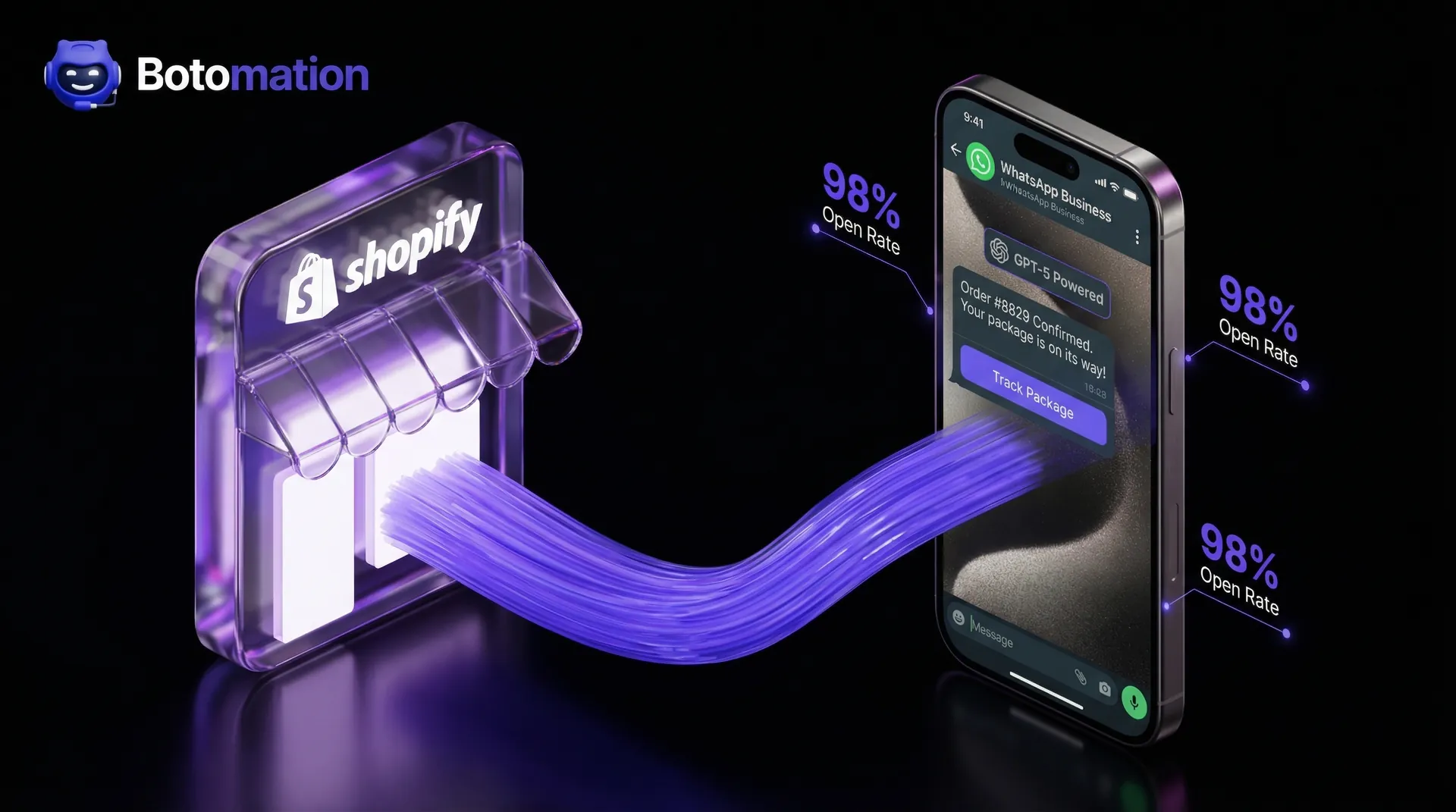
WhatsApp has become the undisputed king of post-purchase communication because of its staggering 98% open rate. Comparing this to the declining 20% open rate of traditional retail emails makes the choice obvious for any growing Shopify brand. When a customer receives a notification directly on their phone, the friction of the return process vanishes. They feel seen and supported in real-time, which significantly lowers the anxiety associated with online shopping. Our team at Botomation has observed that brands prioritizing these mobile-first interactions see a massive jump in customer lifetime value because the "where is my order" anxiety is eliminated before it even starts.
What Are Automated Order Updates via WhatsApp Shopify and Why Do They Matter?
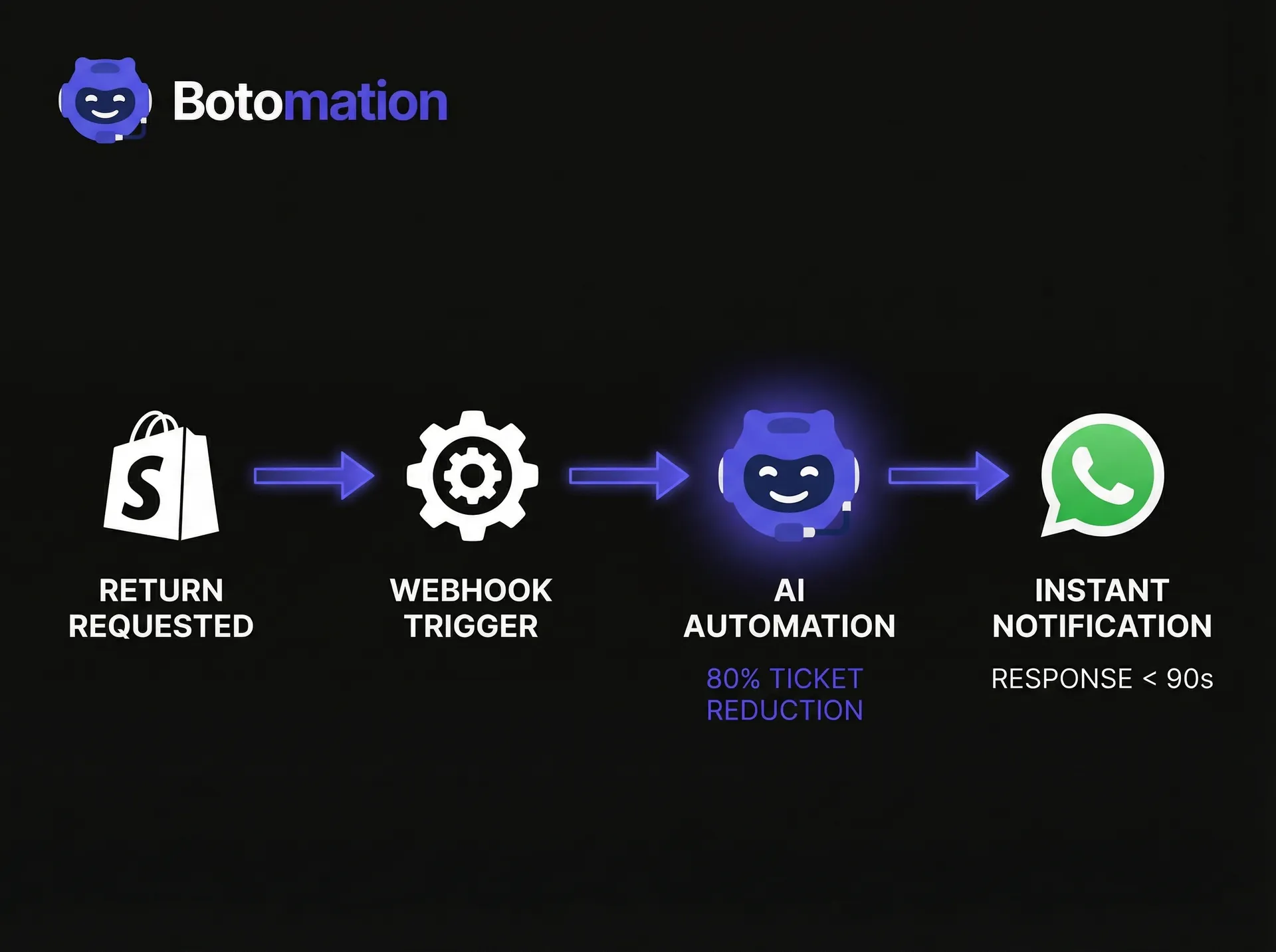
Automated order updates via whatsapp shopify represent a sophisticated bridge between your store’s backend and the customer’s favorite messaging app. This is not just about sending a simple "thank you" text after a purchase. In 2026, true automation involves a deep integration where every status change in your Shopify admin—from "unfulfilled" to "out for delivery" and especially "return requested"—triggers a specific, personalized message flow. Unlike basic SMS notifications that are one-way and expensive, WhatsApp allows for a two-way conversation where customers can ask follow-up questions or confirm receipt of a return label without leaving the chat interface.
The business impact of shifting to this automated model is profound. We look at companies like NMIMS, which saw a 45% to 60% recovery in application drop-offs simply by moving their communication to automated WhatsApp flows. For a Shopify store, this translates to recovering lost revenue from returns by offering instant exchanges or store credit options within the same chat thread. Instead of a return being the end of the customer relationship, it becomes a pivot point for a new sale. When the process is automated, your staff doesn't need to manually type out updates, allowing them to focus on high-value tasks while the system handles the repetitive heavy lifting.
What Do Real-Time Shipping Alerts WhatsApp Integration Include?
A comprehensive automation strategy covers the entire post-purchase lifecycle. It begins the second a customer hits the "buy" button with an instant order confirmation that includes a summary of their items and a direct link to track the package. As the order moves through your warehouse, the system sends real-time shipping alerts whatsapp integration and delivery confirmations. The most critical piece of this puzzle in 2026 is the return management flow. This includes confirming the return request, providing a digital QR code for label-less returns, and sending a notification the moment the warehouse scans the returned item.
How Does a WhatsApp Chatbot for Order Status Tracking Benefit Owners?
For the store owner, the primary win is the drastic reduction in manual labor. Managing returns is notoriously time-consuming, often requiring multiple back-and-forth emails to verify order details and shipping status. By partnering with our experts at Botomation and deploying a whatsapp chatbot for order status tracking, you can handle these inquiries autonomously. This leads to significantly higher customer satisfaction scores because the "wait time" for a response is reduced to zero. Furthermore, the efficiency of your return processing increases as the data is synced perfectly between WhatsApp and Shopify, leaving no room for the human errors that often plague manual entry.
Why Do Customers Prefer Automated Delivery Notifications on WhatsApp?
From the customer's perspective, the transparency provided by real-time updates is a major relief. They no longer have to wonder if their returned package arrived at your warehouse or when their refund will be processed. By providing automated delivery notifications on whatsapp, every milestone is pushed to their phone, giving them a sense of control over the transaction. This reduces the need for them to reach out to your support team, which in turn keeps your support queues manageable. A fast, automated return process builds a level of trust that often results in the customer feeling comfortable enough to make a larger second purchase.
### The Impact of WhatsApp Automation in 2026
* Open Rate: 98% (Email: 20%)
* Response Time: Under 90 seconds on average
* Cart Recovery: 30-40% via automated WhatsApp flows
* Support Ticket Reduction: 80% when using Botomation's AI agents
| Feature | Manual Return Process (Old Way) | Botomation Automated Returns (New Way) |
|---|---|---|
| Customer Effort | High (Emailing, waiting, printing) | Low (Instant WhatsApp prompts) |
| Response Time | 24-48 hours | Immediate / Real-time |
| Staff Overhead | High (Manual data entry) | Near Zero (Automated Shopify sync) |
| Data Accuracy | Prone to human error | 100% API-driven accuracy |
Step 1: How to Complete the WhatsApp Business API Order Notifications Setup?
The first step in modernizing your communication is moving beyond the standard WhatsApp Business App and securing access to the WhatsApp Business API. While the app is designed for micro-businesses with low message volumes, the API is built for the scale of a growing Shopify store. It allows for multi-agent support, automated triggers, and the integration of advanced AI like GPT-5 to handle complex customer queries. To get started with your whatsapp business api order notifications setup, you must have a verified Meta Business Manager account. This verification process is the foundation of your brand's credibility on the platform and ensures that your messages aren't flagged as spam.
Configuring the technical side of the API involves setting up authentication and security protocols that protect your customer's data. You will need to create a "System User" within your Meta Business Suite and generate a permanent access token. This token acts as the key that allows your Shopify store to talk to WhatsApp's servers. Our team at Botomation handles this complex technical setup for our clients, ensuring that all security settings are optimized to prevent unauthorized access while maintaining a lightning-fast connection for your automated messages.
Account Creation Process
Registering your WhatsApp Business Account requires a dedicated phone number that isn't already tied to a personal WhatsApp account. Once the number is registered, you must fill out your business profile with precision. This includes your store's address, website URL, and a clear description of your services. In 2026, Meta's verification settings have become more stringent to protect users, so ensuring your documentation is in order—such as business licenses or utility bills—is essential for a smooth approval process. A verified profile with the "Green Tick" badge significantly increases customer trust and message engagement.
API Access Configuration
After the account is live, the next phase is requesting API access and setting up your message templates. You will need to configure your "Webhook URL" within the Meta developer portal, which is where WhatsApp will send data about message deliveries and customer replies. It is also the time to set up roles and permissions for your team members. Proper configuration at this stage prevents future bottlenecks, allowing the Botomation team to build out the sophisticated logic required for dynamic order status updates. You will also need to submit your initial message templates for approval, as Meta requires all business-initiated messages to follow specific formatting guidelines.
Step 2: How to Connect Shopify WhatsApp Order Status Integration?
Once the API is ready, the focus shifts to the bridge between your Shopify store and the messaging platform. This shopify whatsapp order status integration is where the magic happens, turning every update in your Shopify admin into a real-time notification. Instead of relying on generic third-party apps that offer limited customization, a professional integration uses webhooks to capture specific events. For example, when a return is marked as "received" in Shopify, a webhook immediately sends that data to the Botomation engine, which then formats and sends the perfect WhatsApp message to the customer.
Testing this integration is a critical phase that cannot be overlooked. You need to simulate the entire customer journey, from the initial order to the final refund, to ensure every trigger fires correctly. In 2026, we use advanced staging environments to verify that variables like "Customer Name," "Order Number," and "Tracking Link" are populating correctly in every message. A broken link or a misspelled name can destroy the professional image you are trying to build. Our experts meticulously audit these flows to ensure a seamless experience before the system goes live for your entire customer base.
Shopify App Configuration
While there are many "off-the-shelf" apps in the Shopify App Store, they often lack the depth required for complex return workflows. We recommend a custom-tailored approach where the integration app serves as a secure pipeline rather than a closed ecosystem. By connecting your store directly to the WhatsApp Business API through a controlled environment, you gain full ownership of your data and the flexibility to change your messaging logic as your brand grows. This setup allows for more than just order updates; it enables the collection of valuable customer feedback and the deployment of AI-driven upsell opportunities.
Webhook Setup for Order Events
Webhooks are the silent workhorses of e-commerce automation. They are essentially automated signals sent from Shopify whenever a specific event occurs. To automate order updates via whatsapp shopify, we configure webhooks for order creation, fulfillment updates, and cancellations. Each of these signals contains a payload of data that our system parses in milliseconds. For instance, an "Order Fulfilled" webhook contains the carrier name and tracking number, which is then instantly injected into a pre-approved WhatsApp template and delivered to the customer’s pocket.
Return Process Integration
The return process requires its own specialized set of triggers. In 2026, a standard return flow involves at least four distinct webhooks: Return Requested, Return Approved, Package Received, and Refund Processed. Integrating these with Shopify’s native return management system ensures that the customer is never left in the dark. If a customer needs to print a label, the system can send a PDF or a link to a QR code directly via WhatsApp. This level of integration reduces the "Old Way" friction where customers had to log in to a separate portal just to check the status of their return.
Step 3: How to Create Templates for Automated Order Updates via WhatsApp Shopify?
Designing message templates for WhatsApp requires a balance between professional clarity and the friendly, conversational tone that users expect on the platform. WhatsApp uses Highly Structured Messages (HSM) for business-initiated notifications, which must be approved by Meta before they can be sent. These templates allow for dynamic variables, meaning you can personalize each message with the customer's specific details. In 2026, the most effective templates for automated order updates via whatsapp shopify are those that provide clear "Call to Action" buttons, such as "Track My Return" or "Talk to an Agent," allowing the customer to interact with the message directly.
Compliance is a major factor when creating these templates. Meta has strict rules against overly promotional content in transactional updates. To ensure your templates are approved, they must clearly serve a utility purpose. For return updates, this means focusing on the logistics and the status of the customer's money or exchange. Our team at Botomation has mastered the art of writing compliant templates that still feel personal and on-brand. We avoid the robotic language of the past, opting instead for a helpful, proactive tone that reinforces the idea that your brand is looking out for the customer.
Return Request Confirmation Messages
The moment a customer submits a return request, they should receive a confirmation on WhatsApp. This message serves two purposes: it acknowledges their request and provides immediate instructions on the next steps. A well-designed confirmation includes the return ID and a brief explanation of how to pack the items. If your store offers "printer-less" returns, this is the perfect place to share the digital barcode. By providing this information instantly, you prevent the customer from feeling the need to email your support team to ask, "Did you get my request?"
Return Process Status Updates
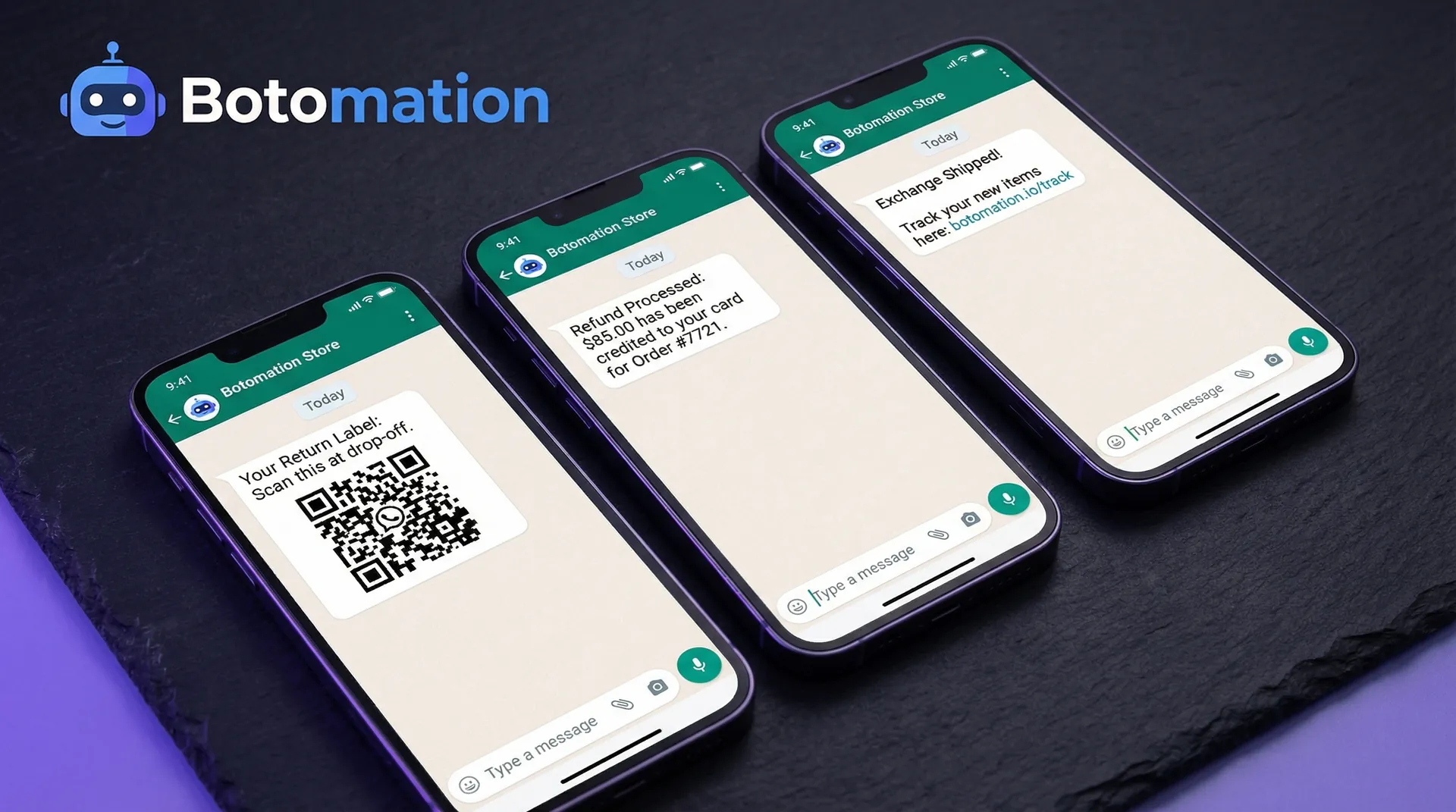
As the package travels back to your facility, keeping the customer informed is vital. We configure updates for when the return shipment is first scanned by the carrier and again when it arrives at your warehouse. The most important update, however, is the refund or exchange confirmation. "Your refund of $85.00 has been processed" is perhaps the most satisfying message a customer can receive during a return. By delivering this news via WhatsApp, you ensure they see it immediately, which builds immense goodwill and increases the likelihood of them returning to your store for their next purchase.
Steps 4-7: How to Maximize Customer Satisfaction WhatsApp Shipping Updates?
The final stages of setting up automated order updates via whatsapp shopify involve fine-tuning the triggers and ensuring the system is resilient. Configuration isn't just about making sure the messages send; it's about making sure they send at the right time. For example, sending a "Return Received" notification at 3:00 AM might be technically correct, but it can be intrusive. We help our clients set "quiet hours" or optimize delivery timing based on the customer's local time zone. This level of attention to detail is what separates a premium brand experience from a generic automated system.
Optimization is a continuous process. Once the system is live, we analyze engagement metrics such as read rates and the number of follow-up questions asked to ensure high customer satisfaction whatsapp shipping updates. If a specific return instruction message leads to many customers asking for clarification, it’s a sign that the template needs to be rewritten for better clarity. In 2026, we use AI to analyze these conversations and suggest improvements to the workflow. This data-driven approach ensures that your return process becomes more efficient every month, further reducing the burden on your human support staff.
Configuring Return Stage Triggers
Each stage of the return must have a clearly defined trigger that matches your internal warehouse operations. If your team takes 48 hours to inspect a return, the "Received" notification should manage expectations by saying, "We've got it! Our team is now inspecting your items, and we'll update you on your refund within two business days." This proactive communication prevents the customer from becoming anxious during the "black hole" period of the return process. Managing these preferences is key to a high-end customer experience.
Testing the Full Workflow
End-to-end testing is the only way to guarantee a smooth launch. We walk through the entire process as if we were a customer: purchasing an item, initiating a return, shipping it back, and receiving a refund. During this test, we verify that every WhatsApp notification arrives as expected and that the data matches what is shown in the Shopify admin. We also test the "edge cases," such as what happens if a return is rejected or if a customer changes their mind and wants an exchange instead. Robust testing ensures that the system can handle the complexities of real-world retail.
Optimization Based on Performance
Success in e-commerce automation is measured by the reduction in support tickets and the increase in customer retention. We look closely at how many customers who initiate a return end up making another purchase within 30 days. If that number is low, we might optimize the return flow to offer a "bonus" discount code for their next order as part of the refund confirmation message. This turns a loss into a future gain. By constantly tweaking the content and timing of your messages, our team ensures that your WhatsApp strategy is always contributing to your bottom line.
Ongoing Maintenance
The world of APIs and e-commerce platforms is always evolving. Meta frequently updates its WhatsApp Business API policies, and Shopify often introduces new features for its return management system. Part of the value of partnering with Botomation is that our experts handle all ongoing maintenance. We monitor system performance 24/7 and update your templates and triggers to stay compliant with the latest industry standards. This ensures that your automation never breaks, providing a consistent and reliable experience for your customers year-round.
Real-world Examples of WhatsApp Return Automation Success
Seeing how other brands have successfully implemented automated order updates via whatsapp shopify provides a roadmap for your own growth. These case studies highlight that automation is not just a luxury for giant corporations; it is a necessity for any brand that wants to scale without ballooning its support costs. The common thread among these success stories is a commitment to meeting the customer where they are—on their phones—and providing value at every step of the post-purchase journey.
The results are often immediate and measurable. Beyond just saving time, these brands are seeing higher engagement levels than they ever achieved through email or SMS. By treating WhatsApp as a core part of their customer service strategy, they have turned the "necessary evil" of returns into a competitive advantage. When a customer knows that returning an item to your store is as easy as sending a text, they are far more likely to take a chance on a new product, knowing that the "safety net" of a smooth return process is always there.
Skullcandy's Return Automation Success
Skullcandy, a major player in the audio space, provides an excellent example of the power of WhatsApp automation. By implementing automated return notifications and order updates, they saw a 3x increase in user engagement compared to their previous email-only strategy. Customers were significantly more likely to interact with the brand through WhatsApp, leading to faster resolutions and higher satisfaction. The key factor in their success was the transition from a passive notification system to an active, conversational one where customers could get answers in seconds.
Other Successful Implementations
Cosco has also seen great success by utilizing WhatsApp for real-time order status updates, which drastically reduced the number of "Where is my order?" calls to their service centers. Similarly, Keeros Superfoods adopted a mobile-first approach to customer communication, using automated flows to keep their health-conscious customers updated on every shipment. These examples show that regardless of the product—from high-end electronics to organic snacks—the need for transparent, fast communication is universal. By adopting the "New Way" of automation, these brands have set a standard that customers now expect from every Shopify store they visit.
Frequently Asked Questions
How do I set up automated order updates via WhatsApp Shopify?
The process involves connecting your Shopify store to the WhatsApp Business API using a platform like Botomation. You then configure webhooks to trigger messages based on order status changes such as fulfillment, shipping, and delivery.
Is the WhatsApp Business API expensive for a small Shopify store?
While there are costs associated with the WhatsApp Business API, including per-message fees from Meta, the return on investment is typically much higher than traditional methods. When you factor in the 80% reduction in support tickets and the increased cart recovery rates, the system often pays for itself within the first few months.
Do I need to know how to code to set this up?
Not when you partner with us. While the technical setup involving APIs and webhooks can be daunting, our experts handle the entire integration process for you. We build the logic, design the templates, and connect the systems so you can focus on running your business.
Can I still talk to my customers manually if I use automation?
Absolutely. Automation is designed to handle the repetitive, predictable tasks like order updates and return confirmations. If a customer asks a complex question that the AI isn't programmed to handle, the conversation can be seamlessly handed off to a human agent.
How does this affect my store's GDPR compliance?
WhatsApp is a secure, end-to-end encrypted platform, and the Business API is built with data privacy in mind. We ensure that all automated order updates via whatsapp shopify are compliant with global privacy standards, including GDPR, by managing customer opt-ins and preferences.
The shift toward automated, conversational commerce is no longer a future prediction—it is the reality of 2026. Brands that continue to rely on slow, manual email processes for returns are actively losing money through high support overhead and lost customer trust. By implementing the seven steps outlined above, you can transform your Shopify store into a modern, efficient, and customer-centric powerhouse. The data is clear: WhatsApp is where your customers are, and it is where your brand needs to be.
Partnering with an expert agency like Botomation is the most effective way to bridge the gap between your current manual processes and a fully automated future. Our team doesn't just provide a tool; we provide a comprehensive service that includes strategy, technical integration, and ongoing optimization. We take the complexity of the WhatsApp Business API and turn it into a streamlined growth engine for your store. Stop letting "Where is my order?" tickets drain your team's energy and start building the seamless post-purchase experience your customers deserve.
Ready to automate your growth? Book a call below.
By January 2026, the e-commerce landscape has shifted entirely toward immediate, conversational commerce. Customers no longer have the patience to dig through crowded email inboxes for a return label or a shipping update that might have landed in their spam folder. When a shopper initiates a return, they are often at their most frustrated, and the speed of your response determines whether they ever buy from you again. Research shows that implementing automated order updates via whatsapp shopify can lead to cart recovery rates as high as 30-40% by maintaining a continuous, helpful dialogue with the buyer. Furthermore, reducing wismo queries with whatsapp notifications has become the primary goal for brands looking to scale without increasing support costs. This level of responsiveness transforms a potentially negative return experience into a moment of brand loyalty.
WhatsApp has become the undisputed king of post-purchase communication because of its staggering 98% open rate. Comparing this to the declining 20% open rate of traditional retail emails makes the choice obvious for any growing Shopify brand. When a customer receives a notification directly on their phone, the friction of the return process vanishes. They feel seen and supported in real-time, which significantly lowers the anxiety associated with online shopping. Our team at Botomation has observed that brands prioritizing these mobile-first interactions see a massive jump in customer lifetime value because the "where is my order" anxiety is eliminated before it even starts.
What Are Automated Order Updates via WhatsApp Shopify and Why Do They Matter?
Automated order updates via whatsapp shopify represent a sophisticated bridge between your store’s backend and the customer’s favorite messaging app. This is not just about sending a simple "thank you" text after a purchase. In 2026, true automation involves a deep integration where every status change in your Shopify admin—from "unfulfilled" to "out for delivery" and especially "return requested"—triggers a specific, personalized message flow. Unlike basic SMS notifications that are one-way and expensive, WhatsApp allows for a two-way conversation where customers can ask follow-up questions or confirm receipt of a return label without leaving the chat interface.
The business impact of shifting to this automated model is profound. We look at companies like NMIMS, which saw a 45% to 60% recovery in application drop-offs simply by moving their communication to automated WhatsApp flows. For a Shopify store, this translates to recovering lost revenue from returns by offering instant exchanges or store credit options within the same chat thread. Instead of a return being the end of the customer relationship, it becomes a pivot point for a new sale. When the process is automated, your staff doesn't need to manually type out updates, allowing them to focus on high-value tasks while the system handles the repetitive heavy lifting.
What Do Real-Time Shipping Alerts WhatsApp Integration Include?
A comprehensive automation strategy covers the entire post-purchase lifecycle. It begins the second a customer hits the "buy" button with an instant order confirmation that includes a summary of their items and a direct link to track the package. As the order moves through your warehouse, the system sends real-time shipping alerts whatsapp integration and delivery confirmations. The most critical piece of this puzzle in 2026 is the return management flow. This includes confirming the return request, providing a digital QR code for label-less returns, and sending a notification the moment the warehouse scans the returned item.
How Does a WhatsApp Chatbot for Order Status Tracking Benefit Owners?
For the store owner, the primary win is the drastic reduction in manual labor. Managing returns is notoriously time-consuming, often requiring multiple back-and-forth emails to verify order details and shipping status. By partnering with our experts at Botomation and deploying a whatsapp chatbot for order status tracking, you can handle these inquiries autonomously. This leads to significantly higher customer satisfaction scores because the "wait time" for a response is reduced to zero. Furthermore, the efficiency of your return processing increases as the data is synced perfectly between WhatsApp and Shopify, leaving no room for the human errors that often plague manual entry.
Why Do Customers Prefer Automated Delivery Notifications on WhatsApp?
From the customer's perspective, the transparency provided by real-time updates is a major relief. They no longer have to wonder if their returned package arrived at your warehouse or when their refund will be processed. By providing automated delivery notifications on whatsapp, every milestone is pushed to their phone, giving them a sense of control over the transaction. This reduces the need for them to reach out to your support team, which in turn keeps your support queues manageable. A fast, automated return process builds a level of trust that often results in the customer feeling comfortable enough to make a larger second purchase.
### The Impact of WhatsApp Automation in 2026
* Open Rate: 98% (Email: 20%)
* Response Time: Under 90 seconds on average
* Cart Recovery: 30-40% via automated WhatsApp flows
* Support Ticket Reduction: 80% when using Botomation's AI agents
| Feature | Manual Return Process (Old Way) | Botomation Automated Returns (New Way) |
|---|---|---|
| Customer Effort | High (Emailing, waiting, printing) | Low (Instant WhatsApp prompts) |
| Response Time | 24-48 hours | Immediate / Real-time |
| Staff Overhead | High (Manual data entry) | Near Zero (Automated Shopify sync) |
| Data Accuracy | Prone to human error | 100% API-driven accuracy |
Step 1: How to Complete the WhatsApp Business API Order Notifications Setup?
The first step in modernizing your communication is moving beyond the standard WhatsApp Business App and securing access to the WhatsApp Business API. While the app is designed for micro-businesses with low message volumes, the API is built for the scale of a growing Shopify store. It allows for multi-agent support, automated triggers, and the integration of advanced AI like GPT-5 to handle complex customer queries. To get started with your whatsapp business api order notifications setup, you must have a verified Meta Business Manager account. This verification process is the foundation of your brand's credibility on the platform and ensures that your messages aren't flagged as spam.
Configuring the technical side of the API involves setting up authentication and security protocols that protect your customer's data. You will need to create a "System User" within your Meta Business Suite and generate a permanent access token. This token acts as the key that allows your Shopify store to talk to WhatsApp's servers. Our team at Botomation handles this complex technical setup for our clients, ensuring that all security settings are optimized to prevent unauthorized access while maintaining a lightning-fast connection for your automated messages.
Account Creation Process
Registering your WhatsApp Business Account requires a dedicated phone number that isn't already tied to a personal WhatsApp account. Once the number is registered, you must fill out your business profile with precision. This includes your store's address, website URL, and a clear description of your services. In 2026, Meta's verification settings have become more stringent to protect users, so ensuring your documentation is in order—such as business licenses or utility bills—is essential for a smooth approval process. A verified profile with the "Green Tick" badge significantly increases customer trust and message engagement.
API Access Configuration
After the account is live, the next phase is requesting API access and setting up your message templates. You will need to configure your "Webhook URL" within the Meta developer portal, which is where WhatsApp will send data about message deliveries and customer replies. It is also the time to set up roles and permissions for your team members. Proper configuration at this stage prevents future bottlenecks, allowing the Botomation team to build out the sophisticated logic required for dynamic order status updates. You will also need to submit your initial message templates for approval, as Meta requires all business-initiated messages to follow specific formatting guidelines.
Step 2: How to Connect Shopify WhatsApp Order Status Integration?
Once the API is ready, the focus shifts to the bridge between your Shopify store and the messaging platform. This shopify whatsapp order status integration is where the magic happens, turning every update in your Shopify admin into a real-time notification. Instead of relying on generic third-party apps that offer limited customization, a professional integration uses webhooks to capture specific events. For example, when a return is marked as "received" in Shopify, a webhook immediately sends that data to the Botomation engine, which then formats and sends the perfect WhatsApp message to the customer.
Testing this integration is a critical phase that cannot be overlooked. You need to simulate the entire customer journey, from the initial order to the final refund, to ensure every trigger fires correctly. In 2026, we use advanced staging environments to verify that variables like "Customer Name," "Order Number," and "Tracking Link" are populating correctly in every message. A broken link or a misspelled name can destroy the professional image you are trying to build. Our experts meticulously audit these flows to ensure a seamless experience before the system goes live for your entire customer base.
Shopify App Configuration
While there are many "off-the-shelf" apps in the Shopify App Store, they often lack the depth required for complex return workflows. We recommend a custom-tailored approach where the integration app serves as a secure pipeline rather than a closed ecosystem. By connecting your store directly to the WhatsApp Business API through a controlled environment, you gain full ownership of your data and the flexibility to change your messaging logic as your brand grows. This setup allows for more than just order updates; it enables the collection of valuable customer feedback and the deployment of AI-driven upsell opportunities.
Webhook Setup for Order Events
Webhooks are the silent workhorses of e-commerce automation. They are essentially automated signals sent from Shopify whenever a specific event occurs. To automate order updates via whatsapp shopify, we configure webhooks for order creation, fulfillment updates, and cancellations. Each of these signals contains a payload of data that our system parses in milliseconds. For instance, an "Order Fulfilled" webhook contains the carrier name and tracking number, which is then instantly injected into a pre-approved WhatsApp template and delivered to the customer’s pocket.
Return Process Integration
The return process requires its own specialized set of triggers. In 2026, a standard return flow involves at least four distinct webhooks: Return Requested, Return Approved, Package Received, and Refund Processed. Integrating these with Shopify’s native return management system ensures that the customer is never left in the dark. If a customer needs to print a label, the system can send a PDF or a link to a QR code directly via WhatsApp. This level of integration reduces the "Old Way" friction where customers had to log in to a separate portal just to check the status of their return.
Step 3: How to Create Templates for Automated Order Updates via WhatsApp Shopify?
Designing message templates for WhatsApp requires a balance between professional clarity and the friendly, conversational tone that users expect on the platform. WhatsApp uses Highly Structured Messages (HSM) for business-initiated notifications, which must be approved by Meta before they can be sent. These templates allow for dynamic variables, meaning you can personalize each message with the customer's specific details. In 2026, the most effective templates for automated order updates via whatsapp shopify are those that provide clear "Call to Action" buttons, such as "Track My Return" or "Talk to an Agent," allowing the customer to interact with the message directly.
Compliance is a major factor when creating these templates. Meta has strict rules against overly promotional content in transactional updates. To ensure your templates are approved, they must clearly serve a utility purpose. For return updates, this means focusing on the logistics and the status of the customer's money or exchange. Our team at Botomation has mastered the art of writing compliant templates that still feel personal and on-brand. We avoid the robotic language of the past, opting instead for a helpful, proactive tone that reinforces the idea that your brand is looking out for the customer.
Return Request Confirmation Messages
The moment a customer submits a return request, they should receive a confirmation on WhatsApp. This message serves two purposes: it acknowledges their request and provides immediate instructions on the next steps. A well-designed confirmation includes the return ID and a brief explanation of how to pack the items. If your store offers "printer-less" returns, this is the perfect place to share the digital barcode. By providing this information instantly, you prevent the customer from feeling the need to email your support team to ask, "Did you get my request?"
Return Process Status Updates
As the package travels back to your facility, keeping the customer informed is vital. We configure updates for when the return shipment is first scanned by the carrier and again when it arrives at your warehouse. The most important update, however, is the refund or exchange confirmation. "Your refund of $85.00 has been processed" is perhaps the most satisfying message a customer can receive during a return. By delivering this news via WhatsApp, you ensure they see it immediately, which builds immense goodwill and increases the likelihood of them returning to your store for their next purchase.
Steps 4-7: How to Maximize Customer Satisfaction WhatsApp Shipping Updates?
The final stages of setting up automated order updates via whatsapp shopify involve fine-tuning the triggers and ensuring the system is resilient. Configuration isn't just about making sure the messages send; it's about making sure they send at the right time. For example, sending a "Return Received" notification at 3:00 AM might be technically correct, but it can be intrusive. We help our clients set "quiet hours" or optimize delivery timing based on the customer's local time zone. This level of attention to detail is what separates a premium brand experience from a generic automated system.
Optimization is a continuous process. Once the system is live, we analyze engagement metrics such as read rates and the number of follow-up questions asked to ensure high customer satisfaction whatsapp shipping updates. If a specific return instruction message leads to many customers asking for clarification, it’s a sign that the template needs to be rewritten for better clarity. In 2026, we use AI to analyze these conversations and suggest improvements to the workflow. This data-driven approach ensures that your return process becomes more efficient every month, further reducing the burden on your human support staff.
Configuring Return Stage Triggers
Each stage of the return must have a clearly defined trigger that matches your internal warehouse operations. If your team takes 48 hours to inspect a return, the "Received" notification should manage expectations by saying, "We've got it! Our team is now inspecting your items, and we'll update you on your refund within two business days." This proactive communication prevents the customer from becoming anxious during the "black hole" period of the return process. Managing these preferences is key to a high-end customer experience.
Testing the Full Workflow
End-to-end testing is the only way to guarantee a smooth launch. We walk through the entire process as if we were a customer: purchasing an item, initiating a return, shipping it back, and receiving a refund. During this test, we verify that every WhatsApp notification arrives as expected and that the data matches what is shown in the Shopify admin. We also test the "edge cases," such as what happens if a return is rejected or if a customer changes their mind and wants an exchange instead. Robust testing ensures that the system can handle the complexities of real-world retail.
Optimization Based on Performance
Success in e-commerce automation is measured by the reduction in support tickets and the increase in customer retention. We look closely at how many customers who initiate a return end up making another purchase within 30 days. If that number is low, we might optimize the return flow to offer a "bonus" discount code for their next order as part of the refund confirmation message. This turns a loss into a future gain. By constantly tweaking the content and timing of your messages, our team ensures that your WhatsApp strategy is always contributing to your bottom line.
Ongoing Maintenance
The world of APIs and e-commerce platforms is always evolving. Meta frequently updates its WhatsApp Business API policies, and Shopify often introduces new features for its return management system. Part of the value of partnering with Botomation is that our experts handle all ongoing maintenance. We monitor system performance 24/7 and update your templates and triggers to stay compliant with the latest industry standards. This ensures that your automation never breaks, providing a consistent and reliable experience for your customers year-round.
Real-world Examples of WhatsApp Return Automation Success
Seeing how other brands have successfully implemented automated order updates via whatsapp shopify provides a roadmap for your own growth. These case studies highlight that automation is not just a luxury for giant corporations; it is a necessity for any brand that wants to scale without ballooning its support costs. The common thread among these success stories is a commitment to meeting the customer where they are—on their phones—and providing value at every step of the post-purchase journey.
The results are often immediate and measurable. Beyond just saving time, these brands are seeing higher engagement levels than they ever achieved through email or SMS. By treating WhatsApp as a core part of their customer service strategy, they have turned the "necessary evil" of returns into a competitive advantage. When a customer knows that returning an item to your store is as easy as sending a text, they are far more likely to take a chance on a new product, knowing that the "safety net" of a smooth return process is always there.
Skullcandy's Return Automation Success
Skullcandy, a major player in the audio space, provides an excellent example of the power of WhatsApp automation. By implementing automated return notifications and order updates, they saw a 3x increase in user engagement compared to their previous email-only strategy. Customers were significantly more likely to interact with the brand through WhatsApp, leading to faster resolutions and higher satisfaction. The key factor in their success was the transition from a passive notification system to an active, conversational one where customers could get answers in seconds.
Other Successful Implementations
Cosco has also seen great success by utilizing WhatsApp for real-time order status updates, which drastically reduced the number of "Where is my order?" calls to their service centers. Similarly, Keeros Superfoods adopted a mobile-first approach to customer communication, using automated flows to keep their health-conscious customers updated on every shipment. These examples show that regardless of the product—from high-end electronics to organic snacks—the need for transparent, fast communication is universal. By adopting the "New Way" of automation, these brands have set a standard that customers now expect from every Shopify store they visit.
Frequently Asked Questions
How do I set up automated order updates via WhatsApp Shopify?
The process involves connecting your Shopify store to the WhatsApp Business API using a platform like Botomation. You then configure webhooks to trigger messages based on order status changes such as fulfillment, shipping, and delivery.
Is the WhatsApp Business API expensive for a small Shopify store?
While there are costs associated with the WhatsApp Business API, including per-message fees from Meta, the return on investment is typically much higher than traditional methods. When you factor in the 80% reduction in support tickets and the increased cart recovery rates, the system often pays for itself within the first few months.
Do I need to know how to code to set this up?
Not when you partner with us. While the technical setup involving APIs and webhooks can be daunting, our experts handle the entire integration process for you. We build the logic, design the templates, and connect the systems so you can focus on running your business.
Can I still talk to my customers manually if I use automation?
Absolutely. Automation is designed to handle the repetitive, predictable tasks like order updates and return confirmations. If a customer asks a complex question that the AI isn't programmed to handle, the conversation can be seamlessly handed off to a human agent.
How does this affect my store's GDPR compliance?
WhatsApp is a secure, end-to-end encrypted platform, and the Business API is built with data privacy in mind. We ensure that all automated order updates via whatsapp shopify are compliant with global privacy standards, including GDPR, by managing customer opt-ins and preferences.
The shift toward automated, conversational commerce is no longer a future prediction—it is the reality of 2026. Brands that continue to rely on slow, manual email processes for returns are actively losing money through high support overhead and lost customer trust. By implementing the seven steps outlined above, you can transform your Shopify store into a modern, efficient, and customer-centric powerhouse. The data is clear: WhatsApp is where your customers are, and it is where your brand needs to be.
Partnering with an expert agency like Botomation is the most effective way to bridge the gap between your current manual processes and a fully automated future. Our team doesn't just provide a tool; we provide a comprehensive service that includes strategy, technical integration, and ongoing optimization. We take the complexity of the WhatsApp Business API and turn it into a streamlined growth engine for your store. Stop letting "Where is my order?" tickets drain your team's energy and start building the seamless post-purchase experience your customers deserve.
Ready to automate your growth? Book a call below.
Get Started
Book a FREE Consultation Right NOW!
Schedule a Call with Our Team To Make Your Business More Efficient with AI Instantly.
Read More
Automate Shopify Returns and WhatsApp Order Updates 2026
Master automated order updates via whatsapp shopify to reduce support tickets by 80%. Learn the 7 steps for shopify whatsapp order status integration in 2026.
WhatsApp Order Confirmations for Shopify 2026 Guide
Learn how WhatsApp AI slashes support costs for e-commerce & SaaS. Proven strategies to boost sales, recover carts, and scale 24/7 service.