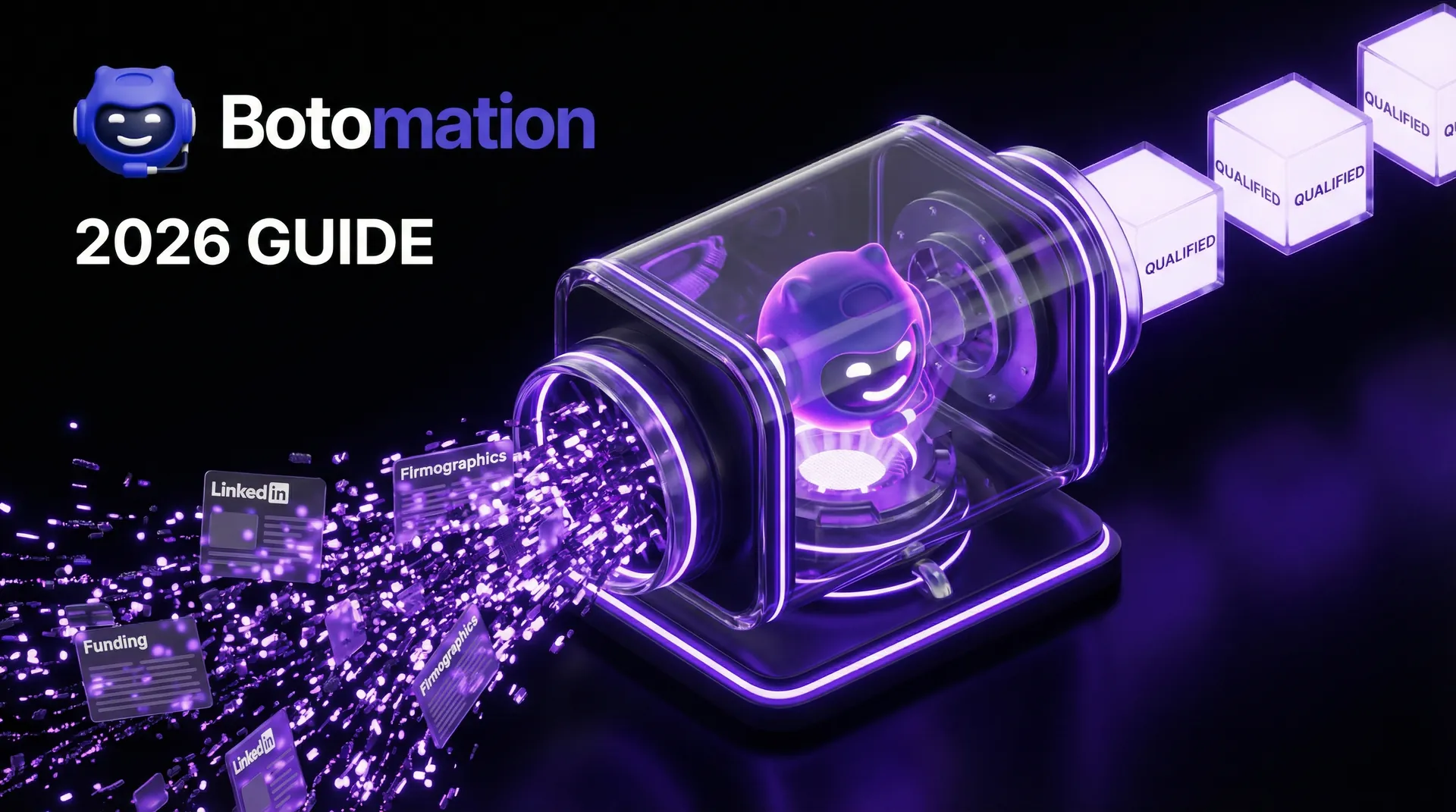
Automated Lead Filtering Based on Company Size - 2026 Guide
Feb 17, 2026
B2B Sales
AI Automation
Lead Qualification
HubSpot
B2B Sales
AI Automation
Lead Qualification
HubSpot
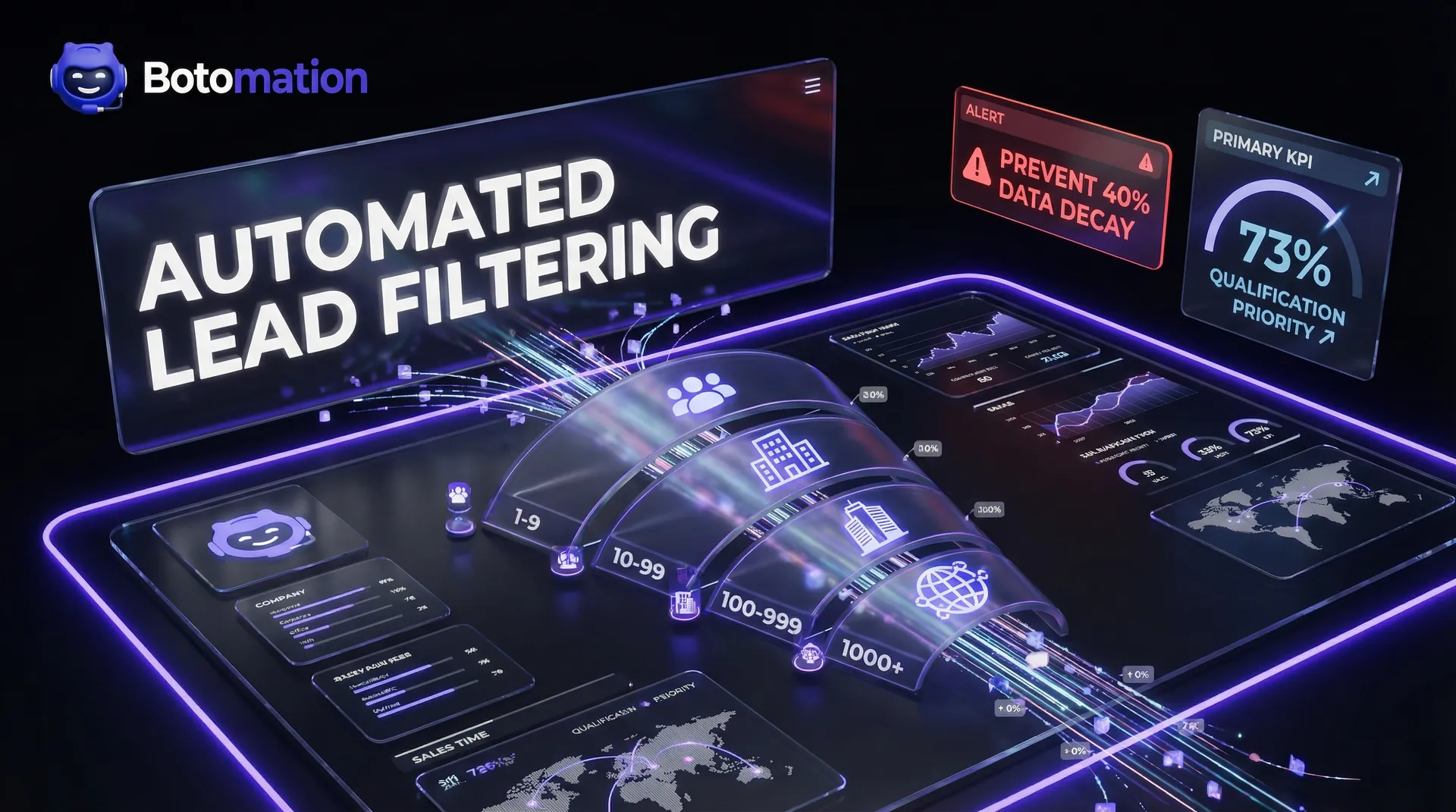
Sales teams in 2026 are no longer struggling with a lack of data; they are drowning in it. The primary challenge has shifted from finding leads to identifying which of those thousands of prospects actually have the infrastructure and budget to sign a contract. For any high-growth B2B organization, automated lead filtering based on company size has moved from a "nice to have" feature to the literal backbone of a functional sales pipeline. When your team spends hours chasing a "perfect" lead only to discover they are a two-person operation with a three-figure annual budget, you aren't just losing a sale; you are burning expensive representative hours that could have been spent on enterprise-level opportunities. This is where automated lead qualification software for marketing agencies becomes a competitive necessity.
Recent data from the Sales Performance Lab 2026 report highlights a stark reality: 73% of B2B sales representatives now cite company size as the single most important factor in their lead qualification process. Despite this, many agencies still rely on manual verification or outdated lists that haven't been refreshed since the previous fiscal year. Our team at Botomation has observed that the "Old Way" of manual scraping leads to a 40% decay in data accuracy within just six months, making it vital to prevent lead list decay in growth marketing. By implementing a sophisticated, automated system that filters prospects the moment they enter your ecosystem, you ensure that your sales force only interacts with companies that fit your specific revenue and headcount requirements. This proactive approach, often powered by AI B2B prospecting tools for SaaS growth, transforms a standard CRM into a high-octane revenue engine.
Why Company Size Matters in B2B Lead Qualification
The correlation between a company’s headcount and its purchasing power is rarely linear; it is often exponential. A firm with 500 employees doesn't just have ten times the budget of a 50-person firm; it has an entirely different financial structure, risk tolerance, and procurement process. If your service costs $50,000 a year, pitching to a micro-business is a waste of breath, while pitching to a global enterprise requires a multi-threaded approach that your team must be prepared for in advance. Learning how to qualify leads using firmographic data effectively with AI SaaS lead qualification tools is the first step toward reclaiming your sales team's time.
Focusing on the right segment allows for a specialized sales approach that resonates with the specific pain points of that tier. For example, a mid-market company with 250 employees is likely struggling with "growing pains" like departmental silos and legacy software that no longer scales. In contrast, an enterprise with 5,000+ employees is more concerned with compliance, security integrations, and global deployment. When you use automated lead filtering based on company size, you can route these leads to specialized reps who understand these distinct nuances. This ensures that the message matches the scale of the prospect's problems.
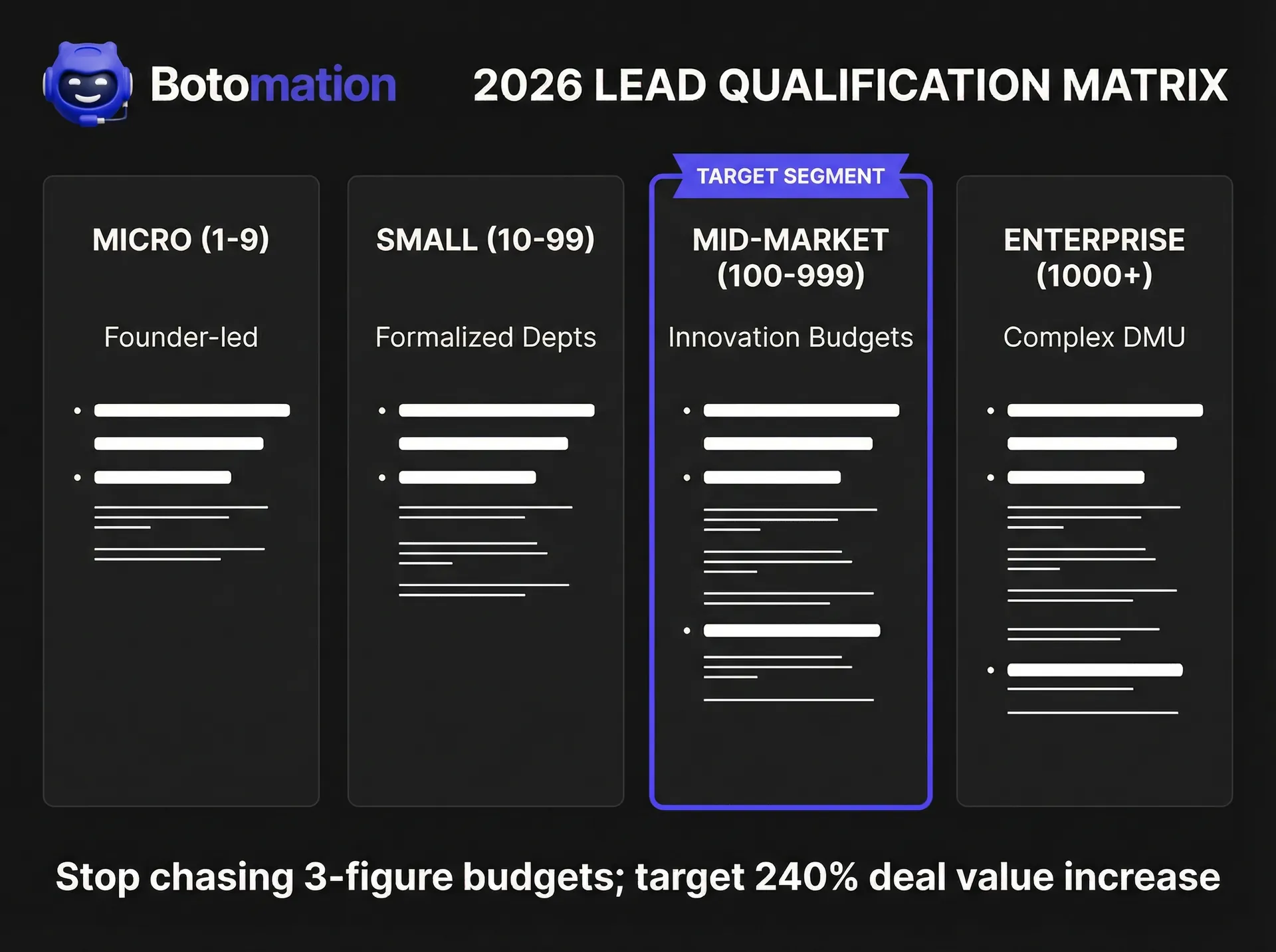
The revenue potential varies wildly across these categories. Consider the case of MidMarket Agency, a firm that specialized in digital transformation. Before partnering with our experts to automate their filtering, they accepted any lead that showed interest. Their average deal value hovered around $12,000. After implementing a strict automated filter focusing exclusively on companies with 100 to 1,000 employees, their average deal value skyrocketed. They saw a 240% increase in deal values because their sales team stopped "down-selling" to small businesses and started solving high-value problems for mid-market players. By establishing a robust lead qualification system for digital marketing agencies, they were able to scale their operations without increasing their headcount.
Company Size Definitions
To build an effective automated system, you must first establish clear definitions for your segments. While these can vary by industry, the 2026 standard for B2B tech and services generally follows these brackets:
- Micro businesses (1-9 employees): These are often founder-led with very short sales cycles but extremely limited budgets. They require "self-service" models rather than high-touch sales. Automation should route these to low-cost nurture tracks.
- Small businesses (10-99 employees): These companies are beginning to formalize departments. You are usually speaking to a Director or the CEO. They value speed and immediate ROI.
- Mid-market (100-999 employees): This is often the "sweet spot" for many B2B agencies. They have dedicated budgets for innovation and clear decision-making units (DMUs). They represent the highest efficiency for most sales teams.
- Enterprise (1000+ employees): These require complex navigation through procurement, legal, and multiple stakeholders. The sales cycle is long, but the contract value is transformative. These leads require your most senior talent.
Budget and Decision-Making Patterns
Understanding how company size influences the "who" and "how" of a purchase is critical for your marketing automation. In a small business, the owner might see an ad, book a call, and sign a contract within a week. The spending power is centralized, and the risk is personal. As you move into the mid-market and enterprise tiers, the decision-making complexity grows. You are no longer selling to a person; you are selling to a committee. This shift necessitates a more sophisticated automated lead filtering system for marketing that can account for multi-contact involvement.
Marketing messages must be customized to reflect this. An automated system should not only filter by size but also trigger different email sequences or content offers based on that size. A 10-person firm wants to hear about "saving time," while a 1,000-person firm wants to hear about "operational efficiency and ROI at scale." By segmenting early, you ensure your initial outreach hits the right psychological triggers for that specific buyer persona. This level of personalization is only possible when you have high-confidence data at the point of entry.
Expert Insight: "The most expensive mistake a B2B agency can make is treating a 50-person lead the same as a 500-person lead. The unit economics of your sales process will collapse if you don't automate the distinction early." — Senior Consultant, Botomation
How to Set Up Automated Lead Filtering Based on Company Size?
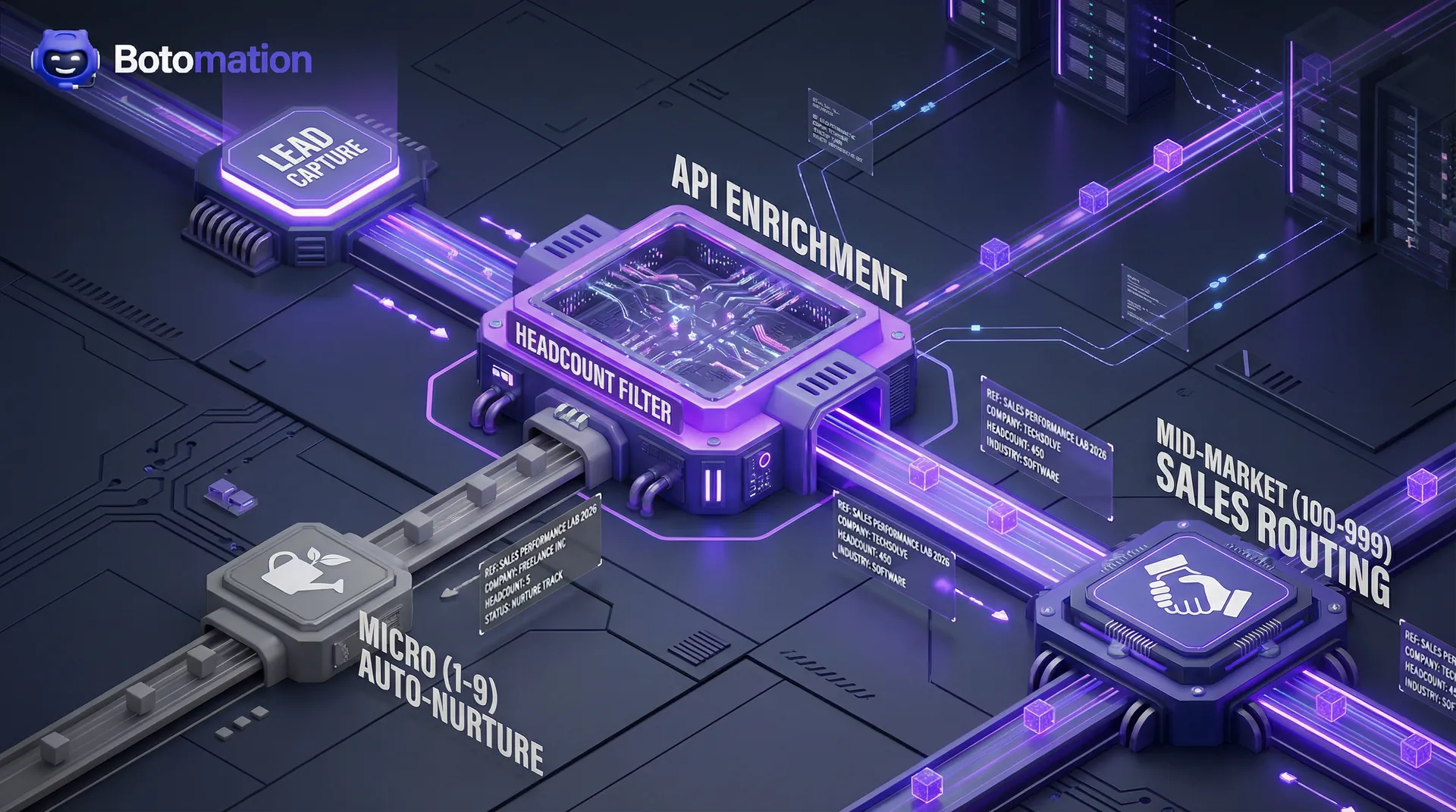
Setting up an automated lead filtering based on company size workflow requires a deep integration between your lead sources and your CRM. The first stage is technical alignment. You must ensure that every lead form on your website is connected to an enrichment tool, often facilitated by CRM email integration, that can append firmographic data in real-time. This eliminates the need for long forms that frustrate users. Instead of asking for headcount, you ask for a business email and let the background automation do the heavy lifting. This is the core of a modern lead qualification system for digital marketing agencies.
Once the data is flowing, you must establish "Logic Gates." These are the rules that determine where a lead goes, essentially creating an automated lead scoring system for B2B prospecting. For example, a lead from a company with 250 employees should trigger a high-priority task for an Account Executive, while a 5-person company lead might simply receive a link to a webinar. This ensures that your human resources are always focused on the highest-value opportunities. We recommend a phased rollout: start by filtering out the clearly unqualified leads, then move toward more granular routing based on specific employee brackets.
Regular auditing of this logic is vital. As market conditions change in 2026, your "Ideal Customer Profile" (ICP) might shift. An automated system, providing daily market intelligence for sales teams, allows you to update these thresholds globally with a few clicks, ensuring your entire sales team is immediately aligned with the new strategy. This agility is why lead qualification automation tools for agencies have become the preferred choice for firms looking to outpace their competitors in a crowded marketplace.
Top Tools for Automated Lead Filtering Based on Company Size
In 2026, the landscape of tools has evolved to provide near-instantaneous firmographic data. You no longer have to wait for a lead to fill out a 12-field form—which usually kills conversion rates anyway. Instead, modern systems allow you to capture just an email address and let the background automation do the heavy lifting. Selecting the right lead qualification automation tools for agencies is critical for maintaining data integrity and sales velocity.
ZoomInfo’s Company Size Intelligence, specifically with their API version 2026-01, has become a gold standard for our team when building custom solutions. It allows for real-time enrichment of inbound leads, ensuring that by the time a lead hits your CRM, it already has an accurate headcount attached to it. Similarly, HubSpot has significantly upgraded its firmographic enrichment capabilities, allowing for seamless integration between data providers and workflow triggers. These platforms together form a powerful automated lead filtering system for marketing.
We recently worked with ScaleFilter Agency, which was struggling with a high volume of "junk" leads from their LinkedIn campaigns. By integrating an automated size-based filtering layer before the leads even reached their sales reps, they increased their overall lead quality by 180%. They didn't get more leads; they got better leads, allowing their sales team to focus their energy where it actually yielded commissions. This case study proves that filtering is not about restriction, but about optimization.
ZoomInfo and Company Size Data
The power of the ZoomInfo 2026-01 API lies in its dynamic nature. Company size is not a static data point; businesses grow, shrink, or get acquired. This tool provides real-time employee count updates and, more importantly, change notifications. If a target company in your CRM suddenly jumps from 80 to 120 employees, it might have just crossed into your "ideal" mid-market bracket, triggering an automated re-engagement sequence. This is a prime example of proactive automated lead prioritization for agencies.
Accuracy is the most cited concern with automated data, but the current benchmarks are impressive. ZoomInfo currently maintains a 95.2% accuracy rate for employee counts in the North American and EMEA markets. This level of precision allows our experts at Botomation to build workflows that users can actually trust. When the system says a company is enterprise-level, the sales rep can go into the call with the confidence that the budget exists to support a large-scale proposal. This high-fidelity data reduces the friction between marketing and sales departments.
HubSpot Automation Capabilities
HubSpot remains a favorite for managing these workflows because of its user-friendly conditional logic. You can create custom firmographic properties that sync automatically with your data providers. Once the "Employee Count" field is populated, the automation takes over. You can set up size-based lead routing that sends enterprise leads to your "A-Team" of senior account executives while routing smaller leads to an automated nurturing sequence or a junior representative.
The real magic happens with conditional logic. You can build segments based on specific ranges—for example, a "High Priority" segment for companies with 250-500 employees in the FinTech sector. This level of granularity ensures that your sales resources are allocated with mathematical precision, rather than gut feeling. By automating these decisions, you remove the possibility of human bias or error in the qualification process, leading to a more consistent pipeline.
Setting Up Automated Filtering Workflows
Building an automated lead filtering based on company size system requires a structured approach to ensure data integrity. The goal is to create a hands-off environment where the "Old Way" of manual checking is replaced by a "New Way" of instant, data-driven routing. This isn't just about software; it's about the logic that connects your lead capture points to your sales team's calendar. Without a clear plan, automation can lead to chaos; with a plan, it leads to scale.
ProTarget Agency is a prime example of this transition. They were manually verifying every lead that came through their website, a process that took an average of 15 minutes per lead. With a volume of 500 leads a month, they were wasting 125 hours of high-level talent on administrative tasks. Our team helped them automate 92% of this process using HubSpot workflows and external data enrichment, effectively giving them back three full work weeks every month. This is the power of a dedicated lead qualification system for digital marketing agencies.
Data Collection and Integration
The first step is establishing a "Source of Truth." This involves connecting your lead capture forms to a data enrichment tool via an API or native integration. When a prospect enters their email, the system should instantly ping the data provider to pull the company profile. This happens in milliseconds, often before the prospect even sees the "Thank You" page. This rapid response time is critical for maintaining the momentum of the sales conversation.
| Feature | Small Business (10-99) | Mid-Market (100-999) | Enterprise (1000+) |
|---|---|---|---|
| **Primary Contact** | CEO / Founder | VP / Director | Dept. Head / Procurement |
| **Decision Speed** | 1-4 Weeks | 1-3 Months | 6-12 Months |
| **Key Value Driver** | Speed & Cost | Scale & Efficiency | Security & Compliance |
| **Automation Path** | Automated Nurture | Hybrid (SDR + Email) | High-Touch Account Based |
Validation is equally important. You must have a fallback logic for companies that don't have size data available. In these cases, our experts often recommend a secondary filter based on web traffic or technographic spend to estimate the company's scale. Regularly refreshing this data—at least once a quarter—prevents "data rot" and ensures your segments remain accurate as your prospects grow. It is better to have a lead re-qualified than to have them sit in a stale segment for months.
Workflow Configuration
Once the data is flowing, you need to define the rules. This is where you translate your business strategy into "If/Then" statements. For instance, "If Company Size is greater than 500 AND Industry is Healthcare, THEN assign to Senior AE and trigger the Enterprise Outreach Sequence." This ensures that every lead is treated exactly how they should be based on their potential value. This level of automation is what separates high-growth agencies from those that struggle to scale.
Testing is the final, critical piece of the configuration. We recommend running a "shadow" workflow for two weeks where the automation runs in the background without changing lead assignments. This allows you to verify that the logic is holding up and that leads aren't being miscategorized due to edge cases, such as non-standard company name formats or subsidiary vs. parent company data discrepancies. A broken workflow can do more damage than no workflow at all, so precision is paramount.
Step-by-Step: Implementing Your Filtering System
- Audit Your Current Data: Identify where your lead data comes from and where the company size information is currently missing or inaccurate.
- Select Your Enrichment Partner: Choose a provider like ZoomInfo or Clearbit that offers a robust API for real-time headcount data.
- Map CRM Properties: Create a dedicated "Employee Count" field in your CRM and ensure it is protected from manual overwrites by unauthorized users.
- Build the Logic Gates: Set up your "If/Then" workflows to categorize leads into Micro, Small, Mid-Market, or Enterprise buckets.
- Assign Routing Rules: Connect these buckets to specific sales reps or automated email tracks tailored to that company's size.
- Monitor and Refine: Check your conversion rates monthly to see if your size thresholds need adjustment based on which leads are actually closing.
Defining Company Size Thresholds and Criteria
Determining your "Ideal Customer Profile" (ICP) thresholds is more of a science than an art. You shouldn't just guess that "over 100 employees" is your target. Instead, look at your historical data. Which size of company has the highest lifetime value? Which segment has the shortest churn rate? Automated lead filtering based on company size is only as good as the parameters you set. If your data is flawed, your automation will simply help you fail faster.
Industry-specific nuances are also vital. A "small" manufacturing plant with 50 employees might have a massive equipment budget, while a "small" software agency with 50 employees has a much leaner overhead. Your filtering logic should ideally account for both size and industry to create a truly qualified lead score. SizeQualify Agency found that by narrowing their "Target" range from 50-500 to a more specific 150-350 range, they identified 3x more qualified leads because they stopped wasting time on the "too small" and "too large" outliers that didn't fit their service model.
Target Size Segmentation
Creating multiple segments allows for a more diversified sales pipeline. While you might want the "whales" (Enterprise), the "bread and butter" (Mid-Market) leads often provide the consistent cash flow needed to scale. By defining these ranges clearly, you can adjust your marketing spend dynamically. If your enterprise pipeline is full, you can tell your automated system to prioritize mid-market leads for the next month. This dynamic resource allocation is the hallmark of a mature sales organization.
Setting a "Minimum Viable Company Size" is perhaps the most important boundary you can set. It empowers your sales team to say "no" to leads that will ultimately cost more to service than they are worth in revenue. This discipline, enforced by automation, ensures that your agency's profit margins remain healthy even as you grow. It's about working smarter, not harder, by focusing only on the leads that can actually move the needle for your business.
Dynamic Adjustments
The business world is volatile. A company that was a "Small Business" last year might have just raised a Series C and hired 200 people. Your system needs to be dynamic. This is where "Growth Detection" comes into play. By monitoring for size changes, your automation can flag a previously "unqualified" lead as a "hot prospect" the moment they hit your size threshold. This ensures you are always at the top of their mind when they are ready to buy.
Handling acquisitions is another advanced layer. If a small company you were tracking gets acquired by a 5,000-person enterprise, that lead's value just changed overnight. An automated system that tracks parent company data alongside individual company size ensures you don't miss these high-value transitions. This level of awareness gives your sales team a distinct advantage over competitors who are still looking at static spreadsheets.
Integrating Company Size Data with Lead Management
Data is useless if it sits in a field that no one looks at. The integration of company size data into your daily lead management is what turns a "database" into a "revenue engine." This requires customizing your CRM so that size data is front-and-center for the sales team. When a rep opens a lead, the first thing they should see—besides the name—is the company scale. This immediate context allows them to tailor their opening pitch perfectly.
GrowthScale Agency managed to reduce their lead processing time by 60% simply by automating the display of company size and routing. Their reps no longer had to spend the first five minutes of every call "discovery-ing" the company size; they already knew it. This allowed them to jump straight into high-level strategy, which significantly improved the prospect's experience and the rep's closing ratio. This is a clear win for efficiency and effectiveness.
CRM Customization
Custom views are a game-changer for sales productivity. You can create a "Morning Enterprise List" for your senior reps that only shows new leads with over 1,000 employees. For your junior reps, a "Mid-Market Growth List" can show companies between 100-500 employees that have recently updated their headcount. This level of organization prevents leads from falling through the cracks and ensures the right people are working on the right deals. It creates a structured environment where every rep knows exactly what their priorities are.
Sales workflow adjustments are also necessary. An enterprise lead might require a "discovery call" followed by a "technical demo" and a "security review." A small business lead might just need a pre-recorded demo and an automated checkout link. By using automated lead filtering based on company size, your CRM can automatically generate the correct set of tasks for the assigned rep, ensuring a consistent and optimized sales process. This reduces the cognitive load on your team and allows them to focus on closing.
Sales Process Adaptation
Different sizes require different outreach cadences. An enterprise prospect might receive a personalized LinkedIn video, a physical mailer, and a series of high-value whitepapers. A mid-market prospect might get a more standard—but still professional—email sequence. This resource allocation is based on the potential ROI of the lead. By investing more effort into higher-value leads, you maximize the return on your sales team's time and energy.
Specialization within the sales team is the final step. Some reps are naturally better at the long-game, high-stakes enterprise sales, while others thrive on the high-volume, fast-paced small business market. Automated routing allows you to play to your team's strengths. We have seen that matching lead size to rep specialty can increase conversion rates by up to 25%, simply because the "language" of the sale is consistent. This is the ultimate optimization for any B2B sales force.
Measuring Success: Company Size Filtering KPIs
If you can't measure it, you can't optimize it. Implementing automated lead filtering based on company size should result in clear, quantifiable improvements to your bottom line. We recommend looking at ROI not just in terms of "deals closed," but in terms of "efficiency gained." A more efficient sales team is a more profitable sales team, and automation is the primary driver of that efficiency in 2026.
Consider the math: If a senior sales rep earns $60,000 base plus benefits ($15,000), their total cost to the company is $75,000. At 2,000 work hours a year, that’s $37.50 per hour. If that rep spends 5 hours a week manually researching company sizes, you are losing $9,750 per year in "research costs" for just one rep. For a team of five, that’s nearly $50,000 wasted. Automation pays for itself almost immediately. This simple calculation makes the business case for automation undeniable.
Conversion Rate Analysis
The most obvious metric is your conversion rate by segment. You will likely find that your "Ideal" size segment has a significantly higher conversion rate than the outliers. This data allows you to double down on what’s working. For example, if companies with 200-400 employees close at 15% while those with 50-100 close at 3%, you should shift your marketing budget toward the 200-400 range. This is data-driven decision-making at its best.
Average deal size is another critical KPI. By filtering out the small "noise" leads, your average deal size should naturally trend upward. SizeFocus Marketing saw a 42% reduction in their cost per acquisition (CPA) because they stopped spending ad dollars on segments that historically had low contract values. They focused their spend on the "profitable middle," and the results were immediate. This shift in focus led to a much more sustainable and profitable business model.
Efficiency Metrics
Time savings is the "silent" ROI of automation. How much faster are leads moving through the funnel? When filtering is automated, the "Lead to First Touch" time usually drops from hours to minutes. In the 2026 sales environment, being the first to respond is often the deciding factor in winning the deal. Speed is a competitive advantage, and automation is the only way to achieve it at scale.
Productivity also increases because the "mental load" on your sales reps is reduced. They no longer have to wonder if a lead is "worth it." The system has already vetted the prospect, meaning every call they make is a high-probability opportunity. This leads to higher morale, lower turnover, and a more aggressive sales culture. A confident sales team is a successful sales team, and automation provides that confidence.
Stat Box: Companies that implement automated firmographic filtering see a 35% higher conversion rate from lead to opportunity compared to those using manual qualification methods.
Advanced Company Size Filtering Strategies
Once you have the basics down, you can start layering in more complex criteria. The most successful agencies don't just look at a single number; they look at the "velocity" of a company. A company with 100 employees that had 50 last year is a much better prospect than a company with 100 employees that had 150 last year. This is where automated lead qualification based on industry criteria and growth metrics comes into play.
David Kim, a Lead Optimization Specialist at GrowthTech, notes that the "New Way" of lead generation involves creating dynamic models that account for growth trajectory and funding rounds. This allows you to catch companies right as they are entering a phase of massive spending, often before your competitors even realize they are in the market. This proactive approach is essential for agencies looking to secure high-value contracts in competitive industries.
Multi-Criteria Filtering
Combining size with other data points like revenue, technographics (the software they use), and geography creates a "hyper-qualified" lead. For example, you might target "SaaS companies with 100-500 employees, using Salesforce, located in the Pacific Northwest." This level of precision allows for outreach that feels incredibly personal and relevant, which is the key to breaking through the noise in 2026. It moves the conversation from a generic pitch to a tailored solution.
Technographic alignment is particularly powerful. If your service integrates perfectly with a specific software, and you target companies of a certain size that use that software, your value proposition becomes an "easy yes." This is the pinnacle of automated lead filtering based on company size. It aligns your offering with the prospect's existing infrastructure, reducing the perceived risk and friction of the purchase.
Predictive Growth Filtering
Predictive filtering involves looking for "buying signals" that correlate with company size changes. Hiring patterns are a prime example. If a company suddenly lists 20 new job openings for "Sales Managers," they are clearly preparing for a growth spurt. An automated system can flag this as a high-priority size-change event. This allows you to reach out at the exact moment they need your services most.
Funding rounds are another major indicator. A Series B announcement is a public signal that a company now has the capital to invest in high-end agency services. By integrating funding data with your size filters, you can be the first person in their inbox with a solution that helps them spend that new capital effectively. This strategic timing is often the difference between winning a major account and never getting a response.
Frequently Asked Questions
How to automate lead filtering?
To automate lead filtering, you must integrate your lead capture forms with a firmographic data provider like ZoomInfo or Clearbit. Use a CRM like HubSpot to create workflows that automatically assign a "Company Size" value to new leads and route them to specific sales tracks based on that value. This ensures no lead is handled manually at the point of entry.
What are the best lead qualification automation tools for agencies?
In 2026, the top tools include ZoomInfo for deep data enrichment, HubSpot for workflow automation, and Clearbit for real-time lead scoring. Combining these tools allows for a seamless flow of data that qualifies leads based on headcount, revenue, and technographic data without human intervention.
Is firmographic data accurate enough for automated lead prioritization?
Modern providers have reached accuracy levels of 95% or higher for headcount. While no database is 100% perfect, the speed and scale of automated data far outweigh the minor errors. Any discrepancies can be easily corrected during the first discovery call, making the system highly reliable for prioritization.
How does automated lead qualification based on industry criteria work?
This involves layering industry data on top of company size. For example, a workflow can be set to only prioritize leads that are in the "Healthcare" sector AND have between "200-500 employees." This ensures that your sales team is only focusing on niches where your agency has proven expertise and high contract values.
The Path to Scalable Growth
The era of manual lead qualification is over. In a market where speed and precision define the winners, continuing to rely on "gut feelings" or manual research is a recipe for stagnation. Automated lead filtering based on company size is the foundational shift that allows your sales team to stop acting like researchers and start acting like closers. By implementing these systems, you aren't just "saving time"—you are building a predictable, high-value revenue engine that scales with your ambitions.
At Botomation, we don't just talk about these systems; we build them. Our experts specialize in creating custom, automated market research and lead generation tools that scan the web, gather industry trends, and deliver fresh, qualified leads to your team every single morning. We move you from the "Old Way" of manual prospecting to a "New Way" of automated, actionable intelligence.
Ready to automate your growth? Book a call below.
Sales teams in 2026 are no longer struggling with a lack of data; they are drowning in it. The primary challenge has shifted from finding leads to identifying which of those thousands of prospects actually have the infrastructure and budget to sign a contract. For any high-growth B2B organization, automated lead filtering based on company size has moved from a "nice to have" feature to the literal backbone of a functional sales pipeline. When your team spends hours chasing a "perfect" lead only to discover they are a two-person operation with a three-figure annual budget, you aren't just losing a sale; you are burning expensive representative hours that could have been spent on enterprise-level opportunities. This is where automated lead qualification software for marketing agencies becomes a competitive necessity.
Recent data from the Sales Performance Lab 2026 report highlights a stark reality: 73% of B2B sales representatives now cite company size as the single most important factor in their lead qualification process. Despite this, many agencies still rely on manual verification or outdated lists that haven't been refreshed since the previous fiscal year. Our team at Botomation has observed that the "Old Way" of manual scraping leads to a 40% decay in data accuracy within just six months, making it vital to prevent lead list decay in growth marketing. By implementing a sophisticated, automated system that filters prospects the moment they enter your ecosystem, you ensure that your sales force only interacts with companies that fit your specific revenue and headcount requirements. This proactive approach, often powered by AI B2B prospecting tools for SaaS growth, transforms a standard CRM into a high-octane revenue engine.
Why Company Size Matters in B2B Lead Qualification
The correlation between a company’s headcount and its purchasing power is rarely linear; it is often exponential. A firm with 500 employees doesn't just have ten times the budget of a 50-person firm; it has an entirely different financial structure, risk tolerance, and procurement process. If your service costs $50,000 a year, pitching to a micro-business is a waste of breath, while pitching to a global enterprise requires a multi-threaded approach that your team must be prepared for in advance. Learning how to qualify leads using firmographic data effectively with AI SaaS lead qualification tools is the first step toward reclaiming your sales team's time.
Focusing on the right segment allows for a specialized sales approach that resonates with the specific pain points of that tier. For example, a mid-market company with 250 employees is likely struggling with "growing pains" like departmental silos and legacy software that no longer scales. In contrast, an enterprise with 5,000+ employees is more concerned with compliance, security integrations, and global deployment. When you use automated lead filtering based on company size, you can route these leads to specialized reps who understand these distinct nuances. This ensures that the message matches the scale of the prospect's problems.
The revenue potential varies wildly across these categories. Consider the case of MidMarket Agency, a firm that specialized in digital transformation. Before partnering with our experts to automate their filtering, they accepted any lead that showed interest. Their average deal value hovered around $12,000. After implementing a strict automated filter focusing exclusively on companies with 100 to 1,000 employees, their average deal value skyrocketed. They saw a 240% increase in deal values because their sales team stopped "down-selling" to small businesses and started solving high-value problems for mid-market players. By establishing a robust lead qualification system for digital marketing agencies, they were able to scale their operations without increasing their headcount.
Company Size Definitions
To build an effective automated system, you must first establish clear definitions for your segments. While these can vary by industry, the 2026 standard for B2B tech and services generally follows these brackets:
- Micro businesses (1-9 employees): These are often founder-led with very short sales cycles but extremely limited budgets. They require "self-service" models rather than high-touch sales. Automation should route these to low-cost nurture tracks.
- Small businesses (10-99 employees): These companies are beginning to formalize departments. You are usually speaking to a Director or the CEO. They value speed and immediate ROI.
- Mid-market (100-999 employees): This is often the "sweet spot" for many B2B agencies. They have dedicated budgets for innovation and clear decision-making units (DMUs). They represent the highest efficiency for most sales teams.
- Enterprise (1000+ employees): These require complex navigation through procurement, legal, and multiple stakeholders. The sales cycle is long, but the contract value is transformative. These leads require your most senior talent.
Budget and Decision-Making Patterns
Understanding how company size influences the "who" and "how" of a purchase is critical for your marketing automation. In a small business, the owner might see an ad, book a call, and sign a contract within a week. The spending power is centralized, and the risk is personal. As you move into the mid-market and enterprise tiers, the decision-making complexity grows. You are no longer selling to a person; you are selling to a committee. This shift necessitates a more sophisticated automated lead filtering system for marketing that can account for multi-contact involvement.
Marketing messages must be customized to reflect this. An automated system should not only filter by size but also trigger different email sequences or content offers based on that size. A 10-person firm wants to hear about "saving time," while a 1,000-person firm wants to hear about "operational efficiency and ROI at scale." By segmenting early, you ensure your initial outreach hits the right psychological triggers for that specific buyer persona. This level of personalization is only possible when you have high-confidence data at the point of entry.
Expert Insight: "The most expensive mistake a B2B agency can make is treating a 50-person lead the same as a 500-person lead. The unit economics of your sales process will collapse if you don't automate the distinction early." — Senior Consultant, Botomation
How to Set Up Automated Lead Filtering Based on Company Size?
Setting up an automated lead filtering based on company size workflow requires a deep integration between your lead sources and your CRM. The first stage is technical alignment. You must ensure that every lead form on your website is connected to an enrichment tool, often facilitated by CRM email integration, that can append firmographic data in real-time. This eliminates the need for long forms that frustrate users. Instead of asking for headcount, you ask for a business email and let the background automation do the heavy lifting. This is the core of a modern lead qualification system for digital marketing agencies.
Once the data is flowing, you must establish "Logic Gates." These are the rules that determine where a lead goes, essentially creating an automated lead scoring system for B2B prospecting. For example, a lead from a company with 250 employees should trigger a high-priority task for an Account Executive, while a 5-person company lead might simply receive a link to a webinar. This ensures that your human resources are always focused on the highest-value opportunities. We recommend a phased rollout: start by filtering out the clearly unqualified leads, then move toward more granular routing based on specific employee brackets.
Regular auditing of this logic is vital. As market conditions change in 2026, your "Ideal Customer Profile" (ICP) might shift. An automated system, providing daily market intelligence for sales teams, allows you to update these thresholds globally with a few clicks, ensuring your entire sales team is immediately aligned with the new strategy. This agility is why lead qualification automation tools for agencies have become the preferred choice for firms looking to outpace their competitors in a crowded marketplace.
Top Tools for Automated Lead Filtering Based on Company Size
In 2026, the landscape of tools has evolved to provide near-instantaneous firmographic data. You no longer have to wait for a lead to fill out a 12-field form—which usually kills conversion rates anyway. Instead, modern systems allow you to capture just an email address and let the background automation do the heavy lifting. Selecting the right lead qualification automation tools for agencies is critical for maintaining data integrity and sales velocity.
ZoomInfo’s Company Size Intelligence, specifically with their API version 2026-01, has become a gold standard for our team when building custom solutions. It allows for real-time enrichment of inbound leads, ensuring that by the time a lead hits your CRM, it already has an accurate headcount attached to it. Similarly, HubSpot has significantly upgraded its firmographic enrichment capabilities, allowing for seamless integration between data providers and workflow triggers. These platforms together form a powerful automated lead filtering system for marketing.
We recently worked with ScaleFilter Agency, which was struggling with a high volume of "junk" leads from their LinkedIn campaigns. By integrating an automated size-based filtering layer before the leads even reached their sales reps, they increased their overall lead quality by 180%. They didn't get more leads; they got better leads, allowing their sales team to focus their energy where it actually yielded commissions. This case study proves that filtering is not about restriction, but about optimization.
ZoomInfo and Company Size Data
The power of the ZoomInfo 2026-01 API lies in its dynamic nature. Company size is not a static data point; businesses grow, shrink, or get acquired. This tool provides real-time employee count updates and, more importantly, change notifications. If a target company in your CRM suddenly jumps from 80 to 120 employees, it might have just crossed into your "ideal" mid-market bracket, triggering an automated re-engagement sequence. This is a prime example of proactive automated lead prioritization for agencies.
Accuracy is the most cited concern with automated data, but the current benchmarks are impressive. ZoomInfo currently maintains a 95.2% accuracy rate for employee counts in the North American and EMEA markets. This level of precision allows our experts at Botomation to build workflows that users can actually trust. When the system says a company is enterprise-level, the sales rep can go into the call with the confidence that the budget exists to support a large-scale proposal. This high-fidelity data reduces the friction between marketing and sales departments.
HubSpot Automation Capabilities
HubSpot remains a favorite for managing these workflows because of its user-friendly conditional logic. You can create custom firmographic properties that sync automatically with your data providers. Once the "Employee Count" field is populated, the automation takes over. You can set up size-based lead routing that sends enterprise leads to your "A-Team" of senior account executives while routing smaller leads to an automated nurturing sequence or a junior representative.
The real magic happens with conditional logic. You can build segments based on specific ranges—for example, a "High Priority" segment for companies with 250-500 employees in the FinTech sector. This level of granularity ensures that your sales resources are allocated with mathematical precision, rather than gut feeling. By automating these decisions, you remove the possibility of human bias or error in the qualification process, leading to a more consistent pipeline.
Setting Up Automated Filtering Workflows
Building an automated lead filtering based on company size system requires a structured approach to ensure data integrity. The goal is to create a hands-off environment where the "Old Way" of manual checking is replaced by a "New Way" of instant, data-driven routing. This isn't just about software; it's about the logic that connects your lead capture points to your sales team's calendar. Without a clear plan, automation can lead to chaos; with a plan, it leads to scale.
ProTarget Agency is a prime example of this transition. They were manually verifying every lead that came through their website, a process that took an average of 15 minutes per lead. With a volume of 500 leads a month, they were wasting 125 hours of high-level talent on administrative tasks. Our team helped them automate 92% of this process using HubSpot workflows and external data enrichment, effectively giving them back three full work weeks every month. This is the power of a dedicated lead qualification system for digital marketing agencies.
Data Collection and Integration
The first step is establishing a "Source of Truth." This involves connecting your lead capture forms to a data enrichment tool via an API or native integration. When a prospect enters their email, the system should instantly ping the data provider to pull the company profile. This happens in milliseconds, often before the prospect even sees the "Thank You" page. This rapid response time is critical for maintaining the momentum of the sales conversation.
| Feature | Small Business (10-99) | Mid-Market (100-999) | Enterprise (1000+) |
|---|---|---|---|
| **Primary Contact** | CEO / Founder | VP / Director | Dept. Head / Procurement |
| **Decision Speed** | 1-4 Weeks | 1-3 Months | 6-12 Months |
| **Key Value Driver** | Speed & Cost | Scale & Efficiency | Security & Compliance |
| **Automation Path** | Automated Nurture | Hybrid (SDR + Email) | High-Touch Account Based |
Validation is equally important. You must have a fallback logic for companies that don't have size data available. In these cases, our experts often recommend a secondary filter based on web traffic or technographic spend to estimate the company's scale. Regularly refreshing this data—at least once a quarter—prevents "data rot" and ensures your segments remain accurate as your prospects grow. It is better to have a lead re-qualified than to have them sit in a stale segment for months.
Workflow Configuration
Once the data is flowing, you need to define the rules. This is where you translate your business strategy into "If/Then" statements. For instance, "If Company Size is greater than 500 AND Industry is Healthcare, THEN assign to Senior AE and trigger the Enterprise Outreach Sequence." This ensures that every lead is treated exactly how they should be based on their potential value. This level of automation is what separates high-growth agencies from those that struggle to scale.
Testing is the final, critical piece of the configuration. We recommend running a "shadow" workflow for two weeks where the automation runs in the background without changing lead assignments. This allows you to verify that the logic is holding up and that leads aren't being miscategorized due to edge cases, such as non-standard company name formats or subsidiary vs. parent company data discrepancies. A broken workflow can do more damage than no workflow at all, so precision is paramount.
Step-by-Step: Implementing Your Filtering System
- Audit Your Current Data: Identify where your lead data comes from and where the company size information is currently missing or inaccurate.
- Select Your Enrichment Partner: Choose a provider like ZoomInfo or Clearbit that offers a robust API for real-time headcount data.
- Map CRM Properties: Create a dedicated "Employee Count" field in your CRM and ensure it is protected from manual overwrites by unauthorized users.
- Build the Logic Gates: Set up your "If/Then" workflows to categorize leads into Micro, Small, Mid-Market, or Enterprise buckets.
- Assign Routing Rules: Connect these buckets to specific sales reps or automated email tracks tailored to that company's size.
- Monitor and Refine: Check your conversion rates monthly to see if your size thresholds need adjustment based on which leads are actually closing.
Defining Company Size Thresholds and Criteria
Determining your "Ideal Customer Profile" (ICP) thresholds is more of a science than an art. You shouldn't just guess that "over 100 employees" is your target. Instead, look at your historical data. Which size of company has the highest lifetime value? Which segment has the shortest churn rate? Automated lead filtering based on company size is only as good as the parameters you set. If your data is flawed, your automation will simply help you fail faster.
Industry-specific nuances are also vital. A "small" manufacturing plant with 50 employees might have a massive equipment budget, while a "small" software agency with 50 employees has a much leaner overhead. Your filtering logic should ideally account for both size and industry to create a truly qualified lead score. SizeQualify Agency found that by narrowing their "Target" range from 50-500 to a more specific 150-350 range, they identified 3x more qualified leads because they stopped wasting time on the "too small" and "too large" outliers that didn't fit their service model.
Target Size Segmentation
Creating multiple segments allows for a more diversified sales pipeline. While you might want the "whales" (Enterprise), the "bread and butter" (Mid-Market) leads often provide the consistent cash flow needed to scale. By defining these ranges clearly, you can adjust your marketing spend dynamically. If your enterprise pipeline is full, you can tell your automated system to prioritize mid-market leads for the next month. This dynamic resource allocation is the hallmark of a mature sales organization.
Setting a "Minimum Viable Company Size" is perhaps the most important boundary you can set. It empowers your sales team to say "no" to leads that will ultimately cost more to service than they are worth in revenue. This discipline, enforced by automation, ensures that your agency's profit margins remain healthy even as you grow. It's about working smarter, not harder, by focusing only on the leads that can actually move the needle for your business.
Dynamic Adjustments
The business world is volatile. A company that was a "Small Business" last year might have just raised a Series C and hired 200 people. Your system needs to be dynamic. This is where "Growth Detection" comes into play. By monitoring for size changes, your automation can flag a previously "unqualified" lead as a "hot prospect" the moment they hit your size threshold. This ensures you are always at the top of their mind when they are ready to buy.
Handling acquisitions is another advanced layer. If a small company you were tracking gets acquired by a 5,000-person enterprise, that lead's value just changed overnight. An automated system that tracks parent company data alongside individual company size ensures you don't miss these high-value transitions. This level of awareness gives your sales team a distinct advantage over competitors who are still looking at static spreadsheets.
Integrating Company Size Data with Lead Management
Data is useless if it sits in a field that no one looks at. The integration of company size data into your daily lead management is what turns a "database" into a "revenue engine." This requires customizing your CRM so that size data is front-and-center for the sales team. When a rep opens a lead, the first thing they should see—besides the name—is the company scale. This immediate context allows them to tailor their opening pitch perfectly.
GrowthScale Agency managed to reduce their lead processing time by 60% simply by automating the display of company size and routing. Their reps no longer had to spend the first five minutes of every call "discovery-ing" the company size; they already knew it. This allowed them to jump straight into high-level strategy, which significantly improved the prospect's experience and the rep's closing ratio. This is a clear win for efficiency and effectiveness.
CRM Customization
Custom views are a game-changer for sales productivity. You can create a "Morning Enterprise List" for your senior reps that only shows new leads with over 1,000 employees. For your junior reps, a "Mid-Market Growth List" can show companies between 100-500 employees that have recently updated their headcount. This level of organization prevents leads from falling through the cracks and ensures the right people are working on the right deals. It creates a structured environment where every rep knows exactly what their priorities are.
Sales workflow adjustments are also necessary. An enterprise lead might require a "discovery call" followed by a "technical demo" and a "security review." A small business lead might just need a pre-recorded demo and an automated checkout link. By using automated lead filtering based on company size, your CRM can automatically generate the correct set of tasks for the assigned rep, ensuring a consistent and optimized sales process. This reduces the cognitive load on your team and allows them to focus on closing.
Sales Process Adaptation
Different sizes require different outreach cadences. An enterprise prospect might receive a personalized LinkedIn video, a physical mailer, and a series of high-value whitepapers. A mid-market prospect might get a more standard—but still professional—email sequence. This resource allocation is based on the potential ROI of the lead. By investing more effort into higher-value leads, you maximize the return on your sales team's time and energy.
Specialization within the sales team is the final step. Some reps are naturally better at the long-game, high-stakes enterprise sales, while others thrive on the high-volume, fast-paced small business market. Automated routing allows you to play to your team's strengths. We have seen that matching lead size to rep specialty can increase conversion rates by up to 25%, simply because the "language" of the sale is consistent. This is the ultimate optimization for any B2B sales force.
Measuring Success: Company Size Filtering KPIs
If you can't measure it, you can't optimize it. Implementing automated lead filtering based on company size should result in clear, quantifiable improvements to your bottom line. We recommend looking at ROI not just in terms of "deals closed," but in terms of "efficiency gained." A more efficient sales team is a more profitable sales team, and automation is the primary driver of that efficiency in 2026.
Consider the math: If a senior sales rep earns $60,000 base plus benefits ($15,000), their total cost to the company is $75,000. At 2,000 work hours a year, that’s $37.50 per hour. If that rep spends 5 hours a week manually researching company sizes, you are losing $9,750 per year in "research costs" for just one rep. For a team of five, that’s nearly $50,000 wasted. Automation pays for itself almost immediately. This simple calculation makes the business case for automation undeniable.
Conversion Rate Analysis
The most obvious metric is your conversion rate by segment. You will likely find that your "Ideal" size segment has a significantly higher conversion rate than the outliers. This data allows you to double down on what’s working. For example, if companies with 200-400 employees close at 15% while those with 50-100 close at 3%, you should shift your marketing budget toward the 200-400 range. This is data-driven decision-making at its best.
Average deal size is another critical KPI. By filtering out the small "noise" leads, your average deal size should naturally trend upward. SizeFocus Marketing saw a 42% reduction in their cost per acquisition (CPA) because they stopped spending ad dollars on segments that historically had low contract values. They focused their spend on the "profitable middle," and the results were immediate. This shift in focus led to a much more sustainable and profitable business model.
Efficiency Metrics
Time savings is the "silent" ROI of automation. How much faster are leads moving through the funnel? When filtering is automated, the "Lead to First Touch" time usually drops from hours to minutes. In the 2026 sales environment, being the first to respond is often the deciding factor in winning the deal. Speed is a competitive advantage, and automation is the only way to achieve it at scale.
Productivity also increases because the "mental load" on your sales reps is reduced. They no longer have to wonder if a lead is "worth it." The system has already vetted the prospect, meaning every call they make is a high-probability opportunity. This leads to higher morale, lower turnover, and a more aggressive sales culture. A confident sales team is a successful sales team, and automation provides that confidence.
Stat Box: Companies that implement automated firmographic filtering see a 35% higher conversion rate from lead to opportunity compared to those using manual qualification methods.
Advanced Company Size Filtering Strategies
Once you have the basics down, you can start layering in more complex criteria. The most successful agencies don't just look at a single number; they look at the "velocity" of a company. A company with 100 employees that had 50 last year is a much better prospect than a company with 100 employees that had 150 last year. This is where automated lead qualification based on industry criteria and growth metrics comes into play.
David Kim, a Lead Optimization Specialist at GrowthTech, notes that the "New Way" of lead generation involves creating dynamic models that account for growth trajectory and funding rounds. This allows you to catch companies right as they are entering a phase of massive spending, often before your competitors even realize they are in the market. This proactive approach is essential for agencies looking to secure high-value contracts in competitive industries.
Multi-Criteria Filtering
Combining size with other data points like revenue, technographics (the software they use), and geography creates a "hyper-qualified" lead. For example, you might target "SaaS companies with 100-500 employees, using Salesforce, located in the Pacific Northwest." This level of precision allows for outreach that feels incredibly personal and relevant, which is the key to breaking through the noise in 2026. It moves the conversation from a generic pitch to a tailored solution.
Technographic alignment is particularly powerful. If your service integrates perfectly with a specific software, and you target companies of a certain size that use that software, your value proposition becomes an "easy yes." This is the pinnacle of automated lead filtering based on company size. It aligns your offering with the prospect's existing infrastructure, reducing the perceived risk and friction of the purchase.
Predictive Growth Filtering
Predictive filtering involves looking for "buying signals" that correlate with company size changes. Hiring patterns are a prime example. If a company suddenly lists 20 new job openings for "Sales Managers," they are clearly preparing for a growth spurt. An automated system can flag this as a high-priority size-change event. This allows you to reach out at the exact moment they need your services most.
Funding rounds are another major indicator. A Series B announcement is a public signal that a company now has the capital to invest in high-end agency services. By integrating funding data with your size filters, you can be the first person in their inbox with a solution that helps them spend that new capital effectively. This strategic timing is often the difference between winning a major account and never getting a response.
Frequently Asked Questions
How to automate lead filtering?
To automate lead filtering, you must integrate your lead capture forms with a firmographic data provider like ZoomInfo or Clearbit. Use a CRM like HubSpot to create workflows that automatically assign a "Company Size" value to new leads and route them to specific sales tracks based on that value. This ensures no lead is handled manually at the point of entry.
What are the best lead qualification automation tools for agencies?
In 2026, the top tools include ZoomInfo for deep data enrichment, HubSpot for workflow automation, and Clearbit for real-time lead scoring. Combining these tools allows for a seamless flow of data that qualifies leads based on headcount, revenue, and technographic data without human intervention.
Is firmographic data accurate enough for automated lead prioritization?
Modern providers have reached accuracy levels of 95% or higher for headcount. While no database is 100% perfect, the speed and scale of automated data far outweigh the minor errors. Any discrepancies can be easily corrected during the first discovery call, making the system highly reliable for prioritization.
How does automated lead qualification based on industry criteria work?
This involves layering industry data on top of company size. For example, a workflow can be set to only prioritize leads that are in the "Healthcare" sector AND have between "200-500 employees." This ensures that your sales team is only focusing on niches where your agency has proven expertise and high contract values.
The Path to Scalable Growth
The era of manual lead qualification is over. In a market where speed and precision define the winners, continuing to rely on "gut feelings" or manual research is a recipe for stagnation. Automated lead filtering based on company size is the foundational shift that allows your sales team to stop acting like researchers and start acting like closers. By implementing these systems, you aren't just "saving time"—you are building a predictable, high-value revenue engine that scales with your ambitions.
At Botomation, we don't just talk about these systems; we build them. Our experts specialize in creating custom, automated market research and lead generation tools that scan the web, gather industry trends, and deliver fresh, qualified leads to your team every single morning. We move you from the "Old Way" of manual prospecting to a "New Way" of automated, actionable intelligence.
Ready to automate your growth? Book a call below.
Get Started
Book a FREE Consultation Right NOW!
Schedule a Call with Our Team To Make Your Business More Efficient with AI Instantly.
Read More
Automated Lead Filtering Based on Company Size - 2026 Guide
Scale B2B sales with automated lead filtering based on company size. Use HubSpot and ZoomInfo to target enterprise prospects and boost ROI in 2026.
Automated Lead Qualification Software for Agencies - 2026
Learn how WhatsApp AI slashes support costs for e-commerce & SaaS. Proven strategies to boost sales, recover carts, and scale 24/7 service.