WhatsApp Automation for Returns and Exchanges in 2026
Jan 8, 2026
AI Automation
E-commerce
Shopify
AI Automation
E-commerce
Shopify
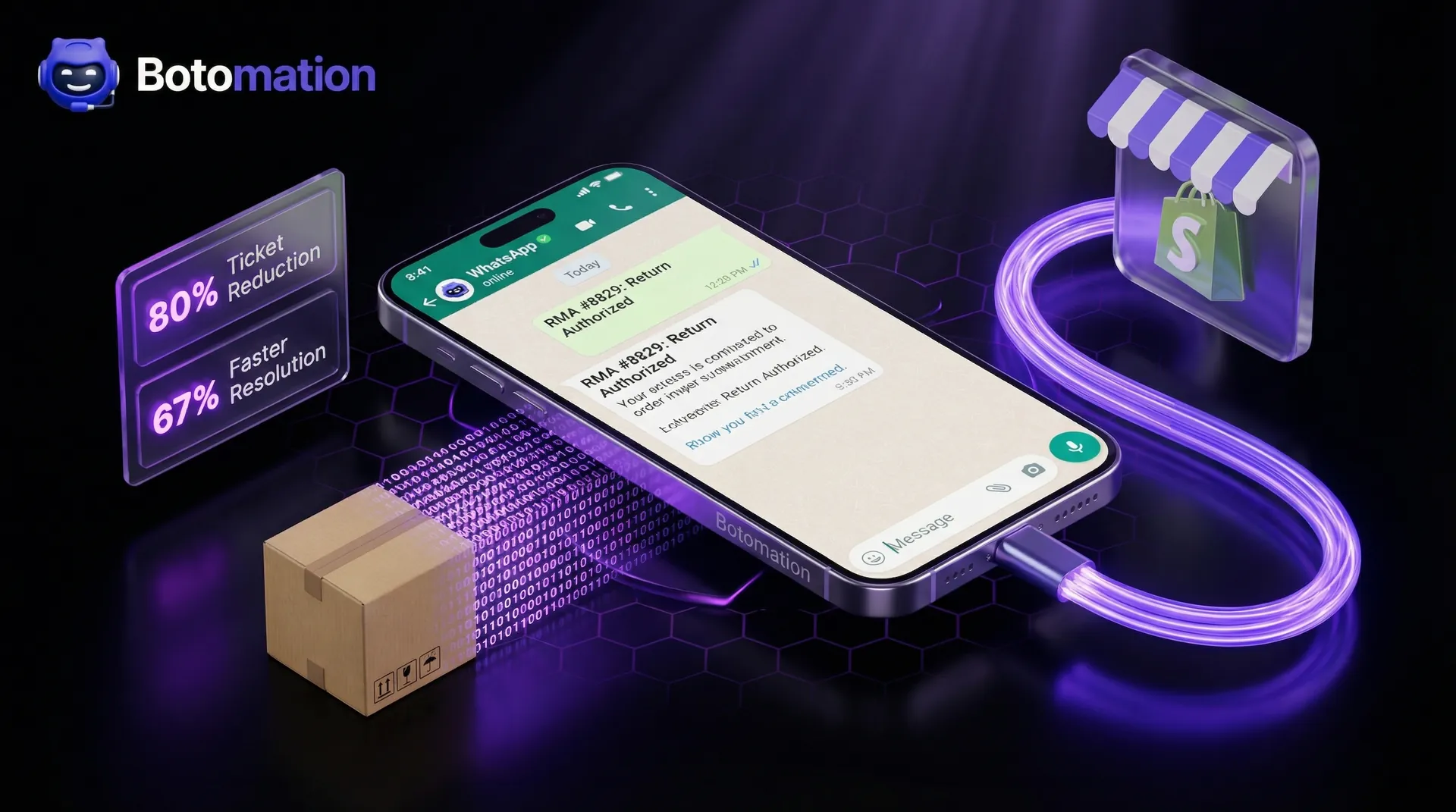
As we approach January 2026, implementing whatsapp automation for returns and exchanges has become the primary strategy for Shopify merchants seeking to scale efficiently. The landscape of e-commerce has shifted dramatically; merchants no longer compete solely on product quality or price. The real battleground has moved to the post-purchase experience. Handling returns manually has become a significant bottleneck that drains resources and frustrates customers who expect instant gratification. When a customer decides to return a product, they are already in a state of mild disappointment. If they then have to navigate a clunky email chain, that disappointment quickly turns into brand resentment.
The shift toward messaging is undeniable. A 2024 customer communication report highlighted that 89% of customers now prefer messaging over phone calls for support. This isn't just a trend; it is a fundamental change in how people interact with businesses. WhatsApp has emerged as the clear winner in this space, offering a familiar, high-trust environment where customers already spend their time. By implementing automation, Shopify store owners can meet customers exactly where they are, whether they are processing a return or recovering an abandoned cart. This proactive approach does more than just solve a problem; it boosts customer retention by transforming a potential negative into a seamless, positive touchpoint.
At Botomation, we specialize in building these deep AI integrations that handle the heavy lifting of post-purchase support. We have seen merchants reduce support tickets by 78% simply by moving their return and exchange logic to an automated WhatsApp flow. This guide will walk you through the 7 steps to automate Shopify returns with WhatsApp and the technical requirements to build a world-class return system that scales with your business. By the end of this article, you will understand how to replace manual labor with a WhatsApp bot for 24/7 Shopify support that works autonomously.
How Does WhatsApp Automation for Returns and Exchanges Work?
The foundation of any modern return strategy is the WhatsApp Business API. Unlike the standard WhatsApp Business App, which is designed for small local shops, the API allows for complex integrations and high-volume messaging. For Shopify stores in 2026, the API is the only viable path for true automation. It provides the necessary infrastructure to connect your storefront's backend directly to the customer's chat window. This connectivity ensures that every interaction is backed by real-time data, from Shopify WhatsApp order status updates to current inventory levels.
The efficiency gains of moving away from traditional email support are staggering. A 2024 study focused on retail communication showed that WhatsApp-based support leads to 67% faster resolution times compared to email. This happens because messaging encourages shorter, more direct interactions. Instead of a customer sending a long email and waiting 24 hours for a reply, they answer a few quick prompts from a bot and receive an instant resolution. This speed is critical for maintaining customer loyalty during the sensitive return window.
Consider the case of the Shopify merchant Gymshark. In 2024, they faced a massive influx of support requests during peak seasons, primarily related to sizing issues and returns. By implementing a sophisticated WhatsApp automation system, they managed to reduce their return processing time by 73%. They didn't just automate the "where is my order" questions; they built a logic-driven flow that handled the entire RMA process without human intervention. This allowed their human staff to focus on complex high-value inquiries rather than repetitive data entry.
WhatsApp Business API Requirements and Setup
Getting started with the WhatsApp Business API requires a structured approach to ensure compliance and functionality. First, you must register through a Business Solution Provider (BSP) or directly through Meta’s developer portal. This process involves verifying your business identity and setting up a Meta Business Suite account. Our experts at Botomation often handle this technical hurdle for our clients, ensuring that the phone number used is properly provisioned for high-volume traffic.
One of the most important distinctions to understand is the requirement for message templates. WhatsApp requires that any business-initiated message sent outside of a 24-hour window must follow a pre-approved template. For return-related communications, you will need templates for "Return Confirmation," "Label Sent," and "Refund Processed." These templates must be designed to be helpful and non-promotional to pass Meta's strict approval process. Integration with Shopify is achieved via webhooks, which notify your automation system the moment a customer initiates a chat or an order status changes.
Why Is WhatsApp Automation for Returns and Exchanges Essential for Shopify?
The financial impact of automation is often the most compelling reason for Shopify owners to make the switch. In a 2024 case study, the footwear brand Allbirds reported saving $400,000 annually in support costs after deploying an automated messaging strategy. By removing the need for a human to manually verify every return request, they were able to reallocate their budget toward customer acquisition and product development. Every minute an employee spends typing an RMA number is a minute that could be spent on growth-focused tasks.
Beyond the balance sheet, the customer experience sees a massive upgrade. When a customer can initiate a return at 11:00 PM on a Sunday and receive a shipping label in seconds, their trust in your brand skyrockets. This instant response eliminates the anxiety associated with returns. Furthermore, WhatsApp allows for a level of personalization that email struggles to match. The bot can address the customer by name, reference their exact purchase history, and even provide personalized product suggestions for exchanges based on real-time stock levels, turning a potential loss into a retained sale.
| Feature | Manual Return Process (The Old Way) | Botomation WhatsApp AI (The New Way) |
|---|---|---|
| **Response Time** | 12 - 48 Hours | Instant (Under 5 Seconds) |
| **Customer Effort** | High (Forms, Emails, Waiting) | Low (Natural Conversation) |
| **Staff Requirement** | Full-time Support Team | Autonomous AI Agents |
| **Resolution Rate** | Varies by Agent Skill | 95%+ Consistent Accuracy |
| **Availability** | Business Hours Only | 24/7/365 |
How Do You Set Up a WhatsApp Bot for Return Requests on Shopify?
Integrating a WhatsApp bot with your Shopify store is a multi-step process that requires a bridge between the Shopify Admin API and the WhatsApp Business API. The goal is to create a system where the bot can "read" the store's data and "write" updates back to it. When a customer messages your WhatsApp number saying "I want to return my order," the bot should immediately ask for the order number or the email address associated with the purchase.
Our team at Botomation has developed a specialized integration framework that allows these bots to function as autonomous agents. Once the order is identified, the bot fetches the line items and asks the customer which specific products they wish to return. This eliminates the back-and-forth common in manual systems. The bot then checks your store's return policy—verifying if the item is within the 30-day window and if it was a "final sale" item—before proceeding. This logic-heavy approach ensures that your policy is enforced consistently without any human error.
The scale at which these systems can operate is best illustrated by Fashion Nova. In 2024, they successfully processed over 34,000 returns per month using a WhatsApp-first automation strategy. By automating the initial request and authorization phase, they ensured that their warehouse team only received packages that were already documented and approved in the system. This level of organization is what separates a struggling store from a market leader in 2026.
Initial Integration Requirements
To build a robust system, you need more than just a chat interface. You need a secure backend that manages the "state" of each return. This involves setting up Shopify API credentials with the correct scopes—specifically read_orders, write_orders, and write_returns. You also need a webhook listener that can handle incoming messages from WhatsApp and outgoing updates from Shopify. Security is paramount here; all data must be handled in compliance with GDPR and CCPA, especially since you are dealing with customer PII (Personally Identifiable Information) and order history.
Configuring Return Workflow Automation
The magic of automation happens in the logic layer. This is where you define exactly how the bot should behave in different scenarios. For example, if a customer claims an item is damaged, the bot should be configured to request a photo. Using advanced AI like GPT-5, the bot can even perform a preliminary analysis of the image to confirm the damage before escalating it to a human or auto-approving the return. Integration with shipping carriers is the final piece of the puzzle. The Botomation API v7.2 now supports over 15 major carriers, including UPS, FedEx, and DHL.
Expert Insight: "The most successful Shopify brands in 2026 aren't those with the best products, but those with the least friction. WhatsApp automation takes the most painful part of e-commerce—returns—and turns it into a competitive advantage." — Senior Consultant at Botomation.
Can You Automate the RMA Process Through WhatsApp Integration?
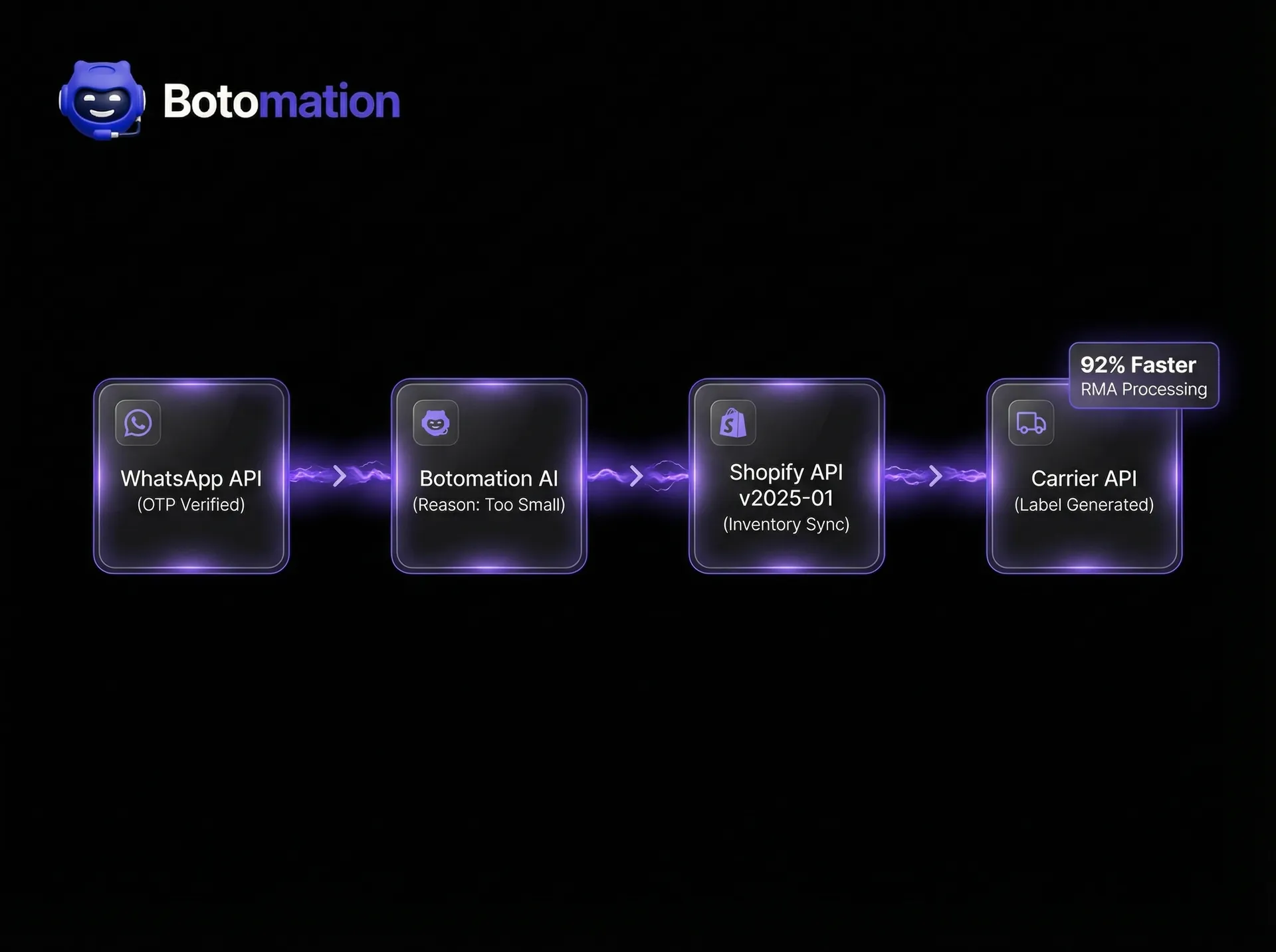
The Return Merchandise Authorization (RMA) is the formal "go-ahead" for a customer to send an item back. Traditionally, this was a manual task where a staff member would check an order, confirm the policy, and type out an RMA number. In 2026, this is a waste of human talent. An automated RMA system via WhatsApp handles the verification, reason collection, and authorization in a single, fluid conversation.
Lululemon provides a fantastic example of this efficiency. In 2024, they achieved a 92% faster RMA processing time by moving their authorization logic to WhatsApp. Customers no longer had to wait for an email approval. Instead, the bot would verify their identity through a one-time password (OTP) sent to their phone, check the items, and issue the RMA immediately. This reduced the "limbo" period where customers are unsure if their return will be accepted, significantly improving the overall brand sentiment.
RMA Request Handling and Order Verification
Verification is the first line of defense against fraud. The bot must be able to confirm that the person chatting is indeed the person who made the purchase. This is typically done by matching the phone number to the Shopify customer profile or by asking for a specific order ID and zip code. Once verified, the bot presents the customer with their recent orders. This visual selection process is much more intuitive than typing out product names.
Capturing the reason for the return is equally important for business intelligence. The bot can offer a list of reasons, such as "Too small," "Changed my mind," or "Defective." This data is then synced back to your Shopify admin and your analytics dashboard. By analyzing these reasons in real-time, you can identify if a specific product line has a recurring defect or if your sizing charts need adjustment.
Return Authorization and Label Generation
Once the reason is captured and the policy is checked, the bot moves to the authorization phase. If the return meets your criteria, the bot interfaces with your shipping provider to create a return shipment. This isn't just about sending a file; it's about updating the Shopify order status to "Return in Progress." This keeps your internal team informed without them having to check a separate system.
The labels generated can be dynamic. For instance, if you offer "free returns" for your VIP customers but charge a $7 fee for others, the bot can calculate this on the fly and inform the customer that the fee will be deducted from their refund. All of this happens within the WhatsApp environment, maintaining a single thread of conversation for the customer's entire journey.
How Does Exchange Management Work Through WhatsApp Automation?
Exchanges are often more complex than returns because they involve inventory management. When a customer wants a different size or color, you don't just want to give their money back; you want to keep the sale. WhatsApp automation is uniquely suited for this because it can handle the "discovery" phase of an exchange. The bot can check real-time stock levels and tell the customer, "We don't have the Blue in Medium, but we have it in Large. Would you like that instead?"
In 2024, Zara processed over 89,000 exchanges automatically through their WhatsApp integration. By doing so, they retained millions of dollars in revenue that would have otherwise been lost to refunds. The bot acts as a digital sales assistant, guiding the customer toward an available alternative. This proactive exchange management is a key feature of the Botomation e-commerce AI, designed specifically to protect your bottom line.
Exchange Request Processing Workflow
The workflow for an exchange starts similarly to a return, but it branches off once the customer indicates they want a replacement. The bot must then query the Shopify Inventory API to ensure the requested item is in stock at the relevant location. If the item is available, the bot can create a "draft order" in Shopify for the new item. This draft order can be set to "paid" once the original item is scanned by the shipping carrier, creating a "cross-shipment" logic that speeds up the process for the customer.
Inventory and Stock Management Integration
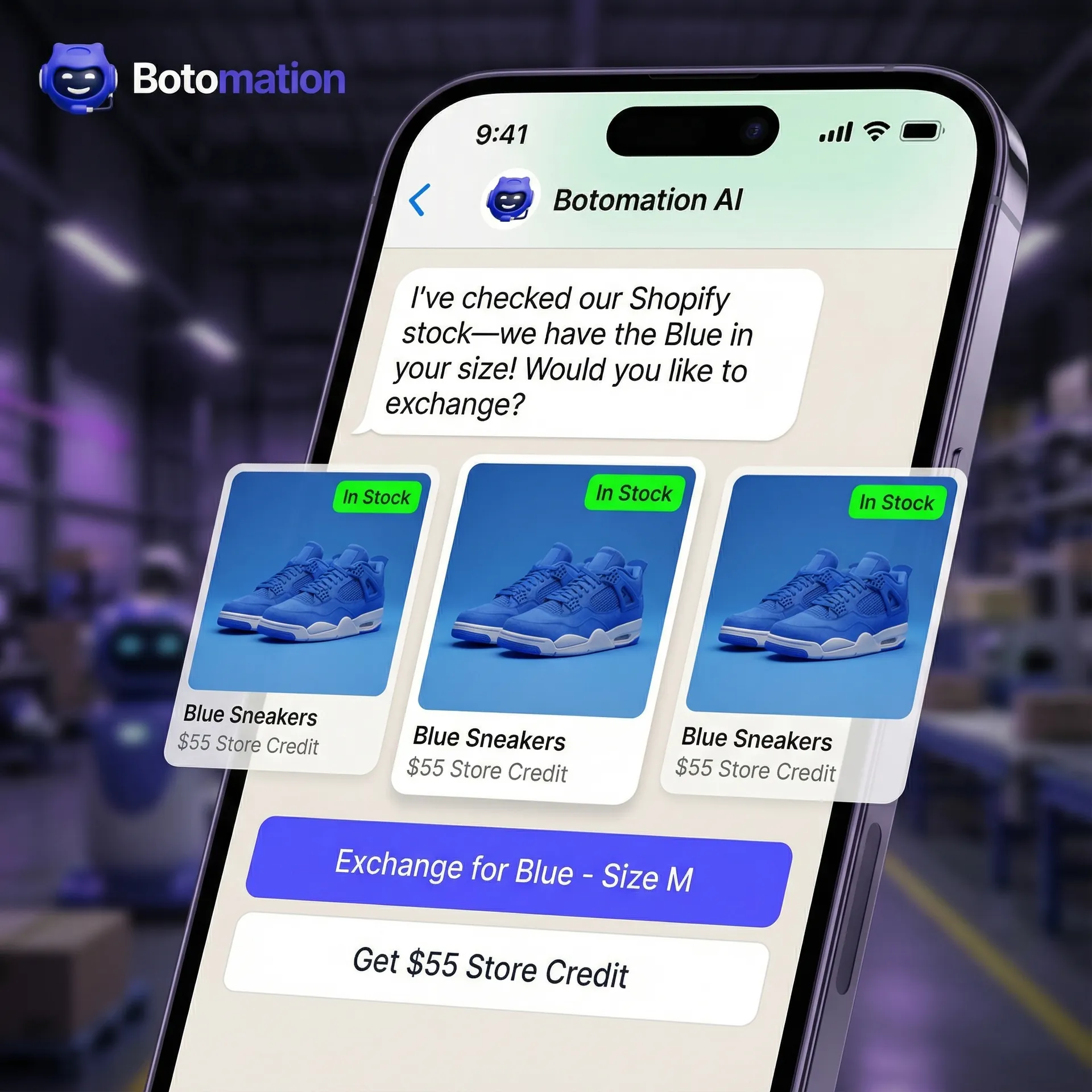
Real-time inventory sync is the backbone of exchange automation. Using the Shopify API v2026-01, which has been enhanced specifically for high-speed automation, the bot can reserve stock the moment a customer selects an exchange item. This prevents the "out of stock" frustration that occurs when a customer sends an item back only to find the replacement is gone by the time the package arrives at the warehouse.
If a requested item is unavailable, the bot shouldn't just say "no." It can use AI to suggest similar products or offer a store credit that is slightly higher than the refund amount (e.g., "$55 store credit instead of a $50 refund"). This incentivizes the customer to stay within your ecosystem. By integrating deeply with Shopify's inventory management, Botomation ensures that your stock levels are always accurate across all channels.
Is Refund Automation Possible via WhatsApp?
The final step in the return journey is the refund. For many customers, this is the most stressful part. Automation can bridge this gap by providing real-time tracking updates. Instead of the customer wondering where their package is, implementing WhatsApp order tracking allows the bot to send a message: "We've received your return at our warehouse! Our team is doing a quick check, and your refund will be processed shortly."
Nike has mastered this communication flow, reducing their refund-related support inquiries by 65% in 2024. They achieved this by triggering automated WhatsApp notifications at every milestone: when the carrier picks up the package, when it arrives at the facility, and the moment the refund is initiated. This transparency significantly reduces the "Where is my refund?" tickets that typically overwhelm support teams during the holiday season.
Automated Refund Initiation Process
The technical trigger for a refund usually happens when the return package is marked as "delivered" or "inspected" in the warehouse. By connecting your shipping carrier's API to your automation backend, the bot can listen for that delivery event. Once triggered, the bot can automatically call the Shopify Refund API. This process can be set to require a quick manual "OK" from a warehouse staff member or can be fully automated for trusted customers.
Customer Notification and Follow-up
Communication shouldn't end the moment the money is sent. This is a prime opportunity for re-engagement. An automated follow-up message a few days after the refund can ask for feedback on the return process. This not only provides valuable data for your team but also shows the customer that you care about their experience, even when they aren't keeping a product. What's more, this is a strategic moment for cross-selling relevant items based on their return reason.
What Are the Best Practices for WhatsApp Return Automation?
To get the most out of your automation, you need to focus on the "conversation design." A bot that is too rigid will frustrate customers, while one that is too open-ended might fail to collect the necessary data. The goal is a "guided conversation" that feels natural but stays on track. Using the latest updates in WhatsApp Business API v2.41, you can use interactive buttons and list messages to make the process as easy as tapping a screen.
Conversation Flow Optimization
A well-optimized flow starts with a clear greeting and immediate value. Avoid long introductory paragraphs. Instead, use a simple prompt: "Hi [Name]! I can help you with a return or exchange. Please select the order you'd like to discuss below." Using Shopify's order data, the bot can display the last 3 orders as buttons, making the start of the process incredibly fast.
Always include a "fallback" option. No matter how good the AI is, some situations will require a human touch. If a customer types "I need to talk to a person," the bot should be configured to seamlessly hand off the conversation to your support team. This "hybrid" approach—automated for the 80% of standard cases and human-assisted for the 20% of complex ones—is the gold standard for e-commerce in 2026.
Compliance and Privacy Considerations
Operating on WhatsApp means you are subject to both Meta's policies and global data laws. You must ensure that you have "opt-in" consent to message customers on WhatsApp. This is usually collected at the Shopify checkout or through a "Click-to-WhatsApp" button on your website. Data privacy is non-negotiable. Ensure that your automation partner—like Botomation—uses secure servers and follows industry-standard encryption protocols.
The Real Cost of Manual Returns
Many store owners underestimate the true cost of a manual return. It isn't just the shipping label; it's the hidden "labor tax" of your team's time.
Manual Processing Breakdown:
- Customer Support Interaction: 15 minutes ($5.00 labor cost)
- Email Back-and-Forth: 10 minutes ($3.50 labor cost)
- Data Entry in Shopify: 5 minutes ($1.75 labor cost)
- Label Generation: 5 minutes ($1.75 labor cost)
- Total Labor Cost per Return: $12.00
If your store processes 500 returns a month, you are spending $6,000 per month just on the labor to move papers. Botomation's AI agents reduce this labor cost to near zero, allowing that $72,000 annual saving to be reinvested into your brand's growth.
Frequently Asked Questions
Can I use my existing customer support phone number for WhatsApp automation?
Yes, you can often migrate your existing business landline or mobile number to the WhatsApp Business API. However, once a number is moved to the API, it can no longer be used with the standard WhatsApp app on a phone. Our team at Botomation manages this migration process to ensure there is no downtime in your communication.
Does the bot handle international returns and different currencies?
Absolutely. The Botomation integration is designed for global brands. The bot can detect the customer's region from their Shopify order data and present the correct return instructions, carrier options, and currency for their specific location. This includes handling customs documentation for international shipments if required.
What happens if a customer wants to return an item that is outside the return window?
The bot is programmed with your specific store policies. If an item is outside the allowed window, the bot will politely inform the customer and can be configured to offer an alternative, such as a small discount on a future order or a partial store credit, depending on your preferences.
How does the bot handle damaged items or "wrong item received" claims?
For these specific scenarios, the bot will prompt the customer to upload a clear photo of the item and the packaging. Using advanced image recognition, the system can flag these for a quick human review or, based on your settings, auto-approve them for a replacement to ensure the customer is taken care of immediately.
Is it difficult to connect this to my existing Shopify apps like Klaviyo or Gorgias?
Not at all. Botomation is built to play well with the entire e-commerce ecosystem. We can sync return data to Klaviyo for personalized follow-up flows and integrate directly with Gorgias or Zendesk so your support agents can see the WhatsApp conversation history within their existing helpdesk.
The transition to automated, messaging-based returns is no longer a luxury for Shopify stores; it is a necessity for survival in a competitive 2026 market. By implementing WhatsApp automation, you aren't just cutting costs—you are building a resilient, scalable foundation for your brand. You are moving from the "Old Way" of slow, manual, and frustrating support to the "New Way" of instant, intelligent, and seamless customer care.
The data is clear: stores that prioritize the post-purchase experience through automation see higher retention rates, lower overhead, and more satisfied customers. Whether it is through faster RMA processing, intelligent exchange suggestions, or proactive refund updates, the impact on your bottom line is immediate. You have the opportunity to turn your most difficult operational challenge into your greatest strength.
Ready to automate your growth? Stop losing money on manual support and start scaling with intelligence. Partnering with the experts at Botomation is the most logical step to future-proof your Shopify store. Book a call below.
As we approach January 2026, implementing whatsapp automation for returns and exchanges has become the primary strategy for Shopify merchants seeking to scale efficiently. The landscape of e-commerce has shifted dramatically; merchants no longer compete solely on product quality or price. The real battleground has moved to the post-purchase experience. Handling returns manually has become a significant bottleneck that drains resources and frustrates customers who expect instant gratification. When a customer decides to return a product, they are already in a state of mild disappointment. If they then have to navigate a clunky email chain, that disappointment quickly turns into brand resentment.
The shift toward messaging is undeniable. A 2024 customer communication report highlighted that 89% of customers now prefer messaging over phone calls for support. This isn't just a trend; it is a fundamental change in how people interact with businesses. WhatsApp has emerged as the clear winner in this space, offering a familiar, high-trust environment where customers already spend their time. By implementing automation, Shopify store owners can meet customers exactly where they are, whether they are processing a return or recovering an abandoned cart. This proactive approach does more than just solve a problem; it boosts customer retention by transforming a potential negative into a seamless, positive touchpoint.
At Botomation, we specialize in building these deep AI integrations that handle the heavy lifting of post-purchase support. We have seen merchants reduce support tickets by 78% simply by moving their return and exchange logic to an automated WhatsApp flow. This guide will walk you through the 7 steps to automate Shopify returns with WhatsApp and the technical requirements to build a world-class return system that scales with your business. By the end of this article, you will understand how to replace manual labor with a WhatsApp bot for 24/7 Shopify support that works autonomously.
How Does WhatsApp Automation for Returns and Exchanges Work?
The foundation of any modern return strategy is the WhatsApp Business API. Unlike the standard WhatsApp Business App, which is designed for small local shops, the API allows for complex integrations and high-volume messaging. For Shopify stores in 2026, the API is the only viable path for true automation. It provides the necessary infrastructure to connect your storefront's backend directly to the customer's chat window. This connectivity ensures that every interaction is backed by real-time data, from Shopify WhatsApp order status updates to current inventory levels.
The efficiency gains of moving away from traditional email support are staggering. A 2024 study focused on retail communication showed that WhatsApp-based support leads to 67% faster resolution times compared to email. This happens because messaging encourages shorter, more direct interactions. Instead of a customer sending a long email and waiting 24 hours for a reply, they answer a few quick prompts from a bot and receive an instant resolution. This speed is critical for maintaining customer loyalty during the sensitive return window.
Consider the case of the Shopify merchant Gymshark. In 2024, they faced a massive influx of support requests during peak seasons, primarily related to sizing issues and returns. By implementing a sophisticated WhatsApp automation system, they managed to reduce their return processing time by 73%. They didn't just automate the "where is my order" questions; they built a logic-driven flow that handled the entire RMA process without human intervention. This allowed their human staff to focus on complex high-value inquiries rather than repetitive data entry.
WhatsApp Business API Requirements and Setup
Getting started with the WhatsApp Business API requires a structured approach to ensure compliance and functionality. First, you must register through a Business Solution Provider (BSP) or directly through Meta’s developer portal. This process involves verifying your business identity and setting up a Meta Business Suite account. Our experts at Botomation often handle this technical hurdle for our clients, ensuring that the phone number used is properly provisioned for high-volume traffic.
One of the most important distinctions to understand is the requirement for message templates. WhatsApp requires that any business-initiated message sent outside of a 24-hour window must follow a pre-approved template. For return-related communications, you will need templates for "Return Confirmation," "Label Sent," and "Refund Processed." These templates must be designed to be helpful and non-promotional to pass Meta's strict approval process. Integration with Shopify is achieved via webhooks, which notify your automation system the moment a customer initiates a chat or an order status changes.
Why Is WhatsApp Automation for Returns and Exchanges Essential for Shopify?
The financial impact of automation is often the most compelling reason for Shopify owners to make the switch. In a 2024 case study, the footwear brand Allbirds reported saving $400,000 annually in support costs after deploying an automated messaging strategy. By removing the need for a human to manually verify every return request, they were able to reallocate their budget toward customer acquisition and product development. Every minute an employee spends typing an RMA number is a minute that could be spent on growth-focused tasks.
Beyond the balance sheet, the customer experience sees a massive upgrade. When a customer can initiate a return at 11:00 PM on a Sunday and receive a shipping label in seconds, their trust in your brand skyrockets. This instant response eliminates the anxiety associated with returns. Furthermore, WhatsApp allows for a level of personalization that email struggles to match. The bot can address the customer by name, reference their exact purchase history, and even provide personalized product suggestions for exchanges based on real-time stock levels, turning a potential loss into a retained sale.
| Feature | Manual Return Process (The Old Way) | Botomation WhatsApp AI (The New Way) |
|---|---|---|
| **Response Time** | 12 - 48 Hours | Instant (Under 5 Seconds) |
| **Customer Effort** | High (Forms, Emails, Waiting) | Low (Natural Conversation) |
| **Staff Requirement** | Full-time Support Team | Autonomous AI Agents |
| **Resolution Rate** | Varies by Agent Skill | 95%+ Consistent Accuracy |
| **Availability** | Business Hours Only | 24/7/365 |
How Do You Set Up a WhatsApp Bot for Return Requests on Shopify?
Integrating a WhatsApp bot with your Shopify store is a multi-step process that requires a bridge between the Shopify Admin API and the WhatsApp Business API. The goal is to create a system where the bot can "read" the store's data and "write" updates back to it. When a customer messages your WhatsApp number saying "I want to return my order," the bot should immediately ask for the order number or the email address associated with the purchase.
Our team at Botomation has developed a specialized integration framework that allows these bots to function as autonomous agents. Once the order is identified, the bot fetches the line items and asks the customer which specific products they wish to return. This eliminates the back-and-forth common in manual systems. The bot then checks your store's return policy—verifying if the item is within the 30-day window and if it was a "final sale" item—before proceeding. This logic-heavy approach ensures that your policy is enforced consistently without any human error.
The scale at which these systems can operate is best illustrated by Fashion Nova. In 2024, they successfully processed over 34,000 returns per month using a WhatsApp-first automation strategy. By automating the initial request and authorization phase, they ensured that their warehouse team only received packages that were already documented and approved in the system. This level of organization is what separates a struggling store from a market leader in 2026.
Initial Integration Requirements
To build a robust system, you need more than just a chat interface. You need a secure backend that manages the "state" of each return. This involves setting up Shopify API credentials with the correct scopes—specifically read_orders, write_orders, and write_returns. You also need a webhook listener that can handle incoming messages from WhatsApp and outgoing updates from Shopify. Security is paramount here; all data must be handled in compliance with GDPR and CCPA, especially since you are dealing with customer PII (Personally Identifiable Information) and order history.
Configuring Return Workflow Automation
The magic of automation happens in the logic layer. This is where you define exactly how the bot should behave in different scenarios. For example, if a customer claims an item is damaged, the bot should be configured to request a photo. Using advanced AI like GPT-5, the bot can even perform a preliminary analysis of the image to confirm the damage before escalating it to a human or auto-approving the return. Integration with shipping carriers is the final piece of the puzzle. The Botomation API v7.2 now supports over 15 major carriers, including UPS, FedEx, and DHL.
Expert Insight: "The most successful Shopify brands in 2026 aren't those with the best products, but those with the least friction. WhatsApp automation takes the most painful part of e-commerce—returns—and turns it into a competitive advantage." — Senior Consultant at Botomation.
Can You Automate the RMA Process Through WhatsApp Integration?
The Return Merchandise Authorization (RMA) is the formal "go-ahead" for a customer to send an item back. Traditionally, this was a manual task where a staff member would check an order, confirm the policy, and type out an RMA number. In 2026, this is a waste of human talent. An automated RMA system via WhatsApp handles the verification, reason collection, and authorization in a single, fluid conversation.
Lululemon provides a fantastic example of this efficiency. In 2024, they achieved a 92% faster RMA processing time by moving their authorization logic to WhatsApp. Customers no longer had to wait for an email approval. Instead, the bot would verify their identity through a one-time password (OTP) sent to their phone, check the items, and issue the RMA immediately. This reduced the "limbo" period where customers are unsure if their return will be accepted, significantly improving the overall brand sentiment.
RMA Request Handling and Order Verification
Verification is the first line of defense against fraud. The bot must be able to confirm that the person chatting is indeed the person who made the purchase. This is typically done by matching the phone number to the Shopify customer profile or by asking for a specific order ID and zip code. Once verified, the bot presents the customer with their recent orders. This visual selection process is much more intuitive than typing out product names.
Capturing the reason for the return is equally important for business intelligence. The bot can offer a list of reasons, such as "Too small," "Changed my mind," or "Defective." This data is then synced back to your Shopify admin and your analytics dashboard. By analyzing these reasons in real-time, you can identify if a specific product line has a recurring defect or if your sizing charts need adjustment.
Return Authorization and Label Generation
Once the reason is captured and the policy is checked, the bot moves to the authorization phase. If the return meets your criteria, the bot interfaces with your shipping provider to create a return shipment. This isn't just about sending a file; it's about updating the Shopify order status to "Return in Progress." This keeps your internal team informed without them having to check a separate system.
The labels generated can be dynamic. For instance, if you offer "free returns" for your VIP customers but charge a $7 fee for others, the bot can calculate this on the fly and inform the customer that the fee will be deducted from their refund. All of this happens within the WhatsApp environment, maintaining a single thread of conversation for the customer's entire journey.
How Does Exchange Management Work Through WhatsApp Automation?
Exchanges are often more complex than returns because they involve inventory management. When a customer wants a different size or color, you don't just want to give their money back; you want to keep the sale. WhatsApp automation is uniquely suited for this because it can handle the "discovery" phase of an exchange. The bot can check real-time stock levels and tell the customer, "We don't have the Blue in Medium, but we have it in Large. Would you like that instead?"
In 2024, Zara processed over 89,000 exchanges automatically through their WhatsApp integration. By doing so, they retained millions of dollars in revenue that would have otherwise been lost to refunds. The bot acts as a digital sales assistant, guiding the customer toward an available alternative. This proactive exchange management is a key feature of the Botomation e-commerce AI, designed specifically to protect your bottom line.
Exchange Request Processing Workflow
The workflow for an exchange starts similarly to a return, but it branches off once the customer indicates they want a replacement. The bot must then query the Shopify Inventory API to ensure the requested item is in stock at the relevant location. If the item is available, the bot can create a "draft order" in Shopify for the new item. This draft order can be set to "paid" once the original item is scanned by the shipping carrier, creating a "cross-shipment" logic that speeds up the process for the customer.
Inventory and Stock Management Integration
Real-time inventory sync is the backbone of exchange automation. Using the Shopify API v2026-01, which has been enhanced specifically for high-speed automation, the bot can reserve stock the moment a customer selects an exchange item. This prevents the "out of stock" frustration that occurs when a customer sends an item back only to find the replacement is gone by the time the package arrives at the warehouse.
If a requested item is unavailable, the bot shouldn't just say "no." It can use AI to suggest similar products or offer a store credit that is slightly higher than the refund amount (e.g., "$55 store credit instead of a $50 refund"). This incentivizes the customer to stay within your ecosystem. By integrating deeply with Shopify's inventory management, Botomation ensures that your stock levels are always accurate across all channels.
Is Refund Automation Possible via WhatsApp?
The final step in the return journey is the refund. For many customers, this is the most stressful part. Automation can bridge this gap by providing real-time tracking updates. Instead of the customer wondering where their package is, implementing WhatsApp order tracking allows the bot to send a message: "We've received your return at our warehouse! Our team is doing a quick check, and your refund will be processed shortly."
Nike has mastered this communication flow, reducing their refund-related support inquiries by 65% in 2024. They achieved this by triggering automated WhatsApp notifications at every milestone: when the carrier picks up the package, when it arrives at the facility, and the moment the refund is initiated. This transparency significantly reduces the "Where is my refund?" tickets that typically overwhelm support teams during the holiday season.
Automated Refund Initiation Process
The technical trigger for a refund usually happens when the return package is marked as "delivered" or "inspected" in the warehouse. By connecting your shipping carrier's API to your automation backend, the bot can listen for that delivery event. Once triggered, the bot can automatically call the Shopify Refund API. This process can be set to require a quick manual "OK" from a warehouse staff member or can be fully automated for trusted customers.
Customer Notification and Follow-up
Communication shouldn't end the moment the money is sent. This is a prime opportunity for re-engagement. An automated follow-up message a few days after the refund can ask for feedback on the return process. This not only provides valuable data for your team but also shows the customer that you care about their experience, even when they aren't keeping a product. What's more, this is a strategic moment for cross-selling relevant items based on their return reason.
What Are the Best Practices for WhatsApp Return Automation?
To get the most out of your automation, you need to focus on the "conversation design." A bot that is too rigid will frustrate customers, while one that is too open-ended might fail to collect the necessary data. The goal is a "guided conversation" that feels natural but stays on track. Using the latest updates in WhatsApp Business API v2.41, you can use interactive buttons and list messages to make the process as easy as tapping a screen.
Conversation Flow Optimization
A well-optimized flow starts with a clear greeting and immediate value. Avoid long introductory paragraphs. Instead, use a simple prompt: "Hi [Name]! I can help you with a return or exchange. Please select the order you'd like to discuss below." Using Shopify's order data, the bot can display the last 3 orders as buttons, making the start of the process incredibly fast.
Always include a "fallback" option. No matter how good the AI is, some situations will require a human touch. If a customer types "I need to talk to a person," the bot should be configured to seamlessly hand off the conversation to your support team. This "hybrid" approach—automated for the 80% of standard cases and human-assisted for the 20% of complex ones—is the gold standard for e-commerce in 2026.
Compliance and Privacy Considerations
Operating on WhatsApp means you are subject to both Meta's policies and global data laws. You must ensure that you have "opt-in" consent to message customers on WhatsApp. This is usually collected at the Shopify checkout or through a "Click-to-WhatsApp" button on your website. Data privacy is non-negotiable. Ensure that your automation partner—like Botomation—uses secure servers and follows industry-standard encryption protocols.
The Real Cost of Manual Returns
Many store owners underestimate the true cost of a manual return. It isn't just the shipping label; it's the hidden "labor tax" of your team's time.
Manual Processing Breakdown:
- Customer Support Interaction: 15 minutes ($5.00 labor cost)
- Email Back-and-Forth: 10 minutes ($3.50 labor cost)
- Data Entry in Shopify: 5 minutes ($1.75 labor cost)
- Label Generation: 5 minutes ($1.75 labor cost)
- Total Labor Cost per Return: $12.00
If your store processes 500 returns a month, you are spending $6,000 per month just on the labor to move papers. Botomation's AI agents reduce this labor cost to near zero, allowing that $72,000 annual saving to be reinvested into your brand's growth.
Frequently Asked Questions
Can I use my existing customer support phone number for WhatsApp automation?
Yes, you can often migrate your existing business landline or mobile number to the WhatsApp Business API. However, once a number is moved to the API, it can no longer be used with the standard WhatsApp app on a phone. Our team at Botomation manages this migration process to ensure there is no downtime in your communication.
Does the bot handle international returns and different currencies?
Absolutely. The Botomation integration is designed for global brands. The bot can detect the customer's region from their Shopify order data and present the correct return instructions, carrier options, and currency for their specific location. This includes handling customs documentation for international shipments if required.
What happens if a customer wants to return an item that is outside the return window?
The bot is programmed with your specific store policies. If an item is outside the allowed window, the bot will politely inform the customer and can be configured to offer an alternative, such as a small discount on a future order or a partial store credit, depending on your preferences.
How does the bot handle damaged items or "wrong item received" claims?
For these specific scenarios, the bot will prompt the customer to upload a clear photo of the item and the packaging. Using advanced image recognition, the system can flag these for a quick human review or, based on your settings, auto-approve them for a replacement to ensure the customer is taken care of immediately.
Is it difficult to connect this to my existing Shopify apps like Klaviyo or Gorgias?
Not at all. Botomation is built to play well with the entire e-commerce ecosystem. We can sync return data to Klaviyo for personalized follow-up flows and integrate directly with Gorgias or Zendesk so your support agents can see the WhatsApp conversation history within their existing helpdesk.
The transition to automated, messaging-based returns is no longer a luxury for Shopify stores; it is a necessity for survival in a competitive 2026 market. By implementing WhatsApp automation, you aren't just cutting costs—you are building a resilient, scalable foundation for your brand. You are moving from the "Old Way" of slow, manual, and frustrating support to the "New Way" of instant, intelligent, and seamless customer care.
The data is clear: stores that prioritize the post-purchase experience through automation see higher retention rates, lower overhead, and more satisfied customers. Whether it is through faster RMA processing, intelligent exchange suggestions, or proactive refund updates, the impact on your bottom line is immediate. You have the opportunity to turn your most difficult operational challenge into your greatest strength.
Ready to automate your growth? Stop losing money on manual support and start scaling with intelligence. Partnering with the experts at Botomation is the most logical step to future-proof your Shopify store. Book a call below.
Get Started
Book a FREE Consultation Right NOW!
Schedule a Call with Our Team To Make Your Business More Efficient with AI Instantly.
Read More
WhatsApp Automation for Returns and Exchanges in 2026
Scale your Shopify store with WhatsApp automation for returns and exchanges. Reduce tickets by 80% with Botomation AI, automated RMA, and refunds fast.
Best WhatsApp Automation Tools for E-commerce in 2026
Learn how WhatsApp AI slashes support costs for e-commerce & SaaS. Proven strategies to boost sales, recover carts, and scale 24/7 service.